

Share this tool:
 |
Description:
MachineTranslation.com is not just a faster version of Google Translate. The current product is better understood as a translation workspace built around verification. Its main pitch is that instead of trusting one model, it compares outputs from 22 AI models, surfaces quality signals, preserves document layout, and adds workflow layers like an AI Translation Agent, Key Term Translations, data anonymization, Secure Mode, and optional human review. That broader shape is what makes it interesting.
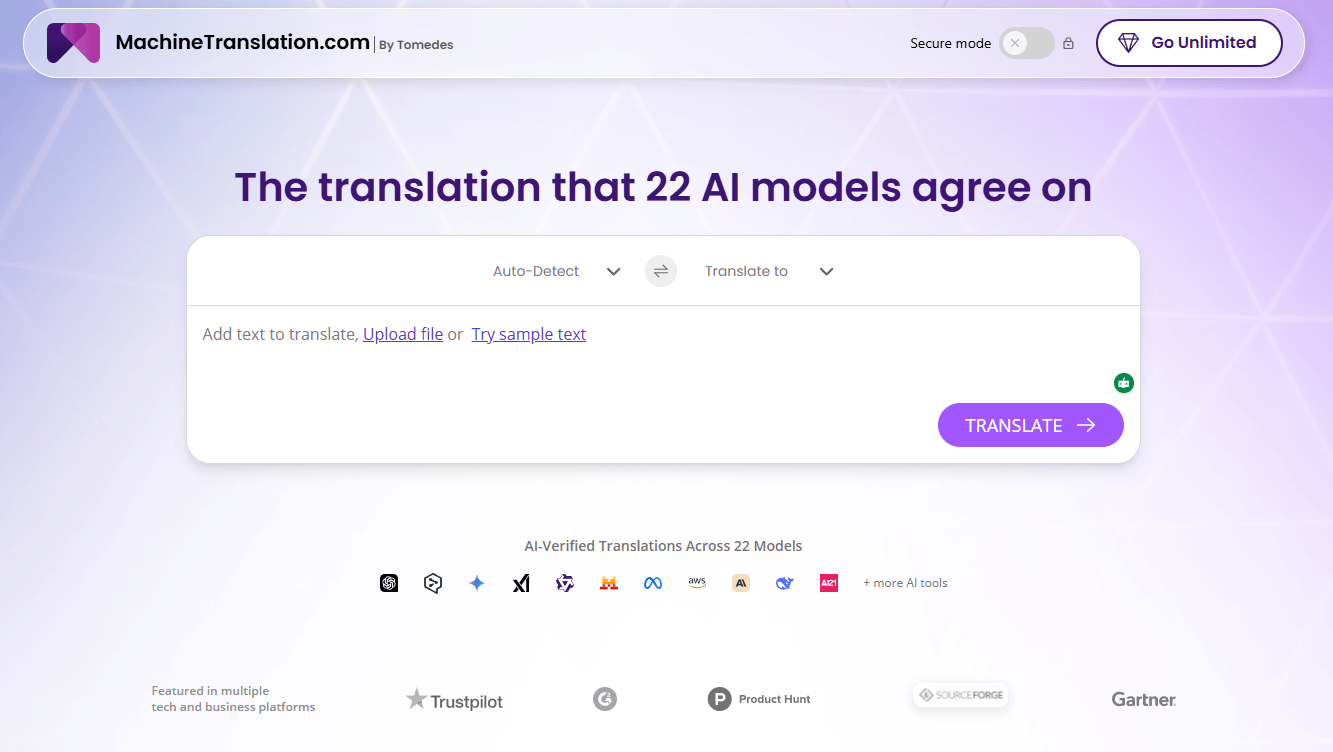
Compares outputs from 22 AI models and selects the translation with the strongest cross-model agreement.
Lets you add instructions, remember preferences, and keep tone or brand voice more consistent over time.
Extracts up to 10 important terms, shows top candidate translations from multiple engines, and helps build more reliable glossaries.
Supports files such as PDF, DOCX, CSV, and JPG while aiming to preserve original formatting.
Includes zero-retention claims, data anonymization, GDPR-compliant positioning, and Secure Mode using trusted SOC 2-compliant AI sources for sensitive content.
Lets users escalate critical content to professional linguists from inside the same platform.
MachineTranslation.com is strongest when translation quality needs a second opinion before publication. The headline feature is SMART, which compares outputs from 22 AI models and selects the translation most of them agree on, instead of forcing you to trust a single engine’s first answer. The platform also supports side-by-side comparison views with quality scores, which makes it more useful for review-heavy work than a one-box translator that only returns one output.
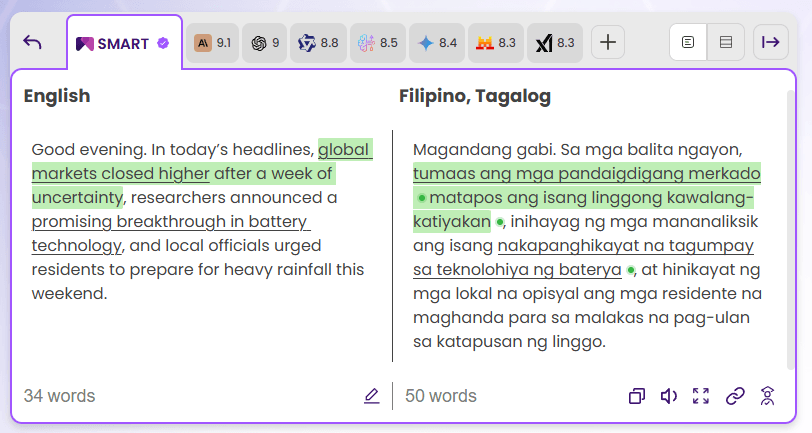
That matters because the product is not really selling raw translation speed alone. It is selling a safer path from source text to usable multilingual output. You can translate text and documents, compare competing renderings, refine tone and terminology through the AI Translation Agent, lock in domain-specific wording with Key Term Translations, and escalate to human review when the content is too important to leave fully automated. That is a much more practical workflow than “paste text, hope for the best.”
The easiest way to understand MachineTranslation.com is as a four-step workflow. First, you paste text or upload a document. Second, the platform runs multiple AI sources on the same content. Third, you compare outputs, quality scores, and key terminology. Fourth, you either accept the SMART result, refine it with the AI Translation Agent, or send it for human verification if accuracy matters more than speed. That flow is the real value of the product.
That workflow also makes the product much more useful for document translation than a basic consumer translator. The homepage says it supports 270+ languages and file types including PDF, DOCX, CSV, and JPG, and it emphasizes keeping original layout intact. It also highlights document formatting and human review as built-in workflow considerations rather than afterthoughts.
The AI Translation Agent is the part that pushes the platform beyond one-off translation. MachineTranslation.com says you can customize translations by answering a few questions or adding your own instructions, upload glossaries or style guides, and let the system remember your choices so you do not have to repeat the same edits. That is especially useful when the challenge is not just language conversion, but keeping tone, terminology, and brand voice stable across repeated work.
The most practical control layer is Key Term Translations. The feature identifies up to 10 specialized or industry-specific terms in your source text, gathers translations for them from multiple NMT engines and LLMs, and presents the top options so you can choose the right one. That is a much more grounded approach than hoping a generic model understands whether “bank” means a financial institution, a riverbank, or something domain-specific in your document.
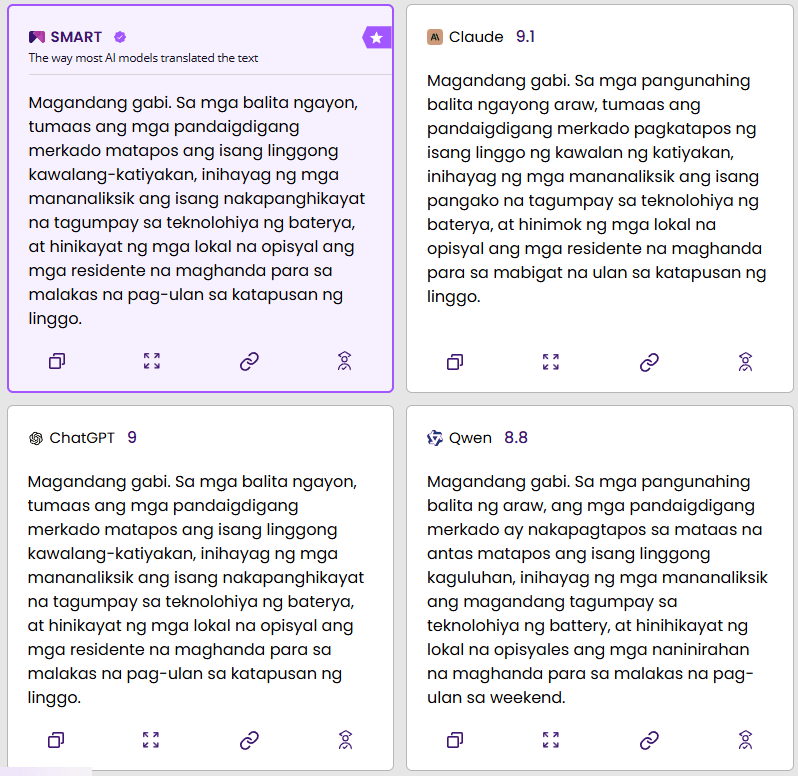
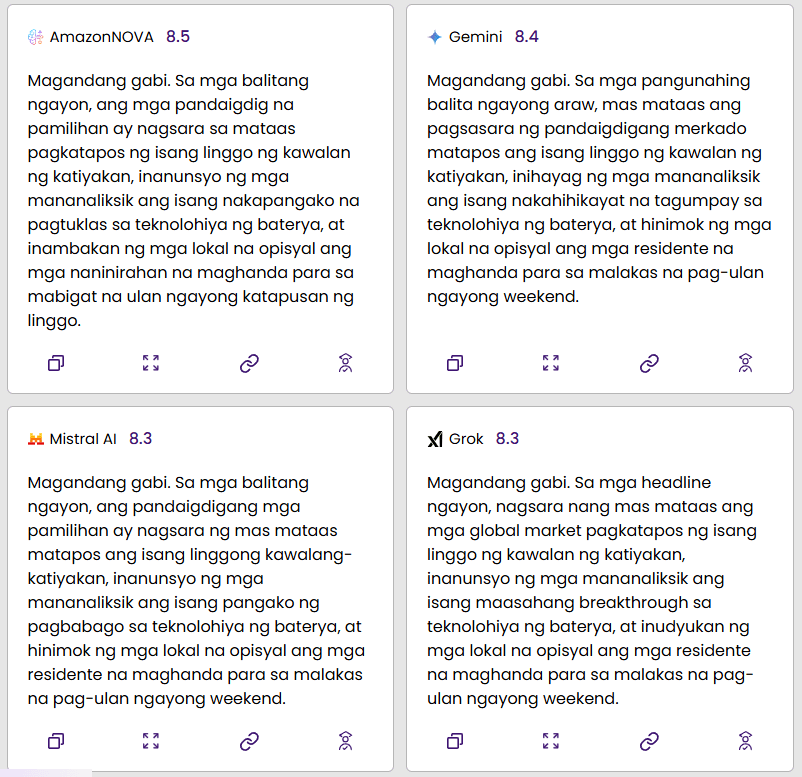
The side-by-side comparison view is the second big control layer. MachineTranslation.com’s own translation pages and guides say users can compare outputs from different AI sources, see quality scores, and adjust wording segment by segment. That makes the product more valuable for editors, localization managers, and bilingual reviewers than fully automatic translators that hide all alternatives behind one result.
The third major control layer is privacy. The platform says user content is never used to train AI models, supports zero data retention, and offers data anonymization that masks sensitive details such as names, numbers, and email addresses before sending text to AI sources. For sensitive workflows, Secure Mode limits translations to trusted SOC 2-compliant AI sources. That is one of the clearest reasons this product makes more sense for business-critical documents than casual consumer translators do.
MachineTranslation.com is a strong fit for business and localization teams translating product copy, website content, customer support material, or operational documents across many languages. The combination of 270+ language support, glossary-style term control, comparison view, and translation memory-like behavior in the AI Translation Agent makes it more practical for repeated localization work than one-shot translators.
It also makes sense for regulated or privacy-sensitive work in legal, healthcare, finance, and similar environments. The platform explicitly markets secure server processing, automatic anonymization, expiring guest-access links, and Secure Mode for confidential documents, which are the kinds of workflow assurances that matter in those industries.
There is also a strong case for language professionals and post-editors rather than only end users. Quality scores, comparison view, key-term extraction, bilingual segment review, and optional human verification all make more sense in review-heavy workflows than in purely casual translation. This is a tool that seems designed for “AI first, then verify and refine” rather than “AI once and publish instantly.”
- Use SMART as the default starting point, but do not stop there for important content. The platform’s real advantage is not only consensus selection. It is the combination of SMART, comparison view, and quality scoring, so the best workflow is often to start with the consensus answer and then inspect segments that look sensitive, ambiguous, or brand-critical.
- Use the AI Translation Agent early if tone or brand language matters. MachineTranslation.com says it can remember your choices and apply style guides or glossaries, so it is more useful to set those preferences up before a larger batch than to fix the same terminology drift repeatedly afterward.
- Use Key Term Translations whenever the source includes legal, medical, technical, or branded terms. That feature exists precisely because those terms are where ordinary machine translation tends to drift or flatten meaning.
- Turn on data anonymization or Secure Mode when working with contracts, patient information, internal financial material, or anything confidential. MachineTranslation.com explicitly positions those features as safeguards for privacy-sensitive workflows, not as edge-case extras.
- The biggest trade-off is that MachineTranslation.com is not as simple as a single-engine translator. That is a strength when quality control matters, but it also means more decisions: whether to trust SMART immediately, whether to compare outputs manually, whether to customize with the AI Translation Agent, and when to escalate to human review. Users who just want the fastest possible one-click translation may not use the deeper layers enough to benefit fully. This is an inference from the product’s multi-step workflow and feature set.
- The second trade-off is that many of the strongest claims come from the company’s own materials. MachineTranslation.com publishes useful detail on its workflow, but a number of performance claims, such as error reduction, formatting retention rates, or professional-quality percentages, are presented as vendor claims rather than independently benchmarked evidence. That does not make them false, but it does mean buyers should validate the platform on their own content rather than rely on headline numbers alone.
- The third trade-off is that the product is best for text and document localization, not as a broader translation management system with the collaboration depth of a full enterprise TMS. The current public product pages emphasize translation, comparison, security, terminology control, and human review, but they do not present a richer collaboration or workflow-automation layer on the level of a dedicated large-team localization platform. This is an inference from the current public feature set and positioning.
MachineTranslation.com is one of the more practical AI translation tools right now because it does not ask you to trust one model blindly. Its strongest qualities are multi-engine verification through SMART, useful terminology control through Key Term Translations and the AI Translation Agent, strong privacy features for sensitive work, and a document workflow that is clearly built for real localization rather than casual sentence translation.
It is best for localization teams, businesses handling multilingual documents, and reviewers who want AI speed with more verification and control than a normal translator offers. The main caveat is that the platform’s value depends on actually using those extra layers. If you only want a single instant translation and nothing more, the deeper workflow may be more than you need.
TAGS: Translation Text to Speech
Related Tools:
Enables multilingual support for ChatGPT
Text-to-Speech and Voice Cloning
Generates realistic speech and powers voice-based applications

Instantly transcribes, searches, and analyzes spoken language

Automates video dubbing and translation

Offers accurate translations over multiple languages