

Share this tool:
 |
Description:
- Introduction
- Strong Features and Capabilities
- What PostEverywhere Actually Is
- Where PostEverywhere Is Strongest
- Workflow and Ease of Use
- AI Content Studio and Model Variety
- Visual Calendar, Bulk Scheduling, and Scale
- Analytics and Performance Tracking
- API, SDK, and Automation Layer
- Best Use Cases
- Practical Tips
- Limitations and Trade-Offs
- Final Takeaway
PostEverywhere is an AI-powered social media management platform for creators, small businesses, agencies, and teams that want to create content once, adapt it for multiple platforms, schedule it visually, and track performance from one dashboard. Its strongest value is not only that it can generate captions, images, and videos. The bigger advantage is that it connects AI content creation directly to scheduling, cross-posting, bulk uploads, workspaces, analytics, and API-based automation.
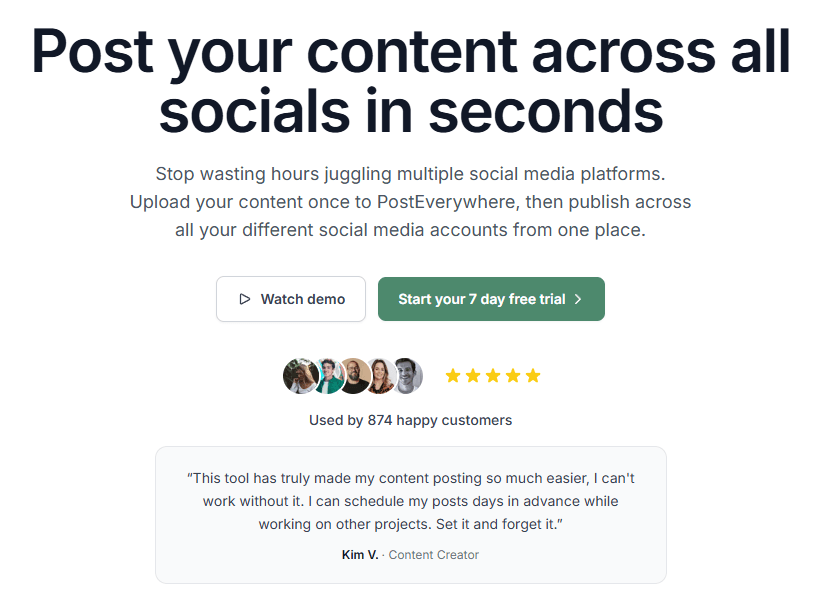
Generates captions, images, and short-form videos for social content, with model options including FLUX, Imagen, Ideogram, Sora, Veo, and Kling.
Supports scheduling across Instagram, TikTok, LinkedIn, Facebook, YouTube, X, Threads, and Pinterest, with platform-specific customization and automatic format optimization.
Lets users plan campaigns, organize posts, drag and drop content, use tags, and manage approvals across networks.
Supports CSV bulk upload so teams can import captions, images, hashtags, and scheduled times instead of creating every post manually.
Tracks engagement, reach, impressions, follower growth, content performance, and recommended posting times across supported platforms.
Provides REST API access on all paid plans, plus an official Node.js SDK and Claude Code MCP integration for automated publishing workflows.
PostEverywhere is best understood as a social media publishing system with AI built into the content pipeline. It is not just a caption generator, and it is not only a calendar. The product connects content creation, media generation, scheduling, analytics, workspaces, and automation in one place.
The central workflow is simple: create or upload content once, customize it by platform, schedule it across connected accounts, then track how it performs. That matters because most social media tools become frustrating when users still need separate apps for captions, image creation, video creation, scheduling, and analytics. PostEverywhere’s practical pitch is that those steps happen inside one dashboard.
There is also a more technical side. PostEverywhere exposes a REST API with endpoints for posts, accounts, media, AI image generation, publishing results, and failed-post retries. This makes it more interesting than a simple creator scheduler because developers, agencies, and internal marketing teams can use it as social publishing infrastructure, not just a web app.
PostEverywhere is strongest when the user manages several platforms and wants a faster path from idea to published post. The product supports Instagram, TikTok, YouTube, LinkedIn, Facebook, X, Threads, and Pinterest, and its platform page emphasizes creating once, tailoring per channel, and publishing across multiple accounts.
The AI content layer is one of the clearest advantages. PostEverywhere can generate captions, hashtags, content ideas, images, and videos, then send the result straight into the scheduling flow. Its AI content generator page describes a workflow where users create captions, media, and scheduled posts without downloading assets and re-uploading them elsewhere.
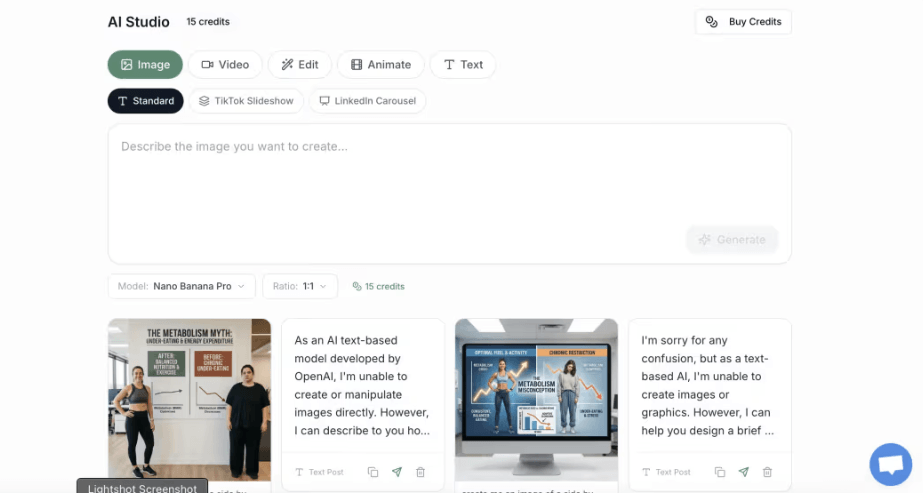
The second advantage is creative model variety. PostEverywhere’s model page lists 50+ image and video models, including Nano Banana Pro, Ideogram, FLUX.2 Pro, Gemini 3 Pro, Imagen 4, Recraft V3, Veo 3.1, Sora 2, Kling 2.6 Pro, and PixVerse. That gives users more control than tools that hide all generation behind one generic AI button.
The third advantage is the API. Many social tools are dashboard-first and automation-light. PostEverywhere is clearly trying to serve both normal social managers and technical teams that want publishing infrastructure.
The everyday workflow starts with connected accounts. PostEverywhere lets users connect social profiles, organize them into workspaces, create or upload content, customize captions by platform, and schedule posts on a visual calendar. This makes it useful for users managing multiple brands, client accounts, or departments.
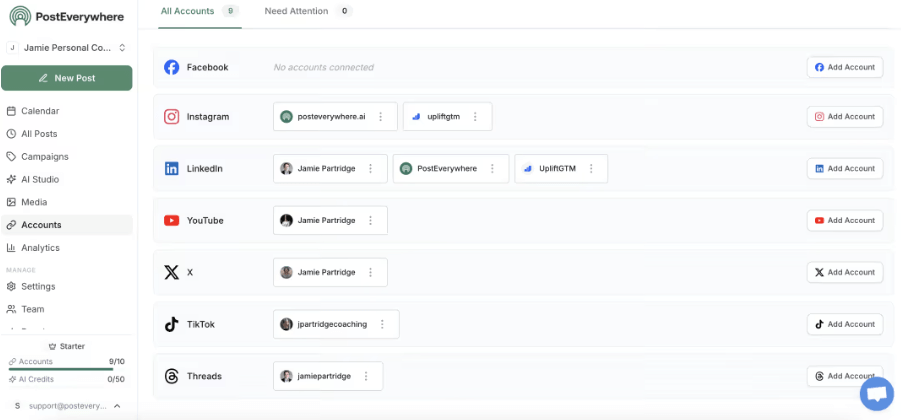
The platform is strongest when users treat it as a production flow rather than a one-off post generator. A creator can use it to generate one caption, but the better workflow is broader: create content ideas, generate or upload media, tailor each platform version, schedule the campaign, monitor analytics, then reuse what works.
The workflow also supports scale. Bulk uploads, workspaces, connected accounts, calendar planning, AI generation, and API access all make PostEverywhere more useful when posting volume increases.
PostEverywhere’s AI Content Studio is one of its most important features because it sits directly inside the publishing workflow. Users can generate content, images, videos, edits, animations, and text-based outputs, then move those assets into posts without treating AI creation as a separate step.
The model variety is useful for real production. Cheaper image models can be used for rough drafts and quick experiments, while higher-credit models can be reserved for final assets. This matters because social teams often need both: fast exploration and more polished output.
The practical value is workflow compression. Instead of using one tool for copy, another for image generation, another for video creation, another for scheduling, and another for analytics, PostEverywhere brings those steps into one environment.
The visual calendar is the main operational layer. It lets users see scheduled posts across days and platforms, plan campaigns, organize content by date, and manage a multi-platform posting rhythm. This is especially useful for agencies and small teams that need to keep several channels active without losing track of what is going live.
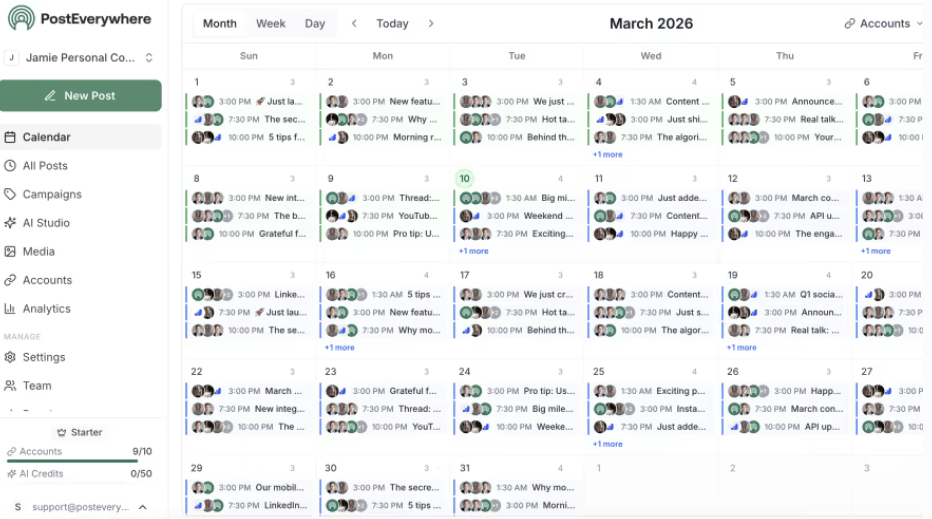
Bulk scheduling is one of the most practical features for planned campaigns. CSV upload is a better workflow for a month of announcements, product tips, evergreen content, campaign reminders, or client calendars than manually creating every post inside the dashboard.
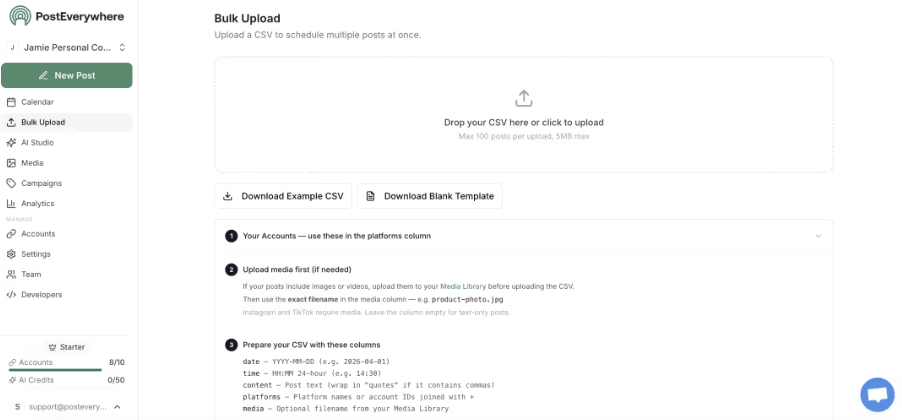
This makes PostEverywhere a stronger fit for users who already think in campaigns, batches, and content calendars. It can still work for one-off posting, but the strongest value shows up when the posting volume is high enough to justify a system.
PostEverywhere’s analytics layer tracks post-level performance across connected platforms, including views, engagement, comments, shares, saves, and related metrics. This gives users a way to compare content performance without opening every native platform one by one.
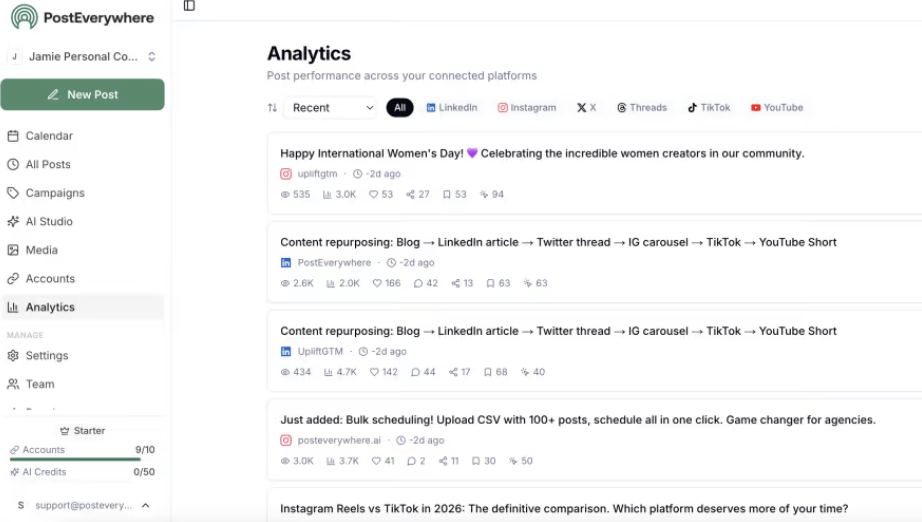
The analytics are most useful when paired with content decisions. The goal is not just to look at numbers, but to identify which content formats, hooks, platforms, and posting times are worth repeating.
The developer layer is one of PostEverywhere’s most interesting differentiators. The product provides REST API access on paid plans, along with a Node.js SDK and Claude Code MCP integration. That makes it relevant for teams that want to automate publishing from internal tools, AI agents, CMS workflows, or campaign systems.
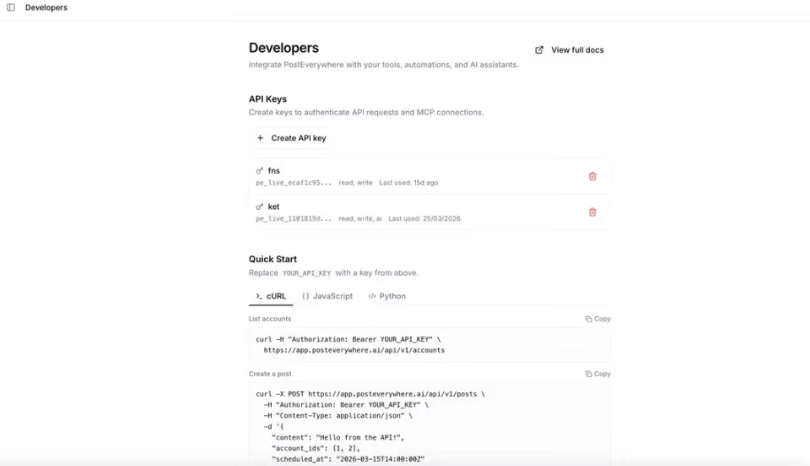
For API workflows, the retry logic matters. PostEverywhere provides per-platform publishing results and a retry endpoint for failed destinations, which is exactly what teams need when one platform fails but others publish successfully.
This makes PostEverywhere more flexible than a normal social scheduler. A non-technical user can use the dashboard, while a technical team can use the platform as programmable publishing infrastructure.
- Creators publishing across several platforms: PostEverywhere is useful when one idea needs to become versions for Instagram, TikTok, YouTube, LinkedIn, Facebook, X, Threads, and Pinterest.
- Small businesses: It works well for teams that need captions, visuals, scheduling, and analytics without stitching together multiple tools.
- Agencies: Workspaces, bulk scheduling, visual calendars, connected accounts, and analytics make it useful for managing multiple client calendars.
- Technical teams: REST API access, SDK support, and MCP integration make PostEverywhere useful for automated publishing workflows.
- Campaign-heavy marketers: CSV upload, calendar planning, AI content generation, and analytics are a good fit for planned launches, evergreen campaigns, and recurring content systems.
- Use cheaper image models for rough drafts and higher-credit models for final assets. The model list makes this practical because options range from 1-credit FLUX Schnell to higher-credit models like Nano Banana Pro and Ideogram.
- Use CSV bulk upload for planned campaigns. Manual scheduling is fine for one-off posts, but CSV upload is the better workflow for a month of announcements, product tips, evergreen content, or client calendars.
- Use workspaces before adding clients or departments. Separate workspaces reduce the risk of mixing accounts, assets, permissions, and calendars across brands.
- For API workflows, build retry logic from the start. PostEverywhere provides per-platform publishing results and a retry endpoint for failed destinations, which is exactly what you need when one platform fails but others publish successfully.
- Review AI-generated assets before publishing. Captions, images, videos, hashtags, and claims still need human checking before they represent a brand publicly.
- PostEverywhere is strongest as a publishing and content production system, not as a full enterprise social suite. It covers scheduling, AI content, analytics, workspaces, and automation well, but teams that need heavy social listening, deep inbox routing, review management, sentiment workflows, or enterprise governance may still need a broader platform.
- AI output still needs review. The tool can generate captions, images, and videos quickly, but users should check brand accuracy, visual quality, factual claims, hashtags, and platform fit before publishing. This is especially important for regulated industries, client accounts, and paid campaign assets.
- Credit usage can become the real constraint. The subscription prices look straightforward, but AI models have different credit costs, especially for premium image and video generation. Heavy video users may burn through credits faster than caption-only users.
- The trial requires a card, and there is no permanent free plan. That makes PostEverywhere less frictionless than tools that offer a forever-free starter tier, even though its paid plans are competitively priced.
- Privacy is also worth checking. PostEverywhere’s privacy policy says it uses account information and social media tokens to schedule, edit, and publish content across connected accounts, and it integrates with platforms including LinkedIn, Meta platforms, X, TikTok, Google/YouTube, and Pinterest. That is normal for this category, but users should understand what access they are granting.
PostEverywhere is best for creators, small businesses, agencies, and technical teams that want one system for AI content creation, multi-platform scheduling, bulk publishing, analytics, workspaces, and API-driven automation.
Its strongest advantages are broad platform coverage, AI image and video model variety, unlimited scheduled posts, team workspaces, and full API access on every paid plan.
The main caveat is that it is more of a publishing and automation platform than a complete enterprise social listening or customer-care suite, and heavy AI generation users need to watch credit usage carefully.
TAGS: Social Media Tools
Related Tools:

Social media analysis tool that extracts actionable insights

Helps to expand LinkedIn connections

AI-enhanced tool for YouTube creators

Generates engaging and personalized comments
Automates Instagram engagement growth

Transforms YouTube videos into short clips