
Share this tool:
 |
Description:
Ollie AI is a family-focused AI assistant built to reduce the mental load of household life. Its main job is to help families remember details, coordinate plans, manage reminders, handle schedules, and keep everyone informed. Ollie started with meals and groceries, but the product has expanded into a broader family assistant that works through simple text messages.

Ollie’s strongest idea is simple: family organization should not depend on one person remembering everything. In many households, the invisible work is not one big task. It is hundreds of small ones. School emails. Practice times. Grocery lists. Dinner plans. Appointments. Birthday gifts. Reminders. Pickups. The question is not only “What needs to be done?” It is “Who is keeping track of it all?”
Ollie is designed for that gap. The official site describes it as a family personal assistant that manages calendars, handles inboxes, and keeps everyone in sync. That positioning makes it different from a standard chatbot. You are not supposed to open it only when you need an answer. The better use case is handing off small pieces of family logistics as they come up.
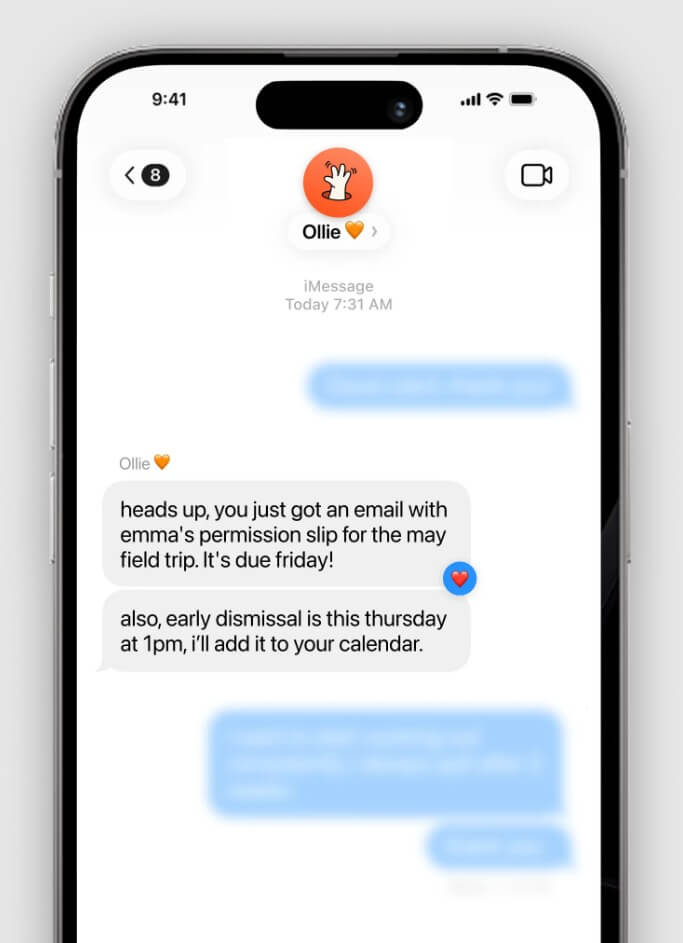
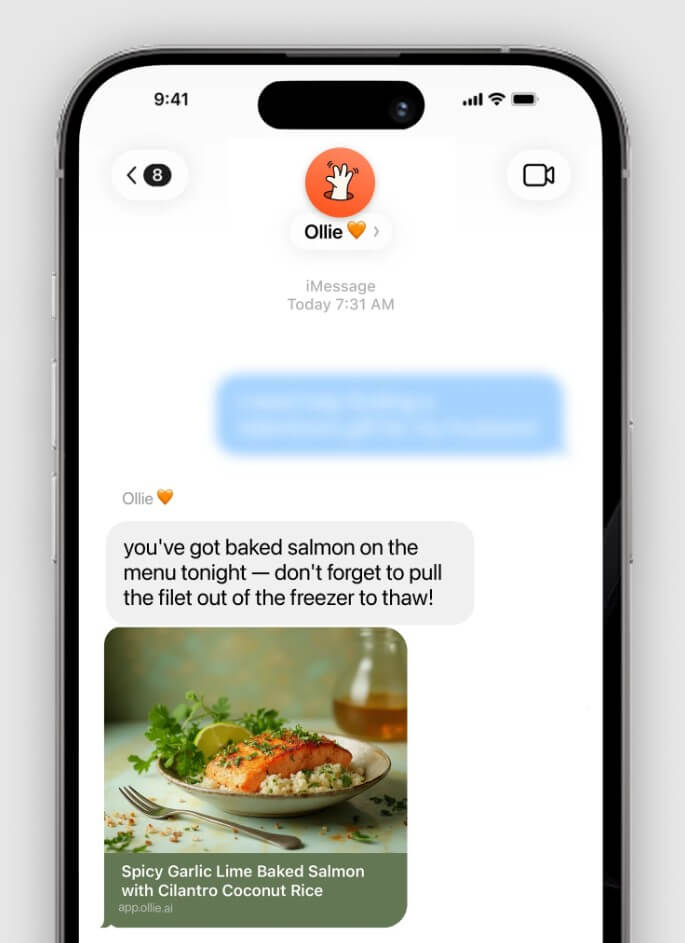
The text-first workflow is also important. Since Ollie lives in texts, families do not have to train everyone on another app. A parent can text a reminder, add Ollie to a family group thread, or ask it to help with a plan in the same place where family coordination already happens. The company says Ollie works through iMessage or SMS and can be used in group conversations with family members.
| Feature | Practical Value |
|---|---|
| Text-Based Assistant | Lets families interact with Ollie through iMessage or SMS instead of a separate assistant dashboard. |
| Family Group Support | Can be added to group conversations so partners, kids, nannies, or household helpers can stay informed. |
| Calendar and Inbox Help | Built to watch schedules, emails, and family logistics so tasks do not stay stuck in one person’s head. |
| Reminders and Shared Lists | Helps families remember tasks, plans, lists, and small details across the household. |
| Meal Planning | Ollie still supports meal planning and groceries, both through the main assistant and the dedicated meals app. |
| Personalized Family Context | Works better as users share more about routines, preferences, work life, and family needs. |
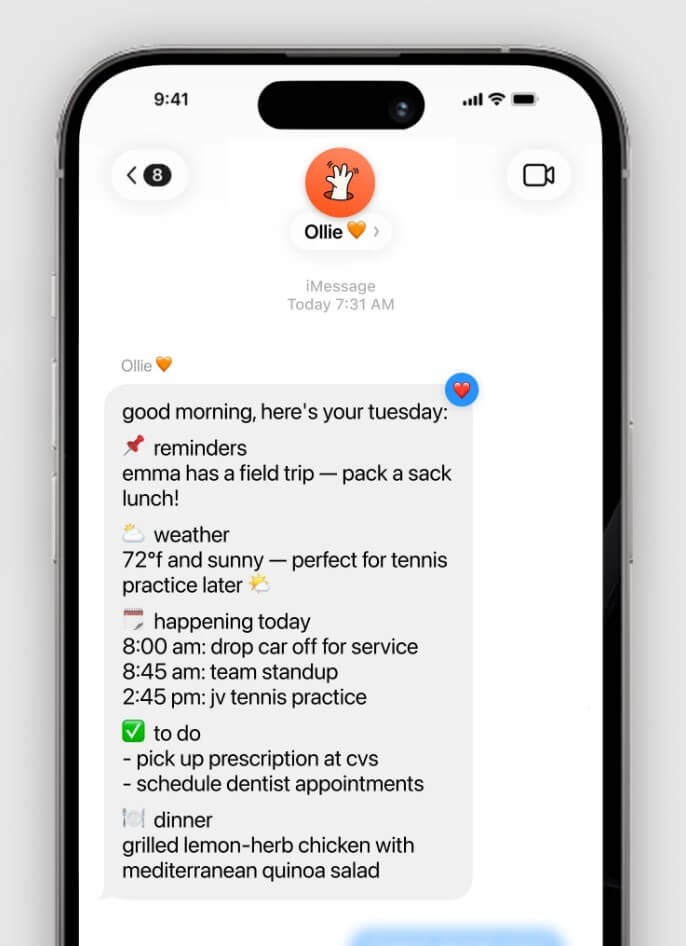
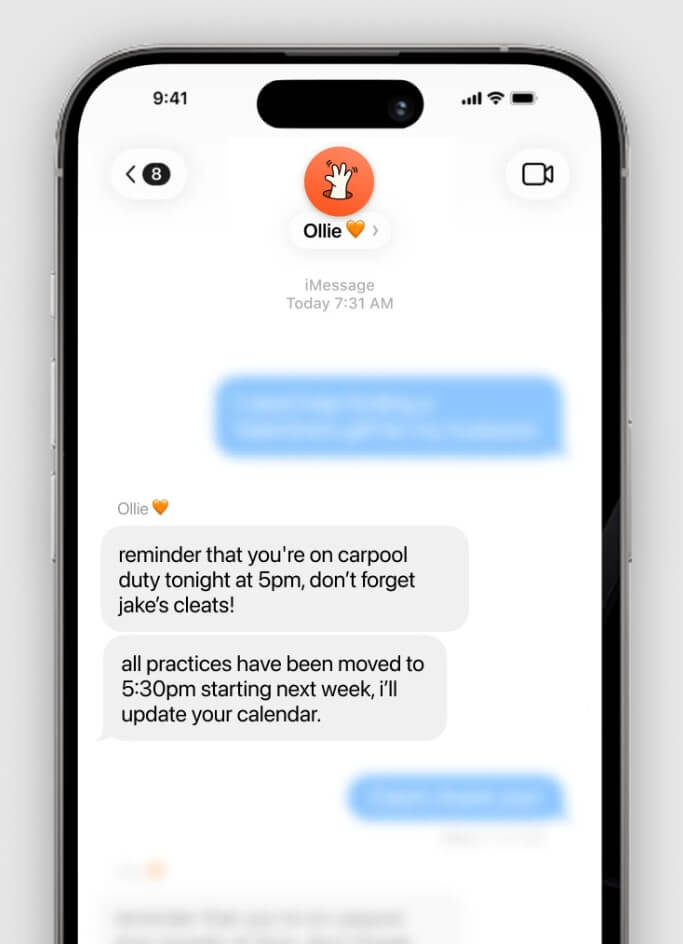
The workflow is meant to feel like texting a helpful person. You send Ollie what is on your mind, ask it to remember something, bring it into a family thread, or connect it with tools like Google Calendar and Gmail. Ollie can then help manage the information that would otherwise sit across calendars, inboxes, reminders, and messaging apps.
This is a good design choice for families because household coordination is rarely neat. It happens while someone is making breakfast, walking into school pickup, checking an email, or remembering that a permission slip is due. A text interface lowers the barrier. You do not need to open a project management app to say, “Remember that Sam needs poster board by Thursday.”
Ollie’s value should improve with repeated use. The company says it works better when users share more context, connect calendar and email, and set up reminders as soon as they start taking up mental space. That is accurate for this kind of product. A family assistant needs context. Without it, it can only give generic suggestions.
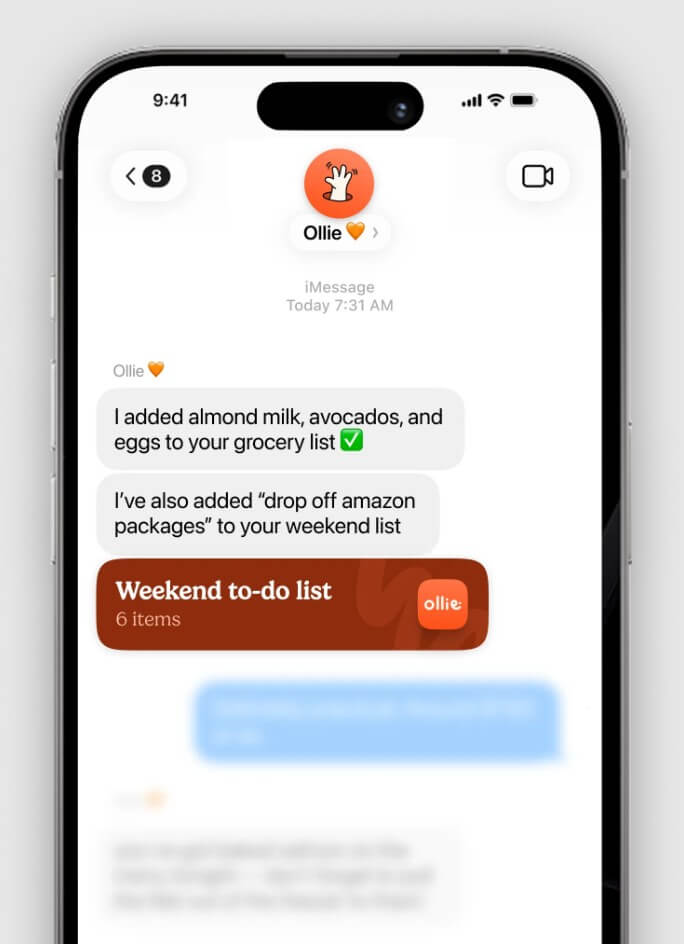
Meals remain one of Ollie’s clearest use cases. The separate Ollie for Meals app creates personalized meal plans, recipes, and grocery lists based on family preferences, routines, and health goals. It also supports pantry or fridge-based ideas, where users can snap a photo and get suggestions for meals they can cook with what they already have.
This is useful because meal planning is one of the most repetitive household decisions. The app is not just a recipe search tool. It tries to connect the full loop: what the family likes, what the schedule looks like, what groceries are needed, and what can be made now.
The most practical benefit is reducing decision fatigue. For busy families, the hard part is often not cooking. It is deciding what to cook, checking ingredients, adjusting for preferences, and remembering to buy what is missing.
Ollie asks for sensitive context, so privacy matters. The homepage says the company does not sell user data and does not train models on user data. Its privacy policy says Ollie may collect information such as contact details, messages, instructions, photos or media users choose to share, preferences, reminders, device information, and usage data.
That is expected for a family assistant, but users should still be thoughtful. Before connecting inboxes, calendars, or sharing children’s schedules, families should understand what data is being shared and who has access inside the household.
- Busy parents: Ollie is best for families where one person carries too much of the planning and remembering.
- Shared household coordination: Useful for partners, caregivers, nannies, and older kids who need one shared place for reminders and plans.
- Meal planning and grocery organization: Strong fit for families that struggle with weekly meals, picky eaters, grocery lists, and last-minute dinner decisions.
- Calendar-heavy households: Helpful when school, work, sports, appointments, and events are spread across too many places.
- Families that prefer texting: Ollie makes the most sense for people who want AI help without learning a complex app.
- Ollie depends heavily on trust and consistency: If the family does not share enough context, connect key tools, or use the assistant regularly, it may feel less useful.
- There is also the usual AI reliability issue: Ollie’s privacy policy notes that automated AI responses may be inaccurate or incomplete and that users should verify important information. That matters for schedules, health, school deadlines, travel details, and anything with real consequences.
- The assistant also may not replace every family app: Its own FAQ says it may not replace all apps, but can make many of them easier to manage. That is the right expectation. Ollie is best as a coordination layer, not a total household operating system.
Ollie AI is best for families that need help with the invisible work of daily life: remembering, planning, coordinating, and keeping everyone in sync.
Its strongest value is the text-based family assistant model, supported by calendar, inbox, reminder, list, and meal planning workflows.
The main caveat is that it needs real family context to shine, and users should still verify important AI-generated suggestions.
TAGS: Self Improvement