

Share this tool:
 |
Description:
Murf is no longer just a text-to-speech app. The current product spans Studio voiceovers, voice-over-video workflows, audio-to-text voice changing, integrations, voice cloning, translation, dubbing, and API services. That broader shape matters, because Murf is at its best when you treat it as a production platform for narrated content rather than a one-click “paste text, get mp3” tool.
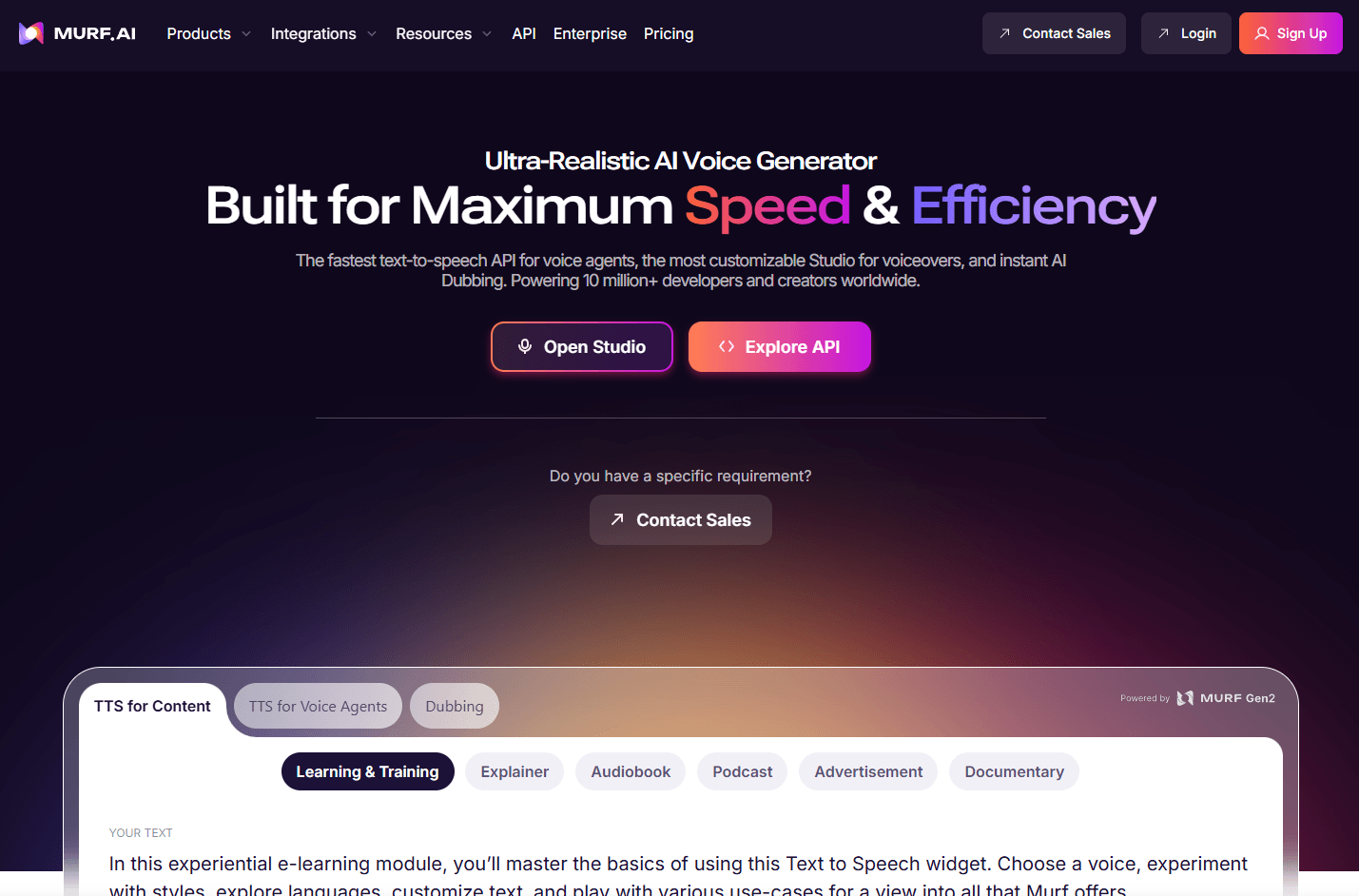
That broader shape matters, because Murf is at its best when you treat it as a production platform for narrated content rather than a one-click “paste text, get mp3” tool.
The easiest way to understand Murf is to split it into four layers.
This is the core Murf experience: text-to-speech voiceovers, voice settings, media imports, timeline editing, exports, and project sharing. Murf’s help center positions Studio as the main environment for building voiceovers and syncing them with media.
Murf has both AI Translation and AI Dubbing. Translation is framed more like reusing a Studio project in another language. Dubbing is the upload-an-existing-video-or-audio workflow for localization, with script editing, translation, voice settings, and export steps built around that process.
Voice cloning is one of Murf’s more serious enterprise-facing pieces. The company explicitly distinguishes quick, lower-quality instant cloning from professional cloning that is meant for client-facing work, higher realism, and more control over tone, emotion, style, and pacing.
Murf also has an API stack. The API page highlights Falcon for voice agents, while the help center describes text-to-speech, streaming, voice changer, translation, and dubbing APIs. That makes Murf relevant not just for creators and L&D teams, but also for products that need built-in speech generation or multilingual audio automation.
Build narrated projects with scripts, voice blocks, imports, timing, and exports in one place.
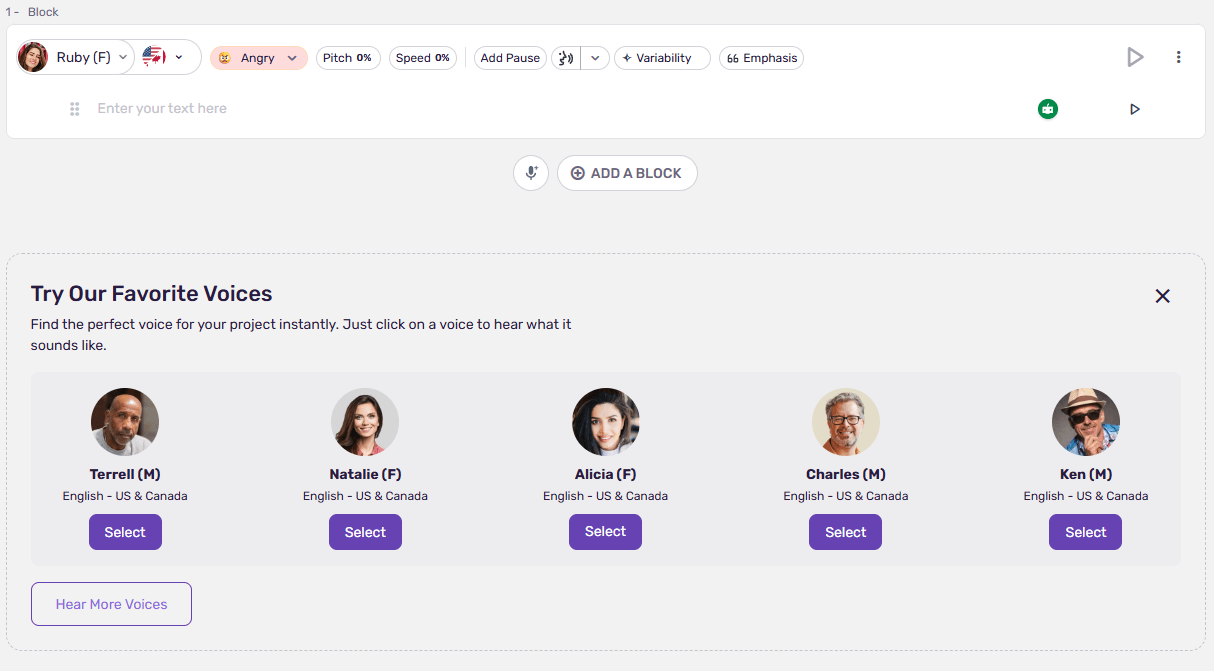
Murf supports emphasis, pronunciation, speed, pitch, Say It My Way, and Variability for more directed narration.
Localize existing content with translation, voice preservation goals, lip-sync claims, and edit loops for better control.
Murf separates quick cloning from higher-fidelity professional cloning and positions the latter for production use.
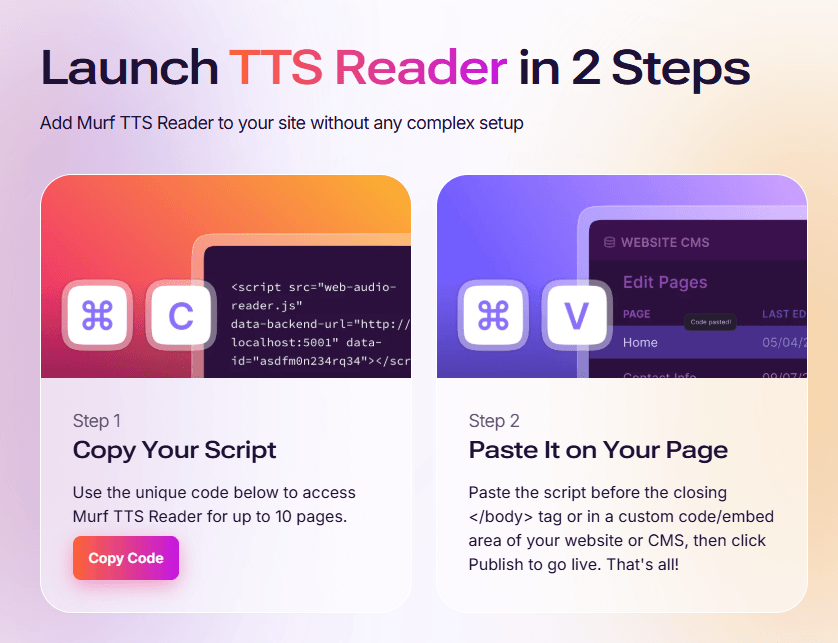
Murf connects to Canva, Google Slides, PowerPoint, websites, and some Adobe-related workflows.
Murf exposes TTS, streaming, voice changer, translation, and dubbing APIs, with Falcon positioned for voice-agent use.
Murf is fairly easy to start. The free trial gives first-time users access to all Studio voices and premium features, with 10 minutes of voice generation time, 10 minutes of transcription, sharing, and embed links, but no downloads. The trial has no calendar expiry; it ends when those minutes are used up. That is a smart onboarding model because it lets people test the real editor and voice controls before paying.
The beginner workflow is straightforward: bring in a script, choose a voice, adjust delivery, and export or preview. The product becomes more interesting once you use timeline editing, media syncing, and delivery controls. That is where Murf feels less like a demo app and more like a production surface.
The next step up is integration-based workflow. Canva, Google Slides, and PowerPoint support matters because Murf can live inside the places where presentations and lightweight videos already get made. That reduces one of the biggest frictions in AI voice tools: exporting audio, moving it elsewhere, and re-syncing everything manually.
The more advanced layer is collaboration and enterprise access control. Murf documents viewers, editors, restricted users, comments, preview links, access requests, and enterprise-only collaboration features. That is useful for teams, but it also means Murf’s full value is more obvious in organizational workflows than in solo hobby use.
Voice quality is still the main reason to care about Murf. The company positions the Gen2 voice model as more natural and crisp, and its control layer is relatively practical: emphasis for selected words, Say It My Way for imitating a recorded delivery pattern, and Variability for more expressive alternate versions. Those are the kinds of controls that matter in real narration work.
Murf also does a better-than-basic job of letting users shape delivery rather than just pick a voice. The help center repeatedly emphasizes pronunciation, speed, pitch, intonation, and pacing, and the public product docs describe voices with different emotions and speaking styles. That makes Murf more useful for e-learning, product walkthroughs, presentations, and internal comms than bare-bones TTS tools that only offer a voice dropdown and a speed slider.
One thing worth noticing is that Murf’s voice and language counts vary across its product surfaces. The help center says Studio supports 300+ voices across 33 languages and accents, while the API page says Falcon offers 150+ voices across 35 languages, and some public marketing pages still use lower counts on older pages. That does not make the product weak, but it does mean buyers should read the exact surface they plan to use rather than assume one headline number applies everywhere.
This is where Murf gets more commercially interesting.
Murf’s voice cloning page is unusually blunt about the split between instant and professional cloning. Instant cloning is described as fast but lower quality, better for demos and small creative projects. Professional cloning is described as the production-ready option with better realism and more control over tone, emotion, and pacing. That is a useful distinction, and it lines up with how serious teams actually buy voice cloning.
The dubbing stack is also more substantial than simple “translate this video” tools. Murf’s official pages describe script editing, transcription and translation editing, voice settings, credit tracking, watermark-free paid exports, pay-as-you-go dubbing, and enterprise QA-assisted dubbing. In practice, that means Murf treats localization as an editable workflow, which is much more credible than one-shot auto-dubbing if you care about publishable output.
The strongest fit here is teams repurposing existing videos into more markets: product demos, educational content, corporate communication, YouTube videos, and promo assets. Murf explicitly lists those as dubbing use cases.
Murf’s integrations are one of its practical strengths. The help center and public pages point to Canva, Google Slides, PowerPoint, websites via embed, and Windows-compatible app workflows. That means Murf works well in presentation-heavy and content-team environments where narration is an output layer added to existing assets, not a separate studio process.
Collaboration is more mixed. Murf clearly supports comments, shared previews, project invites, viewers, editors, and restricted access, but several of the stronger collaboration features are enterprise-only. That is fine for teams, but it does mean small buyers should not assume the review-and-approval stack is equally available at every tier.
- training content, e-learning, and internal communication
- narrated presentations and slide-based explainers
- marketing videos, product demos, and YouTube voiceovers
- localization teams translating existing media
- businesses that want a managed path into voice cloning
- teams that need AI voice inside presentations, web embeds, or workflow tools rather than as a standalone audio file generator.
It is less compelling for people who only want the absolute simplest “type text, export audio” app at the lowest possible cost, or for buyers who mainly want frontier real-time agent voice infrastructure and do not care about Studio, media syncing, or presentation workflows.
- Use the free trial to test delivery controls, not just voice selection. The real difference in Murf is often in pronunciation, emphasis, and pacing, not the initial voice pick.
- Use Gen2 voices when available if narration quality matters. Murf explicitly says not all voices support Gen2, so check the label before judging the platform’s best quality ceiling.
- For dubbing, expect to edit. Murf’s own help structure around script editor, transcription and translation editing, and voice settings strongly suggests that serious localization should include correction passes.
- For cloning, treat instant cloning as a preview workflow and professional cloning as the real client-facing option. Murf’s own documentation makes that distinction clearly.
- If you work in slides or Canva already, start there. Murf’s integrations are one of its most practical advantages over tools that force a separate audio-production workflow.
- The biggest limitation is product complexity. Murf now spans Studio, Dub, cloning, translation, integrations, API, and enterprise workflows. That is good for serious use, but it also means the platform can feel broader than necessary if all you need is occasional narration.
- The second limitation is plan fragmentation. Some stronger collaboration and dubbing features sit behind enterprise or separate Dub pricing rather than living in one clean consumer plan structure.
- The third is product-surface inconsistency in public counts. Murf’s official pages use different voice and language totals across Studio, Dub, API, and older marketing pages. That is not unusual in fast-moving AI products, but it does create confusion when evaluating exact coverage.
- And finally, Murf is best when narration lives inside a broader workflow. If you do not need media syncing, dubbing, integrations, collaboration, or enterprise controls, you may be paying for more platform than you actually use.
Murf is one of the more practical AI voice platforms for narrated business and creator content because it combines strong delivery controls with Studio editing, media sync, dubbing, cloning, integrations, and team workflows.
It is best for L&D teams, marketers, presentation-heavy organizations, localization workflows, and creators who want more than a basic voice generator. The main caveat is that Murf has grown into a multi-layer platform, so it is most worth it when you will actually use its workflow depth rather than just its voice list.
TAGS: Text to Speech
Related Tools:
Automates video dubbing and translation
Collaborative document editing and project management tool
Designed to simplify filling and signing documents

Transforms texts to natural-sounding speech
AI voice generation, dubbing, cloning, and voice workflow tools

Generates audio content from spoken words