
Share this tool:
 |
Description:
- Introduction: What Is Logo Diffusion?
- Three Starting Points, Three Different Workflows
- Prompting Should Feel Like a Design Brief
- Sketch to Logo Is the Most Distinctive Feature
- Magic Editor Makes Revision Less Destructive
- Vectorization Makes the Output More Practical
- Best Use Cases
- Limitations and Trade-Offs
- Final Takeaway
Logo Diffusion is an AI design platform built specifically around logos and brand graphics. Instead of starting with a blank canvas, users can describe a logo, draw a rough concept, or upload an existing image and generate new visual directions from it. The platform then adds tools for editing, vectorization, background removal, mockups, upscaling, and style changes, so the workflow can continue beyond the first generated image.
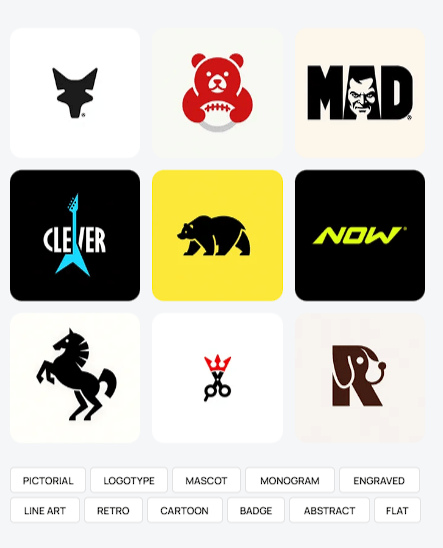
Logo Diffusion currently gives users three main ways to begin: Text to Logo, Sketch to Logo, and Image to Logo. They sound similar, but they solve different problems.
Text to Logo is best for exploration. You describe the subject and brand direction, then test the idea across different logo styles. The current platform advertises more than 45 AI-trained design styles overall, with categories including pictorial, mascot, monogram, badge, line art, engraved, abstract, and flat designs.
Sketch to Logo is more controlled. Draw directly inside the editor or upload a rough sketch, and the system uses that drawing as the structural basis for the finished design.
Image to Logo works better when you already have a photograph, illustration, object, or graphic that you want to reinterpret as a cleaner logo direction.
| Starting Method | Best Use |
|---|---|
| Text to Logo | Exploring brand concepts from scratch |
| Sketch to Logo | Keeping a specific composition or symbol |
| Image to Logo | Converting an existing visual into logo directions |
| Magic Editor | Revising selected details without restarting |
| Vectorizer | Turning raster artwork into editable SVG or EPS |
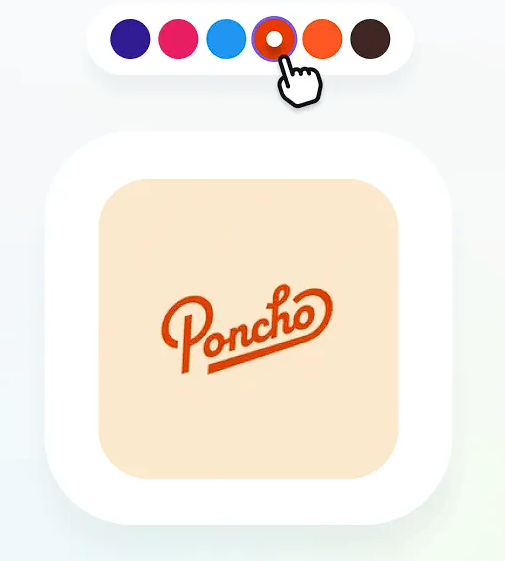
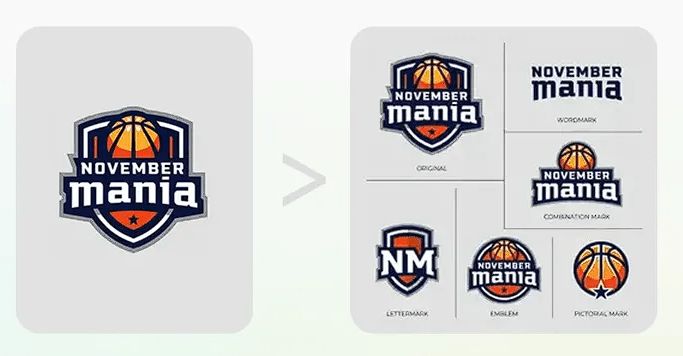
Logo Diffusion does not benefit from the long cinematic descriptions used by image or video generators. A better prompt identifies the symbol, brand character, composition, and visual treatment.
For example:
“Minimal mountain and compass logo for an outdoor navigation company, geometric icon, strong negative space, flat two-color design, clean professional mark.”
For a mascot:
“Retro raccoon mechanic mascot, holding a wrench, bold outlines, circular badge composition, limited color palette, friendly but confident expression.”
For a monogram:
“Interlocking letters N and V for a modern architecture studio, precise geometric monogram, balanced negative space, minimal black-and-white identity.”
The useful words are often design terms such as flat, badge, monogram, geometric, line art, negative space, and limited palette. These reduce ambiguity more effectively than adding mood words that do not explain how the logo should function.
Text-to-logo generation is easy to find elsewhere. Sketch control is where Logo Diffusion becomes more interesting for working designers.
The sketch acts as a visual blueprint, helping preserve proportions, placement, and overall structure while the AI handles the finish. Logo Diffusion also provides a fidelity control that adjusts how closely the generated output follows the original drawing versus taking more creative freedom.
This is useful when the core idea is already good. A designer might sketch a bird wrapping around a letter, an unusual monogram, or a mascot silhouette. Instead of repeatedly trying to describe that composition in text, the drawing establishes the relationship directly.
That makes Sketch to Logo particularly useful during early client exploration. One rough idea can be tested across different visual treatments without redrawing the entire concept each time.
A common weakness of generative design tools is revision. Ask for one small change and the entire image can shift.
Logo Diffusion's Magic Editor is designed to reduce that problem. Users upload or select a design, describe the required edit, and the system attempts to change that element while retaining surrounding shapes, colors, lettering style, and composition.
Text replacement is one of the more ambitious examples. The editor can attempt to replace wording while recreating the style of the existing letterforms, even when the replacement requires letters that were not present in the original logo.
This is useful for alternate brand names, campaign variants, badge text, or correcting generated wording without recreating the complete design.
Raster-only output is a poor endpoint for a logo. Logos often need to work on signage, packaging, websites, apparel, and print at many different sizes.
Logo Diffusion's Vectorizer reconstructs uploaded or generated artwork using Bézier paths and can preserve separate layers and gradients. Current export options include SVG and EPS, which gives designers a better starting point for continued editing in software such as Illustrator, Figma, or Affinity Designer.
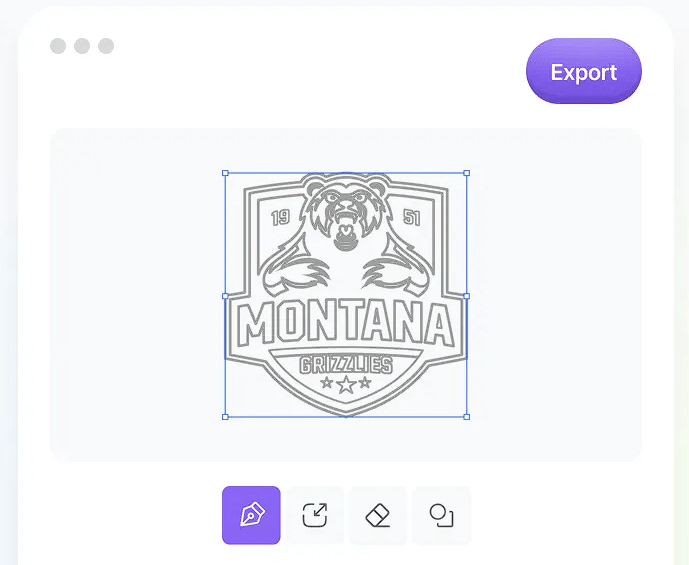
This is more useful than a basic automatic trace, especially with low-resolution artwork. Still, “vectorized” should not be confused with “finished identity.” Path cleanup, spacing, geometry, and typography can still benefit from manual inspection.
Logo Diffusion fits freelance logo designers, branding studios, startup teams, small businesses, merchandise creators, and marketers who need to explore several visual directions quickly.
Designers will probably get the most value from using AI between stages: sketch an idea, generate alternatives, refine one with the editor, then vectorize it and finish the details manually.
Non-designers can use Text to Logo to turn a vague brand idea into something concrete enough to evaluate or hand to a designer.
AI can generate a visually appealing mark without understanding whether it is strategically appropriate for a brand. Results can still be too detailed, generic, difficult to reproduce at small sizes, or dependent on effects that do not translate well to real-world use.
Typography needs particular attention. Even when the AI reproduces text successfully, spacing, letter construction, readability, and originality deserve human review.
There is also a wider branding issue: a logo is only one part of an identity. Logo Diffusion can accelerate the visual concept, but it does not replace decisions around positioning, brand voice, typography systems, usage rules, or trademark clearance.
Logo Diffusion is strongest when treated as an AI-assisted logo development workspace, not an automatic branding service. Text generation is useful for opening up ideas, but Sketch to Logo, targeted editing, style exploration, and vector reconstruction are what make the platform more practical.
It is best for creators who want to move quickly from rough concept to editable design direction. The main caveat is that the final 10 percent still matters: strong logos need careful geometry, typography, originality, and brand judgment after the AI has done its part.
TAGS: Generative Art
Related Tools:
Streamlines publishing content across various platforms
AI designed to streamline content creation
Transforms sketches into realistic images
Creates customizable digital avatars
Generates vaarious media from texts
Generates unique variations of images