
Share this tool:
 |
Description:
Pabble is an AI-powered app builder aimed at people who want a useful internal tool fast, not a long no-code setup process. Its public positioning is very clear: describe a tracker, CRM, AI writer, dashboard, invoice tool, or similar one-page app in plain English, let the AI build it in about 60 seconds, then keep refining it by telling it what to change. That makes Pabble feel less like a developer platform and more like a rapid builder for focused business utilities.
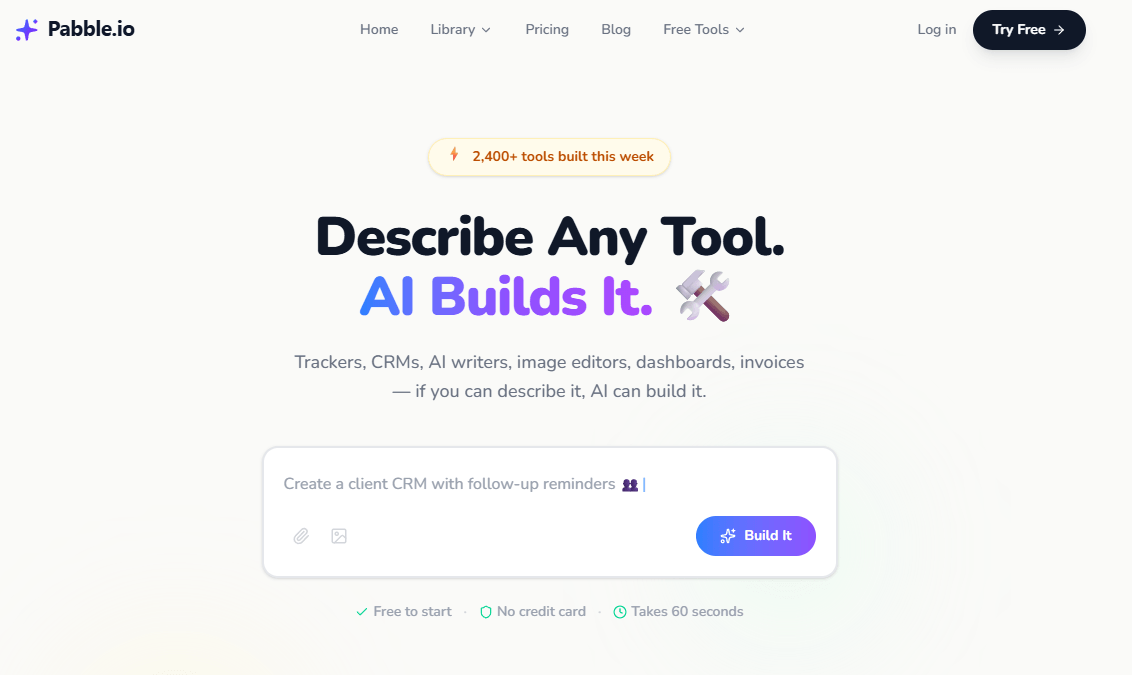
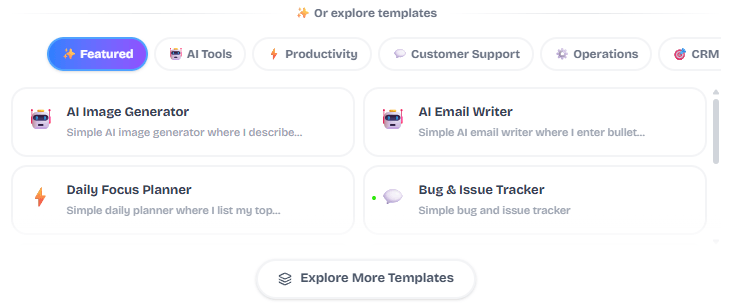
Pabble’s own examples lean toward invoice generators, CRMs, dashboards, meeting tools, AI writers, content tools, and other compact operational apps. That is the smartest place to start, because the product itself says its sweet spot is anything that fits on one page.
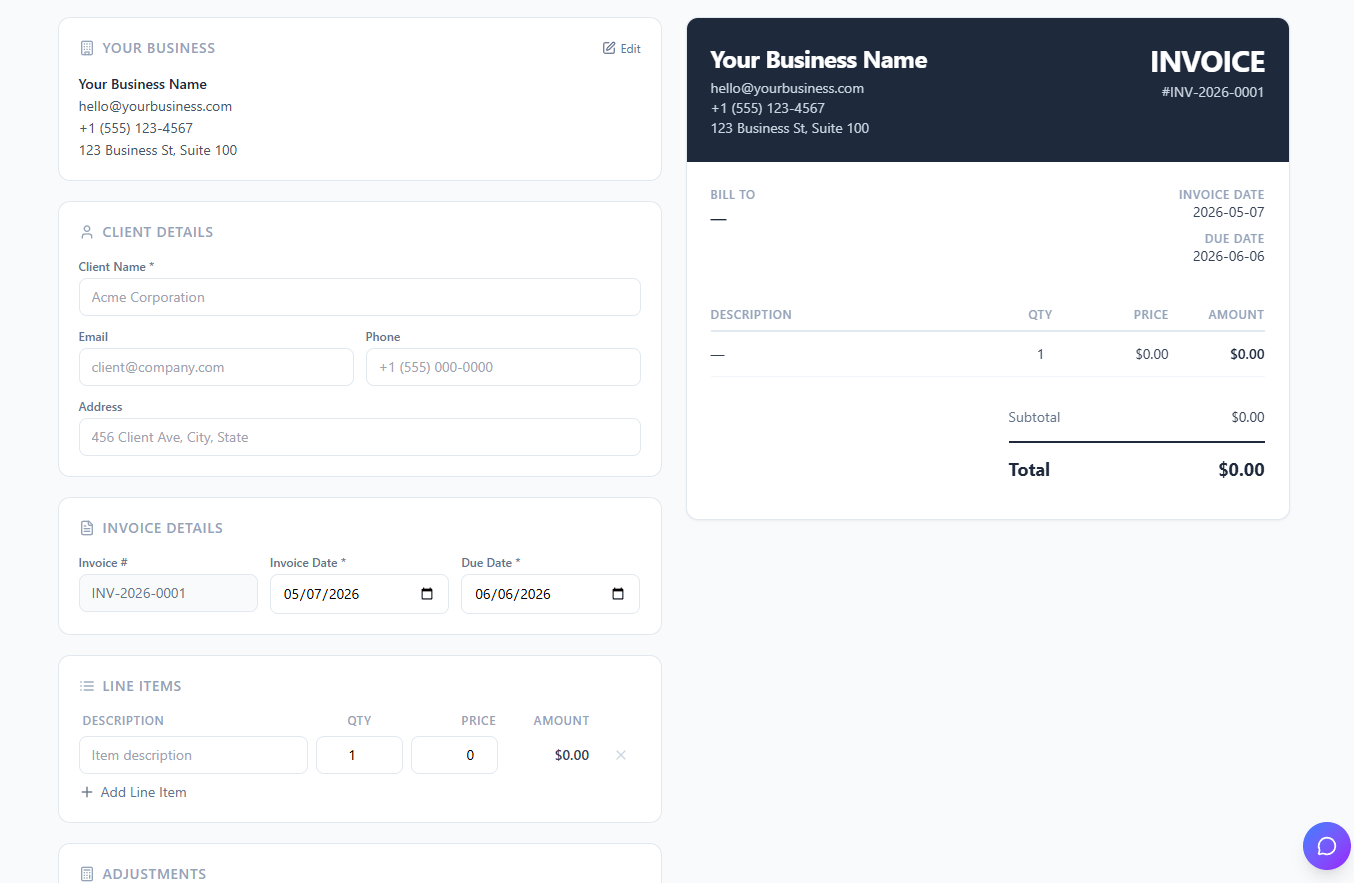
Client invoice generator
Prompt:
“Build an invoice generator for my freelance business with client details, line items, quantity, price, subtotal, tax selector, discount field, total calculation, branded invoice preview, and PDF export.”
Why this is a good first test: it checks whether Pabble can build a practical, structured tool with calculations and a finished output, not just a pretty form.
Sales pipeline CRM
Prompt:
“Build a lightweight CRM with contact name, company, deal value, custom pipeline stages, follow-up date, notes, and a dashboard showing total pipeline value, expected revenue, and conversion by stage.”
Why this is useful: Pabble repeatedly presents CRMs as a core use case, so this is one of the clearest ways to see whether it can replace a small SaaS tool in real work.

Excel-to-dashboard tool
Before using this prompt: have a spreadsheet or CSV ready with clean columns.
Prompt:
“Build a dashboard where I can upload a spreadsheet of monthly sales data and see revenue by month, top products, region breakdown, and a simple trend chart. Add filters for date range and product category.”
Why this matters: it tests whether Pabble can handle the more valuable side of internal tooling, which is not just data entry but data visibility.
Meeting notes and action-item tracker
Prompt:
“Build a meeting notes app with meeting title, date, attendees, notes, and action items with owner, due date, and status. Highlight overdue tasks and show a simple calendar or upcoming-items view.”
Why this is strong: it checks whether Pabble can handle relational-looking workflow logic inside a simple app, which is where many lightweight team tools become genuinely useful.
AI email writer for follow-ups
Prompt:
“Build an AI email writer for client follow-ups. I want fields for recipient type, purpose, tone, key points, and call to action. Generate an email draft I can copy, edit, and save.”
Why this belongs early: Pabble says some tools keep using AI every time you open them, and this is one of the clearest examples of that difference.
Content calendar with AI help
Prompt:
“Build a content calendar with post date, platform, campaign, caption draft, image status, approval status, and an AI button that writes three caption options based on the post topic and audience.”
Why this is a practical test: it combines structured planning with built-in AI output, which is exactly the hybrid workflow Pabble claims to support.
Inventory tracker with low-stock alerts
Prompt:
“Build an inventory tracker with product name, SKU, current stock, minimum stock level, supplier, cost, and reorder date. Highlight low-stock items in red and show total inventory value.”
Why this is useful: inventory is a classic case where a custom lightweight app can beat a bloated platform if your needs are straightforward.
Vendor comparison scorecard
Prompt:
“Build a vendor comparison tool where I can score vendors on price, quality, delivery, support, and reliability from 1 to 10, assign weights to each criterion, and see an overall ranked result with a comparison chart.”
Why this is a smart test: it shows whether Pabble can build decision tools, not just trackers, and that is often where custom internal apps save the most time.
Pabble’s main pitch is that you describe a tool in natural language and it builds a working version in about 60 seconds.
Its public examples center on trackers, CRMs, invoices, dashboards, AI writers, image tools, time logs, and payment tracking rather than broad app-development frameworks.
Pabble explicitly distinguishes itself from Bolt and Lovable by saying the resulting app can keep doing AI work, like writing emails or generating images, after the initial build step.
You can share tools by link, invite teammates on higher tiers, and duplicate Tool Store apps into your own dashboard as independent copies.
Pabble says users can export data as PDF, Excel, or CSV, which matters for invoice tools, reports, and internal dashboards.
The public site says tools work across phone, tablet, and desktop, which fits the product’s “small utility app” positioning well.
Pabble looks strongest when the job is narrow, operational, and annoying enough that you would normally reach for a small SaaS subscription or a messy spreadsheet. Invoice generators, lead trackers, payment trackers, internal dashboards, meeting-note tools, simple CRMs, and content utilities all fit that pattern well. Its own homepage and blog keep returning to those examples, which is a good sign that the company understands its real lane.
That lane matters. Pabble is not presenting itself as “build the next full product startup in here.” It is presenting itself as “build the exact little tool your business needs without hiring a developer or spending weeks inside a no-code builder.” Even its FAQ frames the upper bound in a revealing way: if it fits on one page, AI can build it. That is both the product’s biggest strength and its clearest limitation.
The workflow is intentionally simple: describe it, let AI build it, then use and share it. Pabble also says that if the result is wrong, you can tell it what to change in plain language, which suggests a conversational revision loop instead of a heavy manual-builder workflow. For non-technical users, that is probably the main reason to care. It reduces the usual friction of configuring databases, views, forms, styling, and output logic by hand.

The Tool Store makes that easier again. Instead of starting from nothing, you can duplicate an existing tool into your own dashboard and customize it, with each duplicate treated as an independent copy. That is a smart middle ground between blank-canvas building and rigid templates.
The likely downside is that Pabble’s public product surface does not show the same depth of advanced control you would expect from more developer-oriented builders. That is an inference, but a fair one: the public site emphasizes speed, simplicity, and one-page business tools much more than integrations, app logic layers, or complex product architecture.
Pabble’s own comparison point is Bolt and Lovable, and the way it frames that difference is telling. It says Pabble apps have AI built into the finished tool itself, uses flatter pricing language, and is designed for non-technical people. That suggests Pabble is best seen as a business-tool builder for operators, freelancers, and small teams, while tools like Bolt or Lovable are usually a better fit for people thinking more like product builders or web-app tinkerers. The first half is Pabble’s claim; the second half is the practical market inference.
So the right comparison is not “Is Pabble the most powerful app platform?” It is “Is this the fastest way for a non-technical person to get a useful, shareable tool that matches their workflow?” For that narrower question, the product positioning is compelling.
- Replacing one small SaaS tool with something narrower and cheaper, especially for invoicing, CRMs, trackers, and dashboards.
- Building internal tools for freelancers, agencies, and small businesses that do not want to hire a developer for every operational gap.
- Creating AI-assisted utilities where the app keeps generating output after launch, such as email helpers, content tools, or image utilities.
- Sharing lightweight tools with a team or clients through links, especially once you move into Pro Plus or Business.
- Starting from an existing example and customizing it instead of building from scratch.
- Start with one job per app. Pabble’s own site repeatedly points toward focused single-purpose tools, and that is likely where the output will feel cleanest.
- Be specific about fields, formulas, statuses, charts, exports, and views. The better your description, the closer the first build will be to something usable. This is an inference grounded in Pabble’s prompt-first workflow and blog examples.
- Use the Tool Store when an existing app is already close to what you need. Duplicating and refining is usually smarter than rebuilding a near-identical tool from zero.
- Do not buy it expecting complex enterprise software. Buy it expecting fast, practical utilities that fit awkward gaps in your workflow. That is the product’s clearest public positioning.
The biggest limitation is scope. Pabble’s own FAQ says the tool can build things that fit on one page, which is a very useful boundary to understand up front. That makes it strong for compact operational apps and weaker, at least publicly, for complex multi-page systems.
The second limitation is public transparency around advanced capability depth. Pabble is clear about sharing, exporting, credits, storage, workspaces, and basic collaboration, but its public pages do not say much about deep integrations, API connectivity, advanced permissions, automation layers, or enterprise controls. That absence does not prove those things do not exist somewhere in-product, but it does mean buyers should not assume them.
The third limitation is pricing psychology. Pabble markets itself as simpler and flatter than many AI builders, but credits still matter on every plan except Business. If your workflow involves lots of rebuilds, lots of experiments, or AI-heavy tools that get used frequently, the cheaper tiers may feel tighter than they first appear.
On trust and privacy, the company does provide more concrete public detail than many small AI tools: its privacy policy says data is stored on Supabase and Vercel, encrypted in transit and at rest, and not sold, shared, or rented. That is a plus. It still should not be mistaken for a full enterprise-security review, but it is better than hand-wavy reassurance.
Pabble is most appealing when you stop thinking of it as an “app builder” in the broadest sense and start thinking of it as a fast custom-tool machine for small business workflows. It looks best for invoices, CRMs, trackers, dashboards, meeting tools, and lightweight AI utilities that a solo operator or small team wants running quickly without code.
The main caveat is equally clear: this appears to be a focused one-page-tool platform, not a deep product-development environment. If that is the job you need done, Pabble looks useful. If you need bigger architecture, deeper integrations, or developer-grade control, it likely stops being the right tool much faster.
TAGS: Website/App Builders
Related Tools:

Automates WordPress code generation

AI tool that generates fully functional web apps

Enables users to quickly create professional websites

Transforms text prompts to website designs

Creates fully functional web and mobile apps
Turns prompt descriptions into custom business tools