

Share this tool:
 |
Description:
Audo AI, also presented as Audo Studio, is a browser-based audio enhancement tool focused on cleaning speech recordings quickly. Its main job is simple: remove background noise, improve spoken audio, and help creators, podcasters, video editors, educators, and developers get cleaner voice recordings without spending time inside a full audio editor.
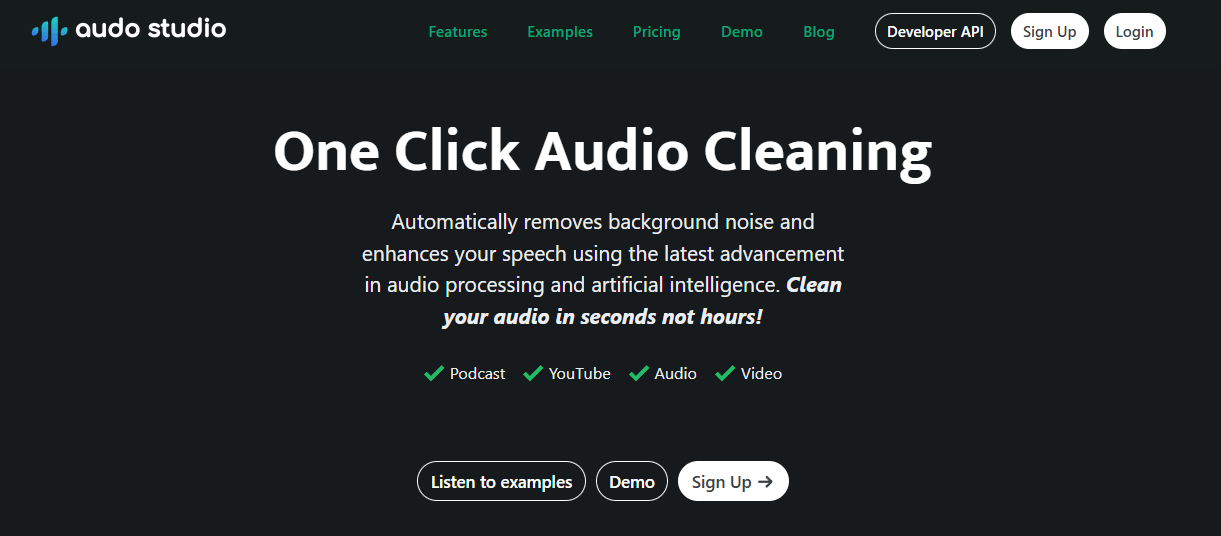
Automatically removes background noise and enhances speech so users can clean recordings quickly without manual editing.
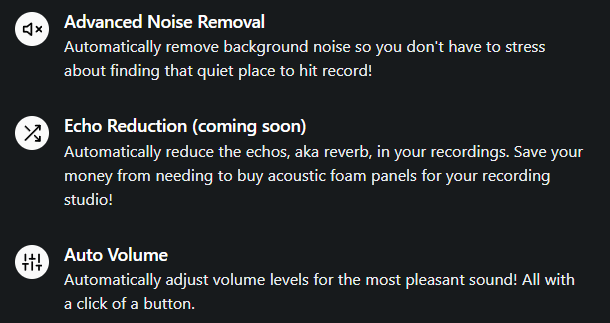
Targets distracting background sounds like traffic, barking dogs, microphone buzz, and other unwanted noise in speech recordings.
Automatically adjusts volume levels so speech sounds more even and easier to listen to.
Audo lists echo reduction as coming soon on the main site, so it should be treated as a planned feature rather than a fully mature core tool.
Works through the browser, which means users can access it across major operating systems without installing desktop editing software.
Audo AI offers a noise-cancellation API, including batch noise removal for post-processing and a streaming SDK for real-time communication apps.
Audo AI is best understood as a focused audio cleanup tool, not a full podcast editor, DAW, transcription platform, or video editor. The product’s public homepage describes it as “One Click Audio Cleaning,” with automatic background-noise removal and speech enhancement as the main promise.
That focus is the important part. Audo is not trying to replace Audacity, Adobe Audition, Descript, Riverside, or a full post-production workflow. It is trying to remove the most common barrier to usable spoken audio: messy sound. For many creators, the problem is not advanced mixing. It is fan noise, room tone, traffic, laptop hum, echo, inconsistent loudness, or a recording environment that was not ideal.
The easiest way to understand Audo is through three layers:
| Layer | What it does | Why it matters |
|---|---|---|
| Audo Studio | Browser-based audio cleanup for creators. | Best for podcasts, YouTube audio, voiceovers, online course audio, and simple speech cleanup. |
| Live Demo | Lets users test the noise-removal quality before committing to a workflow. | Useful because audio tools are best judged by listening, not feature lists. |
| Developer API | Adds batch and streaming noise removal for products. | Useful for apps that need cleaner user audio at scale. |
This makes Audo especially practical for people who want a quick cleanup step between recording and publishing. You upload or process audio, let the AI clean it, then use the improved file in your video, podcast, course, or other workflow.
Audo AI is strongest at making imperfect speech recordings more usable. If the speaker is understandable but the recording has background distractions, Audo is built for that exact situation. Its API page specifically mentions muting noises like street traffic, dogs barking, and microphone buzz, while the main site highlights automatic background-noise removal and speech enhancement.
Its second strength is speed. Audo’s homepage frames the product around cleaning audio “in seconds not hours,” and the site positions it as faster and easier than manual cleanup in traditional software. That matters because many users do not want to learn equalizers, noise prints, compressors, gates, de-essers, or spectral repair tools. They want the file to sound better quickly.
Its third strength is accessibility. Since the tool is browser-based, it can work across Mac, Windows, and Linux through the web rather than locking users into a specific desktop environment. That makes it especially useful for creators who move between devices or teams that do not want everyone installing and configuring separate audio software.
Audo’s workflow is intentionally simple. The user brings in a recording, applies AI cleanup, and exports or uses the improved audio. That is the whole point. It is designed for people who care about clear speech but do not want to become audio engineers.
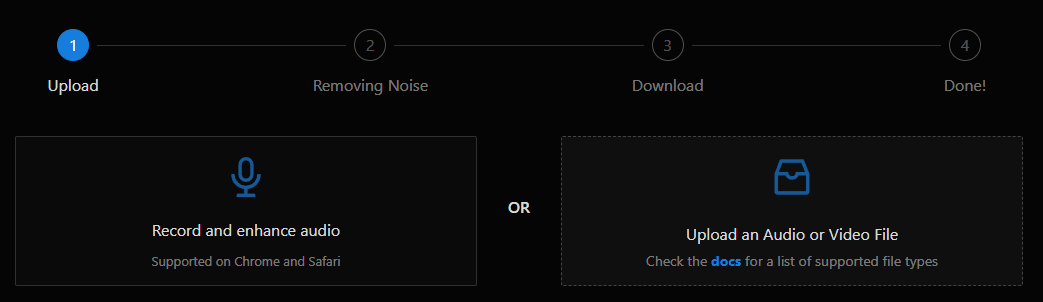
This makes it a good fit after recording and before publishing. A YouTuber can clean the voice track before placing it back under video. A podcaster can process a rough interview recording before editing the episode. An online course creator can improve lesson narration without rebuilding a recording setup. A business user can clean a webinar or presentation recording before sharing it.
The browser-based design also makes onboarding easier. Audo’s FAQ says the tool works on any operating system because it is browser-based. That removes one of the common friction points with audio tools: installation, plugins, driver issues, and local system setup.
The trade-off is that Audo gives less manual control than a full editor. That is not necessarily a flaw. It is a product choice. Audo is strongest when the user wants fast cleanup, not detailed mix engineering. If you want to manually shape EQ curves, automate compression, repair specific syllables, edit breaths, master a full podcast mix, or manage a multi-track session, a more complete audio editor will still matter.
Audo’s quality should be judged against its real target: spoken-word cleanup. It is not designed to make a bad recording sound like it was captured in a professional studio. It is designed to reduce distractions and make speech clearer.
The main feature is background-noise removal. This is useful for recordings with constant or semi-constant noise: fans, traffic, room hum, distant chatter, microphone buzz, or environmental sound. Audo’s API page says its noise removal can handle unwanted noise in many environments, and the main page positions advanced noise removal as one of the core features.
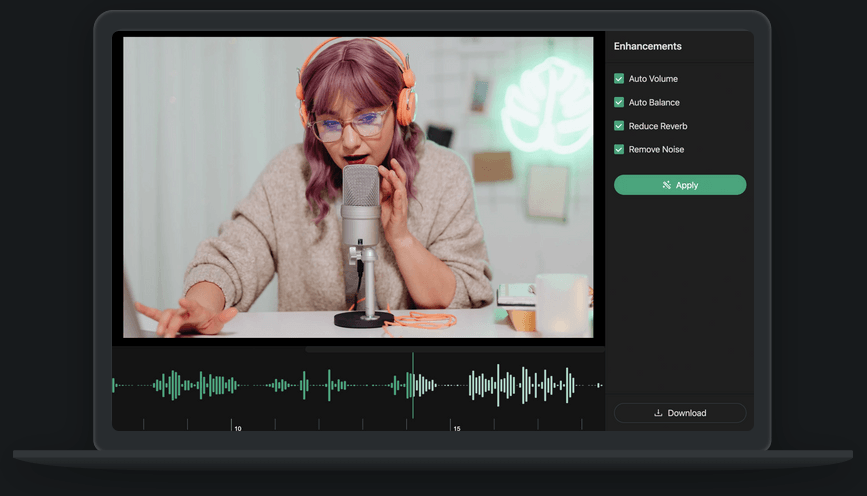
Auto Volume is the other practical piece. Uneven loudness is one of the most common creator-audio problems. A guest speaks quietly, the host speaks loudly, the microphone position changes, or a voiceover moves between sections. Audo’s homepage says it can automatically adjust volume levels for a more pleasant sound. That can make a recording feel more consistent even before any deeper editing.
Echo reduction is more complicated. The main site says echo reduction is coming soon, so users should not treat it as a fully available, finished feature unless it appears in their actual account or workflow. That matters because echo and reverb are harder to fix than steady background noise. If a room is extremely reflective, any cleanup tool may struggle to make it sound natural.
Audo AI is not only a creator-facing web app. It also has a developer side built around noise cancellation. The API page describes Audo API as a way for products to remove background noise and give users clearer speech recordings in different environments.
This developer layer has two main uses.
| Developer Option | Best For | Why It Matters |
|---|---|---|
| Batch Noise Removal API | Cleaning uploaded or recorded files after capture. | Useful for apps that process audio after a meeting, recording, interview, lesson, or user upload. |
| Streaming Noise Removal SDK | Real-time communication products. | Useful when users need clearer speech during live calls, chats, or communication workflows. |
| Admin Dashboard | Monitoring usage and account information. | Useful for teams managing audio cleanup inside a product. |
That distinction is important. Batch cleanup is for post-processing. Streaming cleanup is for live or near-live communication. Audo’s API page makes that split explicit by describing batch noise removal as a post-processing feature and streaming noise removal as a fit for real-time communication applications.
For developers, the value is not just sound quality. It is product experience. Cleaner user audio can reduce listener fatigue, make recordings easier to understand, and improve the perceived quality of an app that depends on voice. Audo’s API page frames its value around improving UX, reducing fatigue, and improving quality.
- Podcasters: Audo is useful for cleaning guest recordings, reducing room noise, and making speech more consistent before final editing. Its homepage directly calls out podcast use as one of the main content categories.
- YouTubers and video creators: It works well when the video is acceptable but the voice track has background noise or uneven volume. Audo’s site lists YouTube and video alongside audio and podcast workflows.
- Online course creators: Lesson audio often gets recorded in home offices, classrooms, or imperfect spaces. Audo is useful when the goal is clearer narration without building a full recording booth.
- Interviewers and journalists: Audo can help improve speech recordings captured in real-world environments, especially when the main problem is background distraction rather than missing content.
- Business and training teams: Webinar, presentation, and internal training audio can benefit from fast cleanup when the recording is good enough to save but not polished enough to share widely.
- Developers building voice products: The API layer makes Audo relevant for apps that record speech, host calls, process user uploads, or need integrated noise removal.
Audo is strongest when the user has a basically usable recording that needs cleanup. That is the sweet spot. The speaker is audible. The content is good. The recording just has distracting noise, inconsistent volume, or a rougher sound than the creator wants.
It is also strong when speed matters more than manual control. Audo’s homepage repeatedly frames the product around fast cleanup, simple use, and clean audio in seconds. That is a better fit for weekly creators than for audio engineers who want to control every detail.
The API is another strength because it gives Audo a path beyond individual creator use. A browser app is useful for one file at a time. An API and SDK are more useful for companies that want noise cleanup inside their own workflow or product. Audo’s developer page specifically describes simple APIs and SDKs for integrating noise removal quickly.
Audo is weaker when the user needs full editing control. It is not a timeline editor, multitrack podcast workstation, music production tool, or detailed mastering environment. It can help make audio cleaner, but it does not replace a full post-production process.
It is also weaker when the original recording is severely flawed. AI cleanup can reduce noise, but it cannot always recover clipped speech, fix heavy distortion, reconstruct missing words, or make a distant microphone sound like a close studio mic. The cleaner the original voice recording, the better the likely result.
Echo handling is another area to treat carefully. Audo mentions echo reduction, but the main site marks it as coming soon. If echo removal is the main reason someone is considering the tool, they should test the live demo or check the current app before relying on it.
Finally, Audo is not positioned as a transcription or summarization tool on its official public pages. Users who need transcripts, captions, speaker labels, meeting summaries, or searchable notes will likely need a separate speech-to-text or meeting assistant tool.
Audio cleanup tools deal with sensitive material, so file handling matters. Audo’s privacy policy says information provided to the service, including audio files, is temporarily stored on its servers for processing and deleted within 48 hours of initial processing. It also says the company retains non-personally identifiable media metadata to improve services.
That is useful to know for creators and teams handling ordinary content. For sensitive recordings, confidential interviews, legal material, medical audio, or internal company conversations, users should still review the policy and decide whether cloud processing is appropriate for their workflow.
- Use Audo on speech-first recordings. It is best for podcasts, voiceovers, lessons, interviews, webinars, and spoken video audio.
- Start with the cleanest recording you can. AI cleanup helps, but good microphone placement and a quiet room still matter.
- Avoid over-relying on cleanup for bad recording habits. If the mic is too far away, the room is extremely echoey, or the audio is clipped, cleanup will have limits.
- Use the live demo before committing to a larger workflow. Audo provides a demo page for testing its automatic noise removal, and audio tools are easiest to evaluate by listening.
- Treat Auto Volume as a helper, not a full mix. It can make loudness more even, but serious podcast or video work may still need final listening checks.
- Use the API only when cleanup needs to be part of a product. For individual files, the web app is simpler. For platforms, apps, and real-time communication tools, the API and SDK layer is the more relevant side.
Audo AI is best understood as a focused speech-cleanup tool. Its main value is not broad audio production. It is fast, simple enhancement for spoken recordings: remove background noise, improve clarity, and even out volume with minimal effort.
It is best for podcasters, YouTubers, course creators, interviewers, business teams, and developers who need cleaner speech without building a complex audio workflow.
The main caveat is control. Audo is excellent for quick cleanup, but users who need detailed editing, transcription, advanced mixing, or complete post-production will still need other tools around it.
TAGS: Voice/Audio Modulation
Related Tools:

AI virtual camera with voice modulation

Enables to create cross-platform 2D and 3D games
Enhances audio recordings by removing unwanted sounds
Offers voice cloning and translation
Text-to-Speech and Voice Cloning

Transforming audio and video recordings into polished, shareable content