

Share this tool:
 |
Description:
- Introduction
- What Translate.video Actually Is
- What Translate.video Does Best
- Core Features and Capabilities
- Workflow and Ease of Use
- Voice Cloning Is the Main Differentiator
- Dubbing, Subtitles, and Lip Sync
- Enterprise and Team Use
- Output Quality and Control
- Best Use Cases
- Comparison to Other Video Translation Tools
- Practical Tips
- Limitations and Trade-Offs
- Final Takeaway
Translate.video is an AI video localization platform for creators, educators, marketers, and teams that want to turn one video into multilingual versions. Its main value is workflow compression: upload a video, translate it, generate subtitles, create dubbed audio, clone the speaker’s voice, optionally apply lip sync, and export localized versions without manually coordinating transcription, translation, voiceover, subtitle timing, and video editing across separate tools.
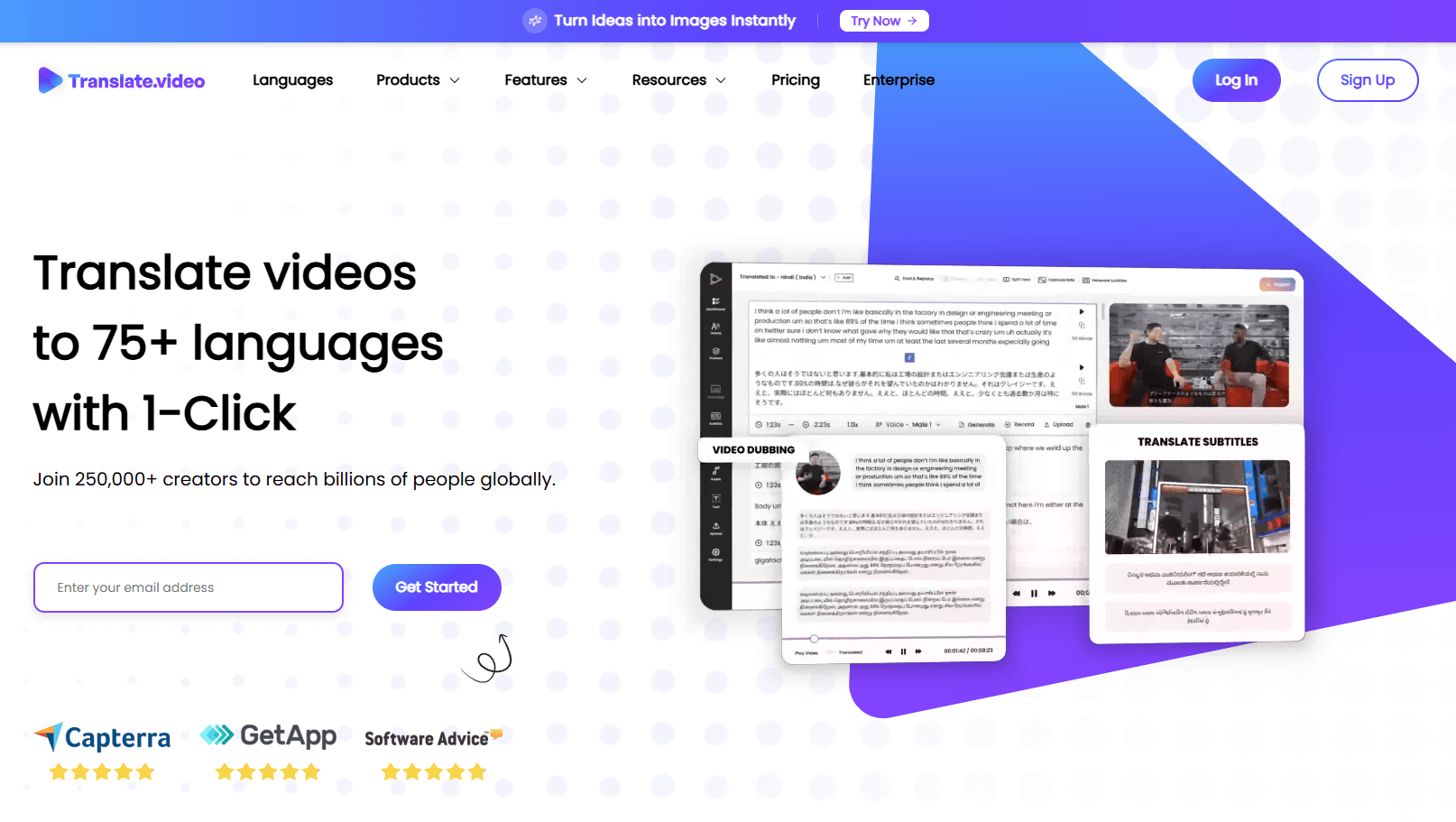
Translate.video is a web-based AI dubbing and subtitling platform. The official site positions it around one-click video translation into 75+ languages, with support for dubbing, subtitles, voiceovers, and instant voice cloning. It also says users can create a voice clone from around 50 seconds of audio and use that cloned voice across supported languages.
The easiest way to understand the product is through four layers:
| Layer | What it does | Why it matters |
|---|---|---|
| Transcription | Converts the original video speech into editable text | Gives the platform a base script for translation and subtitles |
| Translation | Converts the transcript into target languages | Lets one video reach audiences beyond the original language |
| Dubbing and voiceover | Generates translated spoken audio | Makes videos easier to watch than subtitle-only localization |
| Voice cloning and lip sync | Preserves speaker identity and improves visual/audio match | Makes localized videos feel more natural and less generic |
That combination is the product’s real promise. Translate.video is not just a subtitle generator. It is trying to handle the full localization path from original video to translated, dubbed, downloadable output.
Translate.video is strongest when users need multilingual versions of existing video content quickly.
That includes YouTube videos, online courses, tutorials, training videos, marketing explainers, social clips, product demos, webinars, internal enablement content, and creator education videos. The product is especially relevant when a video depends on a person speaking directly to the camera. In those cases, subtitles help, but dubbed audio in a familiar voice can make the experience easier for viewers who prefer listening in their own language.
The platform’s strongest practical idea is that it bundles several steps that usually require separate tools:
- First, a video needs transcription.
- Then the transcript needs translation.
- Then subtitles need timing.
- Then voiceover needs generation or recording.
- Then the translated audio needs to align with the video.
- Then the final version needs exporting.
Translate.video turns that into a single platform workflow. That is the appeal.
Translate.video translates video content into 75+ languages from one uploaded source.
The platform can generate translated voiceovers instead of only producing translated subtitles.
Users can create a multilingual voice clone from a short audio sample, with the official site describing support from about 50 seconds of audio.
The pricing page lists automatic captions/subtitles and subtitle downloads across plan capabilities.
Translate.video includes lip-sync minutes on supported plans, which is important for presenter-style video translation.
The enterprise page positions the product for AI dubbing with voice cloning and lip sync, subtitles and proofreading at scale, enterprise workflows, and API integration.
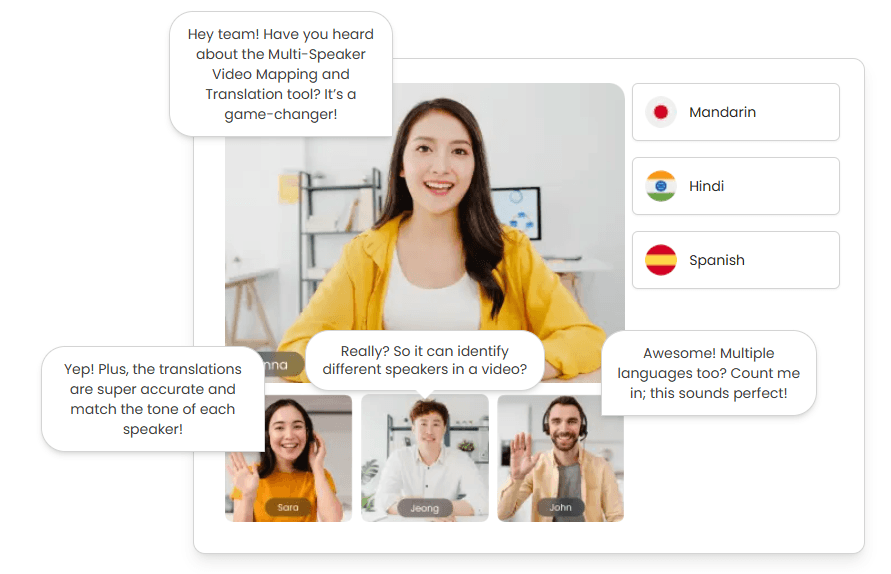
Translate.video’s workflow is designed to be approachable for non-technical users.
The basic flow is simple: upload a video, select languages, generate translation and dubbing, review the output, then export the result. That simplicity matters because localization can be intimidating for creators who do not have translators, editors, voice actors, and audio engineers available.
The platform also fits people who already publish regularly. A course creator can localize a lesson. A YouTuber can create versions for new audiences. A startup can translate product explainers. A training team can repurpose internal onboarding videos. A marketing team can turn one campaign asset into several regional versions.
Where the workflow becomes more serious is review. AI translation and dubbing can get a strong first pass, but publish-ready localization still needs checking. The transcript, translated text, pronunciation, speaker names, technical terms, tone, subtitle timing, and final export should all be reviewed before public release.
That is especially true for expert content. Legal, medical, financial, academic, technical, and compliance-heavy videos need a human review pass. Translate.video can speed up the work, but it should not be treated as a replacement for subject-matter judgment.
The most important feature in Translate.video is voice cloning.
Basic dubbing can sound useful but generic. If a creator’s video is translated into another language with a completely different synthetic voice, the meaning may survive, but the personal identity of the video can feel weaker. Translate.video’s voice cloning is meant to solve that by preserving a version of the original speaker’s voice across languages. The official site says a voice clone can be created from a short sample and used across 75+ languages.
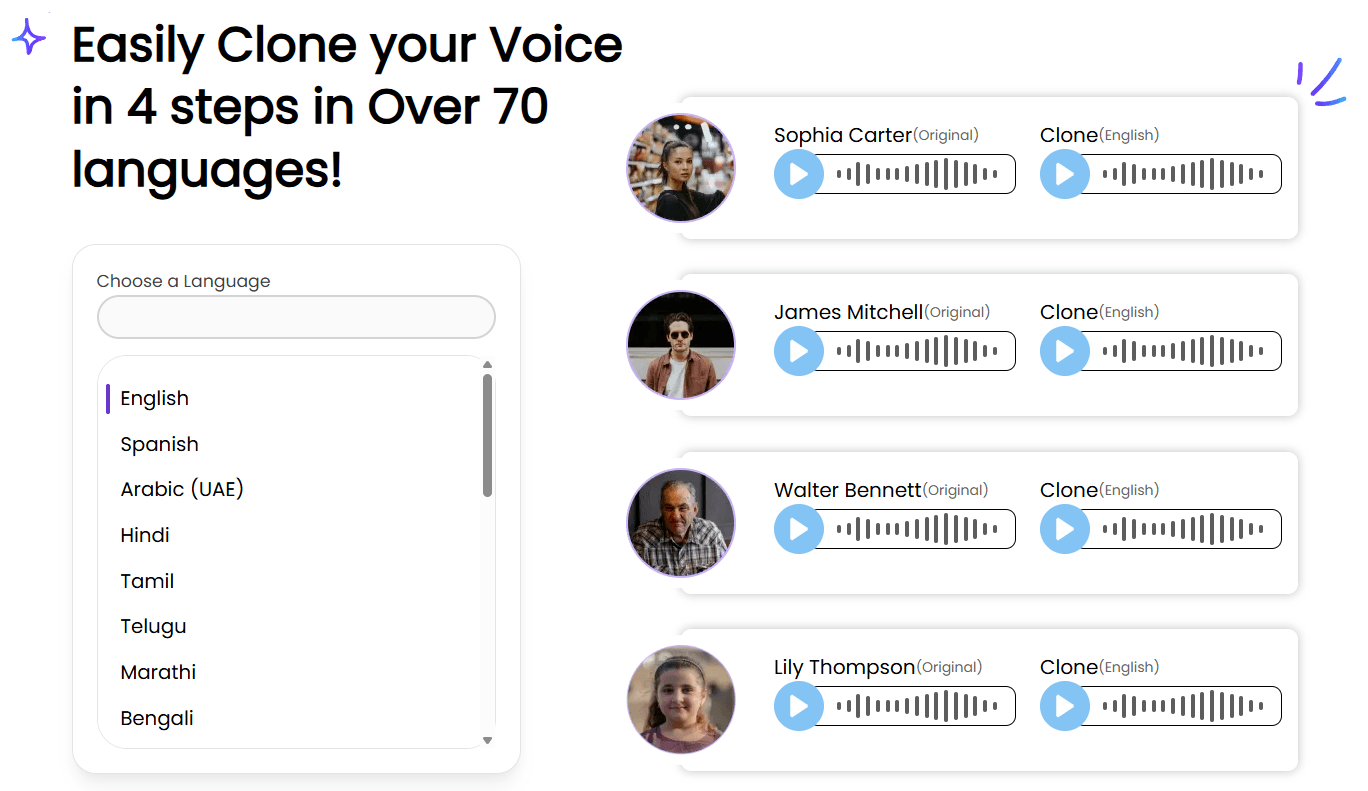
That matters most for personal brands. A course instructor, founder, coach, YouTuber, sales trainer, or educator often has an audience relationship tied to their face and voice. A translated version that still sounds like them is more valuable than a generic voiceover.
Voice cloning is also useful for consistency. If a business localizes dozens of training videos, the same branded voice can appear across the whole library. If a creator localizes a channel, the translated versions can feel more like part of the same brand.
The trade-off is consent and trust. Any tool that clones voices requires careful usage. Users should only clone voices they own or have permission to use, and professional teams should document voice rights clearly.
Translate.video is strongest when dubbing, subtitles, and lip sync are treated as connected pieces rather than separate outputs.
Subtitles are still important because they are easier to review, correct, download, and repurpose. They also help accessibility and platform discoverability. The pricing page lists subtitle downloads, which matters for users who want to upload captions to YouTube, use them in an editor, or create separate subtitle files for distribution.
Dubbing is what makes the video more accessible to viewers who do not want to read subtitles. A strong dubbed version can make a tutorial, course, webinar, or product explainer feel native to the target language.
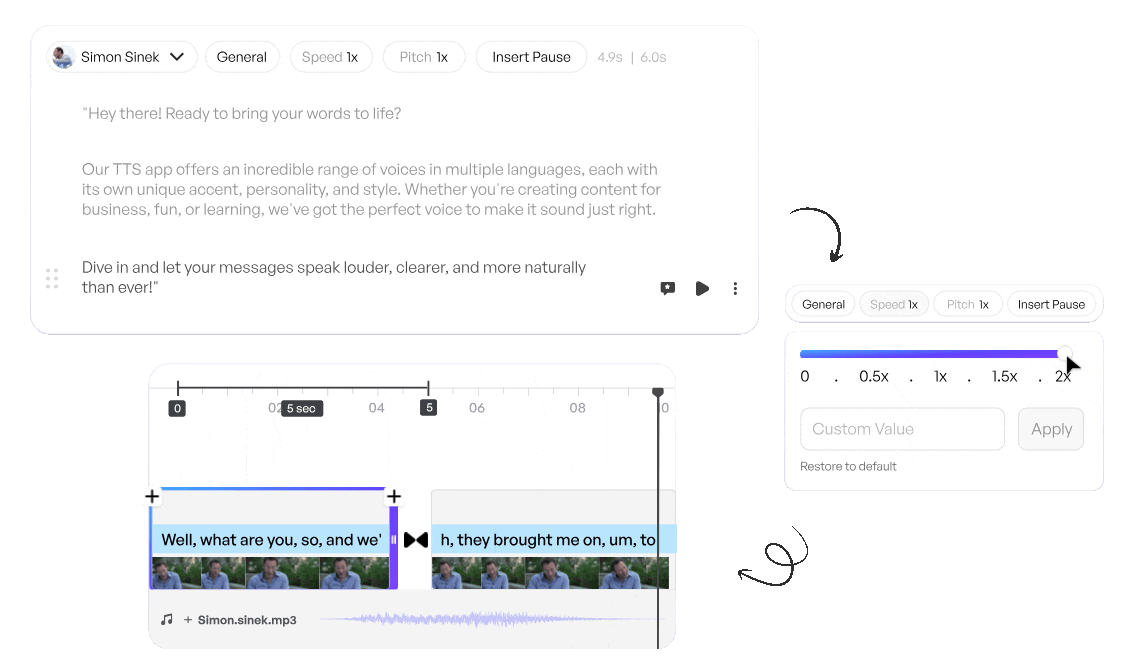
Lip sync is the polish layer. It matters most for talking-head videos where the speaker’s face is visible. If translated audio is far from the mouth movement, viewers notice. Translate.video includes lip-sync minutes on supported plans, which shows that the product is not only thinking about audio translation but also visual believability.
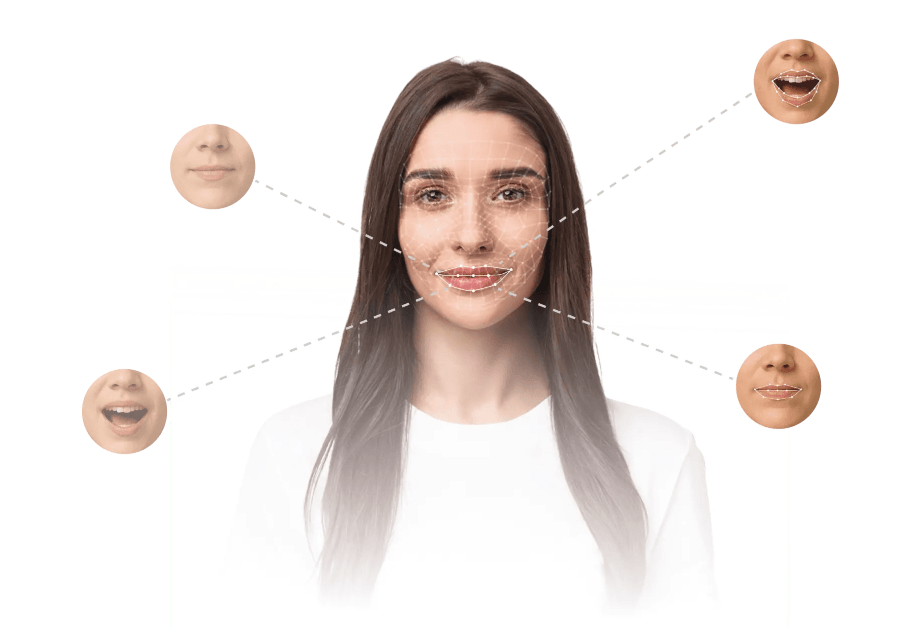
The right workflow depends on the video type:
| Video Type | Best Output |
|---|---|
| Screen-recorded tutorials | Subtitles plus dubbed narration |
| Talking-head creator videos | Voice clone plus lip sync |
| Internal training | Dubbing and downloadable subtitles |
| Social clips | Fast subtitle translation or short dubbed exports |
| Course content | Reviewed transcript, voice clone, subtitles, and export |
| Product explainers | Polished dubbed version with brand terminology checked |
Translate.video is not only aimed at solo creators. Its enterprise page positions the platform for teams that need AI-powered dubbing, subtitles, voice cloning, lip sync, proofreading at scale, enterprise workflows, and API integration.
That matters because video localization becomes harder as volume increases. One translated video is simple. A library of courses, support videos, internal enablement clips, social ads, and product explainers needs workflow management.
For teams, the important questions are:
- Can reviewers edit translations before export?
- Can teams manage folders and projects cleanly?
- Can the platform handle long videos and large files?
- Can brand terms be kept consistent?
- Can subtitles be downloaded and reused?
- Can output quality support public-facing campaigns?
- Can the workflow connect to existing systems through API access?
Translate.video’s enterprise positioning suggests it is targeting those needs, especially for content teams localizing at scale.
Translate.video’s output quality depends on three things: source quality, translation quality, and review discipline.
Source quality matters first. Clean audio, minimal background noise, clear speech, limited overlap, and good pacing will produce better transcripts and dubbing. If the original video has poor audio, heavy music, multiple people speaking over each other, or unclear pronunciation, the translated output will be harder to trust.
Translation quality is the second layer. Literal translation is not always enough. Good localization needs tone, context, audience fit, idioms, cultural nuance, and correct terminology.
Review discipline is the third layer. Even if the AI output sounds good, users should still inspect names, numbers, product terms, captions, claims, and timing. This is where downloadable subtitles become valuable: they make the translated script easier to review outside the video player.
The platform is best viewed as a localization accelerator. It can reduce production time dramatically, but high-stakes content still needs human review.
- Online course localization: Translate.video is a strong fit for instructors who want to translate lessons into multiple languages while preserving their voice.
- YouTube channel expansion: Creators can use dubbing, subtitles, and voice cloning to test new international audiences without rebuilding videos from scratch.
- Product tutorials and demos: SaaS teams can localize walkthroughs, onboarding videos, and release explainers for global users.
- Marketing videos: Ads, landing-page videos, and social clips can be translated into multiple markets faster than manual production.
- Internal training: Companies can turn onboarding, compliance, sales enablement, or process videos into multilingual training assets.
- Webinars and presentations: Recorded talks can become regional versions for audiences that prefer local-language audio.
- Educational explainers: Teachers and educational creators can make complex material easier for non-native audiences to follow.
| Tool | Strongest Fit | Where Translate.video Stands |
|---|---|---|
| Rask AI | Video translation, dubbing, voice cloning, large language coverage | Rask is more established for broad localization; Translate.video is a practical creator/team platform with 75+ language support and voice cloning |
| HeyGen Video Translate | Presenter videos, avatars, lip sync, large language and dialect coverage | HeyGen is especially strong for polished talking-head and avatar workflows; Translate.video is more focused on straightforward video dubbing, subtitles, and creator localization |
| ElevenLabs Dubbing | High-quality AI dubbing and voice preservation | ElevenLabs is stronger for voice quality and dubbing polish; Translate.video is more all-in-one for video translation, subtitles, lip sync, and exports |
| YouTube auto-dubbing | Native platform dubbing for YouTube creators | YouTube is convenient inside YouTube, but Translate.video is more flexible when users want external exports, subtitles, and multi-platform content |
The simple version: choose Translate.video when you want an all-in-one video localization workflow. Choose a specialist dubbing provider when audio realism is the only priority. Choose a broader video editor when timeline editing is the main job.
- Start with a short video before localizing a full library. A five-minute test will reveal how well the tool handles your voice, pacing, terminology, and target language.
- Clean the source audio first. AI dubbing depends heavily on transcript quality, and transcript quality depends heavily on the original recording.
- Review the transcript before generating final versions. Fixing errors early prevents them from spreading into translation, dubbing, subtitles, and exports.
- Use voice cloning for creator-led videos. It matters most when the speaker’s personality is central to the content.
- Use subtitles even when dubbing is enabled. Subtitles help accessibility, search, review, and platform uploading.
- Check technical words manually. Product names, industry terms, acronyms, names, dates, and numbers are common failure points.
- Use lip sync selectively. It is most valuable for front-facing speaker videos, less critical for screen recordings, slides, or b-roll-heavy content.
- Do not translate everything at once. Prioritize videos that already perform well in the original language.
- The first limitation is that AI localization is not the same as professional human localization. Translate.video can create strong first drafts, but cultural nuance, humor, legal phrasing, idioms, technical terminology, and brand voice still need review.
- The second limitation is source dependency. No AI dubbing system can fully rescue bad audio, chaotic speech, overlapping voices, or unclear recordings. Clean source videos will produce better translated videos.
- The third limitation is voice clone reliability. A short voice sample can be useful, but it may not capture every emotional range, pronunciation edge case, or speaking style. Testing is important before using a cloned voice across a full campaign or course.
- The fourth limitation is plan-based control. Features like lip-sync minutes, subtitle downloads, upload length, export quality, and team spaces vary by plan, so users should check their exact workflow needs before committing.
- The fifth limitation is category competition. Translate.video competes with strong platforms like Rask AI, HeyGen, ElevenLabs, Maestra, and native platform dubbing tools. Its advantage is convenience and all-in-one workflow, but users with very specific needs may prefer a specialist.
- Finally, professional users should think carefully about disclosure and permissions. Cloned voices, dubbed videos, and AI lip sync should be used transparently and with proper consent, especially for clients, employees, public figures, instructors, and brand spokespeople.
Translate.video is a practical AI video localization platform for creators and teams that want to turn one video into many language versions.
Its strongest features are 75+ language video translation, AI dubbing, auto subtitles, instant voice cloning from short samples, lip sync, downloadable subtitles, video exports, and enterprise-oriented workflows for larger teams.
It is best for course creators, YouTubers, educators, marketers, SaaS teams, training departments, and businesses with repeatable video localization needs. It is less ideal for users who need fully human-reviewed localization, high-end studio dubbing, or advanced video editing inside a timeline.
The best way to think about Translate.video is this: it is not just a subtitle tool. It is a fast AI localization system. For teams that already have useful video content and want to reach international audiences faster, it is a strong tool to test.
TAGS: Speech to Text Video Editing
Related Tools:

Automates tasks like removing video silences and adding captions
AI-powered video editing tool

Transcribe and make video content searchable

Turns footage into stylized, production-ready visuals

Creates personalized video messages using voice and face cloning
Generates concise, human-reviewed summaries