

Share this tool:
 |
Description:
Synexa AI is a generative media platform that can add AI models to applications without managing the underlying GPU infrastructure themselves. It combines ready to use inference APIs, interactive model playgrounds, serverless deployment, and support for custom models.
The main attraction is consolidation. Instead of integrating separately with every image, video, audio, or 3D provider, developers can access a broad model catalog through Synexa's API. The platform currently organizes dozens of models across image, video, audio and speech, upscaling, 3D, and related utilities.
That makes Synexa less of an AI creation app and more of an infrastructure layer for building your own.
Synexa's model library is the centerpiece. It includes models from multiple AI companies and open-source ecosystems, letting developers choose different engines without rebuilding their entire application around each provider.
The selection covers models such as Google Nano Banana Pro, OpenAI GPT Image, FLUX, Ideogram, Seedream, Veo, Kling, Seedance, Suno, Hunyuan3D, Meshy, and TRELLIS, alongside specialist models for background removal, segmentation, speech, restoration, and other jobs.
| Category | What You Can Build |
|---|---|
| Image | Generators, editors, product imagery, visual design |
| Video | Text-to-video, image animation, talking avatars |
| Audio & Speech | Music, speech, transcription, audio processing |
| Upscaling | Image and video enhancement |
| 3D | Image-to-3D assets and textured meshes |
| Utilities | Segmentation, background removal and related processing |
The advantage isn't just having a long list. A product can use different models for different tasks while keeping them within the same broader API environment.
Synexa's API uses a consistent endpoint pattern. Developers authenticate with an API key, specify the model they want to run, and provide that model's required inputs.
Official client libraries are available for Python, JavaScript/TypeScript, Ruby, Go, and Java, while HTTP endpoints allow integration from other environments.
The quickstart shows the practical appeal. In Python, for example, a model can be called by passing its identifier and input object to synexa.run(). The Node.js SDK follows a similar pattern.
This matters when experimenting. Developers can try one model, compare its results with another, and switch the model used by an application without starting an entirely separate integration.
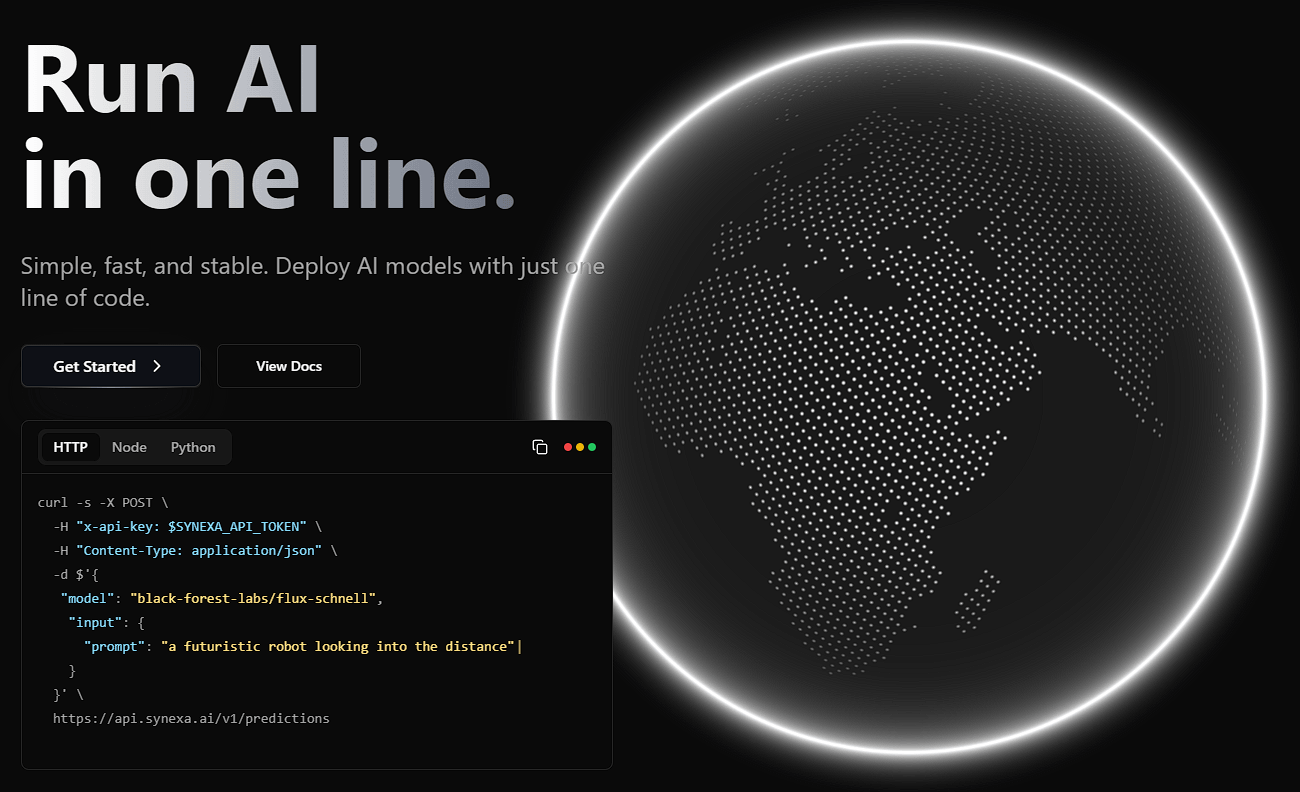
Image AI is one of Synexa's deeper categories. Its catalog covers both text-to-image and image-to-image, plus vision-related utilities.
There are models aimed at different needs rather than one universal option. FLUX variants cover fast generation and editing. Ideogram and Recraft offer options for graphics and text-heavy visuals. Qwen Image Edit and Seedream support more targeted image transformations, while background removal and segmentation models handle narrower production tasks.
For an application developer, that variety is useful. A marketing design tool and an automated product-photo editor don't need to depend on the same image model.
Synexa's video collection includes text-to-video and image-to-video models alongside motion control, talking avatars, audio-driven video, and video-processing utilities. Available options include Veo, Kling, Seedance, Hailuo, PixVerse, and LTX models.
Audio covers music generation, text-to-speech, speech-to-text, audio isolation, and even video-to-audio workflows.
There is also a dedicated 3D category. Models from Tencent, Tripo, Meshy, and Microsoft can convert images into textured 3D assets, with some supporting production-oriented formats and PBR materials.
This breadth makes Synexa particularly interesting for multimodal products rather than applications built around one AI task.
The model library would be less useful if developers still had to manage GPUs themselves. Synexa provides serverless infrastructure with automatic scaling, including scaling down when workloads are idle and increasing capacity as demand rises.
Its documentation also highlights custom model deployment, private models, preference fine-tuning, and interactive playgrounds for experimentation.
That makes the platform relevant at two stages. Developers can experiment with existing models first, then move toward more specialized deployments if their product needs custom behavior.
Synexa is a strong fit for developers building generative media products, especially applications that need several model families.
An AI design platform could combine image generation, editing, segmentation, and upscaling. A video product could connect image creation to animation, speech, and audio generation. Game and 3D teams can use image-to-3D models without hosting each model themselves.
It's also useful for teams that want to compare models before committing. Having multiple providers behind a common platform makes experimentation easier than maintaining separate infrastructure for every candidate.
The large catalog creates choice, but also complexity. Models have different inputs, outputs, strengths, latency characteristics, and capabilities. A common API doesn't make the underlying models interchangeable.
Synexa is also developer-oriented. Someone who only wants to generate an occasional image or video may find a dedicated consumer application more approachable.
There is another practical dependency to consider: using a model through an infrastructure platform adds another layer between your application and the underlying model. Teams building production systems should therefore test model behavior, availability, latency, and output handling for their specific workload rather than assuming every model behaves the same.
Synexa AI is best viewed as generative AI infrastructure rather than another generation app. Its main strength is giving developers one environment for running a broad mix of image, video, audio, 3D, and utility models while handling much of the infrastructure behind them.
It's most useful for developers, startups, and product teams building AI features at application level. The main caveat is model selection. Synexa makes many models easier to access, but developers still need to determine which model, settings, and workflow are right for each production task.
TAGS: Generative Video Generative Art
Related Tools:

Creates unique digital artworks
AI tool for generating and editing images
Advanced Image Generation and Editing
Generates color palettes, font pairings, and moodboards

Generates and refines architectural designs

Turns photos or text into dream-like artworks