

Share this tool:
 |
Description:
Spline AI is the AI layer inside Spline, a browser-based 3D design platform for interactive experiences. It can generate 3D objects from text or images, create textures, and use an AI Agent to build or edit scenes inside the same editor. Spline V2, released in August 2026, expanded that agent so it can work with objects, materials, lighting, cameras, animation, interactivity, and code.
That makes Spline AI more useful than a one-shot 3D generator. The real value is that the AI output stays editable and can move straight into a working scene.
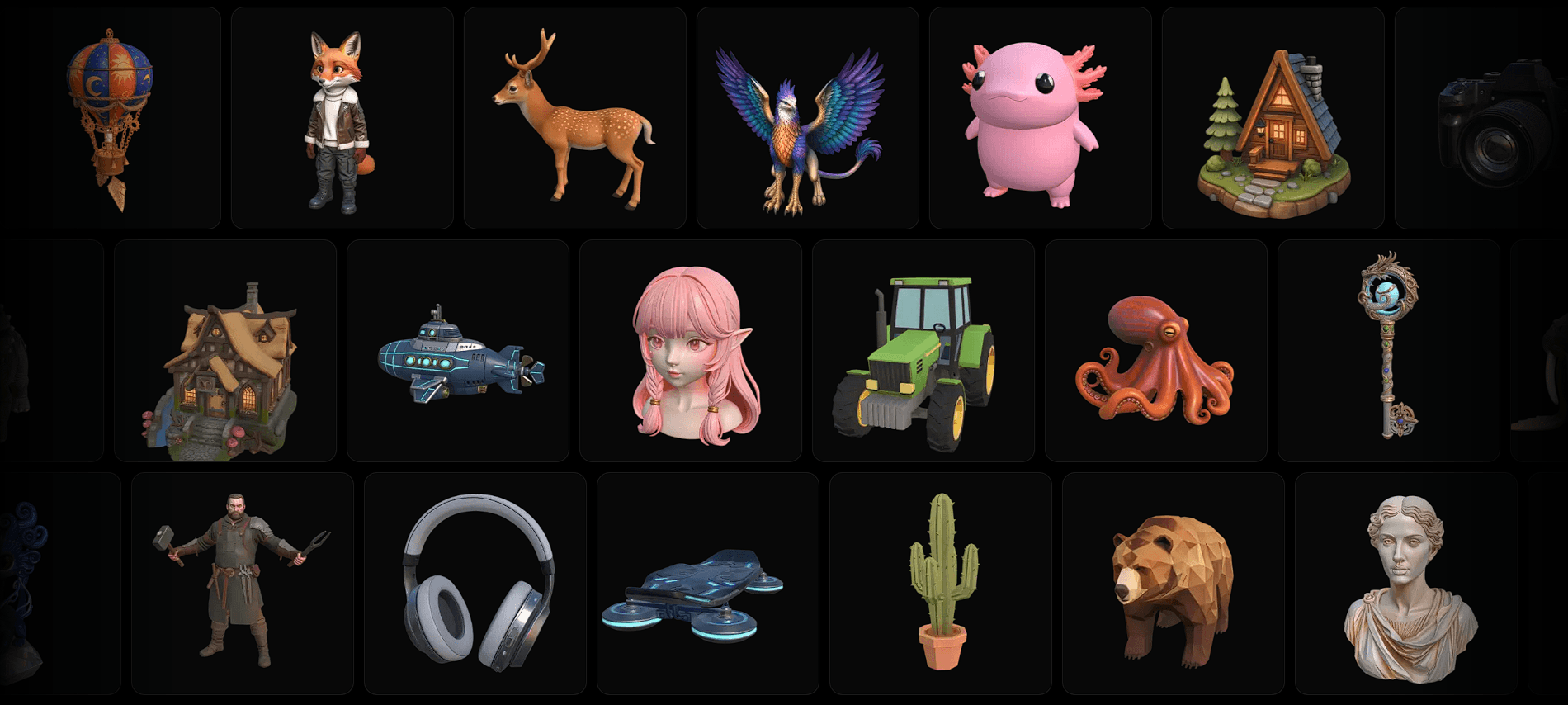
The workflow is straightforward. Describe an object, optionally add a front-facing reference image, and Spline generates several visual options. Pick one, and the platform converts it into a textured 3D model that can open directly in the editor.
A useful prompt might be:
“Stylized retro desktop computer with a rounded beige plastic case, chunky keyboard, small CRT monitor, oversized buttons, soft edges, toy-like proportions, clean 3D product design.”
“Ancient magical lantern made from dark bronze and frosted glass, curved metal frame, glowing blue crystal inside, engraved fantasy symbols, slightly worn surface, stylized game asset.”
“Minimalist lounge chair with a curved walnut frame, thick cream fabric cushions, rounded corners, Scandinavian-inspired design, clean proportions, soft premium product-render style.”
“Small friendly robot with a rounded white body, short mechanical arms, glowing digital face, orange accent panels, compact proportions, playful futuristic design.”
“Oversized strawberry cupcake with pink frosting, colorful sprinkles, soft rounded shapes, glossy cartoon texture, cute stylized 3D illustration, clean isolated object.”
Spline recommends focusing on a single object rather than a full composition. Close-ups tend to preserve more detail, while organic forms generally work better than objects that depend on sharp, exact geometry.
| Element | What to Describe |
|---|---|
| Subject | The single object you need |
| Shape | Rounded, angular, tall, compact |
| Materials | Plastic, metal, ceramic, fabric |
| Style | Stylized, realistic, toy-like |
| Key details | Buttons, handles, horns, panels |
The best prompts read like short design briefs. Shape and recognizable features matter more than decorative language.
The newer AI Agent is one of the most important parts of Spline’s current workflow. Instead of only making a mesh, it can operate the editor itself. You can ask it to create objects, change materials and lighting, add cameras, animate elements, set up interactions, optimize a scene, or generate HTML and JavaScript.
Crucially, the agent’s changes remain normal Spline edits. They appear in undo history, sync with collaborators, and can be adjusted manually. That makes the AI feel more like an assistant inside the design file than a separate generator.
Spline also supports prompt-based texture generation. Select an object, describe a surface such as “weathered green ceramic with small cracks,” and apply the result as a material. AI textures can be generated at resolutions up to 2048 × 2048.
From there, Spline’s normal tools become the bigger story. You can change materials, lighting, cameras, geometry, particles, physics, and animation. States, events, and actions let objects react to clicks, movement, keyboard input, collisions, and other triggers.
Spline scenes can be published to the web or exported into development workflows. Current code options include Vanilla JavaScript, Three.js, React, Next.js, and react-three-fiber. The platform also supports Apple and Android workflows.
Spline V2 adds an MCP server, allowing compatible AI coding assistants to interact with Spline’s editor tools. This creates a useful bridge between coding and 3D design.
Spline AI works best for interactive website graphics, product landing pages, stylized 3D illustrations, concept assets, educational experiences, simple games, UI experiments, and rapid prototypes.
It is especially attractive to designers who want 3D without jumping immediately into a traditional package such as Blender or Maya. Modeling, generation, animation, interactivity, collaboration, and publishing all sit relatively close together.
Spline AI is not a precision modeling system. Spline recommends avoiding high-precision objects for AI generation, and generated meshes can be heavier than hand-built assets, which may affect scene performance.
Image-to-3D also has the usual hidden-view problem. A single reference cannot show the back or sides, so the model has to guess. Hard-surface products, engineering parts, and exact replicas may need cleanup or a different workflow.
The AI Agent is more flexible, but broad instructions can still produce a usable scene that misses the exact layout or behavior you wanted.
Spline AI is strongest when generation is only the first step. Text and image prompts can get an object into 3D quickly, but the bigger advantage is that the result stays inside an editor built for materials, animation, interaction, code, and publishing.
It is best suited to web designers, product teams, creative developers, and 3D newcomers who want interactive results. The main caveat is precision: Spline AI is better for fast visual creation and editable experiences than exact technical geometry.
TAGS: 3D Model
Related Tools:

Turns your 3D scenes into high-quality realistic renders

Offers courses from leading universities and companies
Digital classroom to facilitate student engagement

Online learning platform focusing on project-based learning

Enhances reading comprehension and engagement

Generates architectural designs