

Share this tool:
 |
Description:
- Introduction
- Strong Features and Capabilities
- What Reface Does Best
- Workflow and Ease of Use
- Core Tools and Where They Fit
- Output Quality and Control
- Best Use Cases for Reface
- Practical Tips for Better Results
- Limitations and Trade-Offs
- How Reface Compares to Other AI Creative Tools
- Who Should Use Reface
- Final Takeaway
Reface is an AI-powered face editing and entertainment app built around fast visual transformation. Its core strength is still face swapping, but the current product has grown into a broader creative toolkit for AI videos, AI avatars, hairstyle previews, singing photo animations, professional-style headshots, filters, and themed image transformations. Reface is not the tool you choose for deep manual editing. It is the tool you choose when you want a quick, shareable result from a selfie, portrait, or short piece of media.
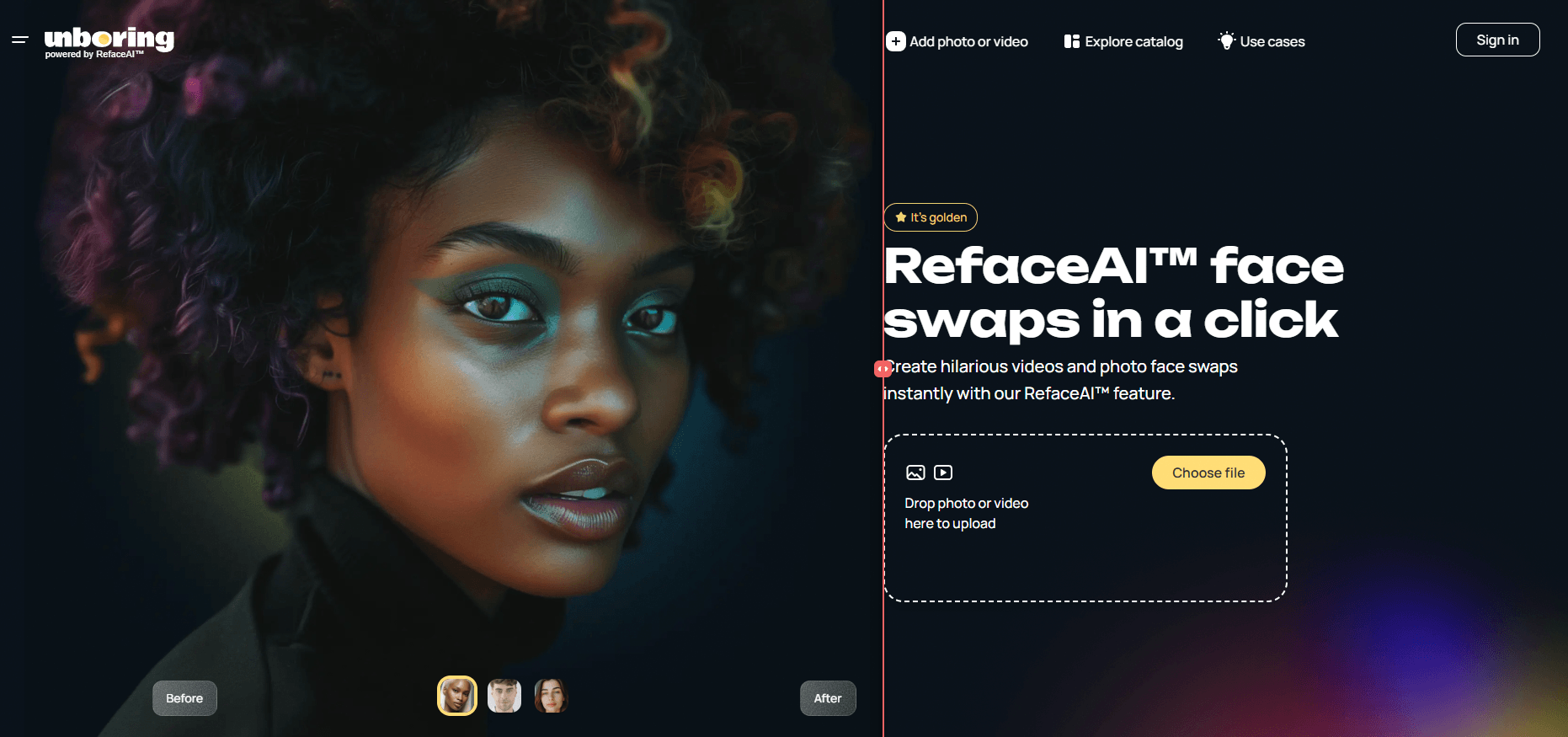
Reface lets users put a face into photos, videos, movie-style templates, character art, and other visual formats with a simple upload-and-swap workflow.
The broader Reface ecosystem includes web tools for face swap, video restyle, image restyle, and photo animation, so it works across still images and short-form video content.
The mobile app includes AI avatars, AI figure creation, future baby concepts, professional-style headshots, seasonal packs, pet filters, and playful character transformations.
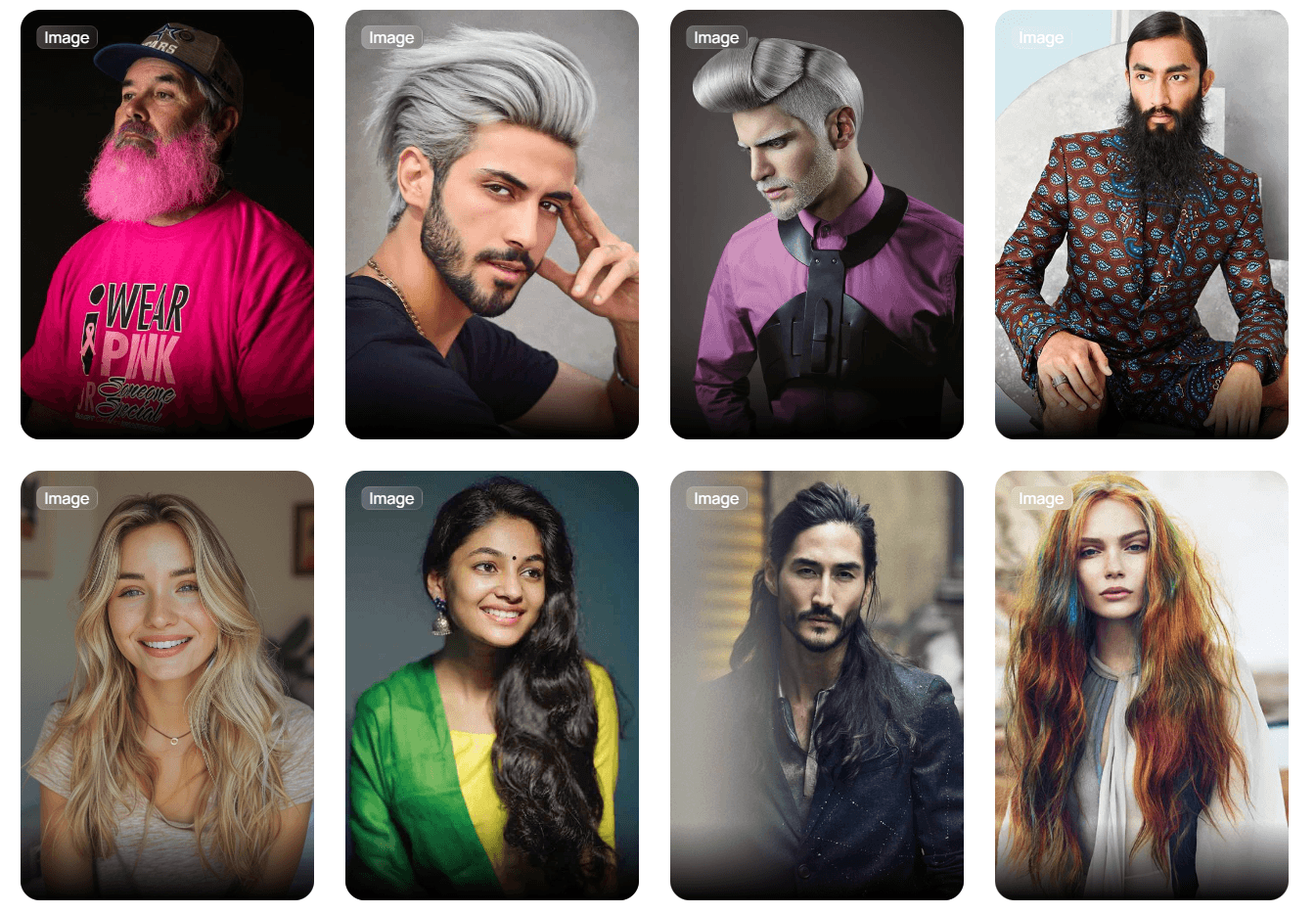
Reface includes hairstyle try-on, hair color changes, haircut previews, and comparison-style outputs for testing different looks before committing to a style.
Reface and its related Unboring tool can animate photos, make faces sing, and turn static pictures into short entertainment clips.
The app is built for fast consumer use, with official listings emphasizing quick selfie-based edits, one-tap transformations, and social-ready outputs.
Reface is strongest when the task is simple: take a face, put it into another visual context, and make the result look entertaining enough to share.
That sounds narrow, but it is actually a useful niche. A lot of AI image tools are flexible but slow to steer. You type prompts, adjust style settings, regenerate, fix anatomy, and keep going until the result feels right. Reface works differently. It starts with a concrete input, usually a selfie or portrait, and gives the user a set of transformation paths.
That makes the tool easy for casual users. You do not need to know prompt structure, camera language, model names, seed behavior, or image editing terminology. The appeal is the shortcut.
Upload a portrait. Choose the transformation. Generate. Share.
That is the whole product philosophy.
The face swap feature is still the center of the experience. Reface’s own web face-swap page describes it as a way to replace faces in photos or videos by detecting facial features and mapping the input face into the target scene. The same page says photo swaps can take only a few seconds, while video swaps can take longer depending on resolution and complexity.
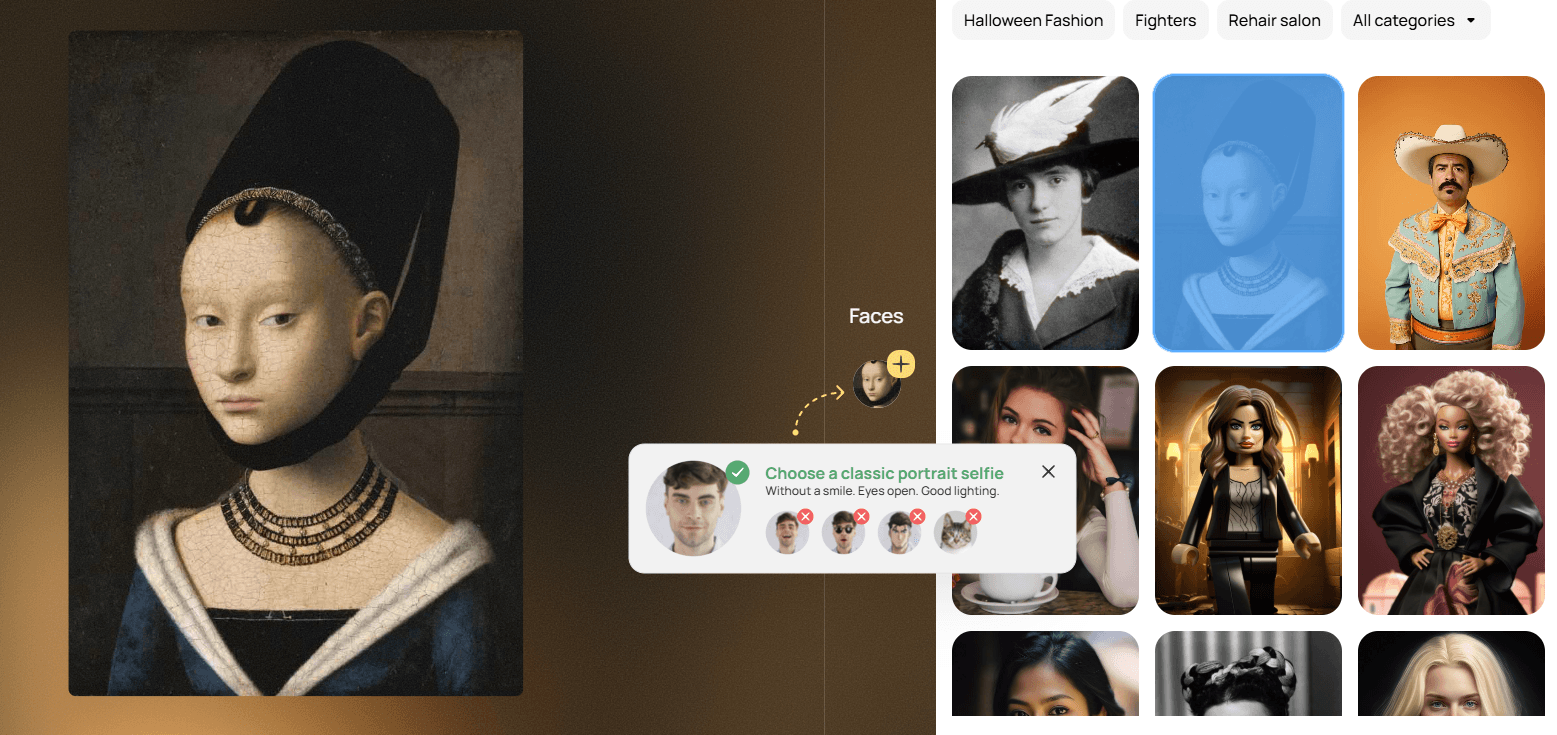
That makes Reface best for memes, casual creator posts, party edits, profile experiments, themed photos, and novelty videos. It is less about building a cinematic scene from scratch and more about making a familiar face appear in a surprising place.
The Reface workflow is built for people who do not want to edit.
That is the main advantage.
In the web-based Unboring flow, users upload a portrait, choose a photo or video to swap into, and download the generated result. The site also offers a gallery of content, so users do not always need to bring their own target media.
The mobile app extends that idea into a wider set of one-tap categories. The App Store listing frames the app around face swap videos, AI avatars, AI figures, future baby images, hairstyle previews, haircut previews, singing photos, lip sync, gender swaps, face morphing, and filters.
In practice, this makes Reface feel more like a content toybox than a professional editor. That is not a criticism. It is the product’s point.
You open the app because you want a result quickly. You are not setting masks, building layers, adjusting curves, managing keyframes, or painting over artifacts. The interface is designed around choosing a transformation and letting the system do the technical work.
That low-friction workflow is especially helpful for casual creators. Someone making TikTok jokes, group chat content, birthday posts, family edits, costume-style transformations, or profile experiments will usually care more about speed than granular control.
The trade-off is that the same simplicity can feel limiting for advanced users. If a swap is close but not perfect, Reface does not give the same kind of detailed correction environment that a professional video editor, image editor, or compositing workflow would provide. You can usually try another input photo or another template, but you are not getting a deep manual repair workspace.
| Area | What it is best for | Real-world value |
|---|---|---|
| Face swap | Putting a person’s face into photos or videos | Fast memes, social posts, novelty clips, themed edits |
| AI avatars | Creating stylized versions of a person | Profile images, character looks, playful identity experiments |
| AI hairstyle | Testing haircuts and hair colors | Quick visual previews before trying a new look |
| Photo animation | Making static photos move, sing, or lip sync | Birthday clips, reaction content, family jokes, entertainment posts |
| AI filters and themed packs | Transforming photos into stylized scenes | Seasonal content, character looks, pet edits, social media visuals |
| Web-based Unboring tools | Browser-based face swap, animation, and restyle | Useful when you want quick output without relying only on the mobile app |

The important thing is that Reface is not just one tool anymore. The company positions Reface as part of a wider set of AI-native mobile apps, including Reface for face swap and avatars, Revive for making photos sing, Restyle for AI photo and video filters, and Unboring for browser-based face swap, animation, and restyling.
That product spread matters because it shows where Reface is heading. It is not trying to be Photoshop. It is trying to be a quick AI transformation layer for everyday media.
Reface output quality depends heavily on input quality.
A clear, front-facing photo with good lighting will usually give the system much more to work with than a blurry, angled, shadow-heavy image. This is true for almost every face transformation tool, but it matters more here because users have fewer manual correction options after generation.
For face swaps, the strongest results usually happen when the input face and target scene are reasonably compatible. Similar head angle, visible facial features, clean lighting, and an unobstructed face all help. If the target clip has fast movement, extreme expressions, heavy occlusion, or unusual lighting, the result may become less convincing.
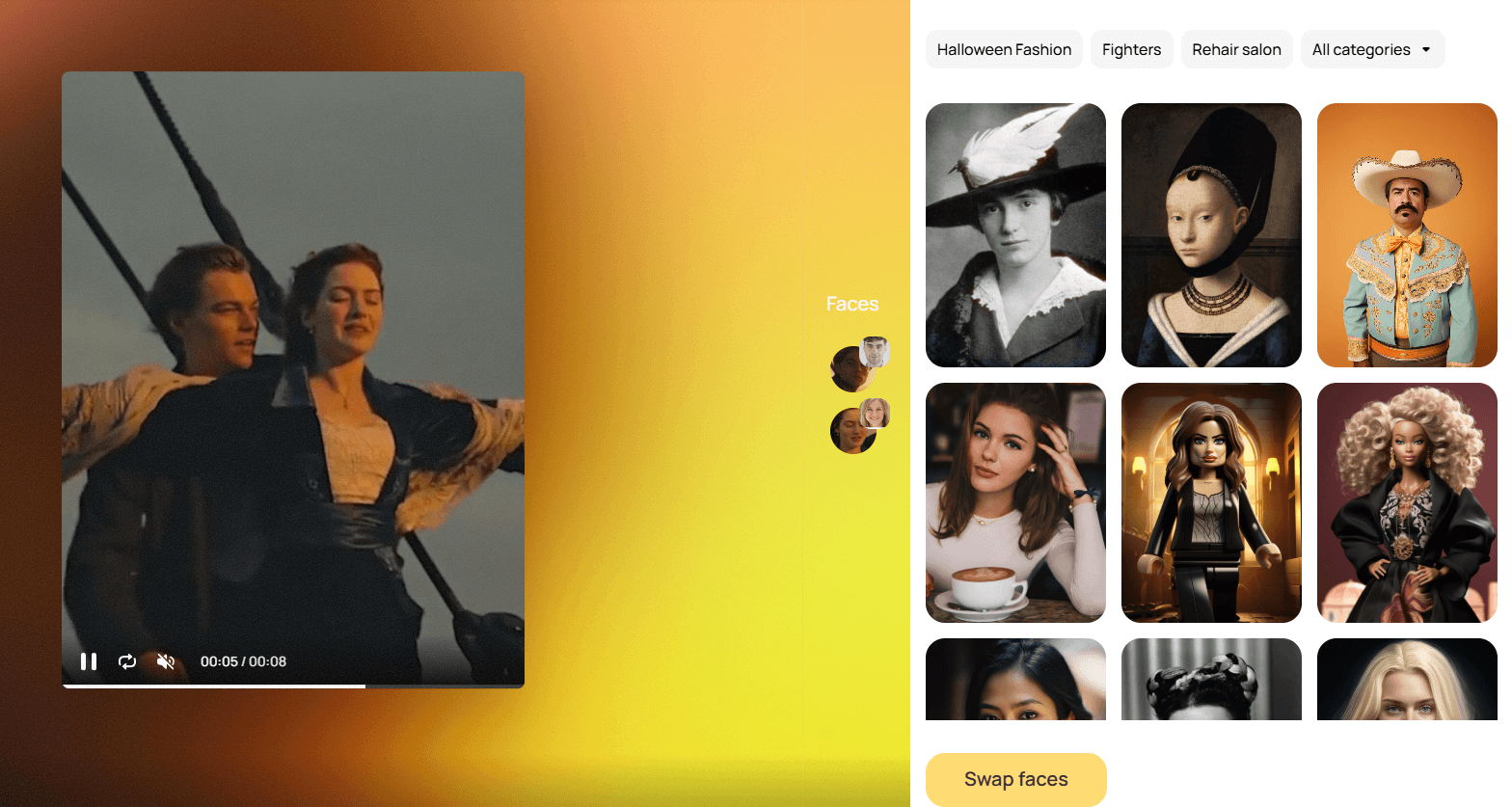
The web face-swap FAQ explains the basic process as turning the input face into a representation vector, identifying faces, and replacing one face with another by mapping facial features and adjusting them for the swap.
That explains why some swaps work better than others. The system is not simply pasting one photo on top of another. It is trying to preserve the target scene while transferring identity cues from the input face. When the pose, lighting, and expression are friendly, the illusion works better. When they are not, artifacts become more visible.
For hairstyle previews, the value is more practical than perfect. Reface can help you quickly see whether short hair, long hair, curls, bobs, fades, or a new color direction suits your face. But it should be treated as a preview, not a final salon guarantee. Hair texture, lighting, hairline behavior, and real-world styling can differ from an AI render.
For AI avatars, themed packs, and photo filters, realism matters less. Those outputs are meant to be fun, stylized, and shareable. In those categories, Reface can be more forgiving because the result does not need to pass as a real photograph.
- Social media content: Reface is a strong fit for creators who want fast, funny, face-based edits. If your content style includes memes, reactions, character transformations, or quick visual jokes, the app gives you a simple production loop.
- Group chats and personal entertainment: This is one of the most natural uses. Birthday clips, family jokes, old-photo animations, pet filters, and themed transformations all fit the product well.
- Profile experiments and avatars: AI avatars, headshots, and stylized portraits are useful when you want a quick refresh for social platforms, casual profiles, creator pages, or entertainment accounts.
- Hair and look previews: The hairstyle tools are useful when someone wants to test a look visually before talking to a stylist. It is not a replacement for professional advice, but it is a low-effort first pass.
- Short-form video edits: Reface is useful for short visual transformations, especially where the goal is novelty rather than polished film production. The Unboring site also supports face swap and restyling workflows for photos and videos.
- Casual brand content: Small creators and lightweight brand accounts can use Reface-style tools for humorous posts, team content, event promos, and informal audience engagement. This is strongest when the brand voice allows playful media.
- Start with a clean portrait. A sharp selfie with even lighting, visible facial features, and minimal obstruction will usually work better than a dramatic photo with shadows, sunglasses, motion blur, or a strong side angle.
- Match the face angle to the target. If the target scene is front-facing, use a front-facing input. If the target clip has a three-quarter angle, use an input with a similar angle. This reduces the amount of visual guesswork the model has to do.
- Use short clips when testing. The Unboring FAQ says the maximum length for face swap is 15 seconds and restyling is 60 seconds, and it also notes that restyling can take longer depending on the video length. Start small before committing to a longer or more complex transformation.
- Avoid messy source media. Low-resolution clips, dark scenes, covered faces, heavy motion, and crowded frames can all reduce output quality. This is especially important when swapping multiple faces.
- Treat hairstyle previews as direction, not proof. Use them to compare broad options: short versus long, dark versus light, straight versus curly. Do not assume the exact AI result will translate perfectly to real hair.
- Use Reface for what it is good at. It is best at quick visual transformation. It is not the best tool for fine retouching, detailed compositing, long-form video editing, or precise professional-grade creative direction.
- Get consent. Face swap tools can be fun, but they can also be misused. Use your own face, public-safe assets, or images from people who have clearly agreed to the edit. That is especially important for realistic swaps and shareable videos.
- The biggest limitation is control. Reface makes the workflow easy by hiding the technical layer. That is great for casual use, but it also means serious creators may hit a ceiling. If the result is close but slightly wrong, you may not have enough manual tools to fix the exact issue.
- The second limitation is output variability. Face swaps can look excellent in one template and strange in another. The quality depends on the input photo, target scene, lighting, angle, expression, and movement. Users should expect to test more than one image or template before finding the strongest result.
- The third limitation is that Reface is built around short-form transformation, not complete creative production. It is useful for generating a fun video or image, but it does not replace a full image editor, video editor, or design suite.
- There are also ethical boundaries. Reface’s own web face-swap FAQ says users should use face swap technology responsibly, respect individual rights, and avoid deceptive or harmful practices. The same FAQ says the website does not collect or store uploaded photos for that web tool.
- The Unboring FAQ also says uploaded content for face swapping and animation needs to include faces, and it states that sexual, violent, political, or criminal scenes are not allowed and may be removed with a warning. That is important because realistic face editing is not just a creative feature. It is a trust issue. The more convincing the output, the more careful users need to be about consent, context, and where the result is shared.
Reface is not competing directly with Midjourney, Runway, Canva, or Photoshop in the usual way. Those tools are broader creative platforms. Reface is more focused on personal media transformation.
Compared with general AI image generators, Reface is much easier for face-based content. You do not need to write a prompt or describe identity details. You upload a face and choose a transformation.
Compared with professional editing tools, Reface is faster but much less controllable. Photoshop, After Effects, CapCut, and similar tools give you more manual control, but they also require more effort and skill.
Compared with avatar generators, Reface feels more entertainment-first. Some avatar tools are built around polished branding or professional headshots. Reface includes professional-style options, but its broader personality is casual, funny, and social.
Compared with deepfake-style tools, Reface is more consumer-friendly. Its strength is not maximum realism at any cost. Its strength is accessible face-based content creation for everyday users.
Reface is a good fit for:
- casual users who want fun selfie edits
- social media creators who make reaction posts, memes, or short-form entertainment
- people who want quick AI avatars or character-style transformations
- users testing hairstyles, hair colors, or playful looks
- families and friend groups making birthday clips, singing photos, or themed edits
- lightweight brand accounts that use humor and personality-driven content
Reface is not the best fit for:
- editors who need frame-level control
- teams making serious commercial video composites
- users who need long-form AI video production
- anyone trying to create deceptive impersonations
- creators who want detailed prompt-based image generation
- people who need guaranteed realism from every output
Reface is one of the easiest AI face-transformation tools to understand because its value is immediate: upload a face, choose a visual direction, and generate something shareable.
Its strongest use cases are face swaps, AI avatars, hairstyle previews, singing-photo animations, themed edits, and short social-ready visual transformations. It is best for casual users, social creators, and anyone who wants fast AI media without learning prompt engineering or professional editing software.
The main caveat is control. Reface is fast and fun because it simplifies the creative process, but that also means users have limited room to manually fix imperfect outputs. Use it for quick, playful, consent-based transformations. For precise editing, long-form production, or professional compositing, you will still want a more advanced creative tool.
TAGS: Photo Editing Video Editing
Related Tools:

Creates visuals from text and images with pro-level accuracy
Lets you create, edit, and enhance images
Allows users to easily create and edit drawings

Enhances and upscales images
Transforms images and text into animated paper-style visuals

Simplifies audio and video editing