

Share this tool:
 |
Description:
- Introduction
- Strong Features and Capabilities
- What Akool Face Swap Actually Is
- Which Akool Face Swap Workflow to Use
- Workflow and Ease of Use
- Output Quality and Realism
- Live Face Swap
- API and Production Workflows
- Best Use Cases
- Practical Tips for Better Results
- Safety, Consent, and Responsible Use
- Limitations and Trade-Offs
- Final Takeaway
Akool Face Swap is a face replacement tool for turning photos, videos, group images, and live camera input into realistic face-swapped content. It is not a text-to-video generator and it is not mainly a prompt tool. The value is in the workflow: upload a source image or video, choose the face to replace, provide the replacement face, then let Akool handle alignment, blending, and generation. That makes it especially useful for marketing visuals, personalized creative content, entertainment concepts, social media assets, and controlled production workflows where likeness replacement needs to be fast, polished, and repeatable.
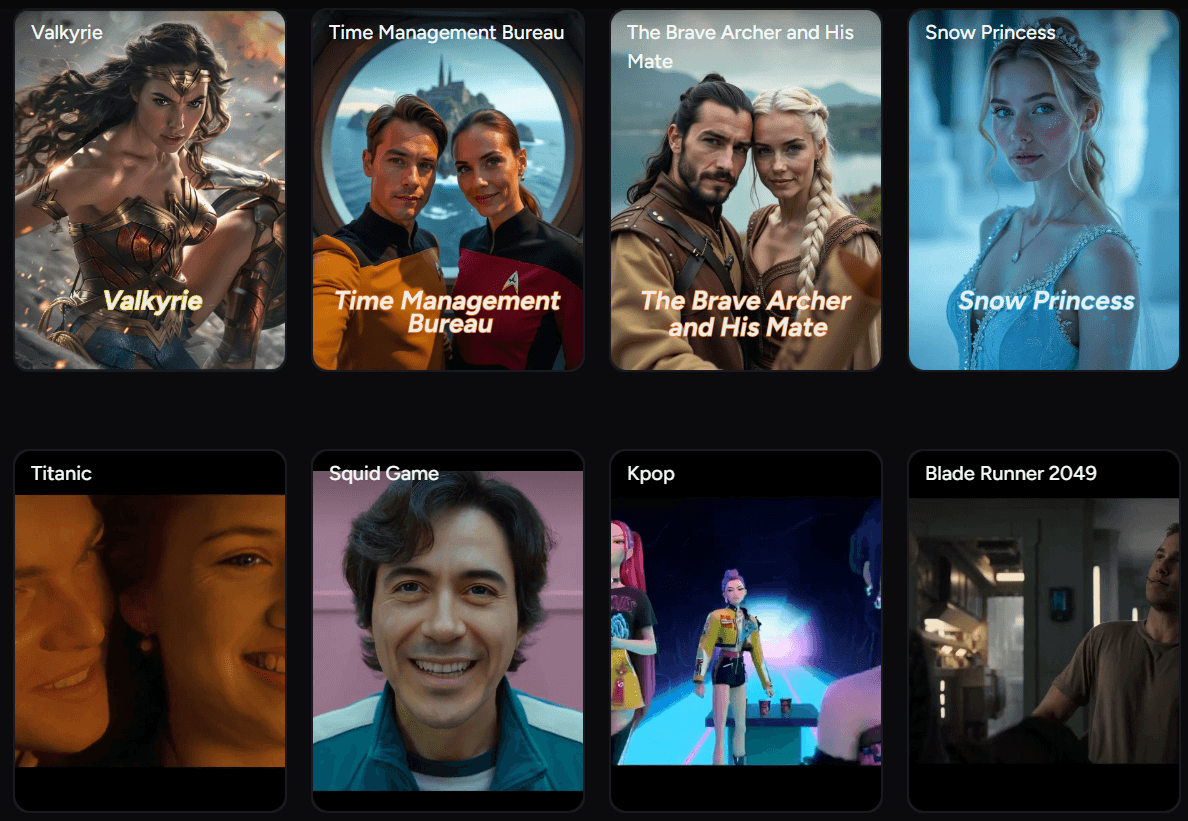
Akool supports face swapping in both still images and videos, which makes it more flexible than tools limited to photo-only edits.
The platform supports multiple-face workflows, including group images and multi-face mapping through its Face Swap Plus API.
Akool also offers a real-time Live Face Swap mode that works through a device camera on web and mobile.
Akool positions the tool around realistic output, precise alignment, smooth blending, high resolution, wide-angle handling, and facial enhancement.
The Face Swap API includes V3 image/video endpoints, Face Swap Pro, Face Swap Plus, result management, face detection, and webhook-based completion workflows.
Akool publishes trust, safety, moderation, and community policies covering consent, transparency, user data protection, and deceptive AI-generated content.
The easiest way to understand Akool Face Swap is to separate it from two categories it often gets confused with.
It is not a normal photo editor. You are not manually cutting out a face, adjusting layers, warping edges, and color-matching skin tones by hand. The AI handles facial recognition, landmark alignment, and blending for you. Akool’s own Face Swap page describes the workflow as uploading a photo or video, selecting the face to swap, and letting the tool integrate the replacement face into the media.
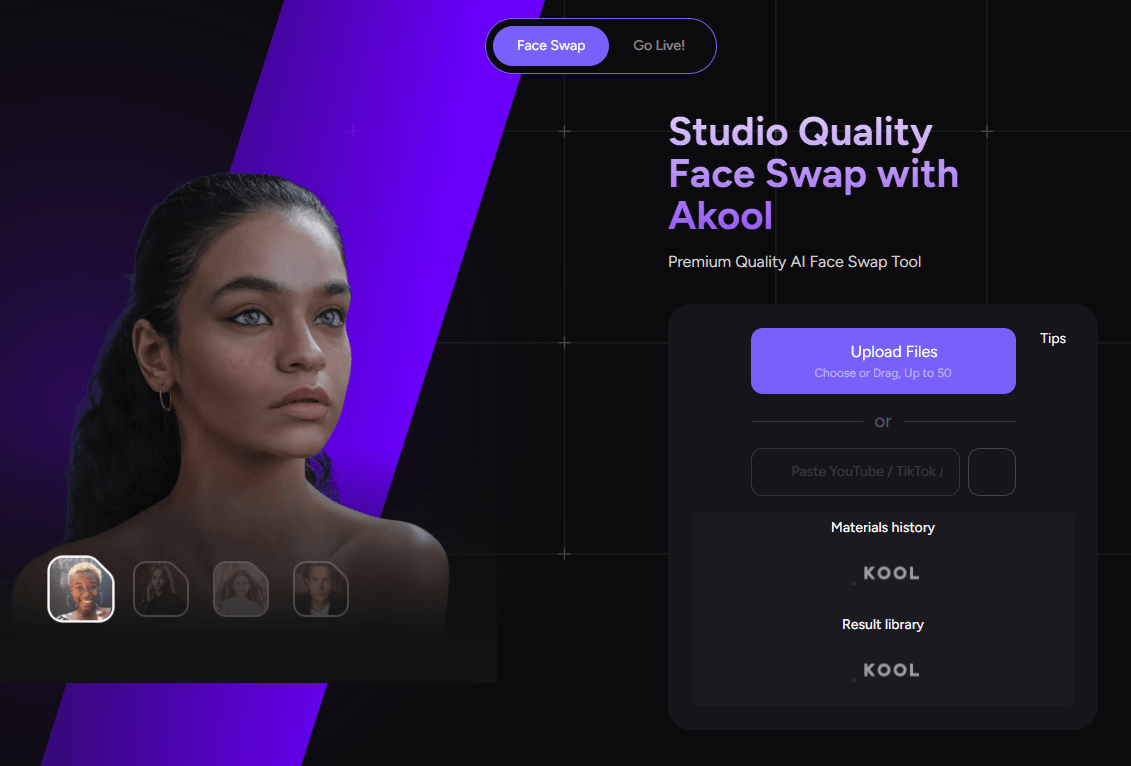
It is also not a full AI video generator. You are not describing a scene from scratch and asking Akool to invent the whole video. The core workflow depends on existing media: a target photo, target video, group shot, stock image, camera feed, or source face. That makes the tool more like AI-powered visual replacement than open-ended generation.
That distinction matters because it tells you how to judge the product. The right questions are not “Can it create an entire film?” or “Can it follow a cinematic prompt?” The better questions are: Does the swapped face align naturally? Does the lighting match? Does the identity stay recognizable? Does the expression still feel believable? Does it hold up in motion? Can it handle multiple faces? Can it plug into a larger production workflow?
On those terms, Akool Face Swap is a focused creative utility inside a broader AI video suite. Akool’s main product ecosystem also includes tools such as Streaming Avatar, Avatar Video, Image to Video, Live Camera, Video Translation, Talking Photo, Image Generator, Background Change, Voice tools, and AI video editing, so Face Swap can sit alongside other avatar and video workflows rather than existing as a one-off novelty feature.
| Workflow | Best For | Why It Matters |
|---|---|---|
| Face Swap web app | Fast photo and video swaps | Best starting point for creators, marketers, and beginners who want results without technical setup. |
| Group Face Swap | Group photos, team visuals, campaign mockups | Useful when multiple people need to be swapped in the same image. |
| Video Face Swap | Ads, short clips, entertainment, social content | More useful than photo-only tools because it can work with motion. |
| Live Face Swap | Real-time camera effects and live interactions | Good for demos, streaming-style experiments, and interactive experiences. |
| Face Swap Pro API | Highest-quality image face swap with one face | Best when quality is more important than multi-face support. |
| Face Swap Plus API | Multi-face image and video workflows | Best for production pipelines that need image, video, and face mapping support. |
The API split is especially important for technical users. Akool’s documentation describes Face Swap Pro as a V4 API built for more realistic and more similar results, but single-face only. Face Swap Plus is the recommended unified V4 API for both image and video face swaps, and it supports multiple faces through face mapping as well as single-face mode.
Akool’s web workflow is straightforward. Upload a source photo or video, choose the face to replace, select a face from Akool’s stock database or upload a model face, then use the HQ face swap option to generate the result. The Face Swap page also shows support for uploading files from a computer or smartphone and references material history and a result library, which suggests the product is designed around repeatable asset handling rather than one-off uploads only.
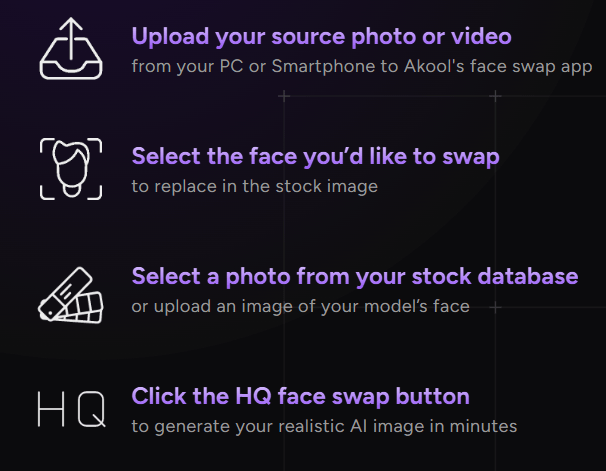
That makes the tool approachable for non-technical users. Akool says the tool is designed for beginners and technical novices, and its FAQ frames the experience around a user-friendly interface with step-by-step use.
The real workflow advantage is speed. For a creator or marketer, face swapping manually can be a slow compositing job. You need masking, alignment, color correction, edge cleanup, and sometimes frame-by-frame fixes for video. Akool compresses that into a much simpler process. That does not mean every result is instantly publishable, but it does mean the first usable version can be produced much faster.
The workflow also fits neatly into other creative tools. Akool says users can export face swap animations and personalized avatars to desktop or mobile, then use them in other video editing software, AI-generated videos, memes, and GIFs. That matters because many teams will not use Face Swap as the final destination. They will use it as one step in a larger editing or campaign workflow.
Face swap quality depends on three things: input quality, face visibility, and scene difficulty.
Akool’s API documentation is clear about this. It recommends high-resolution images, clearly visible faces, good lighting, and frontal or slightly angled faces for better results. For videos, it recommends keeping videos under 60 seconds for optimal processing time, limiting face count to eight or fewer for best results, using standard encoding such as H.264, and expecting higher-resolution videos to take longer.
That is practical guidance because face swapping fails in predictable ways. Low-resolution faces create soft or blurry results. Harsh side lighting can make the replacement face look pasted on. Extreme angles can break the geometry. Strong expressions can reduce identity accuracy. Fast head turns, occlusions, hands across the face, hair over the eyes, and motion blur can all make the swap less stable.
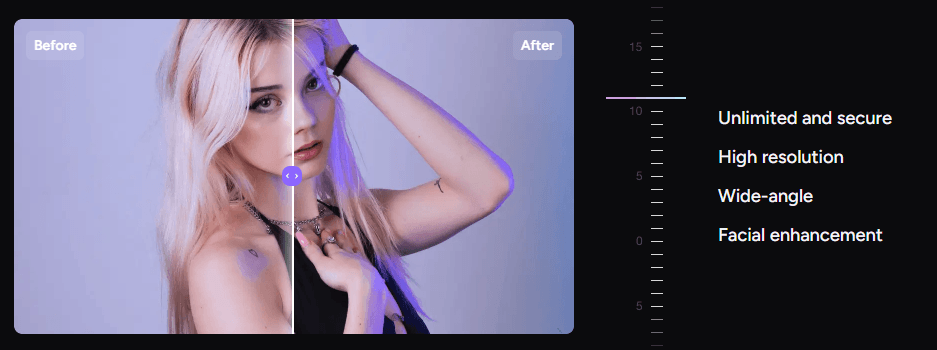
When the source material is clean, Akool’s main strength is believable integration. The platform emphasizes realistic results, precise alignment, smooth blending, and facial enhancement. It also lists high resolution, wide-angle support, and facial enhancement as part of the Face Swap page’s customization section.
For still images, the best results will usually come from clean portraits, campaign-style images, model photos, product lifestyle shots, and group photos where every face is visible. For video, the most reliable clips will be short, well-lit, relatively stable, and not too crowded.
Live Face Swap is one of the more interesting extensions of the product because it moves face swapping from post-production into a real-time camera experience. Akool describes Live Face Swap as a feature that lets users swap faces with another face using their device camera, with support on web and mobile. The workflow is simple: choose the Go Live feature, allow camera access, position your face in frame, choose the face to swap to, and Akool swaps the face in real time.
This is useful for interactive content, live demos, events, creator experiments, and quick camera-based entertainment. The output can also be recorded and saved as video, according to Akool’s Live Face Swap FAQ.
There are limits, though. Akool says Live Face Swap currently works best with one face and is primarily designed for human faces rather than animals or objects. It also notes that accuracy can be affected by lighting, camera angle, and facial expressions. That makes Live Face Swap better for controlled, front-facing use than chaotic scenes with multiple people moving in and out of frame.
Akool’s API layer is one of the biggest reasons the tool is more serious than a casual face swap app. The documentation includes Face Swap Operations, Result Management, Account Management, Utilities, image and video requirements, status codes, and webhook support.
For developers, there are three important paths.
- V3 image and video APIs: These require face detection. You use the Face Detect API to get landmark data, then pass the landmark string into the image or video face swap request.
- Face Swap Pro: This is the higher-quality image-only V4 option. It does not require face detection first, but it supports only single-face swapping.
- Face Swap Plus: This is the recommended unified V4 option for image and video face swap. It supports multiple faces through face mapping and also supports single-face mode.
That gives teams a real choice. If the job is one high-quality image swap, Face Swap Pro is the cleaner route. If the workflow involves videos, multiple faces, or scalable automation, Face Swap Plus is the more flexible option.
The result workflow is also built for asynchronous processing. Akool’s docs describe queue, processing, success, and failed status states, plus a Get Result API for checking completed jobs. That matters for production systems because face swapping is not always instant, especially with video.
- Personalized marketing visuals: Akool Face Swap fits campaigns where a team wants to adapt the face in a stock image, ad creative, or product visual while keeping the rest of the asset intact. Akool itself positions Face Swap for creative and marketing projects.
- Social media content: Creators can use it for memes, character transformations, short clips, profile-style content, and entertainment posts. The export workflow makes it practical to move outputs into other editing tools.
- E-commerce and product campaigns: Face swapping can help test different model looks or campaign directions without rebuilding the entire visual from scratch. This works best when the source image is clean and the usage rights are clear.
- Group photo edits: The group and multi-face support makes Akool useful for team visuals, event-style creative, and group images where multiple faces need to be swapped rather than just one.
- Video localization concepts: For teams adapting content across regions, face swapping can be part of a broader localization workflow when used with consent and proper rights management.
- Interactive camera experiences: Live Face Swap is useful for real-time demos, event activations, creator experiments, and lightweight interactive entertainment.
- Developer-built face swap products: The API makes Akool a better fit for companies that want face swap functionality inside their own app, campaign tool, or creative automation pipeline.
- Use high-quality source images. Akool’s own documentation recommends high-resolution images, clear face visibility, good lighting, and frontal or slight-angle faces. This is the biggest quality lever.
- Keep videos short when testing. Akool recommends videos under 60 seconds for optimal processing time, so start with short clips before scaling up.
- Avoid crowded video scenes for first tests. Even though multi-face support exists, Akool recommends limiting videos to eight or fewer faces for best results.
- Use Face Swap Pro when a single image needs the highest-quality result. Use Face Swap Plus when the workflow needs video or multiple-face support.
- For Live Face Swap, use direct lighting and face the camera. Akool says alignment can be affected by lighting, camera angle, and facial expressions, so a neutral, front-facing setup will usually produce better results.
- Export and finish elsewhere when needed. Akool can create the swap, but final campaign assets may still need color grading, typography, captions, sound, editing, or layout work in a separate editor.
Face swap tools need a stronger ethics section than most creative tools because they deal directly with identity and likeness. This is not just a technical issue. It is a consent, trust, legal, and brand-safety issue.
Akool’s Trust & Safety page says the company focuses on ethical AI, data protection, transparency, human oversight, and user control. It also lists compliance and certifications including SOC 2 Type II, ISO/IEC 27001, ISO/IEC 42001, and GDPR compliance.
Akool’s community policy also says deceptive AI-generated content that impersonates real individuals without consent or creates harmful deepfakes is not allowed, and users should disclose AI-generated content if it could be misleading or mistaken for human-generated work.
Its terms say users must not use the service in ways that violate third-party rights, including privacy or publicity rights, and must not generate or distribute content intended to misrepresent, mislead, or misinform. The terms also ask users to disclose to viewers that output was produced using AI technology.
The practical rule is simple: use Akool Face Swap only with proper rights and permission. For commercial work, written permission for likeness use is the safest path. For public figures, employees, customers, actors, influencers, or private individuals, consent and context matter. A technically good face swap can still be a bad idea if it misleads viewers or uses someone’s identity without permission.
- Input quality matters heavily: Poor lighting, blocked faces, low-resolution footage, extreme angles, and exaggerated expressions can all reduce realism. Akool itself notes that Live Face Swap alignment can be affected by lighting, camera angle, and expressions, and its API docs recommend clear, well-lit, high-resolution faces.
- Live swapping is narrower than post-production swapping: Akool says Live Face Swap currently works best with one face and is primarily designed for human faces. That makes it less suitable for crowded live scenes or non-human swaps.
- Realistic face swapping still needs review: Even when the output looks good at first glance, users should inspect the eyes, mouth corners, jawline, skin texture, hairline, and motion stability. Small artifacts can matter in professional work.
- Akool is a replacement workflow, not a complete editing suite: You may still need another tool for sound, pacing, color, captions, layout, final compositing, or campaign versioning.
- Rights management is a real limitation: Face swap tools can create powerful content quickly, but commercial and public-facing use requires stricter review than ordinary image editing. Consent, disclosure, and platform policies should be handled before publishing, not after.
Akool Face Swap is a strong tool when the job is realistic likeness replacement in photos, videos, group shots, or live camera workflows. Its best fit is creative production where the source media already exists and the goal is to swap, personalize, localize, or experiment with faces quickly. The web app is approachable for creators and marketers, while the API layer makes it useful for teams that want to build face swap functionality into a larger system.
The main caveat is responsibility. This is a powerful identity-editing tool, so the best results are not just the most realistic ones. The best results are realistic, consent-based, clearly scoped, and used in a way that does not mislead viewers.
TAGS: Photo Editing Video Editing
Related Tools:

AI video editing tool that automates cuts, captions, and B-roll
Removes unwanted elements from images
Streamlines social media strategies
Transforms images and text into animated paper-style visuals

Comprehensive financial management tool

Provides keyword research and analysis