
Share this tool:
 |
Description:
Qlone is a mobile 3D scanning app built to make object capture more accessible without dedicated scanner hardware. Its main value is straightforward: use an iPhone or iPad camera, scan a real object or face, clean up the result inside the app, then export the model for 3D printing, AR, web embedding, design work, or sharing. It is not a prompt-based AI generator. It is a capture-and-edit tool, and that is the right way to judge it.
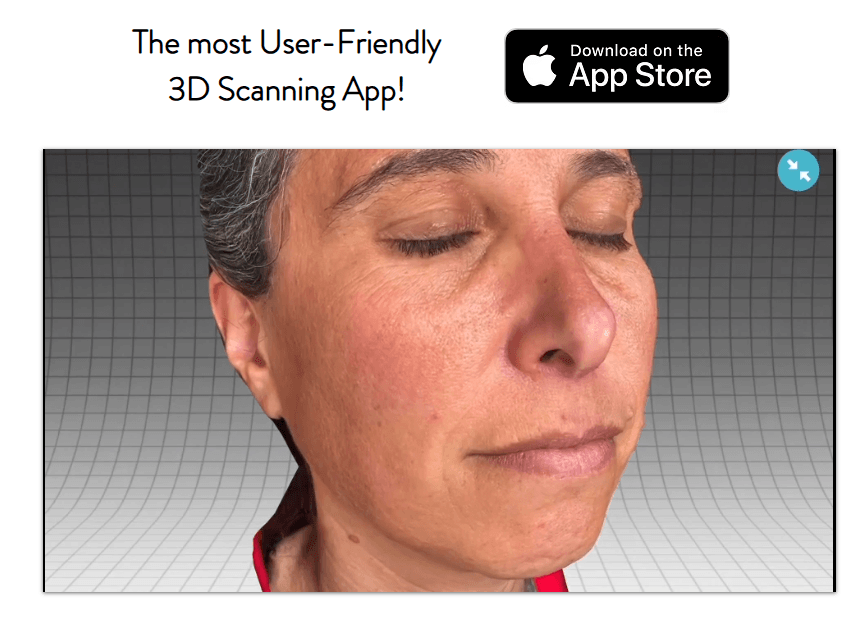
Qlone is an all-in-one 3D scanner app from EyeCue Vision Technologies. It lets users create 3D models from physical objects, edit those models inside the app, view or animate them in augmented reality, and export them to common 3D formats and platforms. The App Store listing describes it as a 3D scanner that does not require LiDAR, which makes it more accessible for users who do not own dedicated scanning hardware or newer depth-sensing devices.
The core product is built around guided scanning. Users can scan with Qlone’s printable mat, where an AR dome guides the capture process, or use mat-free scanning modes on iOS. The mat-based workflow processes on the phone in real time, while the newer mat-free option uses Qlone Cloud for processing.
That matters because Qlone sits in a practical middle ground. It is easier than traditional photogrammetry software, but more limited than professional 3D scanning hardware. It is not meant to replace high-end scanning rigs for production-grade CAD, museum archiving, or industrial metrology. It is meant to give students, creators, educators, designers, hobbyists, and lightweight commercial users a simpler way to turn real objects into usable 3D assets.
Qlone is strongest when the object is small enough to scan cleanly, the lighting is controlled, and the user needs a quick 3D model rather than a perfect engineering-grade scan.
That makes it useful for:
- small product models
- classroom 3D design projects
- AR/VR learning material
- basic ecommerce 3D previews
- 3D printing experiments
- art and sculpture capture
- face scans for creative or dental-adjacent workflows
- object sharing through Sketchfab or similar platforms
The official site positions Qlone around 3D printing, sharing, selling, and platform integration. It also highlights direct integration with platforms such as Sketchfab, Shapeways, i.materialise, Lens Studio, and CGTrader.
Qlone is less compelling when you need very high geometric accuracy, exact dimensions, production CAD precision, or scans of large scenes. It can help create 3D models, but users should not treat it as a professional metrology tool.
Qlone uses a printable mat and AR dome guide to help users capture an object from the right angles.
Qlone also supports mat-free scanning on iOS through AR mode and Photo mode, with Photo mode designed for higher-quality 4K images.
Users can blur texture issues, simplify mesh size, smooth or erase parts, fill holes, sculpt surfaces, adjust orientation, and prepare the model for export.
Qlone exports to OBJ, STL, FBX, GLB, USDZ on iOS, PLY, and X3D, which covers many common 3D printing, AR, and design workflows.
Users can place models back into augmented reality and use automatic rigging and animation features.
Qlone supports direct sharing or export paths to Sketchfab, i.materialise, Lens Studio, Shapeways, and CGTrader.
The easiest Qlone workflow starts with the printable mat. You print the mat, place the object in the middle, open the app, and follow the AR dome as it guides you around the object. Qlone can also scan from two different angles and merge those scans, which helps capture areas such as the bottom of an object.
This is one of Qlone’s best ideas. Traditional photogrammetry can feel vague for beginners because users do not always know how many photos to take, where to move the camera, or how much overlap matters. Qlone’s mat and AR dome make the process more visual. Instead of explaining scan coverage in technical terms, the app gives the user a guided capture space.
The mat-free workflow is more flexible. Qlone’s FAQ says users can scan without the mat in AR mode or Photo mode. AR mode keeps the guided feel, while Photo mode is positioned around higher-quality 4K images with manual or automatic capture.
That flexibility is useful, but it also creates a choice. The mat-based method is more structured and local. The mat-free method is more convenient, especially for objects where a mat is awkward, but it uses cloud processing. For casual creators, that trade-off may be fine.
Qlone is best understood as an accessible mobile 3D scanning app for turning real-world objects and faces into usable 3D models.
Its strongest advantages are guided scanning, mat-based capture, mat-free iOS scanning, in-app cleanup tools, AR viewing, animation features, and export support for common 3D formats and platforms.
The uploaded article text switches into unrelated AutoCut content midway, so this HTML preserves and structures only the available Qlone material.
TAGS: Photo Editing
Related Tools:

Advanced photo editing application

Remove unwanted objects and backgrounds from images
Offers advanced tools for photo and video editing

Enables users to create stunning graphics easily
Enhances digital media

Automates and simplifies expense management for businesses