

Share this tool:
 |
Description:
PostShot is a 3D reconstruction tool from Jawset Visual Computing that turns photos or video into photorealistic scenes using radiance-field technology, with a strong focus on 3D Gaussian Splatting. You can capture a location or object with a normal camera, import the footage, let PostShot calculate the camera positions and train the scene, then explore or render it from viewpoints that were never part of the original shoot.
What makes PostShot interesting is that it feels closer to a production tool than a casual AI generator. It provides camera controls, scene editing, animation, exports, command-line tools, and integrations with software such as Unreal Engine.
PostShot does not require a dedicated 3D scanner. It can reconstruct scenes from ordinary RGB images, including footage captured with a smartphone or standard camera.
The basic workflow is straightforward:
- Capture an object or environment from multiple angles.
- Import the images or video into PostShot.
- Let the software calculate camera poses.
- Train the radiance field.
- Explore, edit, render, or export the finished reconstruction.
Jawset recommends moving around the subject and capturing it from different heights and angles. Better coverage gives the system more information about surfaces that may otherwise be hidden.
PostShot can also import existing camera poses and sparse points from tools such as COLMAP, RealityScan, Bundler, Pix4D, and other supported workflows. That makes it more useful in established photogrammetry pipelines rather than forcing every project to begin inside PostShot.
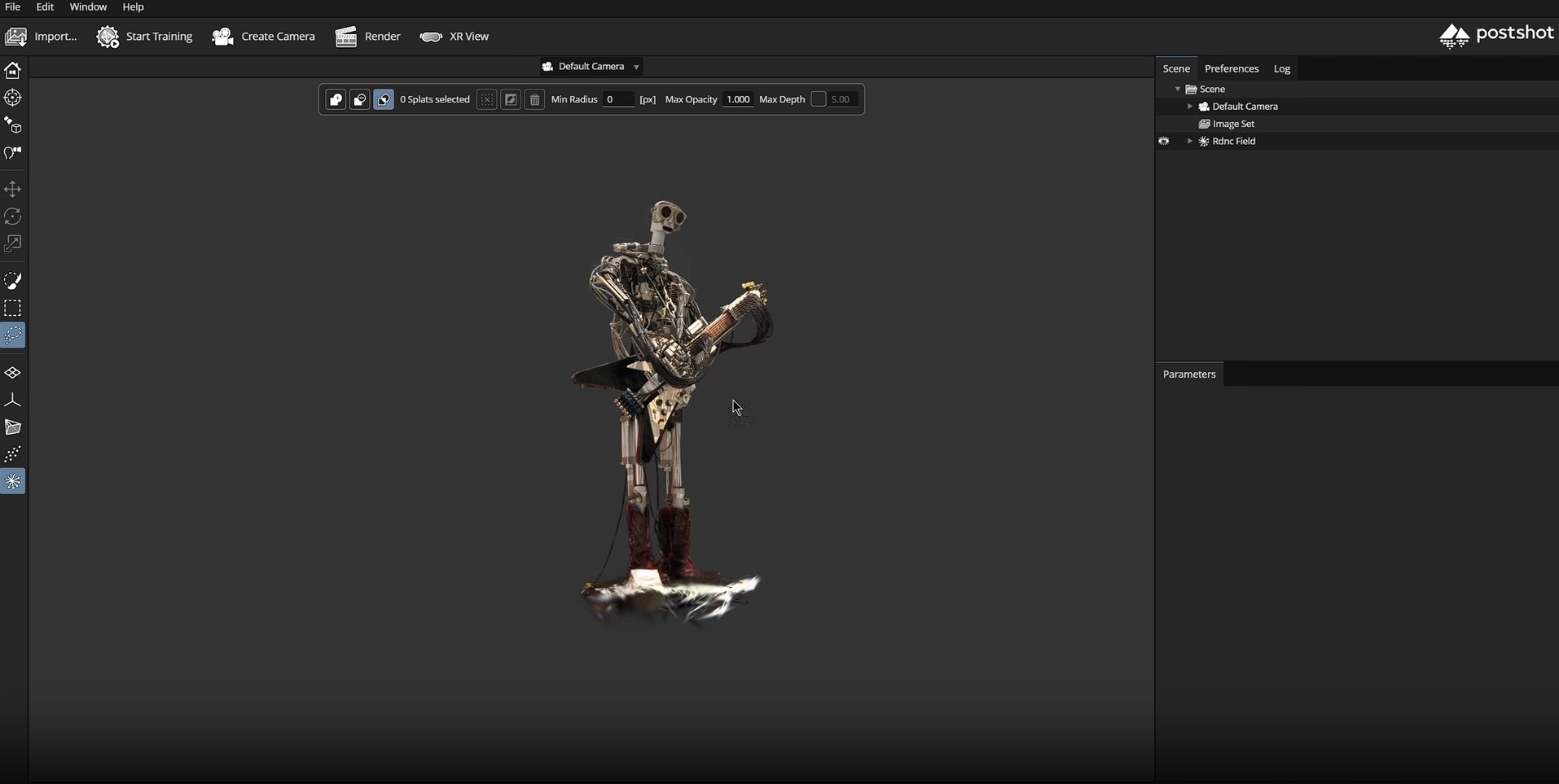
PostShot provides more control than an automatic upload-and-convert service.
Its image-selection system can choose sharper, better-distributed frames instead of blindly training from every image. Users can adjust camera tracking quality, training duration, spherical harmonics, and other reconstruction settings. Image masks can also exclude occluders or isolate a subject from its background.
| Capability | Why It Matters |
|---|---|
| Automatic camera tracking | Reconstructs camera positions from normal footage |
| Image selection | Avoids poor frames hurting reconstruction |
| Image masking | Helps remove occluders or backgrounds |
| Live training preview | Lets you inspect the reconstruction as it develops |
| Scene editing | Supports selection, cropping, positioning, and cleanup |
| Camera animation | Creates new movements through the reconstructed scene |
PostShot can work with high-resolution images, including 4K and 8K material, and Jawset does not impose a fixed image-count or model-size limit at the application level. Hardware resources still determine what is practical.
One of PostShot's more distinctive choices is local processing. Jawset states that images, machine-learning processing, and scene data remain on devices the user controls rather than being uploaded for cloud reconstruction.
That is useful for VFX studios, architectural visualization, location capture, product work, or other projects where footage may be confidential.
The trade-off is hardware dependence. PostShot relies on compatible NVIDIA GPU hardware, so it is not the kind of tool you can expect to run equally well on any laptop. Large scenes and high-resolution captures also demand more GPU resources.
Once a scene is reconstructed, PostShot lets you create cameras, adjust focal length, animate camera paths, and render new shots from the captured environment. The timeline includes keyframes and tools for smoothing camera movement.
Its Unreal Engine integration is especially useful for virtual production and real-time work. The current PostShot release adds support for Unreal Engine 5.8, allowing PostShot scenes to be brought into Unreal projects as radiance-field assets.
PostShot also supports workflows with Adobe After Effects, which gives VFX and motion-design users another route for integrating reconstructed scenes into existing projects.
PostShot supports PLY for lossless Gaussian Splat export and SPZ when smaller files matter. The newer export workflow also supports HTML, letting a reconstructed scene be opened in a web browser. SPZ version 4 is supported in the current release.
That makes PostShot useful beyond its own viewer. A reconstruction can become part of a web experience, an Unreal scene, a VFX project, or another Gaussian Splatting workflow.
PostShot is strongest for VFX environment capture, virtual production, architectural visualization, location scanning, digital preservation, real-estate visualization, product capture, and creating cinematic camera moves through real-world scenes.
It is particularly useful when visual realism matters more than producing a clean polygon mesh. Gaussian Splats can preserve complicated surfaces, reflections, vegetation, and scene detail in ways that traditional geometry reconstruction may struggle to reproduce quickly.
Capture quality still matters. Poor coverage, motion blur, changing illumination, weak camera tracking, or hidden surfaces can lead to reconstruction artifacts.
Gaussian Splat scenes are also not conventional polygon models. Jawset notes that its PLY exports contain specialized 3DGS data, so software needs explicit Gaussian Splat support to interpret them properly.
PostShot is therefore better suited to reconstructing the appearance of a real scene than creating editable CAD geometry or topology-heavy game assets.
PostShot is a focused 3D reconstruction tool for turning real footage into navigable, photorealistic Gaussian Splat scenes.
Its strengths are local processing, detailed reconstruction controls, camera animation, flexible exports, and production integrations such as Unreal Engine. The main caveat is that good results still depend on careful capture and capable hardware.
For VFX artists, virtual production teams, visualization specialists, and creators working with real-world environments, PostShot offers a practical route from camera footage to a scene that can be explored and filmed again in 3D.
TAGS: 3D Model
Related Tools:

Generates 3D models with advanced texturing

Educational platform with productivity tools

Enables users to create and sell online courses

Facilitates learning experiences and course creation

Enhances reading comprehension and engagement

Transforms classroom presentations into interactive learning experiences