

Share this tool:
 |
Description:
PhotoFox AI is a visual content platform built mainly for e-commerce brands. Upload a product image and you can turn it into cleaner studio photography, lifestyle scenes, fashion images with virtual models, short videos, and advertising creatives. It also includes image upscaling, an AI model builder, batch tools, and image-to-prompt analysis. The useful part is the range of assets that can come from the same source product, rather than having to rebuild each campaign format separately.
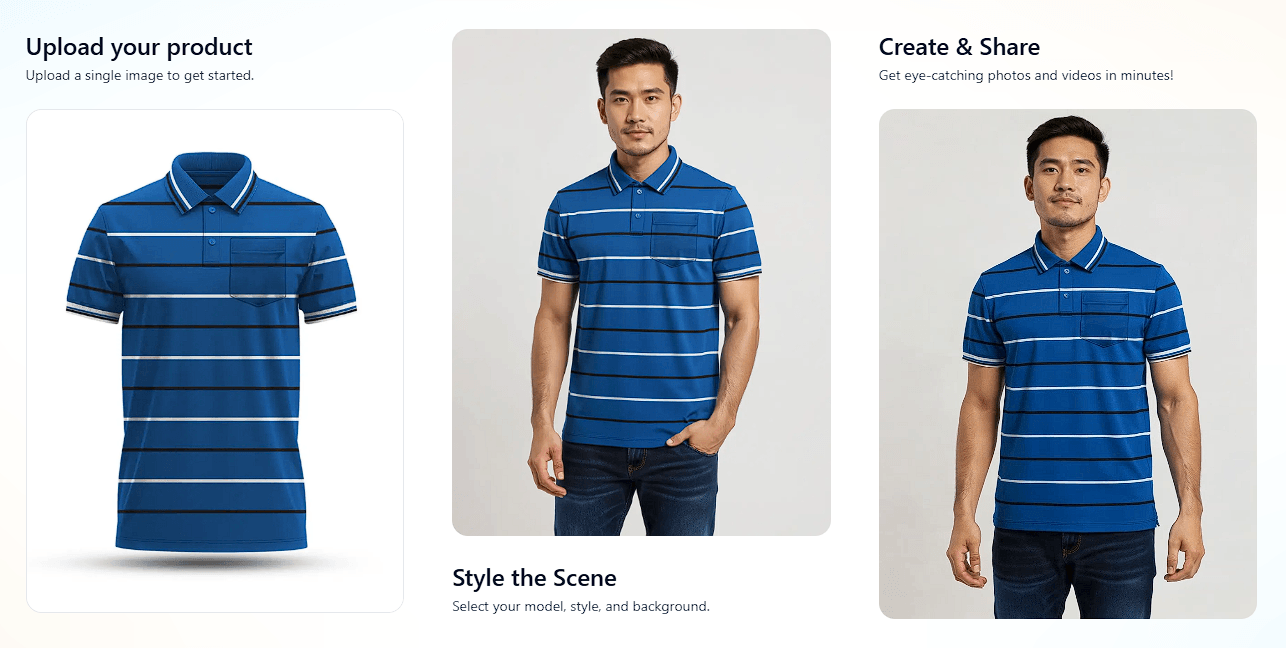
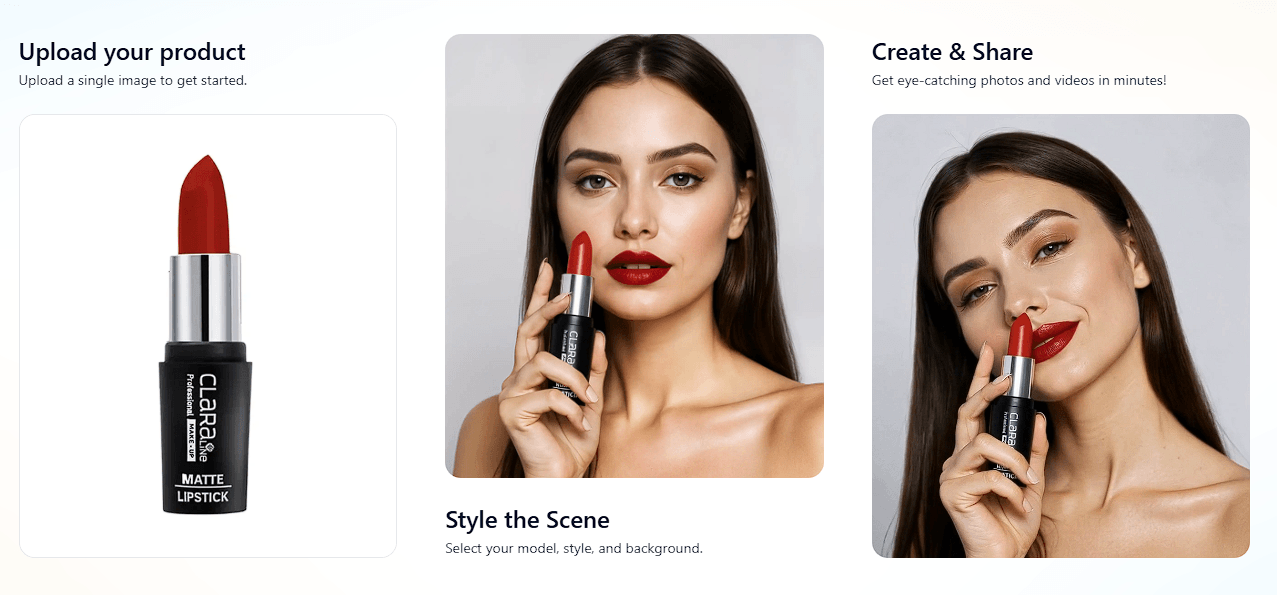
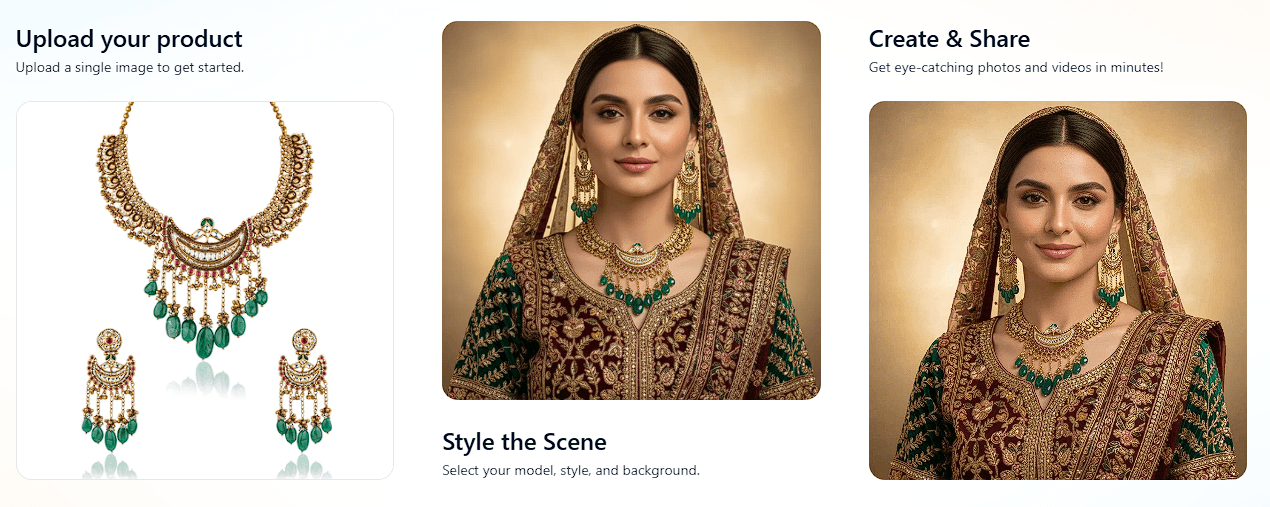
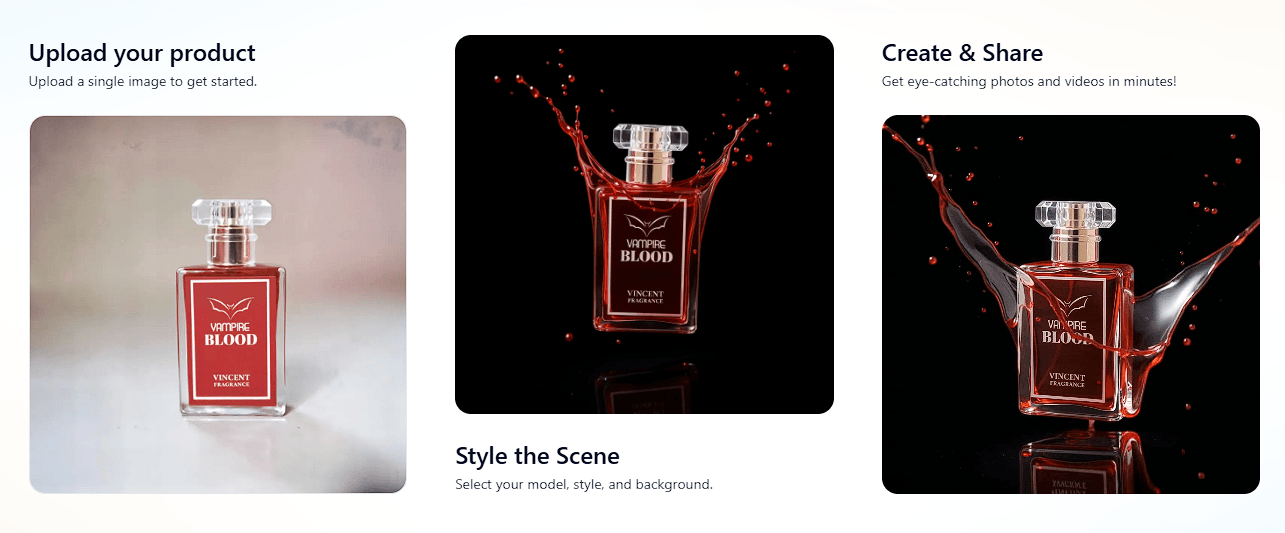
The Product Photography tool takes an ordinary product photo, removes its existing background, and places the item into a new scene. You can choose from prepared backgrounds or describe a custom setting. PhotoFox then handles elements such as lighting, shadows, reflections, color correction, and composition.
That makes it useful for more than creating decorative lifestyle shots. A seller could start with a straightforward phone photo and produce clean catalog images, hero shots, flat lays, on-white listings, and more stylized campaign visuals.
Batch processing is important here. PhotoFox supports processing multiple products and reusing styles, which is much more practical for a store with a large catalog than generating every image individually.
Magic Mode is one of the features that separates PhotoFox from a basic AI background generator. Its purpose is to take one uploaded product and produce a broader set of campaign assets, including product photos, videos, and advertising variations. Outputs can also be adapted across sizes and aspect ratios, with brand colors and typography incorporated into the workflow.
This is likely to matter most to smaller e-commerce teams. Instead of thinking about the product page, social post, and ad as three unrelated design jobs, they can begin with the same source asset.
It also makes visual consistency easier to manage, at least in principle. PhotoFox says its system is designed to preserve logos, colors, and product geometry while generating new scenes.
Fashion products create a harder problem because the AI needs to understand how clothing interacts with a body.
PhotoFox can take flat-lay apparel and generate on-model fashion photography. The platform provides controls for model choice, pose, angle, and body diversity, while aiming to maintain the product's shape and natural fabric behavior. It can also keep the same virtual model across a collection.
That last feature is especially useful. A store doesn't just need one convincing model shot. It may need the same visual identity across shirts, jackets, trousers, or an entire seasonal collection.
The Human Model Builder lets brands create virtual people for their product imagery.
PhotoFox also generates video from product images. Its site highlights formats such as pans, turntables, short explainers, and social-oriented video, with templates designed around platforms including Meta, TikTok, and YouTube Shorts.
The AI Ad Maker handles another common production task which is adapting creative to different placements. It supports common square, portrait, vertical, and widescreen aspect ratios, along with safe-zone overlays and bulk export. Users can create multiple variations and experiment with different hooks rather than manually resizing one design repeatedly.
For an e-commerce team, that connection between photography and campaign creative is arguably more valuable than any individual generation feature.
PhotoFox includes an upscaler for improving low-resolution assets and processing entire image catalogs. Its dedicated upscale page describes high-resolution output, print-oriented processing, and TIFF, PNG, and JPEG support.
Image to Prompt works in the opposite direction. Upload an existing visual and PhotoFox analyzes subjects, lighting, atmosphere, style, mood, and composition before producing a descriptive prompt.
This can be useful when a brand has reference photography it likes but struggles to explain the look. Instead of guessing at terms such as lighting style or composition, the tool can provide a starting description that can be adapted to the brand's own products.
| Use Case | Why It Fits |
|---|---|
| E-commerce catalogs | Batch product photography supports larger inventories |
| Fashion stores | Flat lays can become on-model images |
| Marketplace listings | Products can be placed into cleaner studio settings |
| Social campaigns | Static assets can become video and ad variations |
| Product launches | One source image can feed several campaign formats |
| Brand consistency | Reusable styles help related assets stay visually connected |
| Older image libraries | Upscaling can improve existing product assets |
PhotoFox covers a wide range of categories which includes fashion, cosmetics, electronics, jewelry, food, furniture, footwear, luggage, toys, and sports products.
The biggest issue to watch is product accuracy. PhotoFox is designed to preserve geometry, logos, and colors. However, any AI-generated commercial image or products should still be compared closely with the real item. Small changes can matter when customers are making purchase decisions so users need to check the packaging, stitching, jewelry details, controls, labels, or materials.
Fashion imagery deserves similar scrutiny. AI can create convincing model shots, but fabric fit and product construction need to represent the item accurately.
PhotoFox also favors an automated workflow that makes production faster. But photographers and designers who want precise manual control may still prefer specialist software for final work.
PhotoFox AI is strongest as an e-commerce content production platform rather than a standalone AI photo generator. Product photography is the starting point, but fashion models, video generation, ad variations, batch processing, upscaling, and Magic Mode make the broader workflow more useful.
It is best suited to online sellers and e-commerce teams that need many visual assets from a limited set of original product photos. The main caveat is accuracy: AI can reduce production work, but brands should still inspect every generated asset to make sure the product customers see is the product they will receive.
TAGS: Generative Art
Related Tools:

Creates realistic digital avatars

Offers interior design ideas

Provides tools for social media analytics

Creates detailed 2D drawings from 3D models

Enables users to create stunning graphics easily

Transforms architectural sketches into 3D renderings