
Share this tool:
 |
Description:
Optimo, hosted at AskOptimo, is an AI-powered marketing tool suite built by FATJOE for marketers, agencies, creators, and small businesses that need quick help with everyday content tasks. The platform focuses on fast generation across SEO, ads, copywriting, social media, email, video, and productivity workflows, with popular tools such as Instagram captions, blog post titles, keyword clusters, blog post briefs, and Facebook ads.
Product: Small-batch coffee subscription
Audience: Remote workers, freelancers, and busy professionals
Tone: Warm, smart, practical, not too fancy
Offer: Fresh roasted coffee delivered monthly
Main benefit: Better coffee at home without overthinking beans, grind, or roast level
Paste this:
Create 5 Instagram captions for North & Bean, a small-batch coffee subscription for remote workers. The post shows a laptop, a mug of coffee, and morning light on a desk. Tone should be warm, clever, and relaxed. Include light humor, but avoid sounding cheesy. Add relevant hashtags.
Here are some results for this prompt.
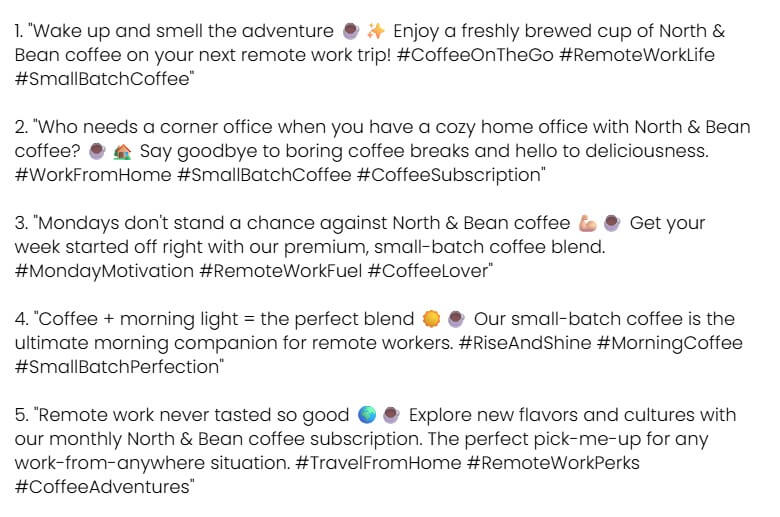
Optimo’s social post idea tool is designed to generate social content ideas and hashtags quickly.
Paste this:
Generate 20 social media post ideas for North & Bean, a monthly coffee subscription for remote workers and freelancers. Focus on home office routines, better mornings, coffee education, productivity, and gift ideas. Include a mix of educational, funny, promotional, and community-style posts.
Here are some results for this prompt.
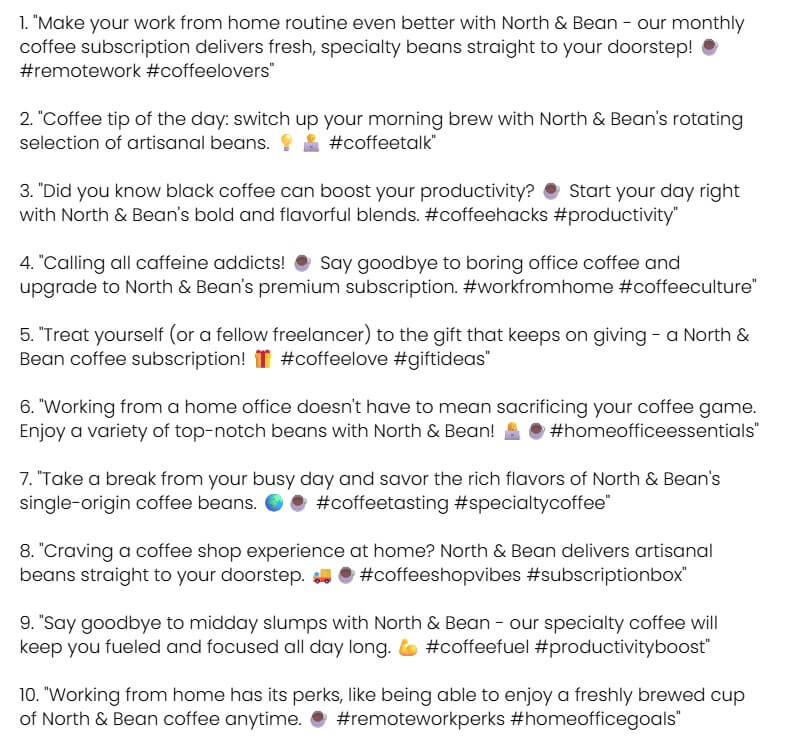
Optimo’s content calendar tool can create a month of ideas from a topic, business, or niche.
Paste this:
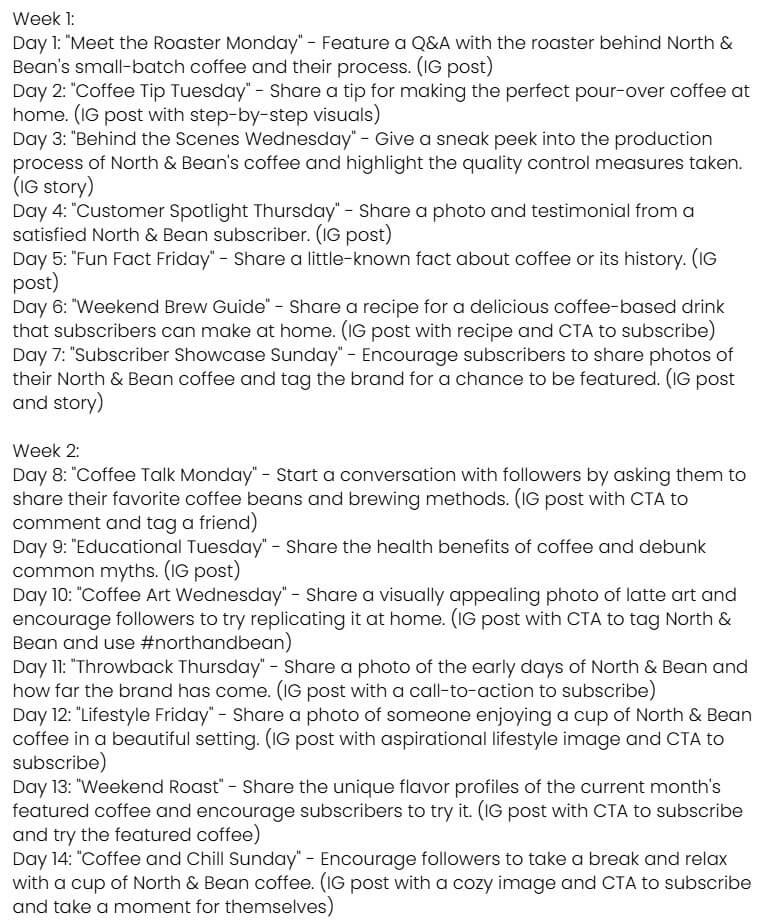
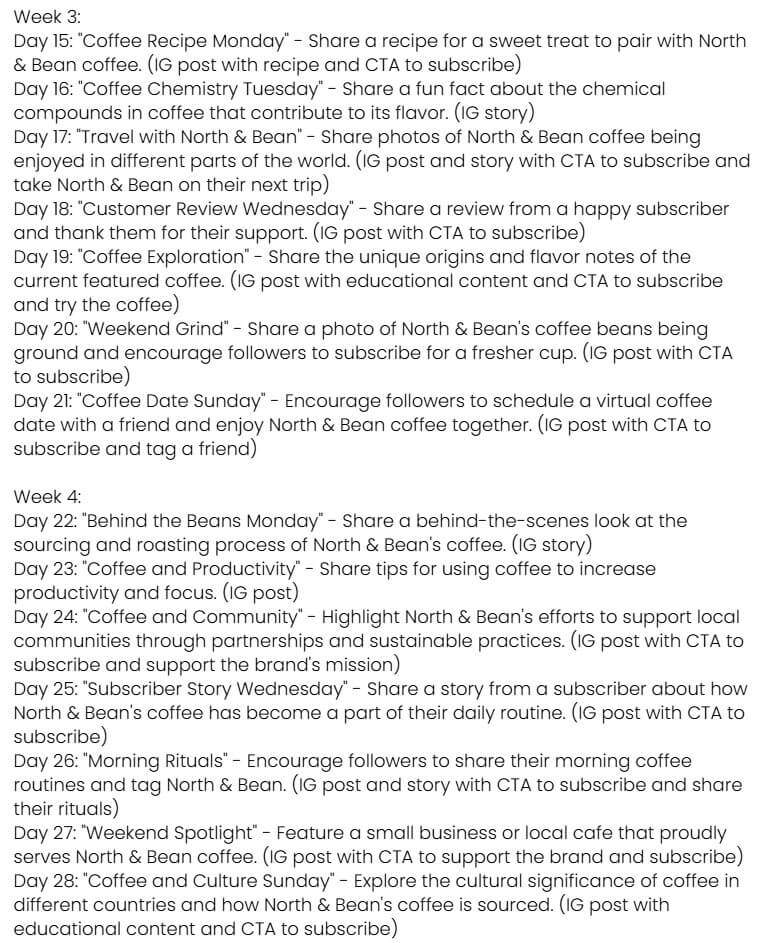
Create a 30-day content calendar for North & Bean, a small-batch coffee subscription brand. The goal is to grow Instagram and email subscribers. Include post topics, content type, short description, and suggested CTA. Mix educational coffee tips, lifestyle posts, customer-focused content, and soft product promotion.
Here are some results for this prompt.
Paste this:
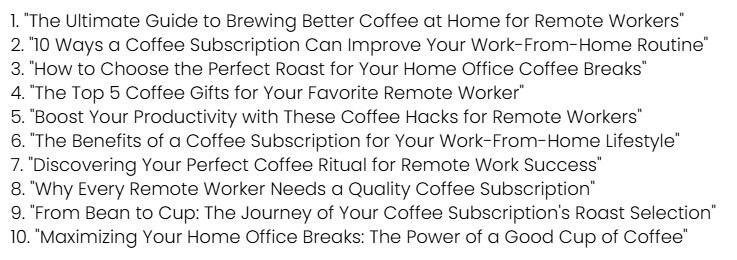
Generate 20 SEO-friendly blog post titles for a coffee subscription brand targeting remote workers. Topics should include better home coffee, choosing the right roast, work-from-home routines, coffee gifts, and productivity. Make the titles clear, clickable, and not too hype-driven.
Here are some results for this prompt.
Optimo’s keyword research tool asks for a seed keyword and generates related keyword ideas.
Paste this:
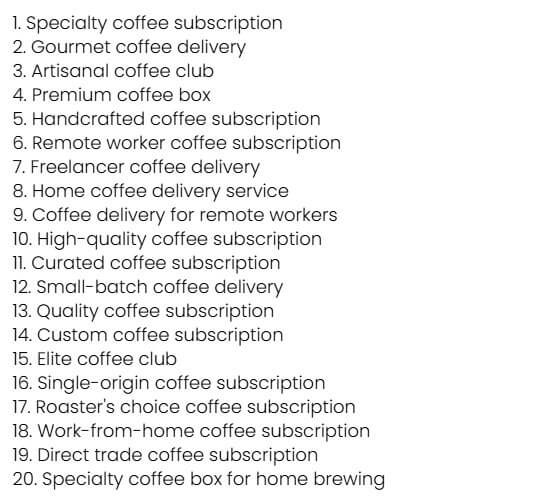
Seed keyword: coffee subscription Generate related keywords for a small-batch coffee subscription brand that sells to remote workers, freelancers, and people who want better coffee at home. Include commercial, informational, and long-tail keyword ideas.
Here are some results for this prompt.
Optimo’s strongest value is speed across small marketing tasks. It is not trying to be a full marketing automation platform, a deep SEO suite, or a campaign management dashboard. It works more like a collection of focused AI mini-tools. You choose the task, enter a short brief, then generate a usable first draft.
That makes it useful for the repetitive parts of marketing that are easy to delay: writing captions, brainstorming post ideas, outlining blog content, creating ad copy, generating keyword clusters, drafting email copy, or turning a rough idea into a clearer content angle. The main site describes Optimo as a tool for boosting creativity and speeding up everyday marketing work, which is a fair summary of where it fits best.
The platform is especially helpful when the user knows the output format but needs a starting point. A marketer may not need a blank AI chat window. They may need “Facebook ad copy,” “blog post title,” “keyword cluster,” or “Instagram caption” right now. Optimo’s tool library removes some of that setup work.
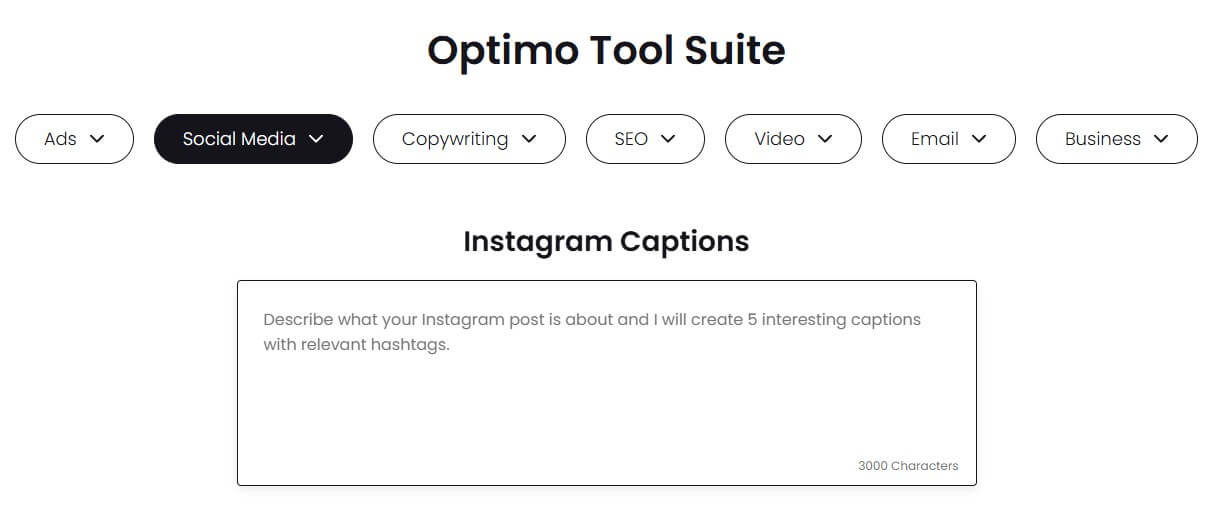
Optimo’s workflow is simple: pick a tool, enter the requested input, and generate the output. Most tool pages are built around a text entry area and a generation action, which makes the product easy to understand even for users who are not experienced with AI prompting.
That simplicity is the point. A social media manager who needs ten caption angles does not have to write a detailed prompt explaining platform tone, audience, structure, and goal. A small business owner writing a Facebook ad does not need to know ad-copy frameworks. A content marketer planning a blog can start with titles, keyword clusters, or a brief before moving into full drafting.
The platform’s public pages also show that many tools use a 3000-character input area, which gives users enough room to add context without turning the task into a long brief.
Optimo is best when used as a first-pass generator. It gives users momentum. It should not be treated as the final editor, strategist, or brand guardian.
Optimo’s output quality will depend on the input. A short, vague instruction will produce a broad result. A clearer brief with audience, offer, tone, product details, and goal will produce better copy.
This is true for most AI writing tools, but it matters more in Optimo because the tools are designed for fast generation. The platform’s strength is speed, not deep context memory. It will not automatically know your brand’s voice, legal constraints, campaign history, conversion data, or audience objections unless you include those details in the input.
For lighter marketing tasks, that may be fine. Instagram captions, post ideas, title options, subject line drafts, short ad variants, and content ideas often need volume before refinement. For higher-stakes copy, users should edit carefully. This includes paid ad campaigns, homepage copy, product claims, legal or medical content, and any copy tied to compliance.
Optimo fits best near the beginning of a task. It is useful for brainstorming, draft creation, angle development, and quick variations. It is less useful as the final layer of campaign strategy.
A content marketer could use it to generate blog post titles, then choose one and build a full outline elsewhere. An SEO specialist could use keyword cluster ideas as a starting point, then validate them with search data. A paid ads manager could generate Facebook ad copy variations, then refine them against real audience segments and campaign goals. A founder could create basic market research notes, then test those assumptions through surveys, interviews, or analytics.
That workflow makes Optimo a practical assistant, not a full operating system. It helps with momentum. It does not replace planning, testing, reporting, or expert review.
- Small business marketing: Optimo is a good fit for founders and small teams that need regular marketing content but do not have a dedicated copywriter for every task.
- Agency idea generation: Agencies can use Optimo to create first-pass options for captions, ad copy, blog titles, briefs, and campaign concepts before polishing the strongest versions.
- SEO content planning: The keyword cluster, blog title, blog brief, and link-building tools are useful for early SEO brainstorming, especially when teams need topic direction quickly.
- Social media content calendars: Social media managers can use the platform to generate post ideas, captions, hashtags, and campaign angles when content volume becomes a bottleneck.
- Paid ad variation writing: The Facebook Ads tool is useful for creating initial ad copy variations, especially when a campaign needs different hooks or audience angles.
- Operational documentation: The SOP generator makes Optimo useful beyond marketing copy, especially for small teams that need basic process documents quickly.
- Give the tool real context. Include the audience, product, offer, tone, platform, and goal. “Write an Instagram caption for a coffee brand” is weaker than “write a warm, witty Instagram caption for a small-batch coffee brand launching a dark roast for remote workers.”
- Use Optimo for options, not final copy. Generate several variations, choose the best angle, then edit for voice, accuracy, and clarity.
- Validate SEO ideas. Keyword clusters, blog titles, and link-building ideas should be checked against search volume, intent, competition, and your site’s authority.
- Keep brand claims grounded. AI copy can overstate benefits. Review product claims, timelines, guarantees, and performance language before publishing.
- Build repeatable inputs. If you use Optimo often, create short brand briefs you can paste into tools. This helps keep tone and positioning more consistent.
- Optimo’s main limitation is depth. It is strong for fast, focused outputs, but it is not a replacement for a full SEO platform, social scheduler, CRM, ad manager, analytics dashboard, or content strategy system.
- The second limitation is context. Optimo’s task-specific tools are convenient, but they do not remove the need for human direction. Users still need to know the audience, offer, keyword intent, campaign objective, and brand voice.
- It may also feel too lightweight for advanced marketers who want detailed controls, saved brand voices, multi-step workflows, integrations, approvals, and performance tracking. Optimo is better as a quick-generation layer than a full marketing command center.
Optimo is best for marketers, small businesses, agencies, and creators who need fast first drafts for everyday marketing tasks.
Its strongest value is the breadth of its tool library: SEO ideas, social posts, ad copy, email, copywriting, video support, market research, and productivity outputs in one simple interface.
The main caveat is that speed is not the same as strategy. Optimo can help you start faster, but the final work still needs human editing, brand judgment, and performance validation.
TAGS: Marketing
Related Tools:

Generates digital marketing assets

Create detailed architectural and design models

Analyzes websites to increase conversions and sales
Provides customizable email templates
Automates digital marketing tasks

Streamlines communication by automating call management