

Share this tool:
 |
Description:
Meshy is an AI 3D creation platform built for generating models from text descriptions, reference images, and conversational instructions. Its scope has grown well beyond basic text-to-3D. The current workspace covers model generation, AI texturing, topology cleanup, UVs, rigging, animation, 3D printing, scenes, and video, while developers can use the same core capabilities through an API.
The main reason to use Meshy is speed during the early and middle stages of 3D production. It can get you from an idea or concept image to a workable asset quickly, then provide enough post-processing tools to decide whether that asset deserves further work in Blender, Maya, Unity, Unreal, or another 3D package.
Text to 3D is the most direct Meshy workflow. Describe an object and the system creates geometry and textures without requiring a reference image.
Meshy currently uses Meshy 6 for Text to 3D, while the newer Meshy 7 model is focused on Image to 3D. Meshy recommends Text to 3D when you have an idea but no visual reference, particularly for concept exploration and generating several directions before committing to one.
Prompt specificity makes a noticeable difference here. A vague request such as “fantasy chest” leaves most design decisions to the model. A production-oriented prompt works better:
Example prompt:
“Stylized medieval treasure chest, rectangular oak body, thick black iron bands, large central padlock, slightly exaggerated proportions, hand-painted fantasy game style, clean silhouette, no background.”
That gives Meshy information about shape, material, style, proportions, and presentation rather than expecting it to infer everything.
| Element | What to Specify |
|---|---|
| Object | Chair, robot, weapon, building, creature |
| Shape | Tall, compact, rounded, angular, symmetrical |
| Materials | Wood, steel, leather, stone, plastic |
| Important parts | Handles, hinges, horns, wheels, armor |
| Style | Realistic, stylized, hand-painted, sci-fi |
| Surface condition | New, scratched, rusty, weathered |
| Use case | Game prop, printable figurine, concept asset |
One useful rule is to describe the physical object before describing the mood. For 3D generation, structural information usually matters more than cinematic language.
If you already know what the object should look like, Image to 3D is usually the stronger starting point. A photograph, concept drawing, or rendered character gives the model visual information that a text prompt cannot communicate as precisely. Meshy itself recommends Image to 3D when matching a specific design matters.
The current headline model is Meshy 7, released in August 2026. It focuses heavily on geometry alignment, meaning how closely the generated 3D structure follows the reference image. Meshy says the model improves proportions, spatial placement, and smaller surface details compared with its earlier generation.
Single-image conversion is useful, but multi-view input is more interesting for production work. Meshy can use up to four images of the same subject so the model has references for sides that would otherwise need to be guessed.
That is worth using for characters, products, vehicles, or props where the back and side geometry matter.
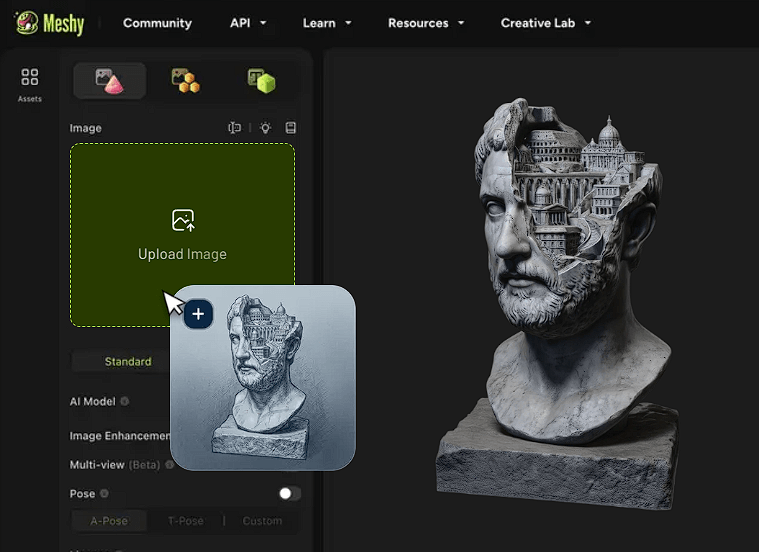
Meshy now separates detailed generation from topology-focused workflows.
Standard generation is designed for higher visual detail and currently includes Meshy 7.
Smart Topology, meanwhile, is aimed at assets that need lighter, more manageable geometry for games and real-time applications.
The current Smart Topology model is Meshy T2. It supports controllable polygon counts and native part segmentation, which means components can arrive as separate selectable parts instead of one fused object.
That distinction is important. A beautiful model with chaotic topology may still create extra work once you try to animate, optimize, or modify it.
Meshy also lets you regenerate textures independently from geometry.
AI Texturing can work on Meshy-generated assets or imported OBJ, FBX, and GLB models. You can guide the appearance with text or an image and generate PBR maps including Albedo, Normal, Roughness, and Metallic. Current texture output can reach 8K resolution.
A texture prompt can be straightforward:
Example:
“Old painted steel, dark military green, chipped edges exposing bare metal, light rust around bolts, dirt trapped in seams.”
This is useful when the geometry is good but the first material pass is not.
Meshy also includes Remesh and UV Unwrap tools. Remesh rebuilds topology around a target face count, while UV Unwrap prepares surfaces for cleaner AI or manual texturing.
Characters can move further through the pipeline without leaving Meshy.
The platform can automatically rig humanoid and quadruped characters, then apply a library of more than 500 animation presets. Rigged models can be exported as FBX or GLB for workflows involving Blender, Unity, and Unreal.
Meshy also added Text to Motion in 2026, allowing users to describe a motion and generate animation for an already rigged character.
This is useful for previews, prototypes, NPCs, and quick game-development tests. It is not a replacement for detailed character animation, facial performance, or custom choreography.
Meshy 3D Agent changes the workflow from individual generation forms into a conversation.
You can start with a vague idea, image, sketch, or description, develop visual directions through chat, generate several concepts, and move selected ideas into 3D. It is particularly useful when you know the type of asset you need but have not settled on the design.
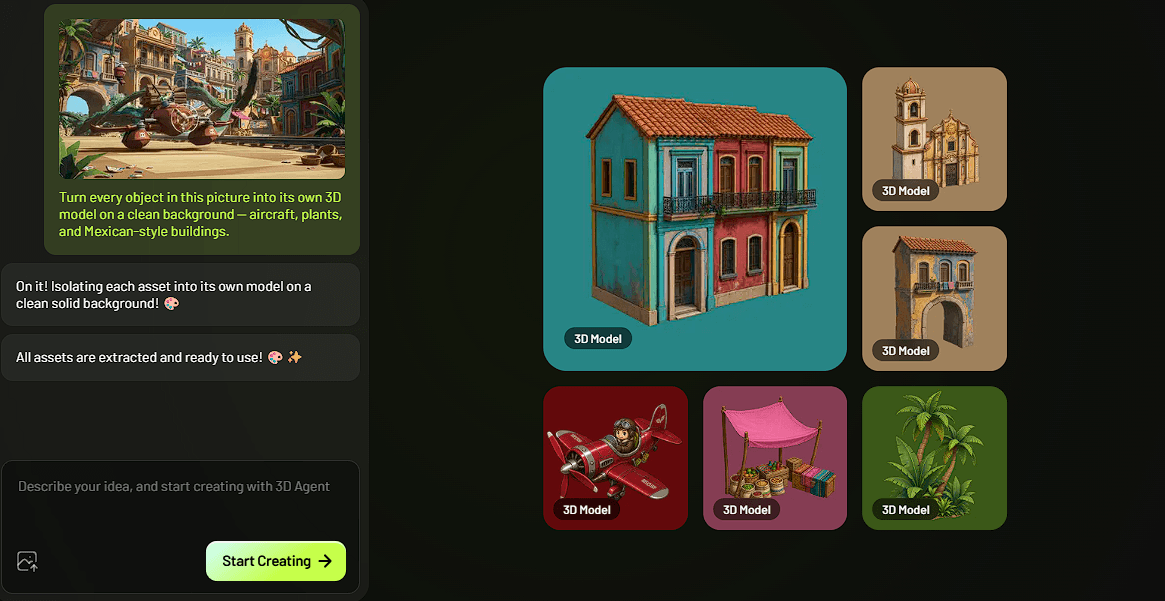
The limitation is that the Agent is currently more of a creation guide than a full conversational 3D editor. Meshy's documentation notes that direct editing of an existing 3D model is not yet its main role.
Meshy fits indie game development, rapid asset prototyping, concept-to-3D workflows, character drafts, environmental props, 3D-printing concepts, product visualization, and building large collections of supporting assets.
It is especially useful when the alternative is manually modeling every early concept before knowing which designs will survive. Image-to-3D also makes sense for artists who already have concept art and want a faster route to a usable base mesh.
The API broadens that use case further. Developers can automate Text to 3D, Image to 3D, Multi-Image to 3D, and other generation steps inside their own products or content pipelines.
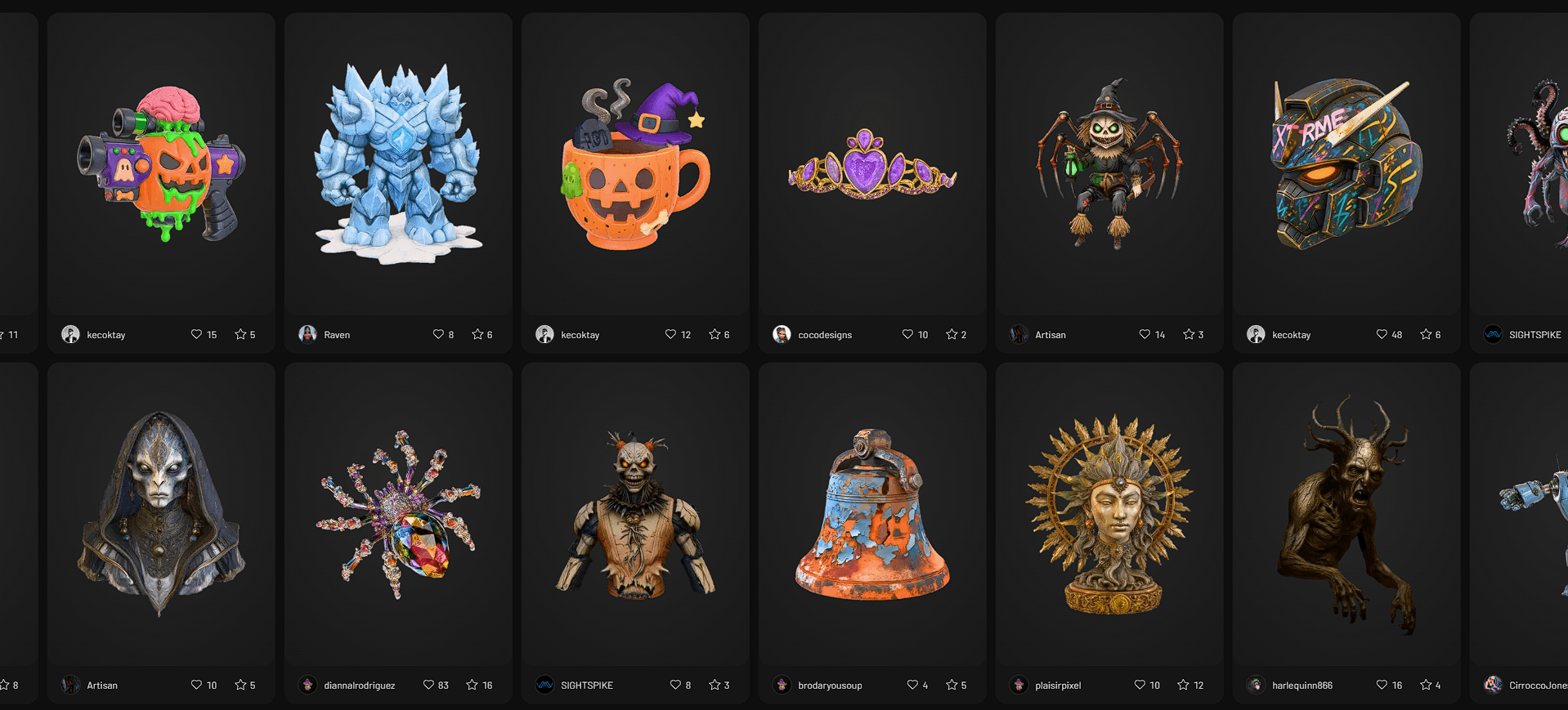
Meshy can shorten 3D production, but generated assets still need inspection.
Single-view generation must infer geometry that the image never shows. Thin parts, overlapping forms, hands, accessories, and complex mechanical structures can expose errors. Multi-view references reduce that uncertainty but do not remove it.
Topology also matters. Standard high-detail generation and production-ready topology are not the same thing, which is why Meshy now provides Smart Topology and Remesh as separate tools.
Rigging works best with recognizable humanoid or quadruped structures. Unusual creatures and custom skeletons may still require manual work. Likewise, preset animation is useful for common movement but does not replace detailed keyframing.
Meshy has developed into more than a quick text-to-3D generator. Its stronger workflow now runs from text or image references through geometry generation, topology optimization, PBR texturing, UV preparation, rigging, animation, export, and even simple presentation video.
Its strongest users are game developers, 3D artists, makers, and small creative teams that need many assets or want to reach a workable starting mesh quickly.
The main caveat is the same one that applies to most generative 3D systems: a generated model is not automatically a finished production asset. Meshy is most useful when it removes repetitive starting work, while a human still checks geometry, topology, textures, rigging, and final technical requirements.
TAGS: 3D Model
Related Tools:

Offers online courses taught by industry experts

Transforms text or images into detailed 3D models

Online learning platform offering free educational resources
Generates 3D models with advanced texturing

Converts smartphone videos into high-quality 3D models

Enables users to create and sell online courses