

Share this tool:
 |
Description:
Magnific is an AI creative platform for image enhancement, generation, and editing. It became known for generative upscaling, which enlarges images while reconstructing textures and adding plausible detail. It has since expanded into video, audio, 3D, design tools, and connections with other creative software.
The upscaler remains its main draw. You can choose how much freedom the AI gets: let it develop textures and details, or ask it to stay closer to the source. That choice matters when moving between imaginative artwork and images where accuracy is important.
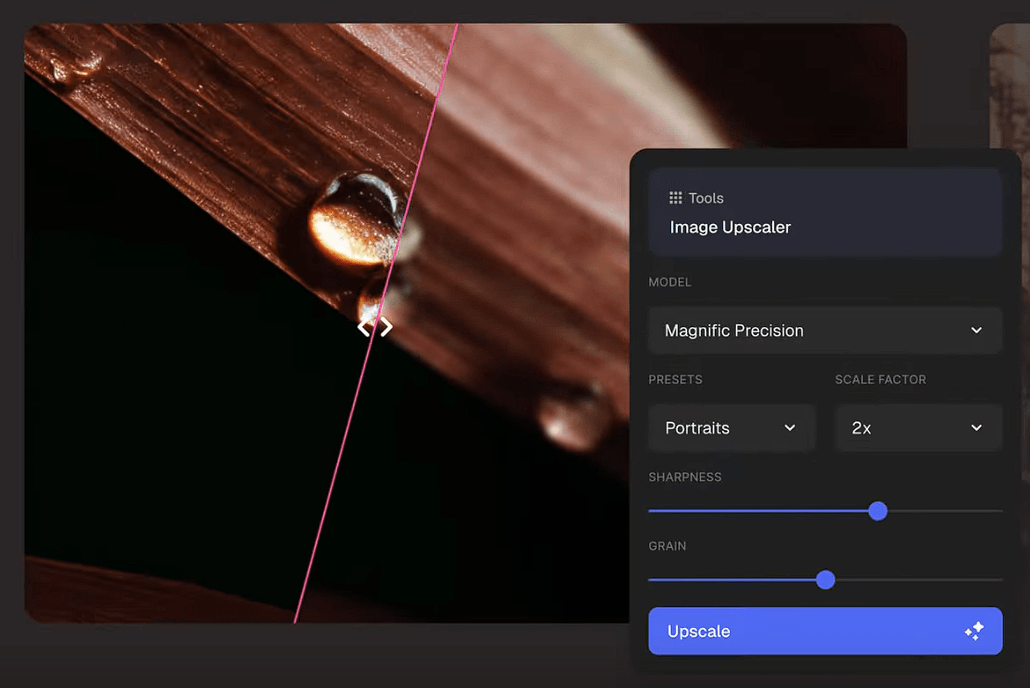
Magnific divides upscaling into Creative and Precision modes. Each takes a different approach to the original image.
| Mode | Best For | Main Behavior |
|---|---|---|
| Creative | AI art, illustrations, concept art | Reimagines textures and adds detail |
| Precision | Photography, products, print | Prioritizes fidelity to the source |
Creative mode accepts optional prompt guidance and gives users a Resemblance control for deciding how closely the enhanced result should follow the original. Optimization categories cover portraits, illustrations, landscapes, 3D renders, photography, films, and other image types.
Precision mode is the more cautious option when invented details could cause problems. It includes specialized Magnific models for general enhancement, photography, denoising, and imagery with a higher dynamic range. The Precision workflow supports enlargement up to 16x.
A fantasy illustration and a product photograph have different requirements. Separating the two approaches gives users a practical way to account for that.
Magnific gives users several ways to guide enhancement. In Creative mode, text instructions can help the AI interpret ambiguous parts of an image. Precision mode includes adjustments for properties such as sharpness and grain.
This is useful when an AI-generated image has a good composition but the smaller details need work. Faces, clothing, materials, architecture, vegetation, and other textures can gain definition without regenerating the whole image.
Creative mode does take liberties. An indistinct object may become something specific, or a surface may acquire texture that was never in the source. That freedom is part of how the tool works. Precision is the better choice when those changes would get in the way.
Magnific’s Image Editor brings several common editing tasks into the same workspace.
You can erase or replace elements, retouch an image, crop or expand the canvas, change its style or camera perspective, enhance skin, and adjust lighting, color, tint, and grain. Background removal and upscaling are available there too.
This lets you work through corrections before enlarging the result. You can fix the composition, adjust a troublesome area, and then prepare a higher-resolution version without treating each step as a separate job.
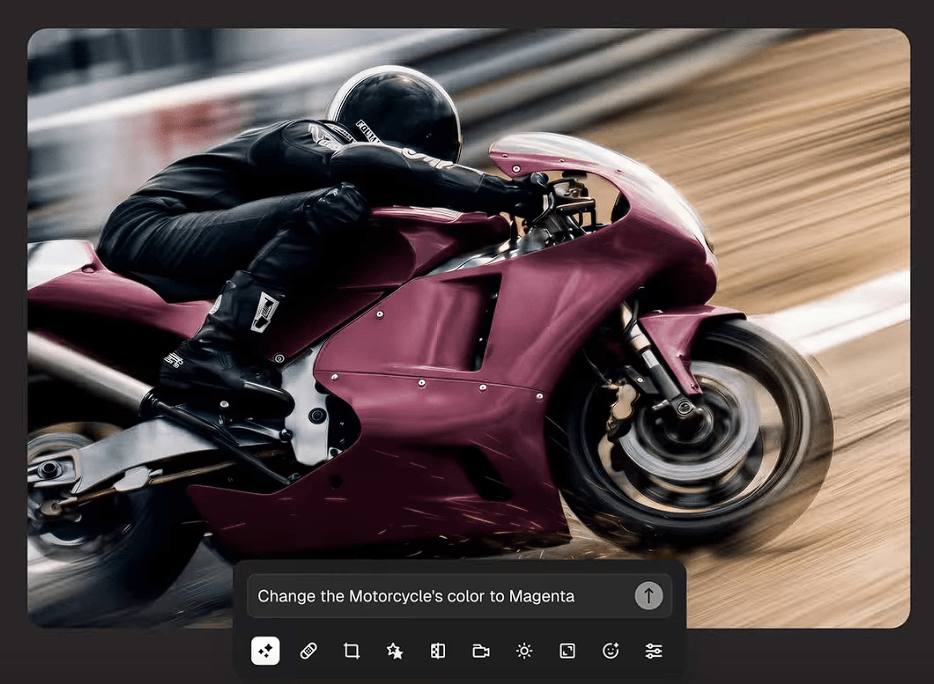
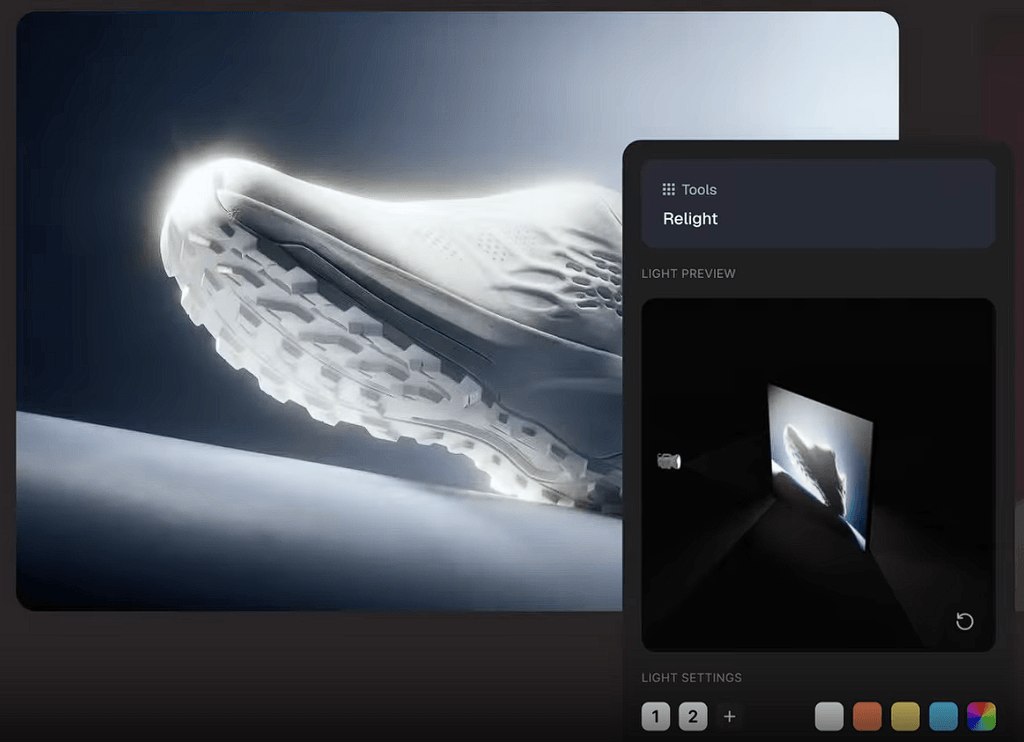
Some of Magnific's more interesting tools deal with photographic direction rather than basic cleanup.
Relight lets you alter lighting after an image has been created. You can work from lighting presets or control multiple virtual lights, adjusting properties such as direction, elevation, color, and intensity. A reference image can also guide the lighting treatment.
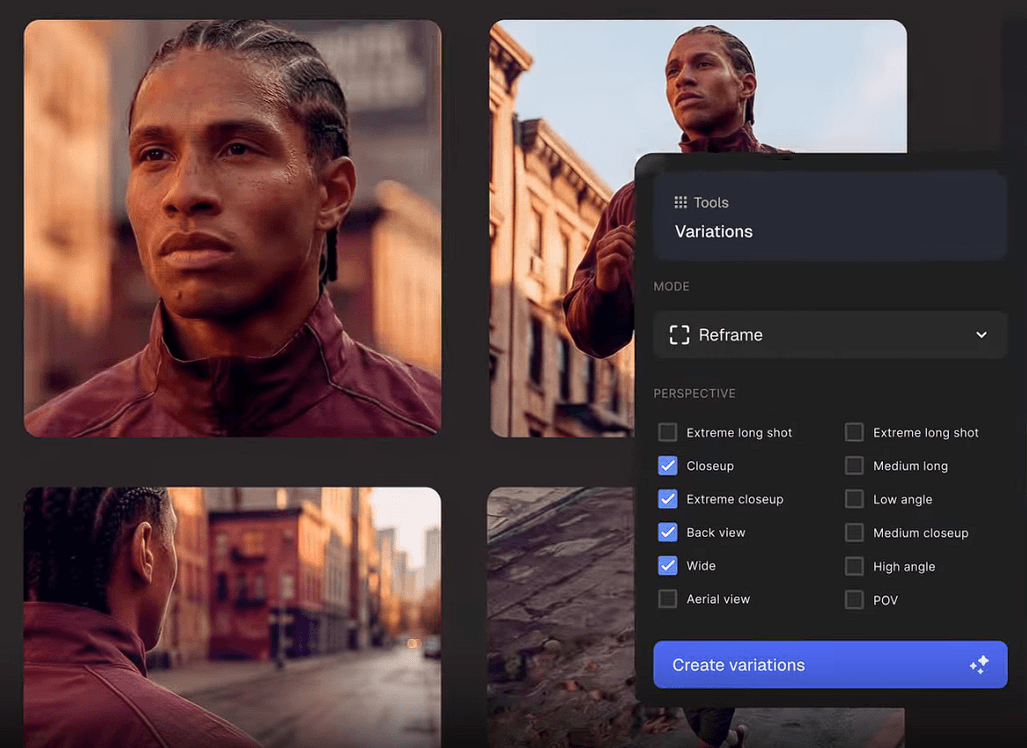
Change Camera tackles composition from another angle. It lets creators explore new viewpoints and lenses around an existing subject. These controls are useful for product concepts, advertising visuals, character shots, and scenes where the subject works but the original presentation doesn't.
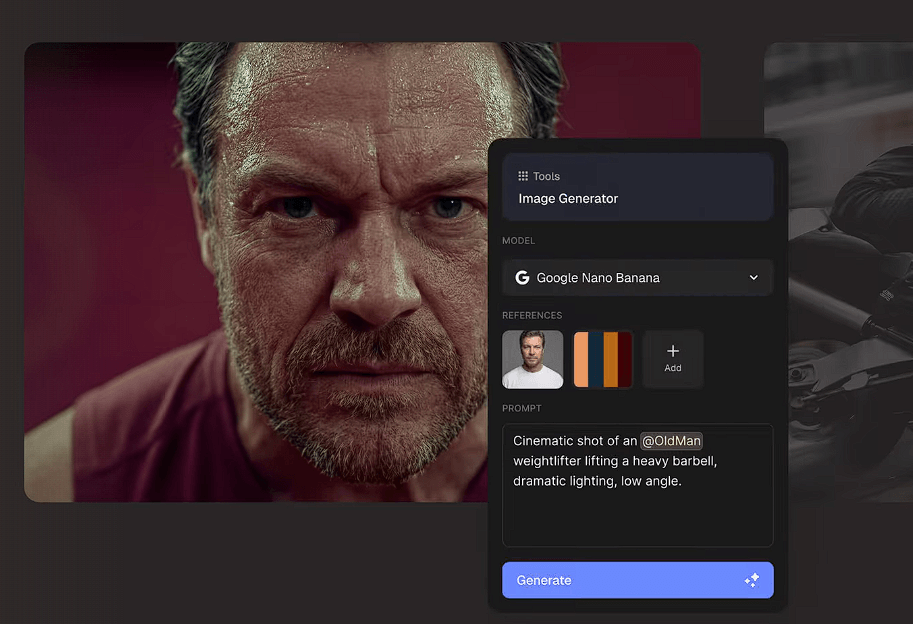
Magnific now stretches beyond still-image enhancement. Its platform includes image and video generation, video editing and upscaling, text-to-speech, sound effects, music generation, 3D tools, mockups, icon generation, and design features.
There are also integrations for creative software including Photoshop, Illustrator, Figma, After Effects, Premiere Pro, Final Cut Pro, DaVinci Resolve, and ComfyUI.
For working designers, this can be more important than adding another standalone AI feature. Magnific can sit closer to the software where the actual project is being assembled.
Magnific suits AI artists finishing generated images, photographers working with lower-quality files, designers preparing larger assets, product teams refining commercial imagery, and concept artists adding texture to early visuals.
It can also help with restoration and cleanup when noise, softness, or limited resolution are the main problems. Precision mode is useful when preserving the image’s appearance matters. Creative mode gives more room to develop an image when added visual detail is welcome.
Creative upscaling can invent information. That makes it unsuitable for some photographs, technical references, archival images, and product assets where details need to be accurate.
The wider toolset also takes more time to learn. Someone who only wants to enlarge an image may have little use for the video, audio, 3D, and other production tools.
There is also a fundamental limit to enhancement: plausible detail is not recovered evidence. AI may produce a convincing texture or feature where the original image contains little information, but that does not establish what was actually there.
Magnific is most useful when an image is close to what you want and needs more resolution, better texture, or further editing. Creative and Precision modes let you choose how freely the AI interprets the source, while the editor provides tools for adjusting composition, lighting, perspective, and individual elements.
For AI artists, photographers, designers, and visual production teams, that combination can help finish an asset within one workflow. The key is judging how much invention the image can tolerate, then checking the result accordingly.
TAGS: Generative Art
Related Tools:

Turns photos or text into dream-like artworks

Generates images and videos from text or visuals

Provides tools for social media analytics

Enables user to generate digital artworks

Automates publishing and provides social media analytics
Creates more accurate visuals from text and reference inputs