

Share this tool:
 |
Description:
Lumen5 is an AI-powered video creation platform built mainly for marketers, content teams, educators, internal communications teams, and businesses that need repeatable video output without traditional editing complexity. Its strongest value is not cinematic AI video generation in the Runway or Pika sense. It is content repurposing: taking a blog post, script, PDF, idea, transcript, or talking-point outline and turning it into a structured, branded, editable video draft.
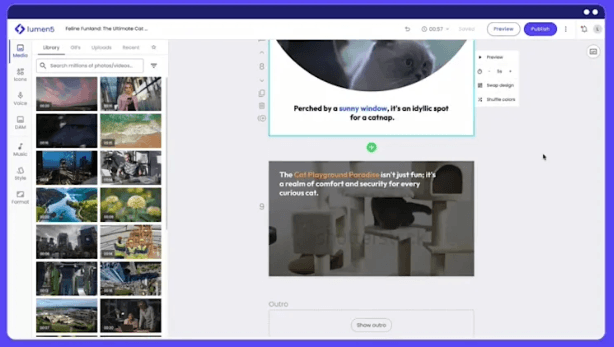
Turns source content, documents, or rough ideas into structured video scripts with editable tone, length, and title controls.
Gives users a faster conversational starting point for creating and revising video drafts from prompts, URLs, scripts, PDFs, or ideas.
Lets users generate, preview, change, and regenerate voiceover sections while keeping the video workflow editable.
Provides access to large stock media libraries plus the ability to upload your own files for more customized videos.
Brand Kits, colors, fonts, watermarks, saved templates, and branded templates help teams keep videos visually consistent.
Lets teams train Lumen5 around previous videos so new videos can better match a preferred style, structure, tone, scene order, and text behavior.
The easiest way to understand Lumen5 is to split it into five layers.
| Layer | What it does | Why it matters |
|---|---|---|
| AI Script Composer | Turns URLs, pasted text, PDFs, documents, or rough ideas into a video script. | Best for repurposing existing written content into a structured video draft. |
| Chat to Video | Lets users start with a prompt, URL, PDF, script, or idea and iterate through chat. | Reduces the blank-canvas problem and gets users to a moving preview faster. |
| Video Creator | Converts scripts into scenes, visuals, media, text, timing, and layouts. | This is where Lumen5 becomes an editor, not just an AI summarizer. |
| Brand and template system | Uses templates, brand kits, watermarks, colors, fonts, and branded templates. | Keeps repeated video creation visually consistent. |
| Team production layer | Supports workspaces, permissions, saved assets, media uploads, projects, and repeatable workflows. | Useful for teams producing content at scale. |
That layered structure is why Lumen5 works best for recurring content production. You are not only asking AI to “make a video.” You are using AI to summarize, structure, design, assemble, revise, and brand a video inside a controlled workflow.
Lumen5 is strongest when you already have something to repurpose. That could be a blog post, news article, internal update, webinar transcript, educational document, product announcement, PDF, or a few bullet points. The AI Script Composer can import a URL, upload a PDF or document, paste text directly, or start from an outlined idea, then help compose a script before converting it into scenes.
That makes Lumen5 especially useful for marketing teams that are sitting on a lot of written content but do not have the time, budget, or editing depth to turn everything into video manually. It is not trying to replace a professional video editor for high-end film work. It is trying to make business video creation repeatable.
The other major strength is structure. Lumen5 does not just generate random clips. Its workflow moves from content input to script, then to scenes, then to media, then to editing and publishing. That matters because most practical business videos need clarity more than spectacle. A product update, LinkedIn teaser, event recap, or learning video needs the right pacing, readable text, brand consistency, and a clean visual rhythm.
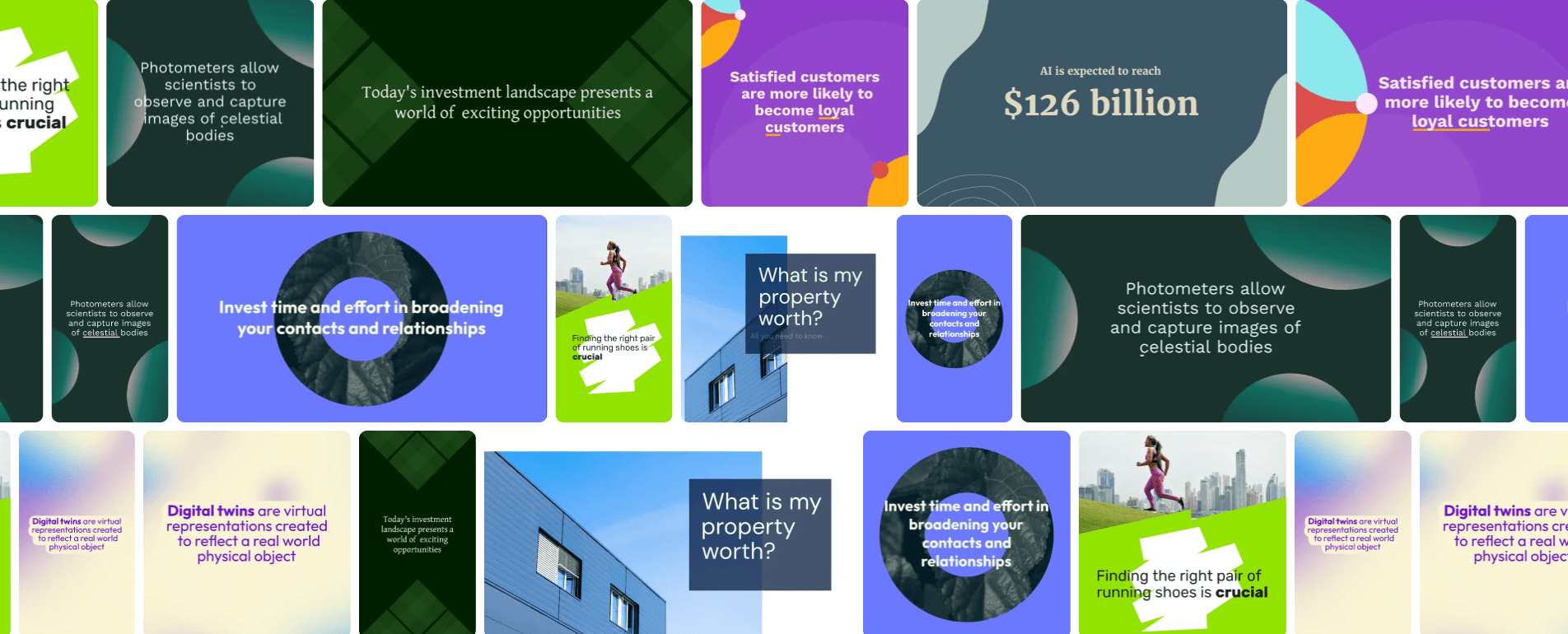
1. Blog or Article to Video
This is still one of the clearest Lumen5 workflows. You paste a public article URL, Lumen5 imports the content, and then you can edit, reorder, delete sections, upload or remove images, and decide whether to summarize with AI or use the original sentences. Public web content works best; Lumen5 notes that the import function cannot access private pages, social media sites, password-protected blogs, cloud storage pages, Google Docs, Microsoft Word, OneDrive, Google Drive, or Dropbox links.
This workflow is practical for turning evergreen blog posts into LinkedIn videos, turning thought leadership articles into social clips, or converting company announcements into short visual explainers.
2. PDF or Document to Video
Lumen5 can also scrape text and images from uploaded PDFs, PowerPoints, or text documents, then bring that material into the creation flow. The important caveat is that it does not copy a PowerPoint scene-for-scene into a Lumen5 video. It treats the file as source material for a new video, not as a slide converter.
That distinction matters. If you expect perfect slide preservation, Lumen5 is not the right tool. If you want to transform a report, deck, or training document into a more watchable video, it fits much better.
3. AI Script Composer
The Script Composer is where Lumen5 becomes more than a basic import tool. After it has the source content, it can summarize, generate a script, estimate video length, and let you adjust title, tone, length, and specific instructions. You can recompose as needed and then convert the script into scenes with selected designs and relevant stock images or videos.
This is one of the best parts of the product because it keeps humans in the loop. You can let AI create a first draft, then change tone, remove weak sections, tighten the message, and correct anything that needs brand or factual review before building the final video.
4. AI Voiceover Videos
Lumen5 supports an AI voiceover workflow where you add source content, compose or preserve the script, apply a voice, preview voiceover blocks, regenerate sections that sound wrong, and then convert the result into a video. The editor also lets you revise smaller voiceover sections later without regenerating the whole video, which is important because large voiceover edits can create timing issues.
This is a useful workflow for explainer videos, training clips, product updates, and internal communications where you want narration but do not want to record audio every time.
5. Chat to Video
Chat to Video is Lumen5’s more modern creative entry point. Lumen5 describes it as a chat-first video workflow where users can start from a prompt, URL, pasted script, PDF, rough idea, or trending topic. The system proposes narrative structure, tone, pacing, visuals, and media, then generates a moving preview that users can revise through conversational edits such as “make the intro punchier,” “use AI voiceover instead,” or “make three versions for LinkedIn, TikTok, and IG Reels.”
This is important because it changes how new users enter the product. Instead of choosing a template, aspect ratio, voiceover format, and video type upfront, Chat to Video tries to infer enough from the user’s request to create momentum. That makes Lumen5 feel less like a blank editor and more like a guided production assistant.
Lumen5 is built for people who do not want to edit from scratch. The general workflow is straightforward: choose a creation path, add content, let AI help shape the script, convert the script into a video, then refine scenes, media, text, timing, style, and voiceover.
That is the product’s biggest advantage. Many AI video tools produce impressive visuals but leave you with limited control over structure. Lumen5 goes the other way. It gives you a structured business-video workflow first, then uses AI to speed up the parts that normally slow teams down: summarizing, scripting, scene building, media matching, and visual formatting.
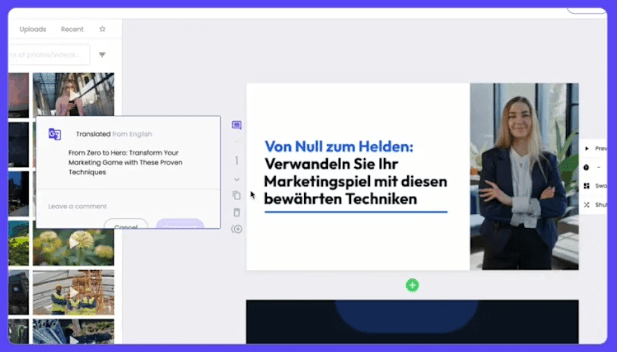
The scene editor is also practical. You can swap scene designs, preview options, add text and media, adjust timing, and change layouts. Lumen5 notes that selecting a scene design earlier gives you more flexibility because later design options are limited by the content already placed in the scene.
The media workflow is simple as well. You can drag and drop media onto scenes, use drop zones where a scene supports multiple media placements, search stock assets, or upload your own files.
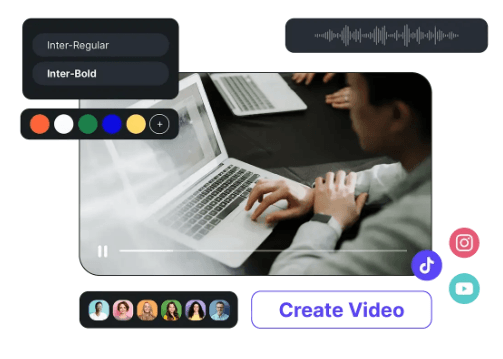
Brand consistency is one of Lumen5’s most practical strengths. Brand Kits can store brand colors, neutral colors, fonts, and watermarks, and team accounts can share brand kits across users. That makes the platform much more useful for organizations where many people may create videos but the output still needs to look controlled.
Branded Templates go further. Lumen5 describes them as custom scene designs built around an organization’s look, feel, personality, and brand guidelines, helping ensure that videos created by different team members stay visually aligned.
Blueprints are the more AI-native version of this same idea. Instead of only storing colors and layouts, Blueprints learn from previous videos. They can reflect script voice and tone, scene design selection, scene order, text highlights, text positioning, text size, alignment, font use, animated caption behavior, subscene usage, and how text breaks into scenes. Media selection is only partially supported, and some advanced voiceover behaviors are not supported, so Blueprints are useful but not total automation.
This makes Lumen5 particularly strong for teams that need repeatable video formats: weekly updates, recurring thought leadership clips, internal announcements, customer story snippets, educational modules, campaign recaps, and event promotions.
Lumen5 output quality depends heavily on the quality of the source content and how much time you spend refining the draft. If you feed it a focused article or clean bullet-point outline, it can produce a usable first draft quickly. If the source content is long, vague, or overloaded with corporate language, the first draft may need tightening.
The visual quality is strongest when the video format is simple: short scenes, clear headlines, relevant stock footage, tasteful motion, readable text, and consistent branding. It is weaker if you expect highly cinematic AI-generated footage, complex motion design, custom animation, or exact creative direction scene by scene.
The AI voiceover workflow is useful, but it also benefits from review. Lumen5 specifically recommends previewing voiceover blocks and regenerating sections with anomalies. It also warns that regenerating large portions of voiceover can create timing challenges, so smaller edits are safer.
On the technical side, Lumen5 has practical upload limits worth knowing. Video uploads support MP4, MOV, and animated GIF, with a 10-minute maximum per uploaded clip and a maximum file size of 2 GB. Lumen5 can accept up to 4K input, but it produces up to 1080p output, and it does not support 60fps, HDR, alpha channels, green screens, chromakey, or masks.
That makes it a strong business video tool, but not a replacement for advanced editors when you need heavy compositing, high-frame-rate workflows, transparent video layers, or detailed post-production control.
Lumen5 is best understood as a content recycling and brand-video system. It sits somewhere between a lightweight video editor, an AI summarizer, a stock-media assembly tool, and a brand-controlled production platform.
It is not the best choice if your main goal is generative video art. It is also not the best choice if you need frame-level editing, cinematic camera control, VFX, complex multi-track timelines, or advanced audio mixing.
But it is a strong fit if your main problem is this: “We already have content, but we need to turn it into videos more often, in more formats, without rebuilding everything manually.” That is a very real use case for modern marketing teams. Blogs need social clips. Reports need executive summaries. Webinars need promo snippets. Internal updates need watchable recaps. Customer stories need short edits. Lumen5 is built directly around that kind of demand.
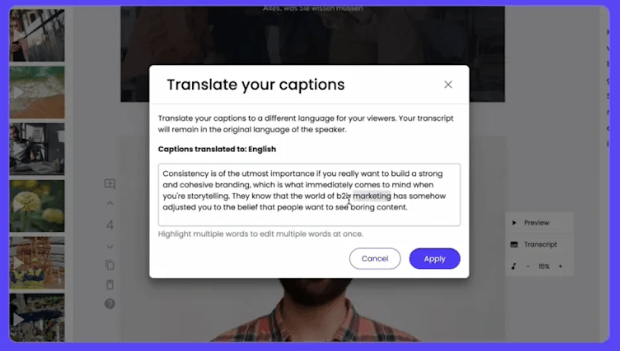
- Content marketing teams: Best for turning blogs, articles, guides, thought leadership, and campaign copy into short social or website videos.
- B2B marketers: Strong fit for LinkedIn videos, event promotions, webinar teasers, product updates, and sales enablement clips.
- Internal communications teams: Useful for converting announcements, reports, leadership messages, or policy updates into more engaging internal videos.
- Learning and development teams: Good for turning training documents, onboarding materials, and educational outlines into short narrated lessons.
- Agencies and brand teams: Strong when repeated video formats need to stay on-brand across multiple clients, campaigns, or contributors.
- Small teams without video editors: Useful when the goal is to publish clean, professional videos without needing a dedicated editor for every asset.
- Start with a focused source. Lumen5 works much better when the input has one clear message, not five competing themes.
- Edit the script before converting to video. It is easier to fix structure, tone, and clarity at the script stage than after the full video is built.
- Use shorter scenes. Lumen5-style videos work best when each scene delivers one idea, one headline, or one visual beat.
- Treat stock media as metaphor, not literal decoration. Lumen5’s own media-search guidance recommends thinking beyond obvious keywords because more interesting visuals often come from related concepts.
- Preview AI voiceover block by block. Regenerate small sections that sound off instead of reworking the whole narration.
- Build repeatable formats. Saved templates, Brand Kits, Branded Templates, and Blueprints are where Lumen5 becomes much more valuable for teams.
- Do not expect PowerPoint cloning. Use slides and PDFs as source material, not as exact layouts to preserve.
The biggest limitation is creative ceiling. Lumen5 is excellent for structured marketing videos, but it is not a high-end creative post-production tool. If you need cinematic scene generation, custom animation systems, advanced compositing, or frame-level video manipulation, you will hit the limits quickly.
The second trade-off is that AI assembly still needs editorial review. Script summaries can miss nuance. Stock media can feel too generic. Voiceovers can have occasional tone or pronunciation issues. The best results come from reviewing and refining the AI draft rather than publishing the first pass untouched.
The third limitation is source dependency. Lumen5 is strongest when repurposing clear content. It can start from rough ideas, especially through Chat to Video, but vague input still produces vague output. Strong video strategy still needs a clear audience, message, CTA, and format.
There are also technical constraints. Output is capped at 1080p, 60fps is not supported, and workflows like alpha channels, chromakey, masks, HDR, and deeper compositing are outside Lumen5’s documented upload and production capabilities.
Finally, some of the most useful brand and team features depend on the account setup. For serious team use, Lumen5 becomes much more compelling when brand assets, templates, permissions, Blueprints, and media organization are configured properly.
Lumen5 is best understood as an AI-assisted video production system for marketers and teams, not as a pure generative video model. Its strongest value is turning existing content into structured, branded, editable videos with less friction than traditional editing.
It is best for teams that publish recurring social, marketing, educational, internal, or B2B video content and want a faster way to move from written material to usable video drafts.
The main caveat is that Lumen5 works best as a guided production workflow: AI gets you to the first draft quickly, but the final quality still depends on script cleanup, brand control, media choices, and human review.
TAGS: Video Editing Text to Video
Related Tools:

Converts text into video content

Streamlines business processes and lead management

Automates video editing by quickly removing silences

Generates videos from text prompts

Helps users create branded social media videos

Enables users to create professional-quality videos from text