

Share this tool:
 |
Description:
LockedIn AI is a real-time AI interview assistant built to listen to interviews, analyze questions, read on-screen material, and provide structured suggestions while the conversation is happening. Its main focus is not long-form preparation alone. It is built around live support: interview answers, coding help, meeting talking points, screen analysis, transcription, and post-session feedback.
| Feature | Practical Value |
|---|---|
| Interview Copilot | Listens to interview questions and surfaces structured answer suggestions in real time. |
| Coding Copilot | Helps with algorithm problems, edge cases, complexity analysis, debugging, and system design prompts. |
| Desktop App | Adds screen-aware controls, audio capture, and a more private working environment. |
| Smart Area Selection | Lets users select part of the screen for analysis, useful for coding questions, prompts, or assessment content. |
| Multilingual Support | Supports many languages and bilingual interview scenarios. |
| Summary and Feedback | Provides transcripts, performance analysis, competency scoring, and improvement recommendations after sessions. |
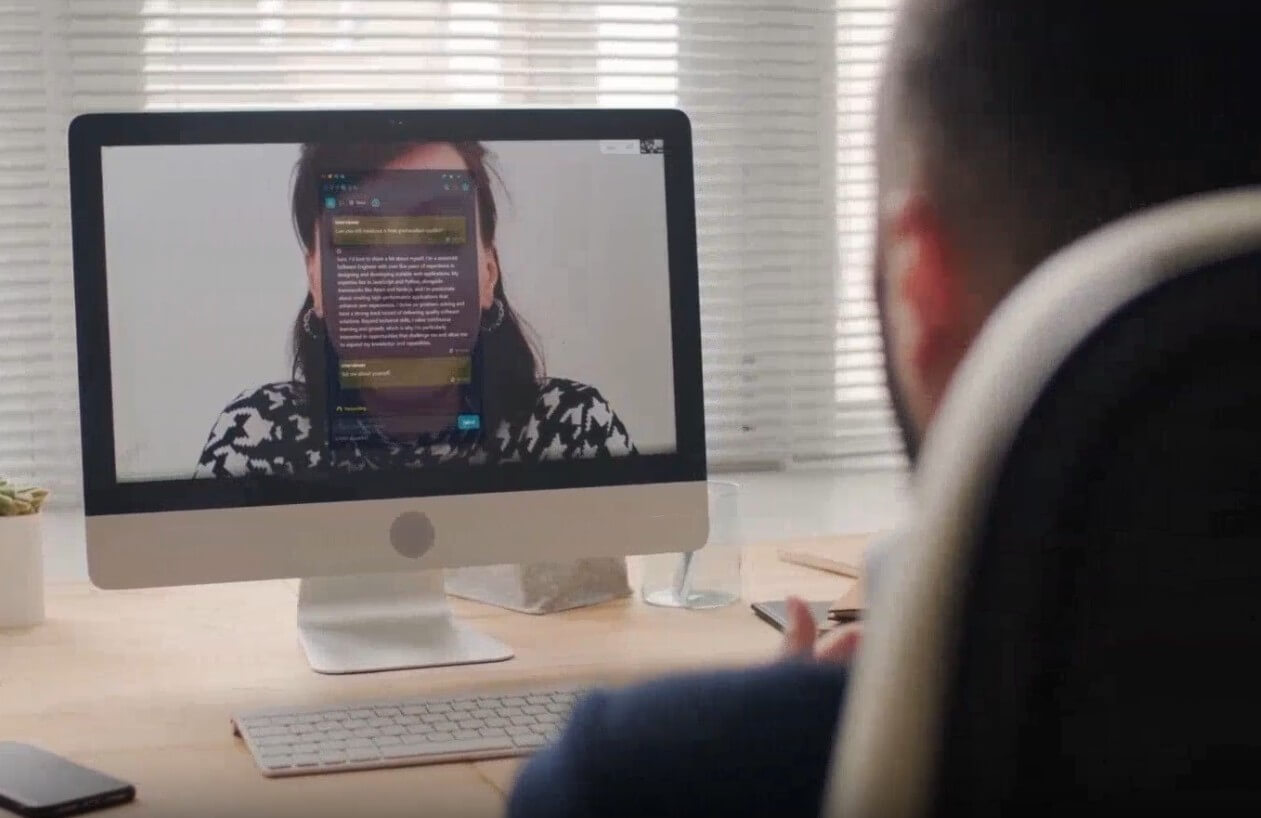
The strongest thing about LockedIn AI is its real-time workflow. Instead of asking users to prepare a list of possible answers before an interview, it tries to react to the question in the moment. That makes it more useful for live behavioral interviews, technical interviews, sales calls, client meetings, and high-pressure conversations where timing matters.
Its value is highest when the user needs structure under pressure. A weak answer in an interview is often not caused by lack of knowledge. It is caused by hesitation, poor framing, or missing the point of the question. LockedIn AI aims to help with that by turning messy questions into clearer answer paths, talking points, follow-up ideas, and, in technical contexts, code logic or system design guidance.
That said, this is also the area where users need judgment. A tool like this can be helpful for practice, accessibility, coaching, and allowed AI-assisted interviews. It can also cross an ethical line if used secretly where outside assistance is banned. The product’s discreet positioning is a core part of its identity, but the safest use is in settings where AI support is permitted or where the tool is used for prep rather than deception.
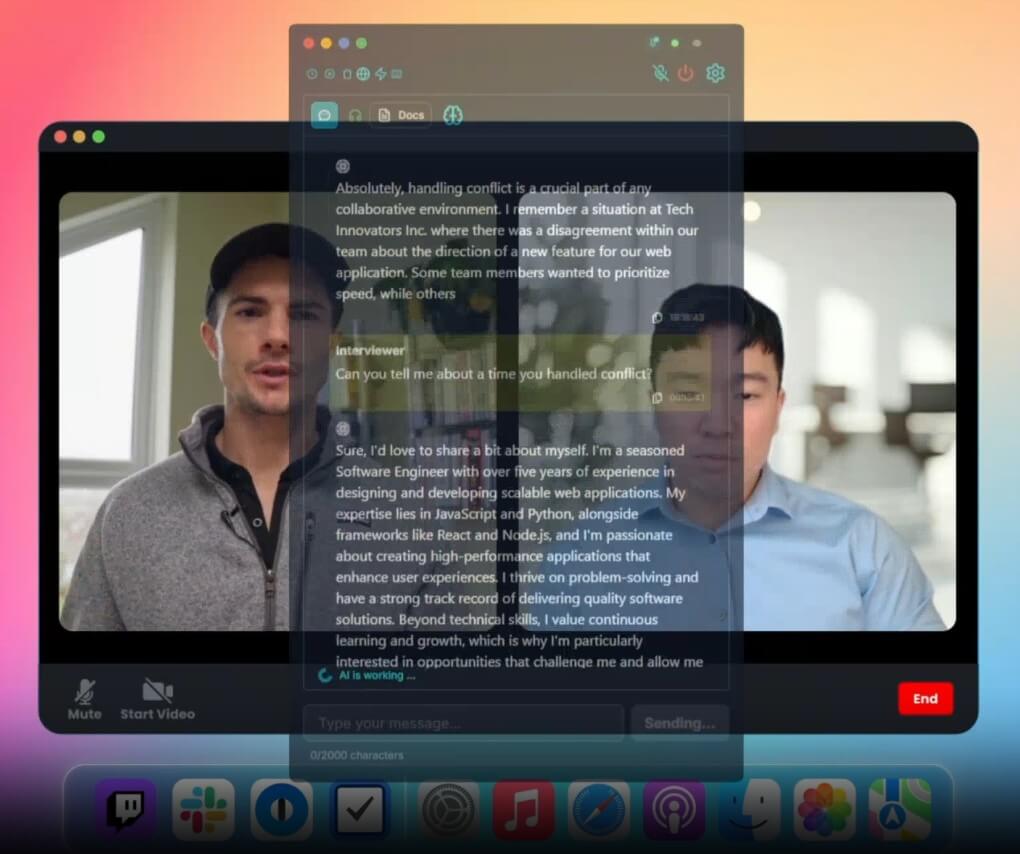
LockedIn AI has two main workflows: browser-based support and desktop-based support. The web experience is better for quick access, practice sessions, and general meeting help. The desktop app is positioned for users who need deeper screen awareness, system audio capture, and a more controlled live setup.
The coding workflow is more specific. Users can share the problem from the screen or paste it manually. The tool then provides solution approaches, code guidance, complexity trade-offs, and communication prompts. This matters because coding interviews are not only about getting the final answer. Candidates also need to explain trade-offs, talk through assumptions, and respond to follow-up constraints.
The desktop app’s Smart Area Selection is one of the more practical controls. Instead of feeding the whole screen into the assistant, users can select the exact region that matters. That can reduce noise and make the output more relevant. It is especially useful when a question is embedded inside a coding platform, document, or shared browser screen.
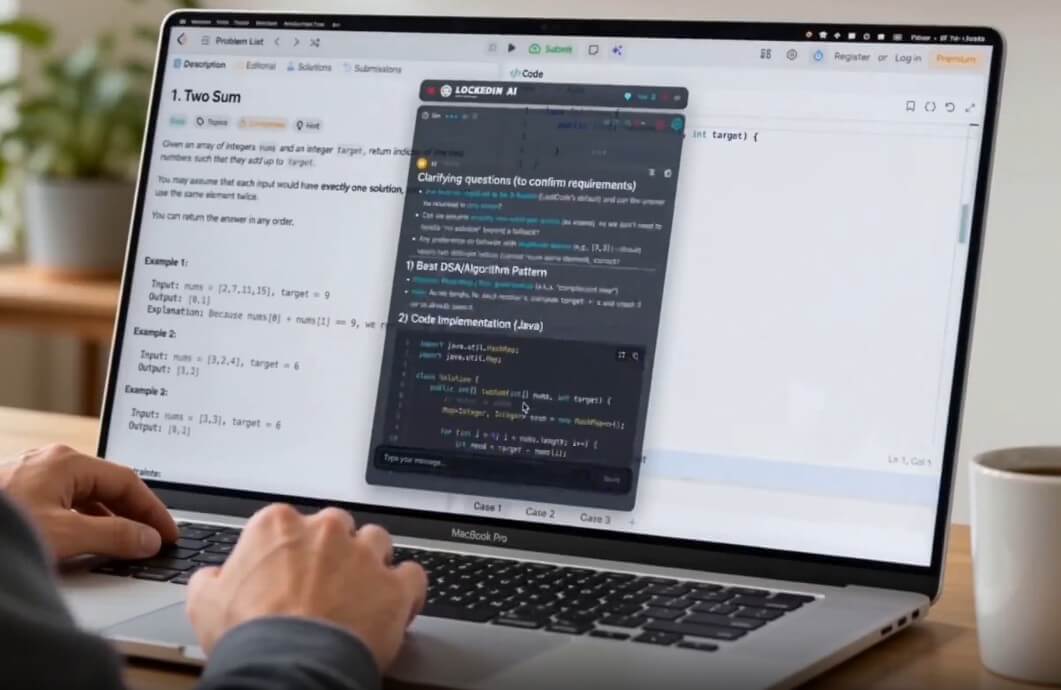
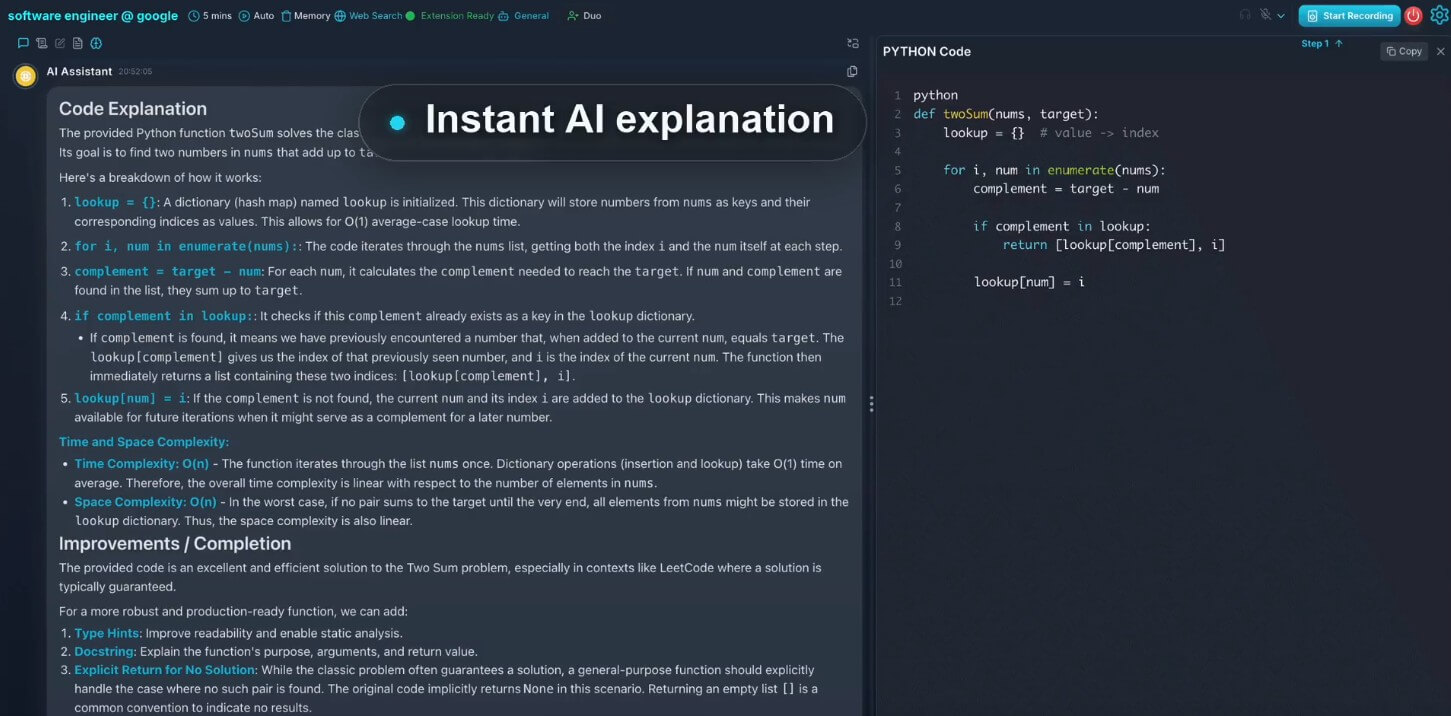
LockedIn AI is strongest in structured, high-pressure conversations. Behavioral interview questions are a natural fit because the tool can help shape answers into cleaner formats. Technical interviews are also a major use case, especially when the user needs help breaking down a problem, explaining complexity, or preparing a system design response.
The tool also extends beyond interviews. Its Chrome Web Store listing describes uses for client calls, sales conversations, online meetings, screen image analysis, and structured talking points across platforms like Zoom, Google Meet, and Microsoft Teams. That makes LockedIn AI more flexible than a narrow mock interview app. It sits closer to a live communication assistant, with interview support as the main selling point.
LockedIn Duo adds a human-in-the-loop layer. A trusted helper can see and hear the interview through a private channel, send guidance, provide formatted code blocks, and offer real-time support outside the main call. The company positions this as interview-specific remote assistance rather than generic remote desktop software.
This is useful for coaching, practice, mock sessions, and permitted collaborative scenarios. It is also the feature that raises the most policy questions. In many real hiring processes, live outside help may not be allowed. Users should check interview rules before using Duo in any official assessment.
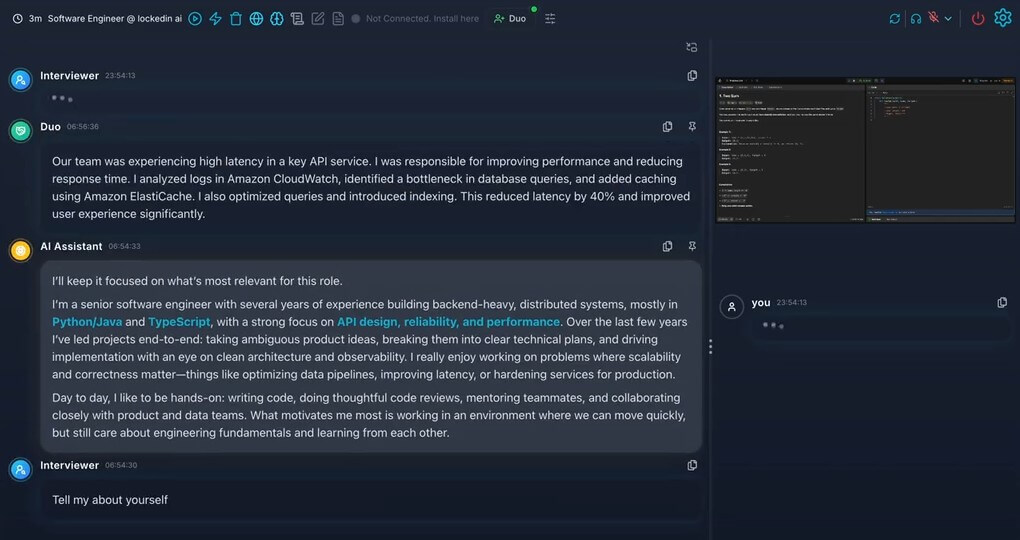
- Mock interview practice: Strong fit for users who want live feedback, transcripts, scoring, and better answer structure.
- Coding interview preparation: Useful for walking through algorithms, system design, edge cases, and explanation quality.
- Behavioral interview coaching: Helpful for turning vague answers into more organized responses.
- High-stakes professional calls: Can support sales calls, client meetings, presentations, and complex discussions where quick talking points help.
- Multilingual interviews: Useful when the user needs support across languages or bilingual conversation settings.
- LockedIn AI’s biggest limitation is not technical. It is contextual: The tool is built for live assistance, but many interviews and assessments have strict rules about outside help. That means users should treat it as a prep, coaching, or allowed-assistance tool unless they know the rules permit live use.
- There is also the risk of over-reliance: If users depend on generated suggestions too much, their answers may sound less natural. The best use is support, not replacement. The user still needs to understand the role, explain their thinking, and respond like a real person.
- For coding interviews, AI output still needs review: A generated solution may be directionally useful but not always optimal, complete, or matched to the interviewer’s expectations. Users should treat it as guidance, not automatic truth.
LockedIn AI is best for users who want real-time structure during interviews, coding practice, mock sessions, and important online meetings.
Its strongest value is live assistance: listening, analyzing, suggesting, and helping users stay organized under pressure.
The main caveat is ethical and practical: use it where AI assistance is allowed, and don’t let it replace real preparation.
TAGS: Self Improvement
Related Tools:
Offers virtual health assistance and expert medical consultations

Helps families plan meals and organize household needs
Enhancing organizational efficiency and decision-making

Generates personalized prayers

AI-powered mental health companion

AI-powered language learning tool