

Share this tool:
 |
Description:
- Introduction
- What Jasper Does Best
- Strong Features and Capabilities
- What the Platform Actually Is
- Workflow and Ease of Use
- Platform Layers and Plan Differences That Matter
- Where Jasper Is Strongest in Real Use
- Where Jasper Is Weaker
- Practical Tips for Getting More Value from Jasper
- Limitations and Trade-Offs
- Final Takeaway
Jasper is a marketing AI workspace that combines writing, campaign production, brand control, shared knowledge, integrations, and increasingly agent-based execution. That makes it more useful for teams trying to scale repeatable marketing output than for solo users who just want a generic chatbot.
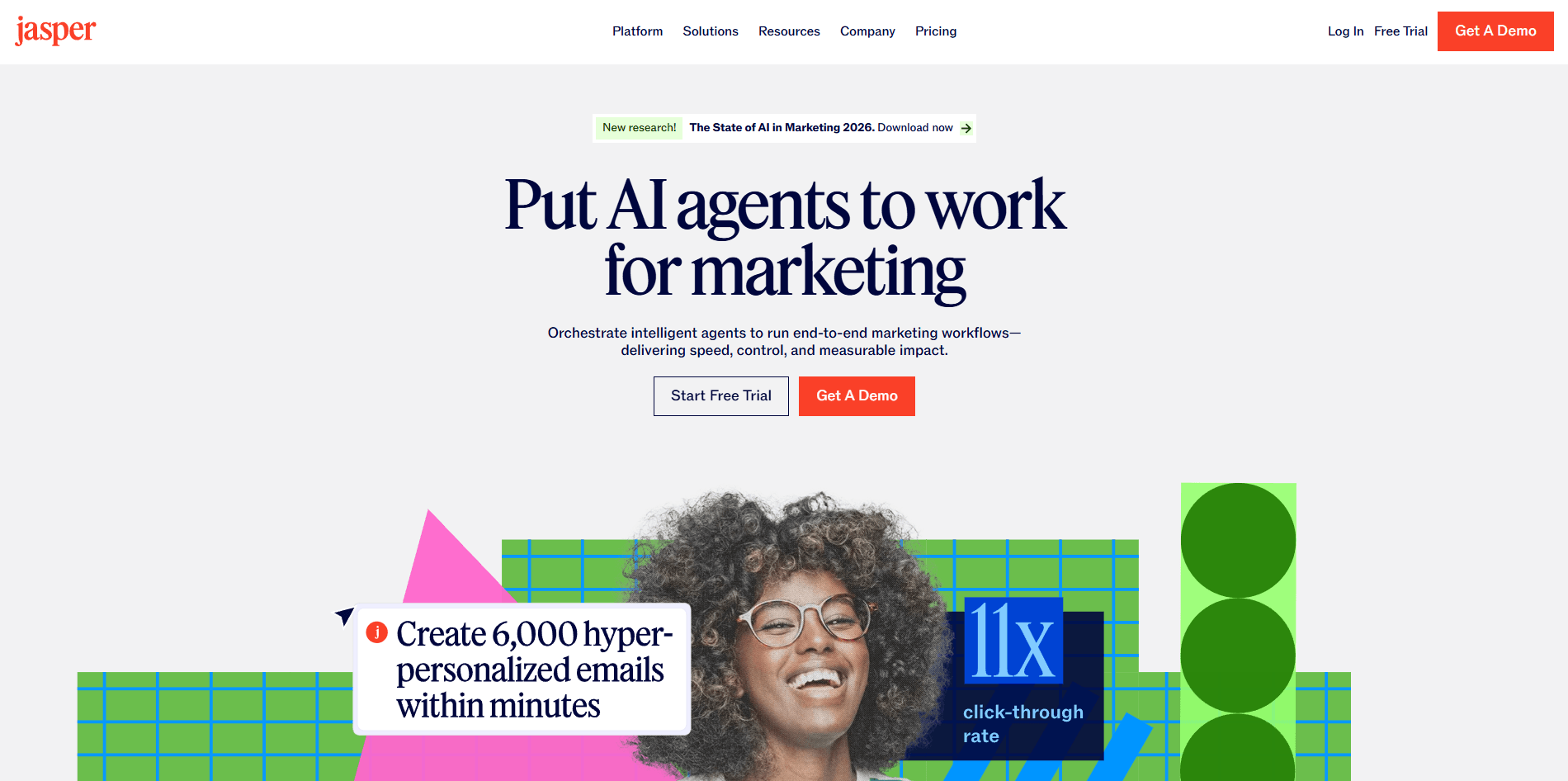
Jasper is strongest when a company needs AI to produce marketing work that stays aligned with a brand across channels. The platform is built around agents, content pipelines, shared governance, and human review rather than one-off prompting. In practice, that means Jasper is best for campaign teams, content teams, demand gen, product marketing, and brand marketing operations.
That positioning matters. A lot of AI tools can draft a blog post or ad. Jasper’s main pitch is that it can do that while pulling from your brand voice, style rules, audience context, and knowledge sources, then extend that logic into workflows, integrations, and custom agents.
Jasper lets teams define voice, tone, style, and even visual guidelines so outputs stay closer to the company’s actual brand.
Teams can set rules for terminology, grammar, and punctuation, which is useful when consistency matters more than creativity. Style Guides are currently listed as Business-plan features.
Jasper IQ combines marketing knowledge with company knowledge, and Jasper supports adding knowledge through pasted text, files, URLs, and connected sources.
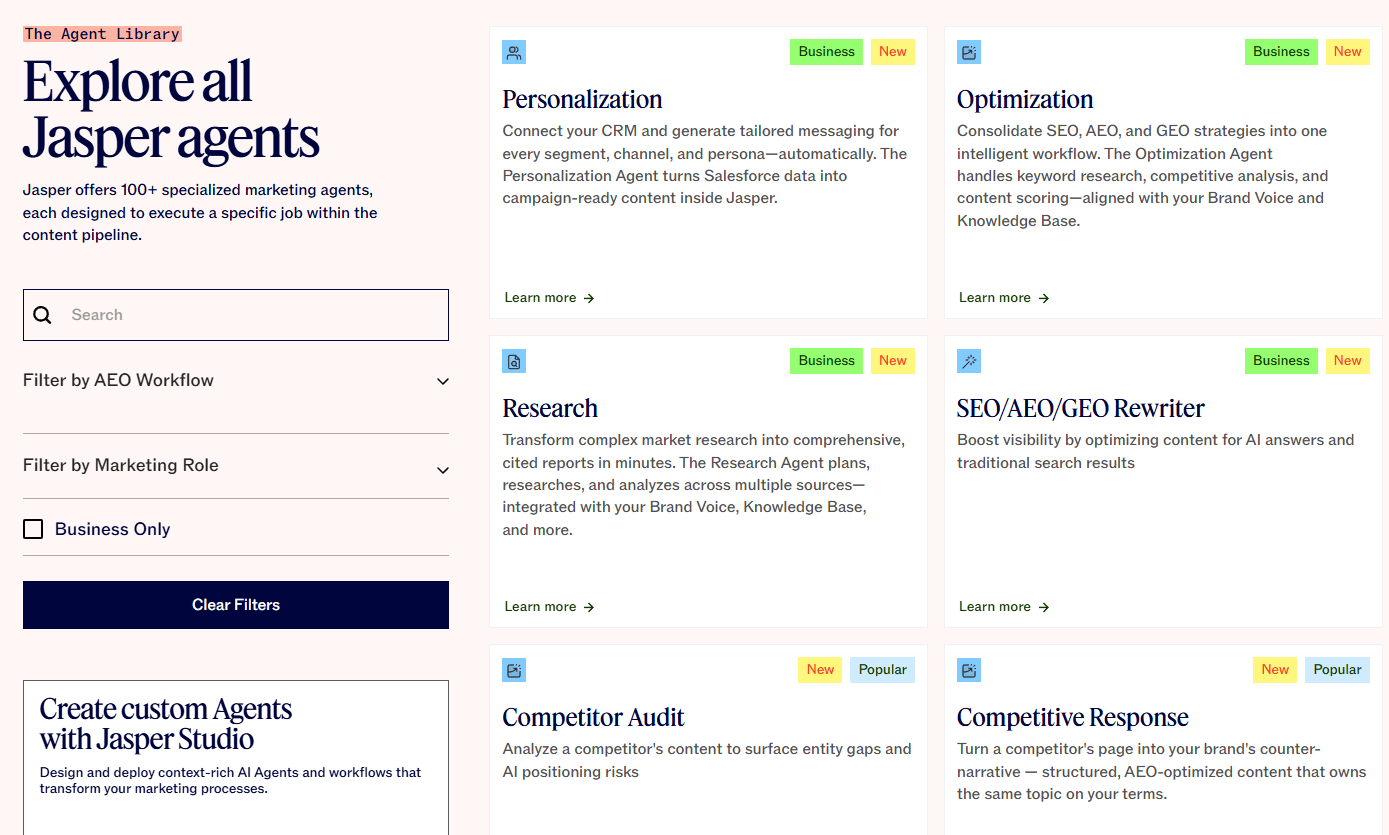
Jasper now centers much of the platform around agents that handle research, creation, and optimization tasks.
Jasper Studio is designed for creating custom agents and workflows without needing a traditional dev-heavy setup.
Jasper supports API access plus integrations and extensions across Google Docs, Google Sheets, Chrome, Zapier, Make, Slack, Webflow, and more.

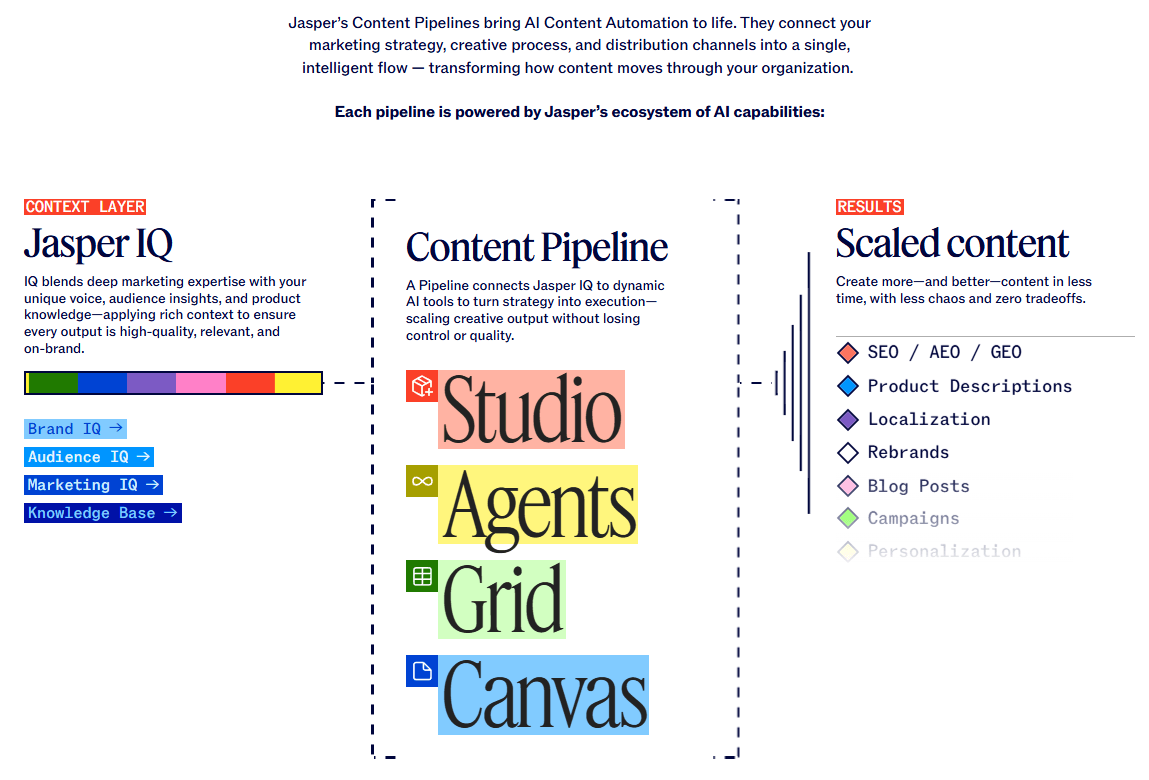
The easiest way to understand Jasper now is as four connected layers.
This is the part most people know first. Jasper still handles the obvious writing tasks: blogs, ads, emails, web copy, social posts, campaign drafts, and content repurposing. That remains useful, but it is no longer the whole story. Jasper increasingly frames that work inside campaign and execution workflows instead of isolated text generation.
This is where Jasper becomes more distinct. Brand Voice, Style Guide, and Knowledge are not just optional settings. They are central to how the product tries to reduce generic AI output. If your team cares about approved terminology, tone consistency, audience-specific messaging, and factual reuse of company materials, this is one of Jasper’s biggest strengths.
Jasper’s current product direction leans heavily toward agents and pipelines. The platform page describes agents executing real marketing work and pipelines defining how work flows across planning, drafting, editing, and optimization. Studio extends that idea by letting teams design custom agents and workflows around their own processes and KPIs.
Jasper is also trying not to live only in its own app. The Chrome and Edge extension, Google Docs add-on, Google Sheets add-on, API, and automation integrations matter because they let companies bring Jasper into existing marketing operations instead of forcing a full workflow reset.
Jasper is fairly easy to start with and noticeably more complex to master. A solo user can get value quickly from the core writing experience and free trial. But the more important parts of Jasper take setup: building a brand voice, feeding knowledge, defining style rules, choosing where agents fit, and connecting the product to the rest of the stack.
That is both a strength and a trade-off.
The strength is that Jasper can become more useful over time than a plain chatbot because it accumulates context. The trade-off is that it is not the fastest “open it and instantly get magic” tool for everyone. Teams that do the setup work are the ones most likely to feel the difference.
A practical way to think about workflow inside Jasper:
| Workflow | Best for | Why it matters |
|---|---|---|
| Chat / drafting | Fast first drafts and ideation | Good for quick copy work, but not Jasper’s full value |
| Marketing Editor / Canvas-style work | Refining and approving content | Better when humans still need to shape final messaging |
| Agents | Repeatable marketing tasks | Useful for research, optimization, and structured outputs |
| Studio | Custom internal workflows | Best for teams standardizing AI around their own processes |
| Integrations / API | Embedding Jasper in the stack | Strong fit for teams that want AI where work already happens |
This structure is what makes Jasper feel more like a marketing system than a writing app.
Jasper’s pricing is now simpler at a high level: Pro for getting started, Business for larger teams and enterprise-style control. The Pro plan includes a 7-day free trial, while Business is customized and geared toward organizations that need added seats, admin support, security, API access, and more advanced control.
The important practical split is not just “cheap vs expensive.” It is more like this:
| Plan level | Best for | What changes materially |
|---|---|---|
| Pro | Solo users or small early-stage use | Easier entry, free trial, fewer enterprise controls |
| Business | Teams scaling AI across marketing | Additional seats, custom agents, SSO, Style Guide, API access, hands-on support |
That second tier matters because many of Jasper’s most differentiated features live there or become much more useful there. Style Guide is explicitly Business-only, and Jasper highlights API access, custom AI templates, and team-scale administration for Business plans.
Jasper is a strong fit for:
- Brand-conscious marketing teams. If your company has a real brand system and does not want AI output sounding generic or off-message, Jasper is more appealing than broad consumer chat tools.
- Campaign production. Jasper’s positioning around campaign briefs, ad campaigns, and end-to-end marketing workflows is more mature than “write me one article.”
- Teams that need repeatable workflows. Jasper Studio and agents make more sense when the same kinds of work happen over and over.
- Organizations already using a martech stack. Jasper becomes more valuable when connected to documents, sheets, automations, and internal processes rather than left isolated in one browser tab.
- Marketing ops and enablement. The mix of knowledge, style enforcement, governance, analytics, and admin controls is more useful for operational teams than for casual writers.
Jasper is less compelling for:
- People who only need a general chatbot. If you just want casual Q&A, coding help, or broad everyday assistance, Jasper’s marketing-specific structure may feel unnecessary. This is an inference from its current product focus.
- Users unwilling to do setup. The platform’s quality depends heavily on how well you define voice, knowledge, and workflow rules. Without that, some of the advantage over generic AI tools shrinks.
- Budget-sensitive solo writers. Jasper can still work for one person, but its strongest value is organizational rather than purely personal. The most distinctive control and governance features are aimed at teams, especially on Business.
- Start by building Brand Voice before judging output quality. That is one of the fastest ways to make Jasper feel different from a generic writer.
- Feed Jasper real source material into Knowledge instead of relying on prompts alone. URLs, files, and company text help the system stay more factual and specific.
- Use Style Guides when consistency matters more than flair. This is especially useful for regulated industries, product naming, and brand terminology.
- Treat Studio as a scaling tool, not a first-day feature. It becomes more valuable after your team knows which tasks repeat often enough to automate.
- Bring Jasper into the workflow instead of making the workflow revolve around Jasper. The Docs, Sheets, extension, API, and automation connections are some of the platform’s most practical advantages.
- Jasper’s biggest trade-off is complexity. It is more structured and more operational than a plain AI writer, but that also means setup, governance, and internal adoption matter much more. Teams that want a lightweight assistant may find it heavier than they need.
- Another limitation is that the best value appears higher up the product stack. Jasper can absolutely help with drafting on day one, but the more differentiated features are tied to team processes, Business-plan controls, or custom workflow design. That means the platform may feel merely “good” to a solo user and much stronger to a mature marketing org.
- There is also a learning-curve issue. Jasper’s move toward agents, pipelines, and embedded workflows is strategically strong, but it makes the platform broader and less instantly simple than tools that do one thing well. This is especially true if your team wants to use API or MCP-connected agents, which Jasper highlighted in its March 2026 product update.
Jasper is best for marketing teams that need AI to be useful, repeatable, and on-brand across real workflows, not just good at generating a draft.
Its biggest strengths are brand control, shared knowledge, agent-based execution, and the ability to plug into existing marketing operations.
The main caveat is that Jasper’s real value shows up after setup and team adoption, not just from opening the app and typing a few prompts.
TAGS: Copywriting Content Creation
Related Tools:

Enhances writing productivity

Generates digital marketing assets

Professional video editor with advanced color grading

Enhances creativity and streamlines content creation

Simplifies social media content creation

Streamlines content creation process