
Share this tool:
 |
Description:
Gling is an AI video editor built mainly for YouTubers and talking-head creators who want to remove the most repetitive parts of editing: bad takes, silences, filler words, awkward pauses, noisy audio, captions, reframing, B-roll, and export prep. It is not trying to replace a full professional editing suite. Its strongest value is getting raw creator footage into a much cleaner first cut quickly.
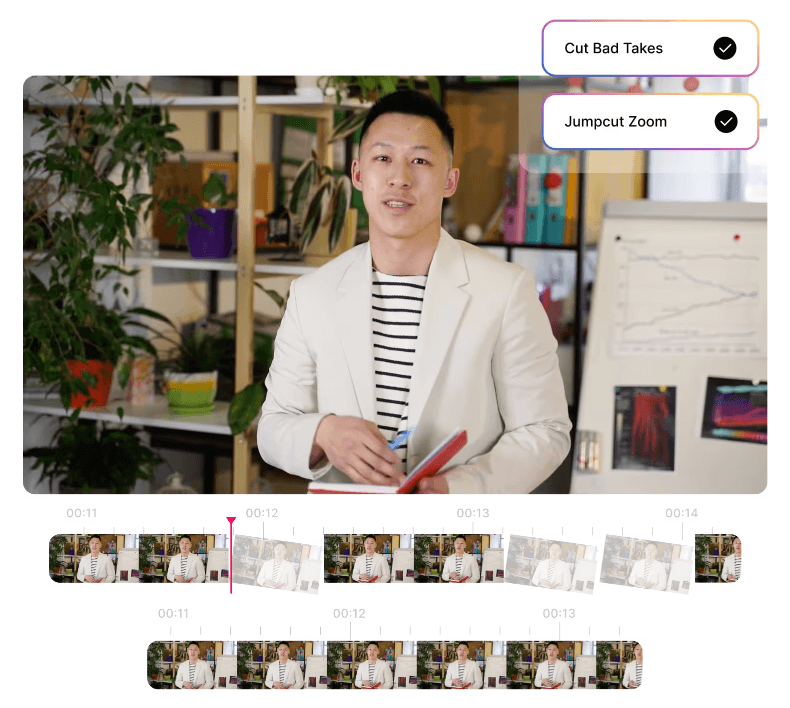
Gling can automatically detect and remove unwanted takes and retakes so the creator starts with a cleaner base edit.
It removes silent moments and filler words like “um” and “uh,” which is one of its most important time-saving features.
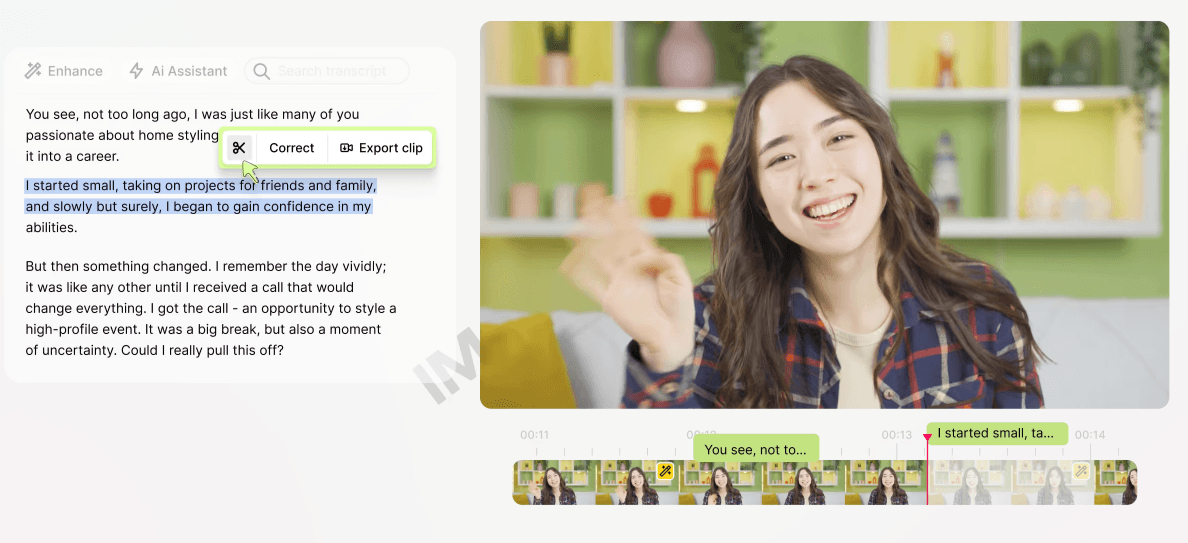
Gling transcribes the video and lets users edit by changing the transcript, with those edits reflected in the video.
The platform includes AI captions and subtitle export, which helps creators publish videos that are easier to watch and repurpose.
Gling includes auto zooming, multicam editing, AI B-roll, and speech audio enhancement for making creator videos feel more polished.
It includes YouTube title generation, chapter generation, and next-video suggestions, which makes it more creator-focused than a generic trimming tool.
Gling is best understood as a first-cut editor for creator footage.
That is the cleanest way to judge it.
A lot of video editing time is not spent on creative decisions. It is spent removing mistakes. You record a YouTube video, tutorial, review, course lesson, or podcast-style episode, and the raw file contains repeated lines, long pauses, false starts, filler words, noisy sections, and awkward pacing. Before you even get to the creative part, you have to clean the timeline.
Gling targets that exact problem.
Its homepage says the platform removes bad takes, silences, and filler words, while its desktop page adds background noise removal, text-based trimming, AI captions, auto framing, multicam editing, AI B-roll, speech enhancement, and exports to major editing tools.
That makes it different from a broad AI video generator. Gling is not mainly about typing a prompt and generating a video from scratch. It is for creators who already recorded footage and need to turn it into a tighter edit.
The best user is someone who records often.
- A YouTuber filming weekly tutorials.
- A course creator recording lessons.
- A podcaster cutting video episodes.
- A coach recording educational content.
- A reviewer making talking-head videos.
- A creator who wants to stop spending hours deleting pauses.
For those users, Gling’s value is practical. It reduces the ugly middle stage between recording and real editing.
The workflow is simple: upload footage, let Gling cut the obvious problems, then review and refine.
Gling describes its process as uploading a raw recording, letting the AI transcribe and analyze the content, automatically removing unwanted takes and silences, then allowing users to refine the edit manually through transcript changes or timeline edits.
| Workflow Stage | What Gling Helps With | Why It Matters |
|---|---|---|
| Upload | Bring in raw video or audio | Starts from existing creator footage |
| Analyze | Transcribes the recording and finds weak sections | Reduces manual timeline review |
| Clean | Removes bad takes, silences, filler words, and noise | Speeds up the first cut |
| Refine | Edit with transcript or timeline controls | Keeps the human in control |
| Polish | Add captions, B-roll, framing, chapters, and titles | Makes the video more publishable |
| Export | Export video, audio, subtitles, or XML | Fits into YouTube and pro-editor workflows |
That last point is important. Gling is not only a one-click trimmer. It can export MP4, MP3, SRT subtitles, and XML for Premiere Pro, Final Cut Pro, and DaVinci Resolve.
That makes it useful in two different ways.
For simple videos, creators can finish inside Gling.
For more advanced work, creators can use Gling to make the first cut and then move into a professional editor.
That is probably the best way to think about the product. Gling does not need to replace your whole editing stack to be useful. It can simply remove the worst part of the process.
Gling is strongest with speech-first video.
That means content where the value is mostly in the speaker’s words, pacing, and clarity. Talking-head videos, tutorials, explainers, commentary, lessons, reviews, podcast clips, and screen-recording-style educational content are all good fits.
For these formats, the first edit is usually obvious. Remove the silence. Remove the false starts. Remove the repeated sentences. Cut the “um” and “uh” moments. Keep the flow moving.
Gling’s text-based editor is especially useful here because spoken content maps naturally to a transcript. Instead of scrubbing through a timeline and guessing where a sentence starts, you can read the transcript and cut from the text. Gling says edits made to the transcript automatically reflect in the video.
That is a major usability advantage for non-editors. Many creators are comfortable editing words, but not waveforms and timelines. A transcript-based workflow makes video editing feel more like cleaning up a document.
This also helps with review. If Gling removes something too aggressively, the creator can scan the transcript and decide whether to keep or restore a section. That human pass still matters, but the starting point is much faster than a fully manual timeline.
Gling’s second strength is polishing speech-first videos for modern platforms.
Captions are central here. Gling includes AI captions and subtitle export as SRT, which helps with accessibility, silent viewing, and content repurposing.
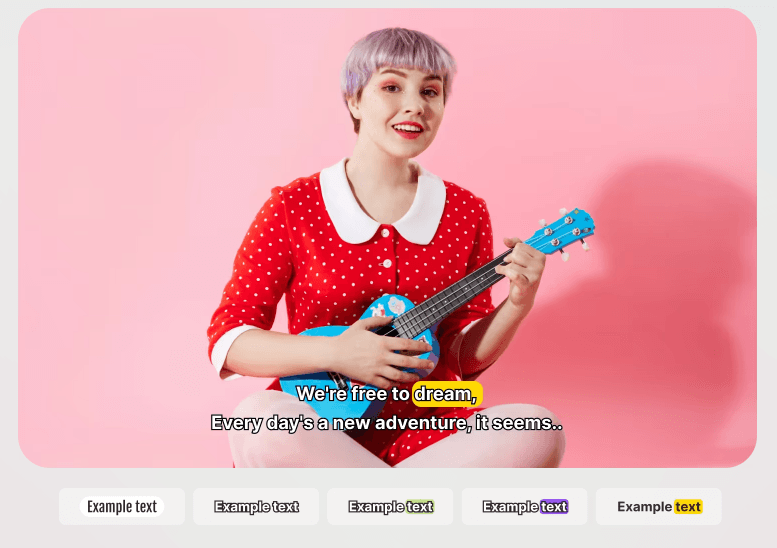
This matters because YouTube content increasingly competes with short-form habits. Even when someone is watching a long-form video, cleaner pacing and readable captions can improve the viewing experience. For Shorts, Reels, and TikTok-style clips, captions are even more important.
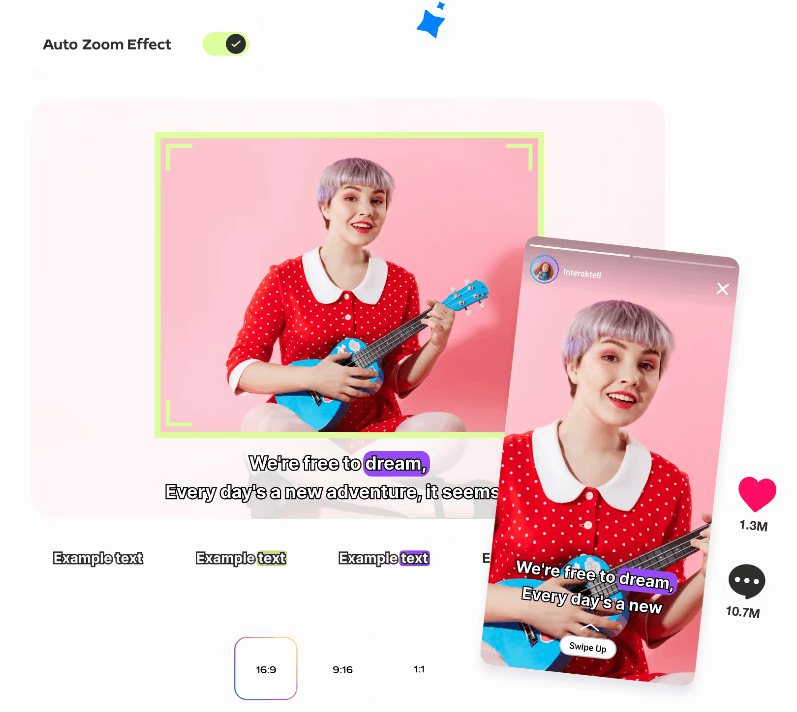
Auto framing is another useful feature. Gling lists auto framing with zoom in and zoom out as part of its feature set. This is useful for creator videos because static talking-head footage can feel flat. Subtle framing shifts can add movement without requiring a second camera or manual keyframing.
Speech enhancement also matters. Gling lists speech audio enhancement and noise reduction as part of its editing stack. This is not a replacement for good recording habits, but it helps creators clean up imperfect audio before publishing.
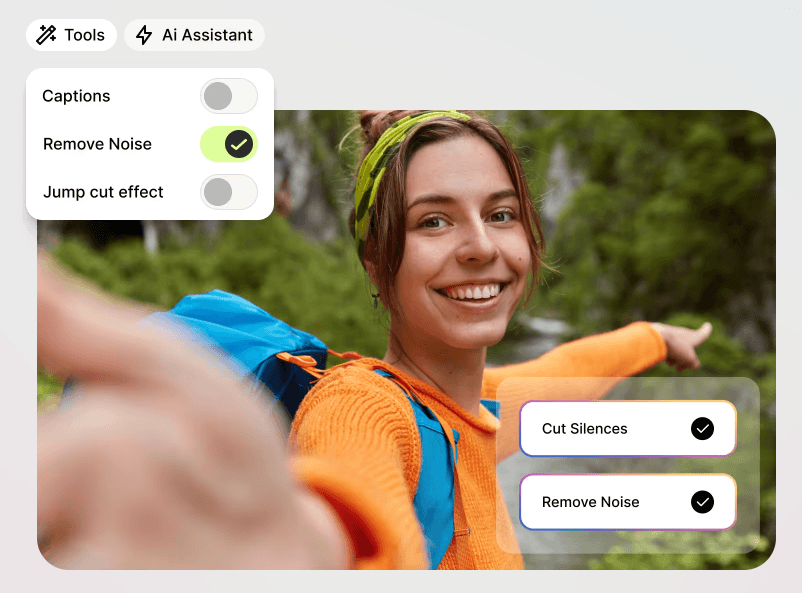
The overall pattern is clear: Gling is trying to make raw creator footage feel tighter, cleaner, and more watchable with fewer manual steps.
Gling also includes an AI B-roll generator.
The official B-roll page says Gling can generate relevant B-roll to support video storytelling, add contextual visuals, and create dynamic visual inserts quickly.
This is useful because B-roll is one of the most annoying parts of YouTube editing. The creator may already have the main recording, but then still needs visual support to keep the video engaging. Finding clips, placing them, trimming them, and matching them to the speaker’s point takes time.
Gling’s B-roll feature helps with that middle step.
It is especially useful for:
- tutorials that need visual examples
- educational videos that need supporting visuals
- commentary videos that need pacing variety
- product videos that need inserts
- explainer videos that need more movement
The main caveat is accuracy. AI-generated or automatically selected B-roll should be reviewed. A clip can look polished but still be too generic, slightly off-topic, or not specific enough for the point being made. For niche technical content, product-specific walkthroughs, legal or medical topics, or brand-sensitive videos, creators should expect to replace or adjust B-roll manually.
Still, as a first pass, it can save real time.
One of the things that makes Gling more specific than a general AI video editor is its YouTube layer.
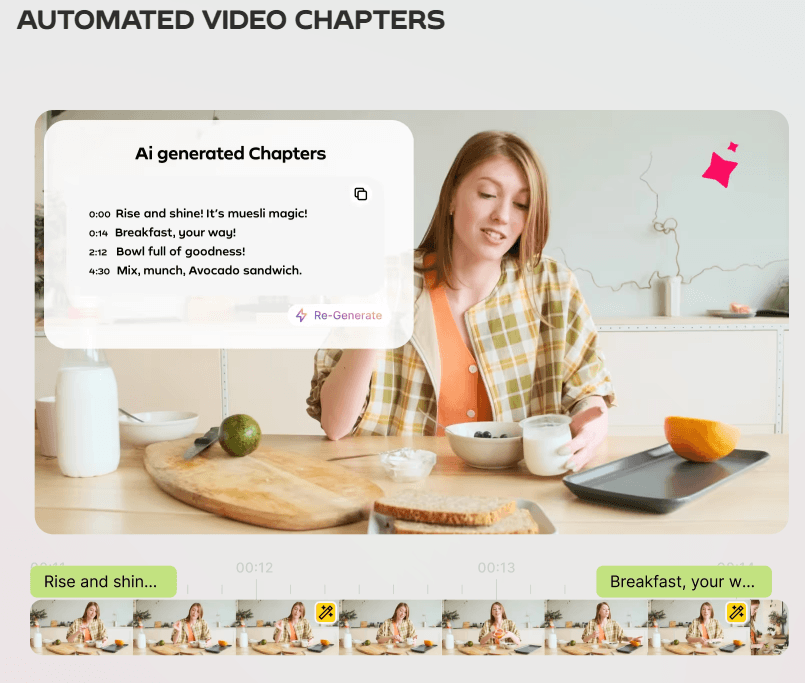
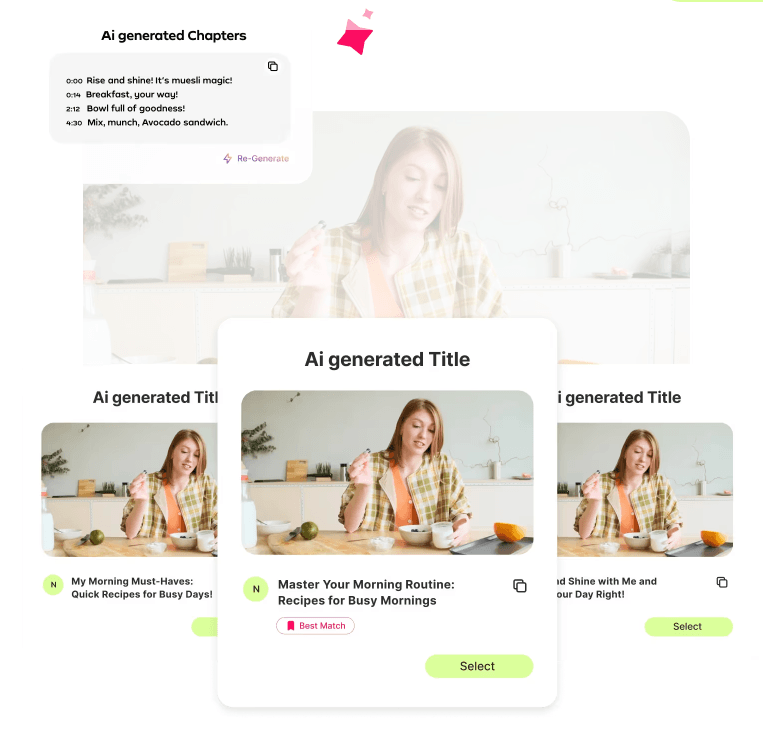
Gling says it can generate YouTube titles and chapters and suggest future video ideas.
That matters because editing is only one part of YouTube production. Creators also need packaging. A good video still needs a strong title, a clear structure, chapters, captions, and sometimes ideas for follow-up content.
Gling is not a full YouTube strategy platform, but these tools fit the workflow. After cutting a video, a creator can use the same environment to generate title ideas, chapter markers, and possible next-video suggestions.
That makes the product feel creator-native. It understands that YouTubers are not just editing files. They are publishing repeatable content.
| Creator Need | Gling Feature That Helps |
|---|---|
| Faster first cut | Bad take, silence, and filler word removal |
| Easier editing | Transcript-based trimming |
| Better watchability | Captions, noise reduction, speech enhancement |
| More visual variety | Auto framing and AI B-roll |
| YouTube publishing support | Title generator and chapters |
| Pro editor handoff | XML export to Premiere Pro, Final Cut Pro, and Resolve |
This is why Gling works best as a YouTube production assistant rather than a generic AI video tool.
Gling has both a web presence and a desktop app. The official desktop page offers downloads for Windows and macOS, while Gling also has a web app sign-in and pages describing online editing flows.
For practical use, the desktop app is important because creator footage can be large. Long recordings, high-resolution files, and multi-camera projects can become frustrating in browser-only tools. A desktop option gives Gling a more serious editing feel, especially for creators who work with larger footage files.
The uploaded article text switches into unrelated Shuffll content after this point, so the remaining Gling-specific sections were not available in the provided file.
Gling is best understood as an AI first-cut editor for YouTubers and speech-first creators.
Its strongest value comes from removing bad takes, silences, filler words, and noisy sections, then helping creators add captions, framing, B-roll, YouTube chapters, titles, and export-ready files.
The main caveat is that the uploaded article text only included the Gling review up to the desktop/export workflow before switching into unrelated Shuffll content, so this HTML preserves and structures the available Gling material only.
TAGS: Video Editing
Related Tools:

Automates captioning and video translations
Offers advanced tools for photo and video editing
Streamlines content creation

AI-powered video editing tool
Moz Pro
Enhances website optimization trough detailed audits