
Share this tool:
 |
Description:
FlowHunt is a no-code platform for building AI agents and automated workflows. It is designed for practical business tasks, particularly marketing, SEO, sales, customer support, research, and internal operations.
Rather than keeping each task inside a separate chatbot conversation, FlowHunt lets you build a reusable process. That process can collect information, call AI models, use outside tools, make decisions, and send the result where it needs to go.
This puts FlowHunt closer to an AI workflow studio than a general-purpose assistant. The aim is to help teams automate recurring work without having to code the orchestration system themselves.
FlowHunt’s Visual Builder uses a node-based canvas. You place blocks on the canvas, connect them, configure each step, and run the complete workflow from one workspace.
Those blocks can include language-model calls, AI agents, RAG retrievers, web scrapers, OCR, conditions, loops, schedulers, webhooks, and custom functions. A flow could gather information from the web, hand it to an agent, check the result against a condition, generate content, and send the finished output to another system.
That is considerably more flexible than a one-click automation tool, though it also asks more of the person building the flow.
FlowHunt includes debugging tools for inspecting node inputs and outputs, model latency, token use, and agent traces. These details become valuable when a workflow stops halfway through or sends the wrong information between steps. With multi-stage automation, finding the broken connection is often harder than fixing it.
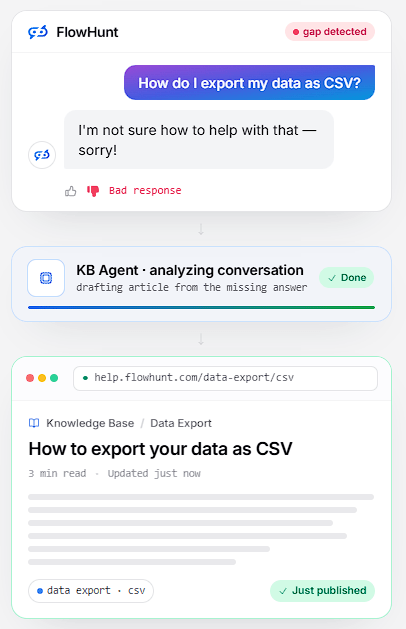
FlowHunt supports multi-agent workflows in which separate agents can have their own roles, tools, and responsibilities. One agent might research a subject, another might write the draft, and a third could check the result or route it to the next system.
AI Projects turns this into a more structured working environment. Tasks enter an Open queue, agents pick them up, and completed work moves to Done on a kanban board. The project view also includes access to agents, runs, chat, memory, configuration, and integrations.
This is useful for work that happens repeatedly. Instead of opening a new conversation and explaining the same job every time, a team can build an agent system around the process and track the work as it moves.
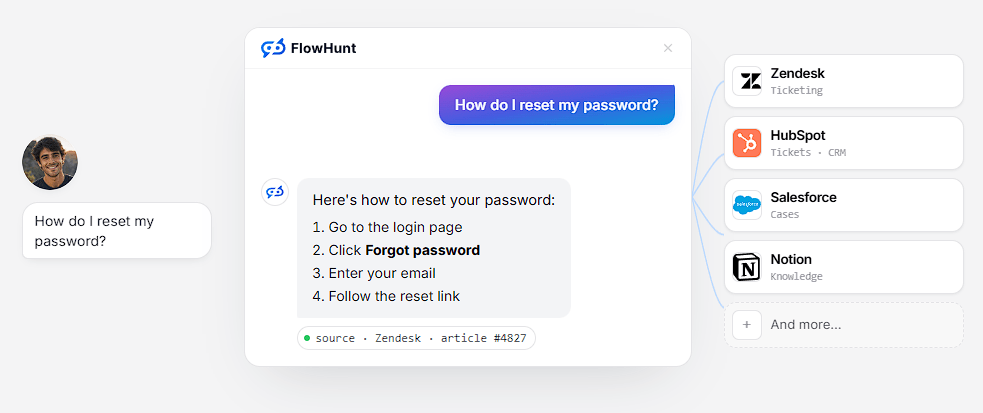
FlowHunt can connect agents to information chosen by the business. Supported sources include websites, documents, images, audio, video, and platforms such as YouTube. Website crawling can also bring in more current material.
This is useful for support bots, research agents, internal assistants, and content workflows. An agent can retrieve information from approved sources rather than relying entirely on what its underlying model learned during training.
The quality of those answers still depends on the source material. Old policies, incomplete documents, and poorly organized websites do not become reliable simply because an AI agent can search them. Someone still has to maintain the knowledge behind the workflow.
FlowHunt supports models and services from OpenAI, Anthropic, Google, Meta, Mistral, AWS Bedrock, and other providers. Teams can choose different models for different jobs or bring their own API keys.
Connections to outside tools are handled through built-in integrations, APIs, webhooks, and Model Context Protocol servers. This allows workflows to exchange information with the other systems a business already uses.
A completed flow can be deployed as a chatbot, exposed through a REST API endpoint, or scheduled to run automatically. It can also be exported as JSON for sharing, backup, or versioning.
| Use Case | Where FlowHunt Fits |
|---|---|
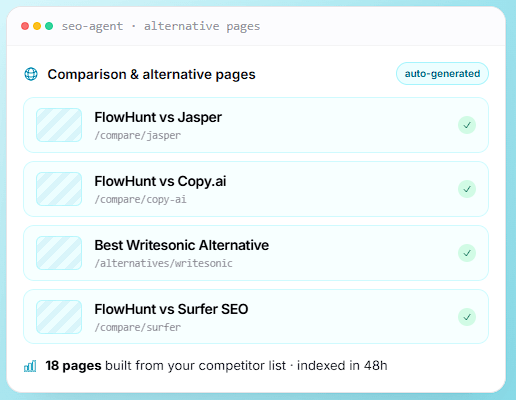
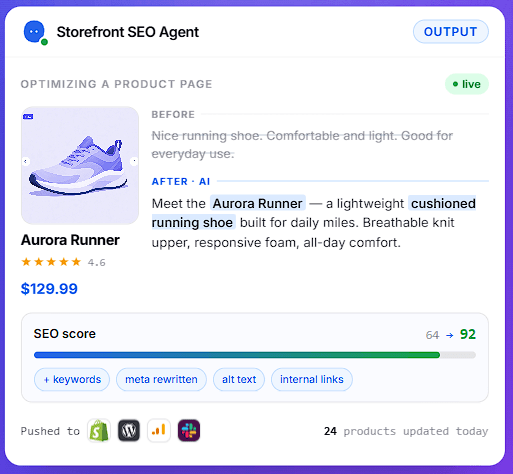
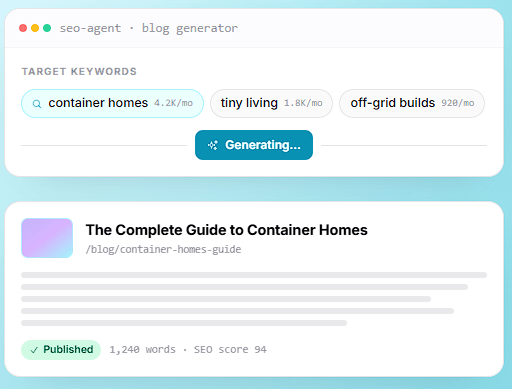
| SEO | Keyword research, content production, optimization, and publishing |
| Marketing | Research, campaign content, repurposing, and recurring production |
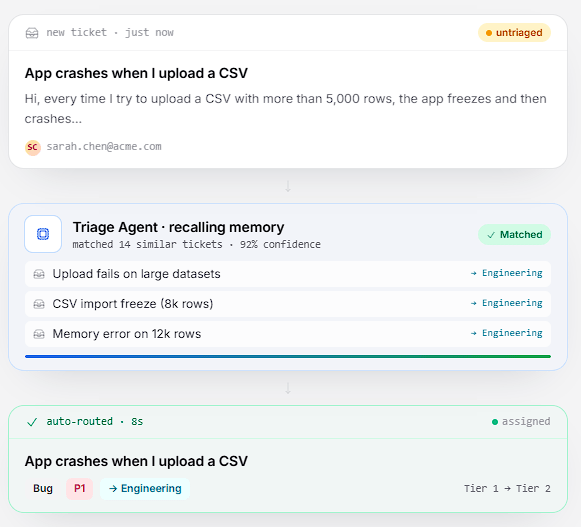
| Support | Knowledge-based chatbots, ticket triage, and answer generation |
| Sales | Lead enrichment, outreach workflows, and CRM automation |
| Research | Web research, extraction, summarization, and structured reporting |
| Internal operations | Document processing, routing, and scheduled AI tasks |
These uses closely match FlowHunt’s focus on SEO, content, support, sales, and business automation. Templates can shorten the initial setup, but teams will usually need to adapt them to their own data and approval rules.
“No code” does not mean “no setup.” Larger workflows still require an understanding of how data moves between steps, which tools an agent can access, where conditions should be added, and what happens when something fails.
Multi-agent workflows can be even harder to untangle. Adding another agent may divide the work neatly, but it also adds another set of instructions, permissions, and possible failure points.
FlowHunt’s broad feature set may also be unnecessary for someone who needs only a simple chatbot or one small automation. The platform makes more sense when several steps must be connected, monitored, and reused.
Then there is the ordinary risk of AI getting something wrong. Customer replies, published articles, CRM updates, and research conclusions should not be trusted automatically. Workflows with real consequences need validation and, where appropriate, human approval.
FlowHunt is a good fit for teams that want to turn AI from a one-off assistant into a repeatable working process.
Its visual builder, multi-agent tools, controlled knowledge sources, model selection, integrations, and deployment options provide enough flexibility for fairly involved automation without requiring the whole system to be written in code.
It still demands careful design. FlowHunt can reduce the programming work, but it cannot decide which sources are trustworthy, where an agent needs limits, or when a person should review the result.
TAGS: AI Chat/Assistant
Related Tools:
Allows users to interact with various advanced AI models

Automates chat interactions with customizable chatbots

Create custom chat and voice bots
Utilize long-term memory data for smarter interactions.

Create AI-powered voice and chat agents
Enhances functionality of ChatGPT