

Share this tool:
 |
Description:
Canva AI is the AI layer built across Canva’s Visual Suite. It can work across design, writing, images, branding, and interactive content. Instead of operating as a separate image generator or chatbot, it lets you start with an idea. Then you describe what you need, generate a design, and continue refining the result inside Canva’s editor.
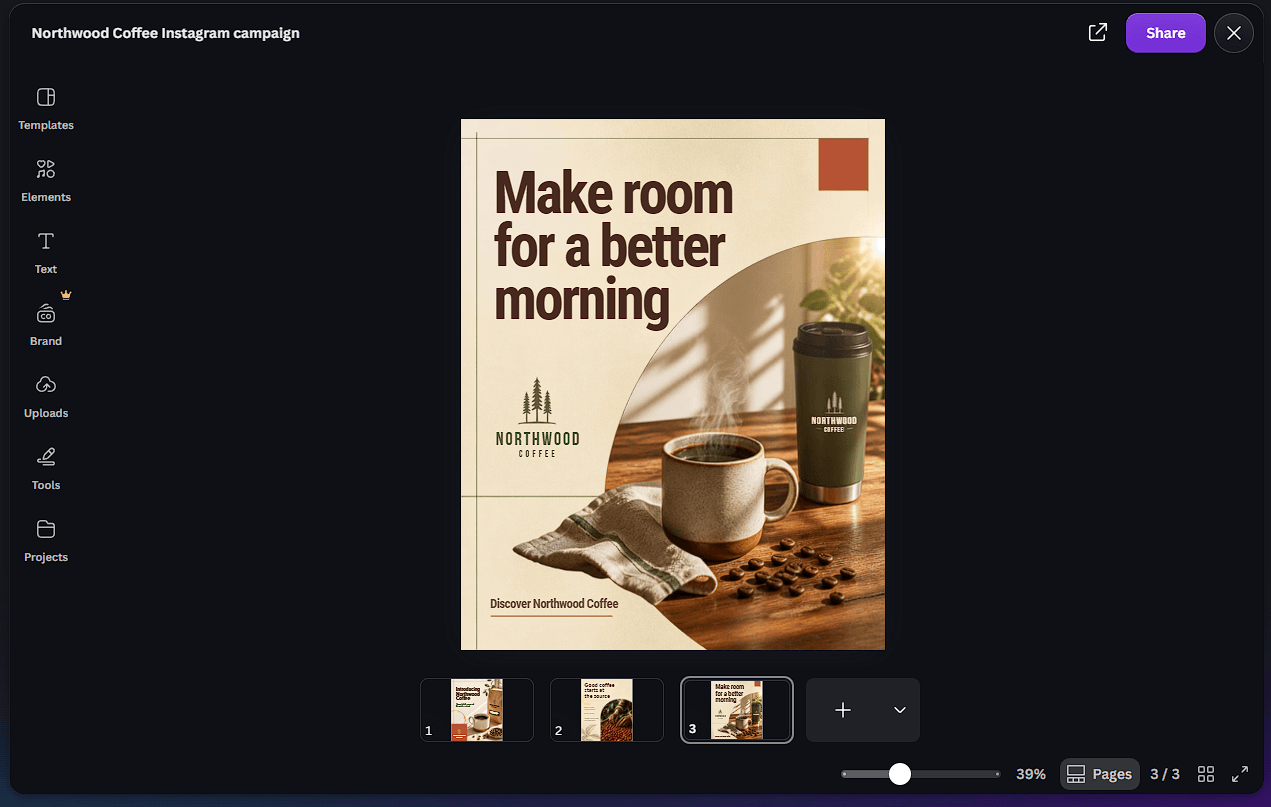
That integration is the important part. Plenty of AI tools can create an image or draft some copy. Canva AI is more useful when the output needs to become an editable presentation, campaign asset, document, social graphic, website, or branded design rather than remain a standalone AI generation.
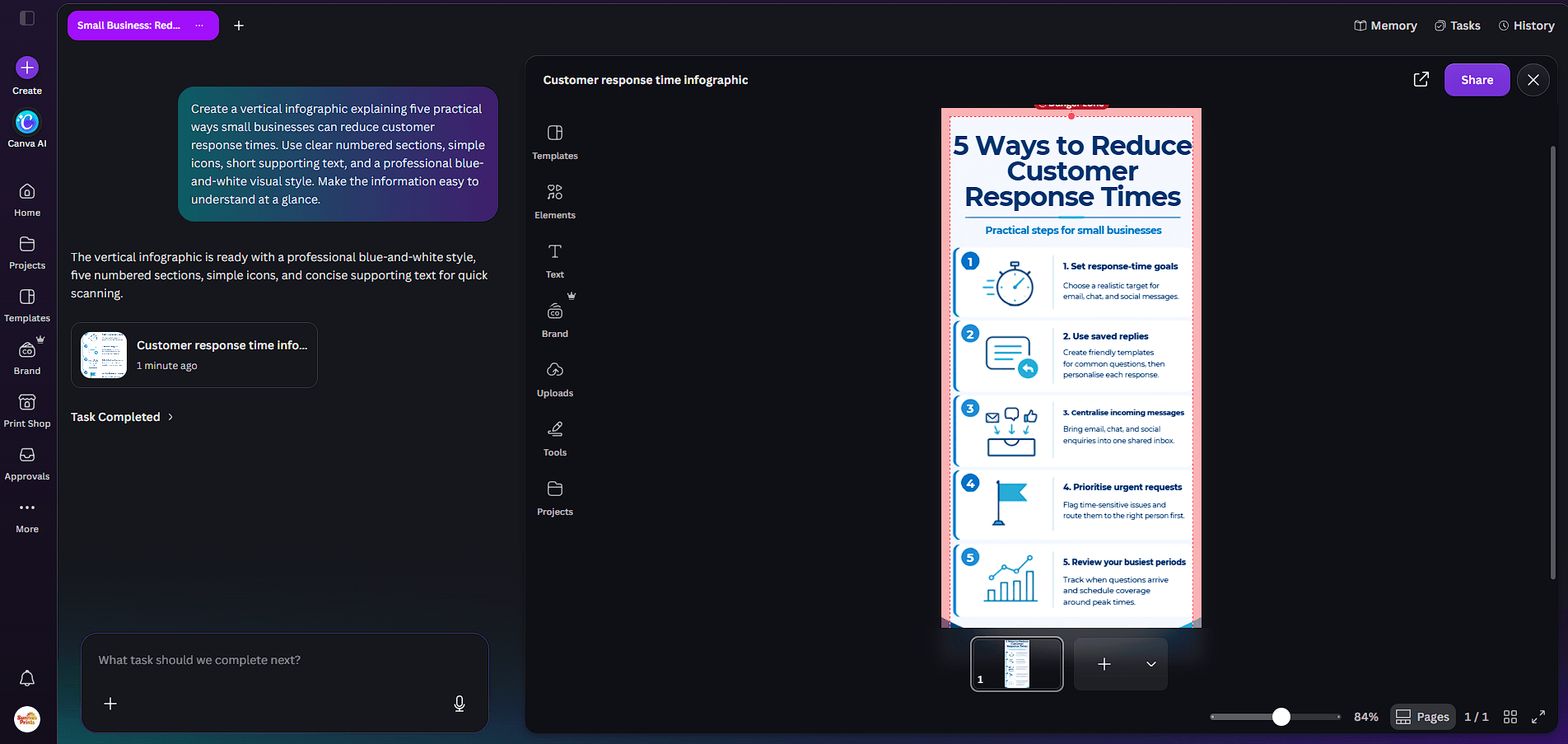
Canva AI takes a conversational approach to creation. You can start with a goal, brief, rough concept, or prompt and ask it to build the initial design. From there, the conversation can continue as you change text, imagery, formatting, or other parts of the result.
This makes the blank-page stage less intimidating. A marketer could ask for a campaign concept and turn it into visual assets. A small business could begin with an idea for a promotion. Someone building a presentation can move from a rough brief to a designed first draft without manually choosing every element.
Canva AI also supports conversational work across designs, Docs, visuals, and interactive experiences. The platform combines Canva’s own AI technology with models and technology from partners including Leonardo.Ai, OpenAI, and Anthropic.
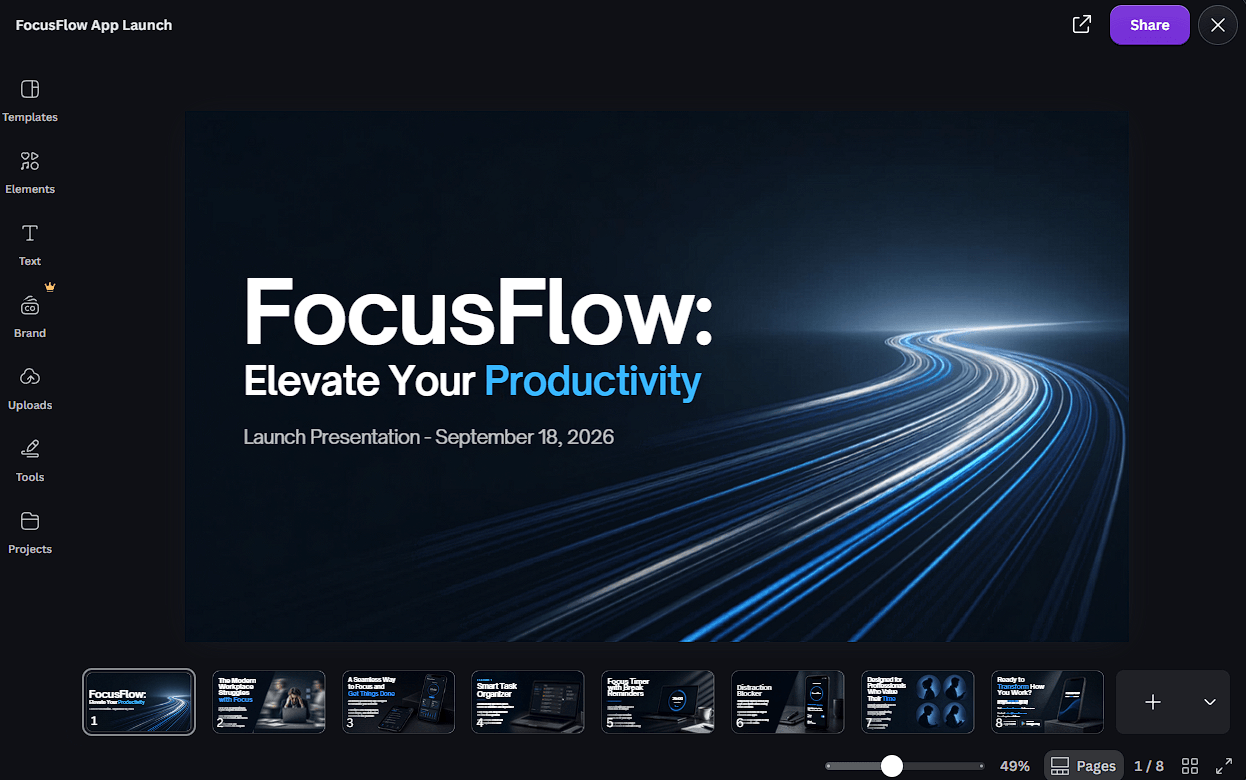
One of Canva AI’s more useful ideas is that AI generation doesn’t have to end with a flat image.
Canva’s Design Model is built to understand design structure, including hierarchy and layout. Its newer AI workflow can generate layered designs where objects remain independently editable. A user can change an image, headline, font, or other element without rebuilding the entire design.
Magic Layers pushes the same concept into existing AI images. It can separate an image into editable elements, allowing users to work with individual parts inside Canva rather than treating the generation as one locked graphic.
For practical design work, this matters more than producing an impressive first image. AI rarely gets every detail right immediately. Being able to manually correct and refine the result makes Canva AI much easier to fit into a normal creative workflow.
Canva AI also includes generative visual tools inside the editor. AI-Powered Elements can generate new visual material without requiring users to leave their design, while AI-Powered Templates can turn prompts into complete design starting points.
Canva’s AI-powered photo tools extend the workflow further. Instead of generating an entirely new asset whenever something is wrong, users can make targeted edits to existing images. Canva has also expanded its media tools to include image-to-video capabilities for adding motion to still visuals.
The advantage here is convenience rather than specialization. A dedicated image generator may offer deeper control over a specific visual model, but Canva keeps generation next to layout, typography, templates, stock assets, collaboration, and publishing.
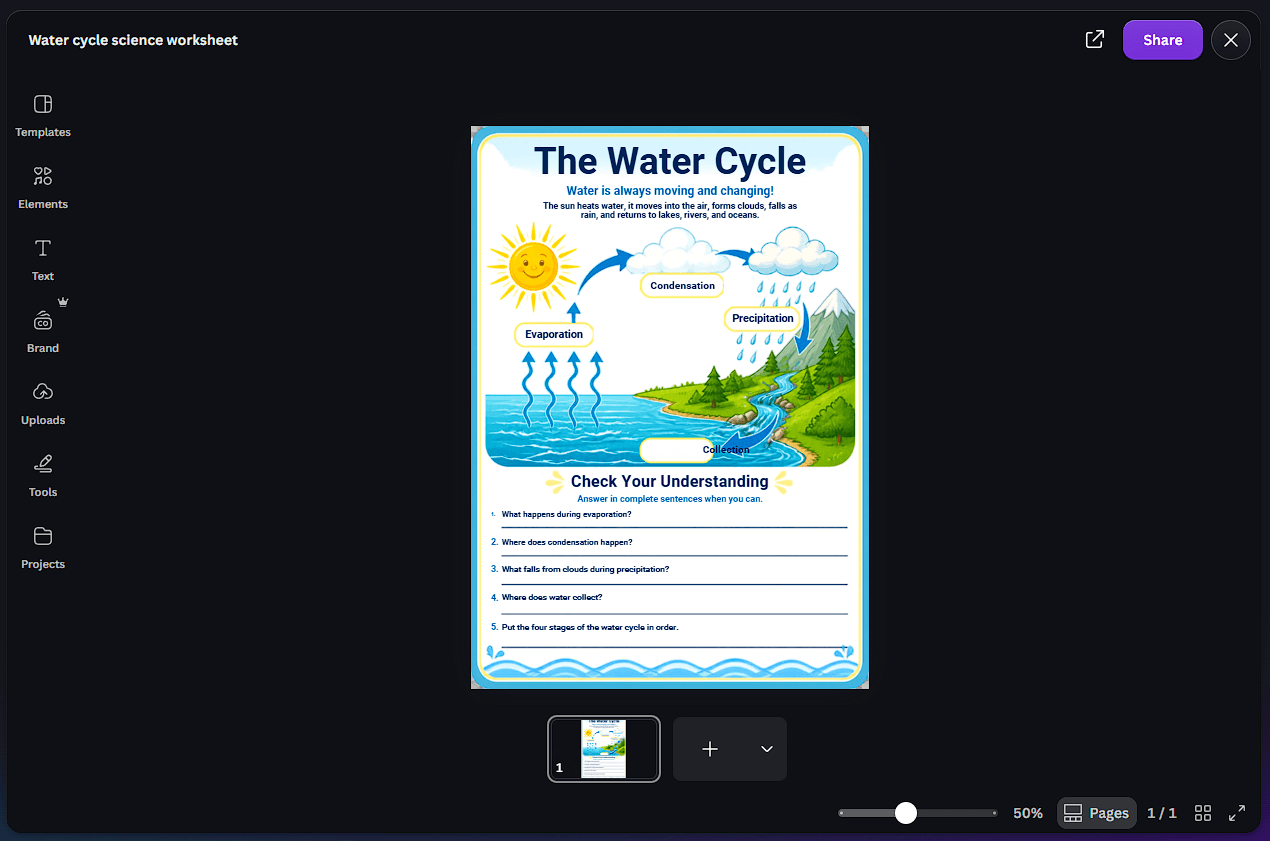
Canva AI now extends beyond static design through Canva Code. It lets users describe interactive experiences in natural language and generate websites, apps, interactive landing pages, games, and other functional content without manually writing the underlying code.
Generated experiences can be edited using familiar Canva controls. Text, colors, images, and brand elements can be changed visually, while conversational AI can handle further revisions. Existing HTML can also be imported and turned into an editable Canva project.
This makes Canva Code especially interesting for marketers, educators, and designers who want interactive material but don’t want a conventional development environment.
Canva AI becomes more useful for teams when combined with Brand Kits. Brand colors, fonts, templates, and visual identity can guide AI-assisted creation, reducing the amount of manual cleanup needed when producing multiple assets. Canva has also extended branded creation into external AI workflows, including ChatGPT and other assistants.
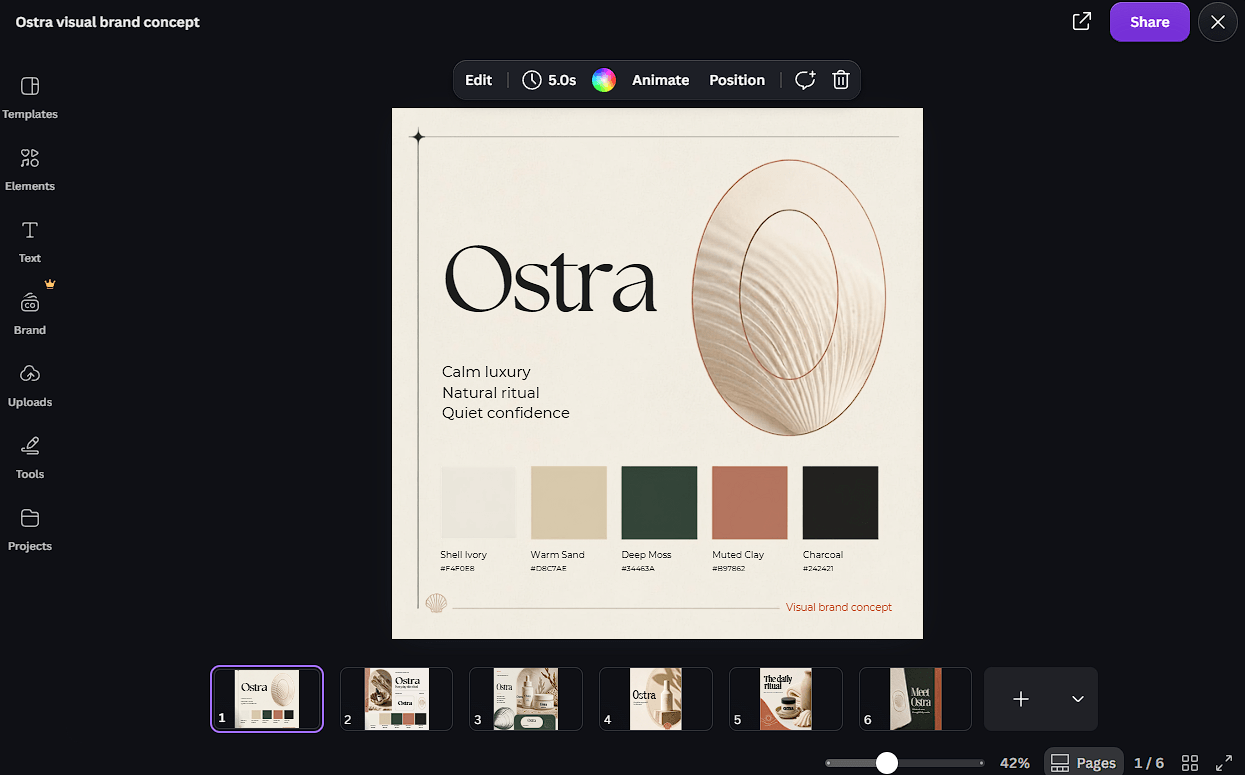
Canva Sheets adds another angle. AI tools such as Magic Formulas and Magic Insights can work with data, while Magic Studio at scale can turn spreadsheet information into batches of visual content.
| Best use case | Why Canva AI fits |
|---|---|
| Social content | Generate, edit, resize, and organize visual assets |
| Presentations | Move from an idea to an editable designed draft |
| Marketing campaigns | Combine copy, visuals, brand controls, and multiple formats |
| Small businesses | Handle common creative work without several separate tools |
| Interactive content | Canva Code creates web-based experiences from natural language |
| Team production | Brand and collaboration tools keep AI output connected to existing workflows |
Canva AI’s breadth can also be a weakness. Users focused only on advanced image generation, professional video production, complex coding, or specialist design work may find dedicated tools offer deeper controls.
AI-generated layouts still need human review. Copy, visual hierarchy, brand choices, generated imagery, and factual content shouldn’t be assumed to be final just because they arrive in a polished design.
The expanding number of AI features can also make Canva feel busier. New users may need time to understand when to use conversational Canva AI, Magic Studio tools, Canva Code, templates, or manual editing.
Canva AI is strongest when AI generation is only the beginning of the job. It connects prompting with editable design, writing, imagery, branding, data, code, collaboration, and publishing instead of forcing users to move AI output between separate applications.
It’s best suited to marketers, content creators, educators, small businesses, and teams that already need to produce many types of visual content. The main caveat is depth: specialists may still prefer dedicated tools for demanding image, video, development, or professional design tasks. For everyday creative production, Canva AI’s advantage is having the AI and the tools needed to finish the work in the same place.
TAGS: Photo Editing Generative Art
Related Tools:

Enhances and upscales images
Transforms a single product photo into marketing images
Generates images from text prompts to create realistic visuals

Allows users to create portfolios and manage retirement savings
Comprehensive budgeting app that connects to bank accounts

Automates background removal and enhancement