
Share this tool:
 |
Description:
BidHelm is an AI-powered Google Ads optimization platform built around an autonomous marketing agent. Its goal is to monitor campaigns, find wasted spend, adjust budgets, add negative keywords, test ad copy, and surface competitive insights without forcing users to manage every change manually. It is aimed at businesses that already run Google Ads and want more active optimization than a dashboard can provide.
BidHelm is not a general marketing suite. It is focused on Google Ads performance management, especially the daily campaign work that often gets delayed: checking search terms, spotting waste, shifting budgets, testing copy, watching competitors, and responding when performance changes.
That focus is useful. Many ad platforms show reports, but reports still require someone to decide what to do next. BidHelm positions itself as a system that analyzes, diagnoses, optimizes, and learns continuously. Its homepage describes the product as an autonomous AI marketing agent that runs Google Ads by analyzing performance, executing optimizations, and improving results over time.
This makes it a stronger fit for advertisers who want automation with oversight, not just another analytics screen.
| Feature Area | What It Does | Why It Matters |
|---|---|---|
| Campaign scanning | Reviews campaigns, keywords, search terms, bids, and conversion data. | Helps catch waste and performance shifts faster. |
| Negative keyword mining | Finds irrelevant search patterns and adds phrase-match negatives. | Reduces spend on low-intent or mismatched searches. |
| Budget reallocation | Moves spend away from underperformers and toward stronger campaigns. | Keeps budget closer to areas producing results. |
| Smart ad scheduling | Concentrates spend during stronger conversion windows. | Helps avoid wasting budget during weak hours. |
| Auto-rollback | Reverts changes when performance drops. | Adds a safety net to automated optimization. |
| Ad copy creation | Generates headlines and descriptions from business facts. | Speeds up ad testing without starting from a blank page. |
| Competitive strategy | Uses auction insights and account data to find gaps. | Helps teams understand where competitors are winning. |
BidHelm’s Optimizer page says its system scans every campaign, keyword, and search term every 30 minutes, while its Creator and Strategy pages describe AI-generated ad copy, A/B testing, auction insights, competitor analysis, strategy scoring, and AI-generated battle plans.
The product is built around a continuous loop. BidHelm scans campaign data, identifies problems, applies fixes, and records the outcome. The homepage describes actions such as pausing low-performing campaigns, adding negative keywords, scaling better performers, and rebalancing budgets. It also emphasizes that every optimization is logged with context, including what changed, why it changed, and the performance impact.
That change ledger matters. Automated advertising tools can make users nervous because the system is touching real budgets. A log of decisions gives teams a way to review what happened instead of guessing. It does not remove all risk, but it makes automation easier to audit.
BidHelm’s terms also clarify the scope of the service. It provides automated campaign analysis, budget management, keyword optimization, negative keyword management, Performance Max asset and channel optimization, Shopping and Performance Max product-feed-aware optimization when Merchant Center is connected, performance reporting, and AI-generated recommendations and creative assets.
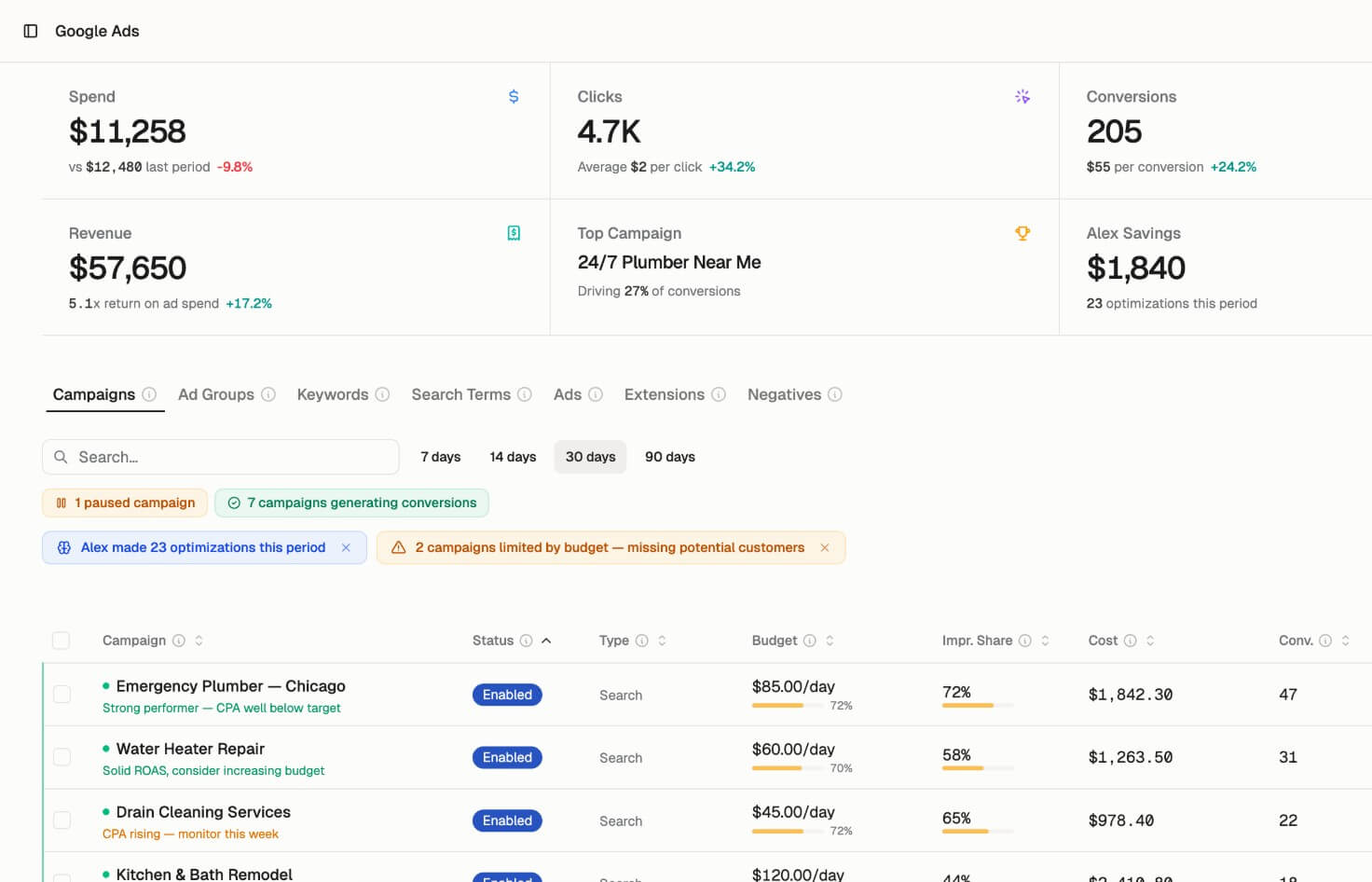
BidHelm looks strongest for accounts where waste is hiding in plain sight. Search term bloat, weak ad schedules, underfunded winners, poor budget pacing, and neglected negative keywords are common problems in Google Ads. They are not glamorous, but they matter.
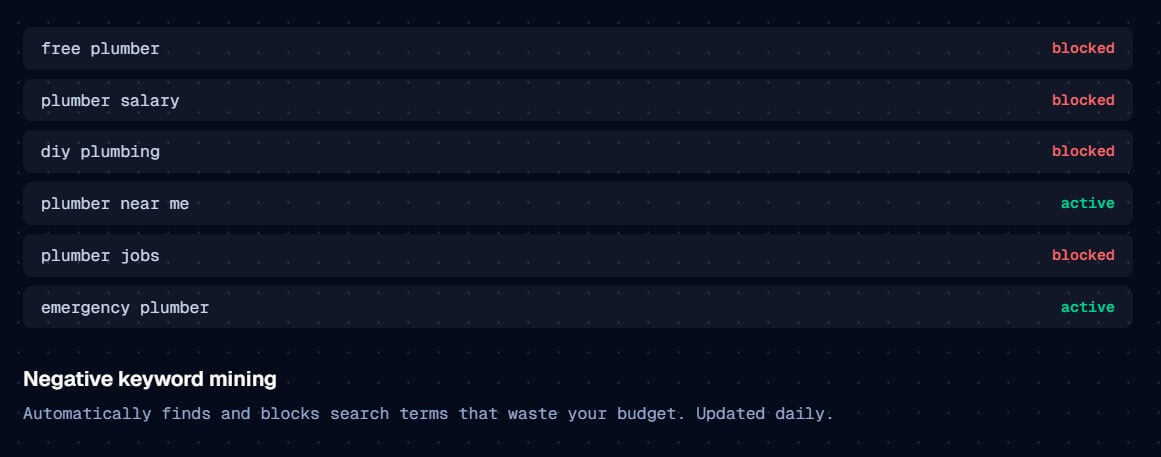
The negative keyword workflow is especially practical. BidHelm says it uses n-gram analysis to find wasteful search patterns and automatically add phrase-match negatives. For accounts with broad match, local service campaigns, or messy search traffic, this can be more valuable than another high-level performance chart.
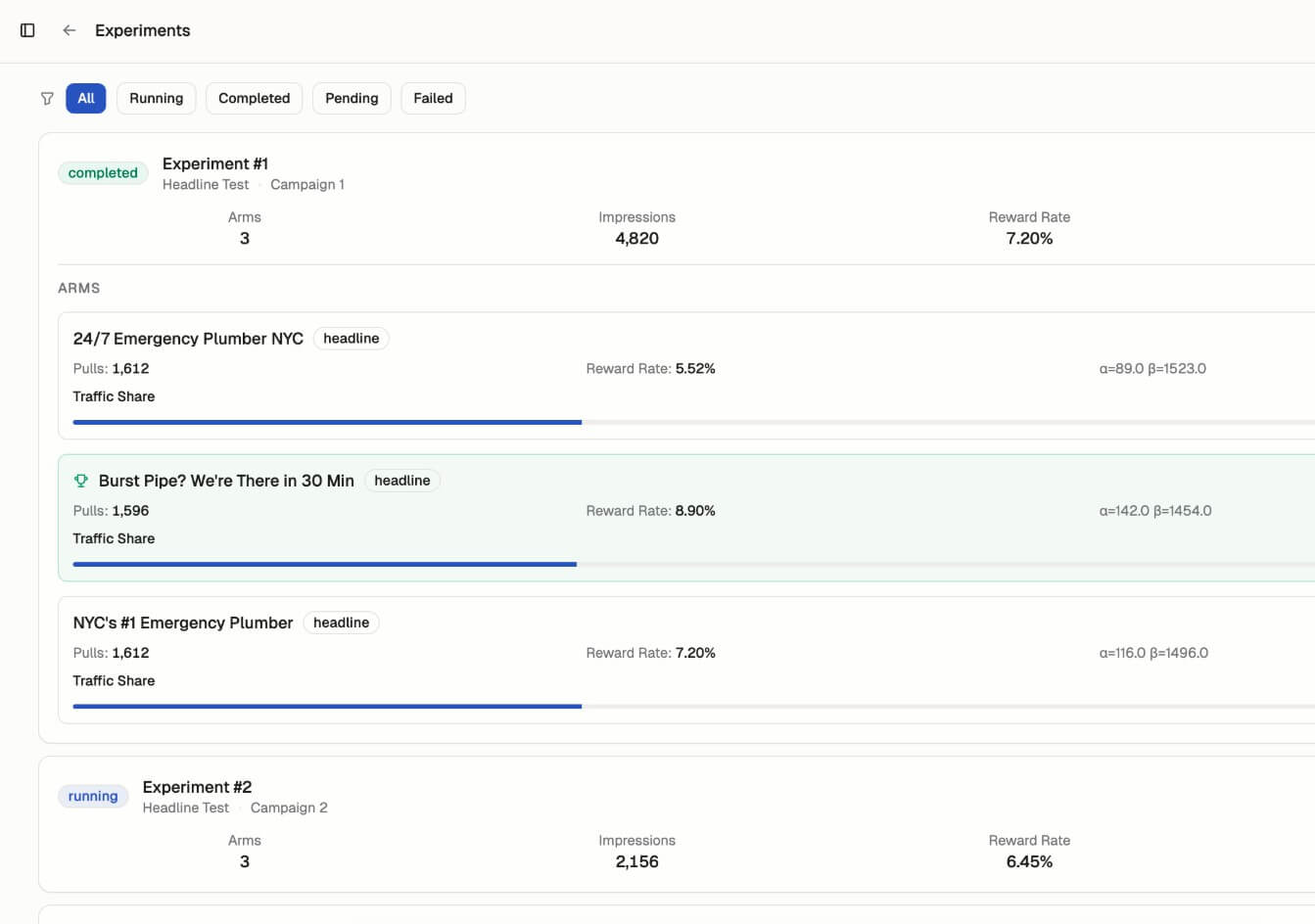
The ad copy side is also useful, as long as users treat it as tested creative, not magic copywriting. BidHelm says it generates headlines and descriptions from real business data such as reviews, pricing, strengths, and competitive advantages, then uses Thompson Sampling to allocate traffic toward stronger variants.
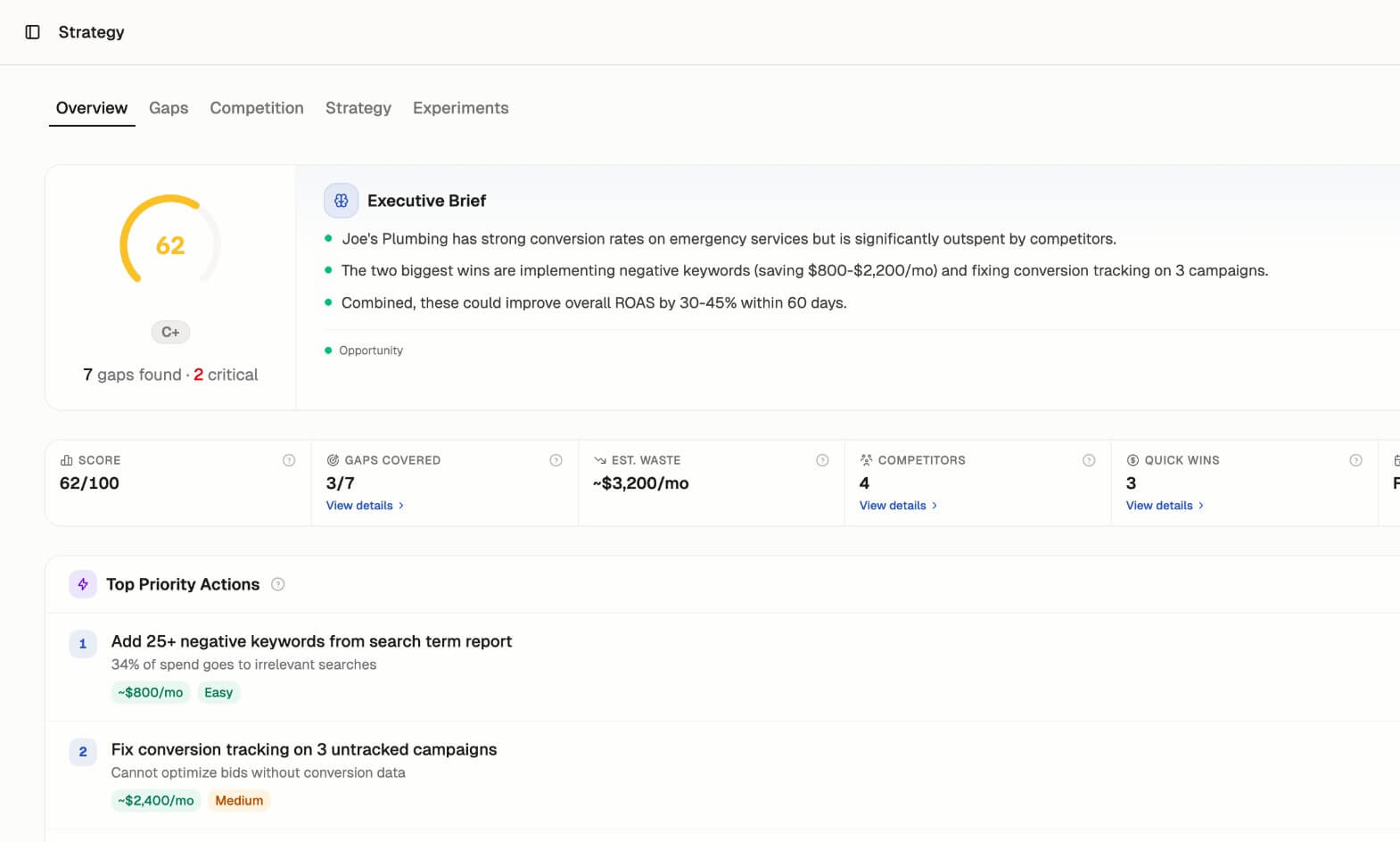
The Strategy layer gives BidHelm a wider angle than pure bid automation. It uses Google Ads auction insights to show who appears alongside you, how often they outrank you, and where impression share gaps exist. It also includes a strategy score across areas such as bid strategy, keyword coverage, and budget allocation, plus AI-generated quick wins and strategic moves based on the competitive landscape.
This is helpful because Google Ads performance is not only an internal issue. Your results can change because competitors raise budgets, enter new auctions, shift positioning, or win more impression share. BidHelm’s strategy tools are meant to turn that auction data into actions.
Local service businesses can use BidHelm to reduce waste from irrelevant searches, adjust budgets around stronger hours, and improve search campaign discipline.
Ecommerce brands can benefit from Shopping and Performance Max analysis, especially when Merchant Center is connected and product-level performance matters.
Small teams without a dedicated PPC manager can use it as an always-on optimization layer, though they should still review changes and results.
Agencies and consultants may find it useful for monitoring repeatable account issues, but they should be careful not to let automation replace account strategy.
Performance marketers can use BidHelm to speed up negative keyword work, copy testing, budget reallocation, and competitive reviews.
The main caveat is control. BidHelm can apply automated changes to live Google Ads accounts. Its terms state that users remain responsible for their Google Ads account, ad spend, campaign performance, Google policy compliance, and any outcomes from automated changes. They also state that BidHelm does not guarantee specific savings, ROI, conversion improvements, or advertising performance.
Data access is another point to review. BidHelm’s privacy policy says it accesses Google Ads performance metrics, keyword and search term data, campaign structure, asset metadata, budget and bidding configuration, targeting settings, Performance Max breakdowns, and OAuth tokens. If Merchant Center is connected, it may also access product feed metadata, product status details, and per-product performance.
BidHelm is best for Google Ads advertisers who want active optimization, not passive reporting.
Its strongest value is the combination of campaign scanning, negative keyword mining, budget reallocation, smart scheduling, ad copy testing, competitive intelligence, and change logging.
The main caveat is trust and oversight: because BidHelm can make real account changes, users should review permissions, monitor early results closely, and treat the tool as an automated PPC operator that still needs strategic supervision.
TAGS: Marketing
Related Tools:

Creates and optimizes Google Ads campaigns

Automatically edits videos by detecting highlights

Creates and optimizes multi-channel ad campaigns

Enables web professionals to create visual sitemaps

Automates lead generation, market research, and data processing

Instantly manage websites and marketing content