
Share this tool:
 |
Description:
B12 is an AI website builder and online business platform built for service providers that need more than a basic homepage. It can generate a website from a short business description, let users update the site through an AI Agent, and connect the site to client-facing workflows like forms, scheduling, payments, invoicing, contact management, email marketing, contracts, and eSignatures.
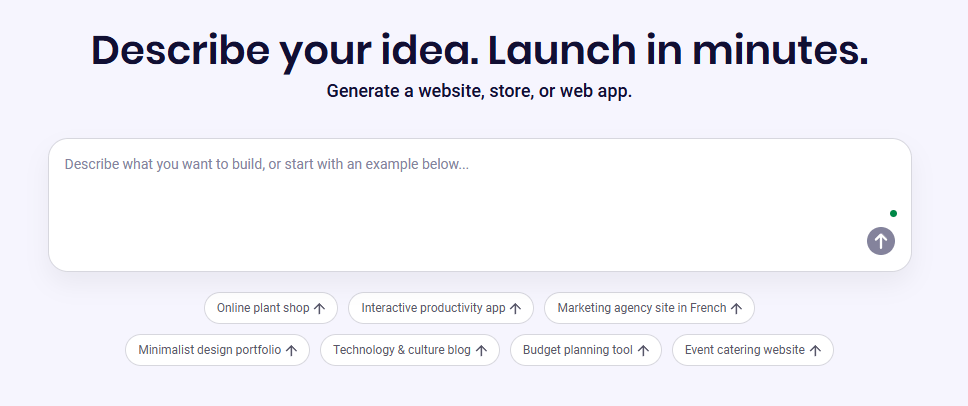
B12 is best understood as a business-ready AI website builder, not just a design generator. The website builder creates a draft with pages, layout, content, and structure already in place, then lets users refine the result through AI-powered editing, visual editing, and, in B12 3.0, code-level control when needed.
That matters because many small-business website builders stop at the website. B12 tries to go further by connecting the website to the work that happens after someone visits: lead capture, intake, scheduling, signed agreements, invoices, payments, and follow-up. B12’s own navigation groups these under “Websites,” “Client engagement,” and “AI,” which is the clearest way to understand the platform.
| Layer | What it does | Why it matters |
|---|---|---|
| AI website generation | Creates a complete draft from a business idea. | Helps users get from blank page to usable website quickly. |
| AI Agent editing | Lets users request changes in natural language. | Reduces the need to learn every editor control. |
| Visual and code editing | Supports precision edits and direct code control in B12 3.0. | Useful when AI changes are close but not exact. |
| Client engagement tools | Adds forms, scheduling, documents, payments, and more. | Turns the website into a business workflow, not just a brochure. |
| Contact management | Centralizes contacts, forms, emails, notes, and messages. | Helps service businesses track client relationships. |
| Expert support | Offers access to designers, copywriters, and SEO specialists. | Useful for users who want AI speed with human refinement. |
B12 is strongest for service businesses that need to launch a credible website and immediately start managing client inquiries. A consultant, attorney, accountant, coach, insurance agency, real estate professional, or local service provider usually needs more than a portfolio page. They need forms, appointments, follow-ups, agreements, and payments tied into the site. B12 is built around that broader workflow.
Its first strength is speed to first draft. B12 asks users to describe what they want to build, then generates a complete website, app, or store around that idea. The user can then update the design, content, and features by chatting with AI before going live.
Its second strength is ongoing editing. B12’s AI Agent is positioned as a way to make live site changes through plain-language instructions, such as changing a section layout, replacing About text, adding a gallery page, suggesting blog ideas, switching colors, adding services, or publishing the site.
Its third strength is business operations. B12’s editor centralizes contacts, appointments, documents, forms, invoices, and payments, and the platform’s client engagement tools help clients contact the business, schedule appointments, fill out intake forms, sign documents, and submit payments.
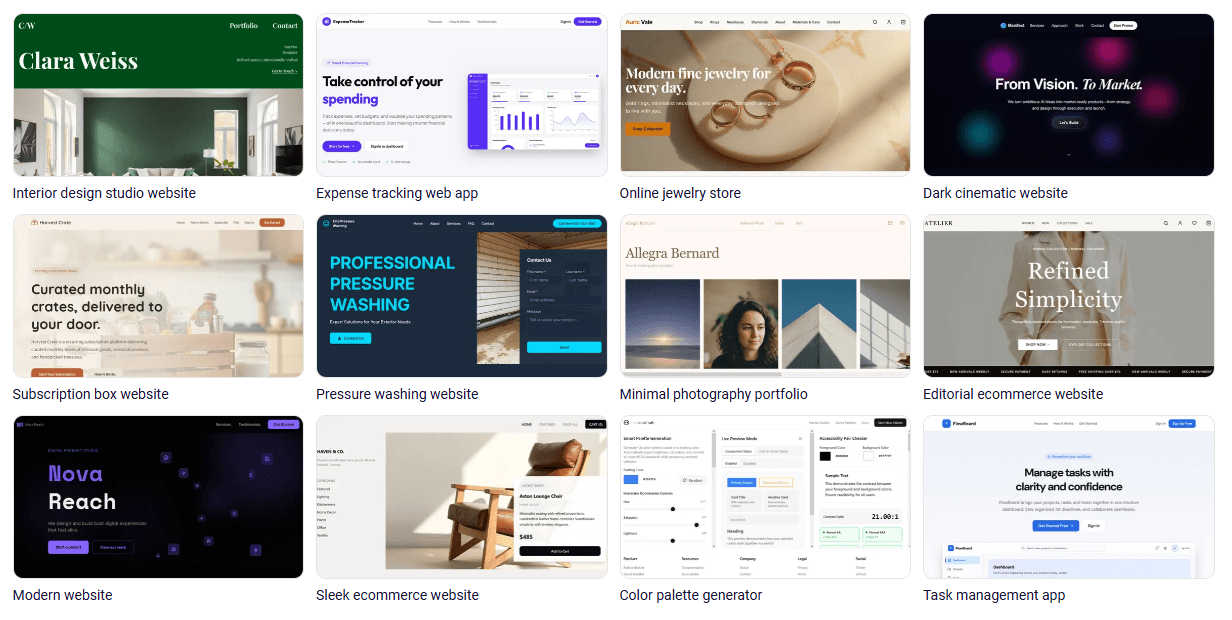
Generates a complete website draft with pages, layout, content, and structure based on the user’s description.
Lets users chat their way through site updates, content changes, layout edits, color changes, new pages, SEO questions, and publishing actions.
Uses natural language prompts for site changes, supports full-website code generation, creates restore points, and allows direct code editing for more precise control.
Lets businesses collect prospect and client information through customizable forms, then store submissions in the Contact Manager.
Centralizes contacts, emails, messages, forms, notes, chat history, tags, and form submissions in one place.
Lets users create, send, track, and collect signatures on business documents inside the B12 workflow.
B12’s workflow is designed around reducing the blank-page problem. Instead of choosing a template and manually building every page, users start with a short business description. B12 generates a site draft, and the user reviews what the AI created before refining copy, design, pages, and features.
The editing workflow has become more AI-centered with B12 3.0. The Help Center describes B12 3.0 as an AI-powered website builder that creates and edits sites using natural language. It also says the AI Agent writes code to make changes, while users can still use visual editing for precision or edit code directly when exact styling and behavior matter.
That is a meaningful shift. Traditional website builders ask users to learn sections, templates, blocks, settings, spacing, mobile layout, and integrations. B12’s newer workflow lets users describe the outcome instead. That does not remove the need to review the result, but it makes the first pass and many routine updates easier.
The practical version of the workflow looks like this:
| Step | What happens | Best practice |
|---|---|---|
| Describe the business | B12 generates the first site draft. | Give a clear business type, audience, services, tone, and location if relevant. |
| Review the draft | Check layout, pages, copy, images, and calls to action. | Look for missing services, vague copy, and generic section headings. |
| Use AI Agent | Ask for specific edits and additions. | Make requests one change at a time for cleaner results. |
| Use Visual Edit | Adjust specific elements manually. | Best for precise visual corrections. |
| Add business tools | Connect forms, scheduling, payments, documents, and integrations. | Prioritize the client journey before adding extra features. |
| Publish and iterate | Launch, track performance, and update content. | Treat the website as an ongoing sales asset. |
The AI Agent is one of B12’s most important features because it changes how users manage the site after launch. Instead of only relying on menus, blocks, or template controls, users can type instructions and have the AI Agent update the site. B12 says the Agent can make real-time changes, answer questions about the site, suggest missing pieces, and help with strategic guidance around content.
B12 3.0 adds more depth because it supports code generation and direct code editing. The Help Center says B12 3.0 differs from B12 2.0 because 2.0 uses templates and sidebar controls with predefined layouts, while 3.0 uses natural language prompts for all changes and gives more flexibility through code generation.
This is useful, but it also creates the main control trade-off. AI editing is fast, but not always the shortest path to pixel-perfect design. B12’s own guidance notes that manual code edits can be faster than repeated prompting when users need precise spacing, formatting, design adjustments, or consistent styling patterns.
That makes B12 strongest for users who want speed and guided editing, but still want a fallback path when AI needs correction. It is less ideal for users who want total low-level design control from the beginning.
The business-tool layer is where B12 becomes more than a website generator. The Contact Manager stores contacts, emails, messages, forms, notes, chat history, intake notes, and website interactions in one place. Visitors who fill out forms, sign up for newsletters, or interact through website chat can be added automatically, and users can tag contacts for organization and follow-up.
The client intake workflow is especially useful for service providers. B12’s intake forms can be used for sales prospecting, scheduling, feedback, onboarding, event registration, donations, newsletter signups, and more. Form submissions are stored in the Contact Manager, which keeps lead and client details connected to the rest of the workflow.
Contracts and eSignatures add another operational layer. B12 lets users create and send branded contracts, require signer codes, receive notifications when documents are opened or signed, track document status, and give all parties a PDF copy after signing.
This matters because the ideal B12 user is not just trying to “look good online.” They are trying to turn website visitors into booked calls, intake forms, agreements, and payments.
B12’s generated websites are strongest as professional first drafts. The AI can create structure, service pages, headings, basic messaging, and layouts quickly, but users should still review the result for specificity. The platform can generate headings, pages, posts, and updates, and its AI Agent can suggest content ideas to keep messaging active.
The content workflow is especially helpful for business owners who do not know what to write. Instead of starting from empty sections, they can edit an AI-generated draft. That is much faster than writing every headline, service description, FAQ, and call to action from scratch.
The limitation is that AI-generated business copy can still feel broad if the user does not provide enough context. A “business consultant for startups” and a “fractional COO for Series A SaaS teams” need very different positioning. B12 can create the structure, but the owner still needs to add proof, examples, process details, service boundaries, and stronger differentiation.
The best results come from treating B12 as a fast launch system, then refining the site around real client questions, testimonials, case studies, niche services, and conversion goals.
- Consultants and coaches: B12 works well for solo or small firms that need a professional site, service pages, intake forms, scheduling, and a simple follow-up system.
- Law firms and professional services: Intake forms, contact management, documents, scheduling, and eSignatures make B12 a strong fit for service-heavy workflows where trust and client onboarding matter.
- Accountants and financial service providers: B12 is useful when firms need lead capture, appointment requests, forms, document workflows, and ongoing content updates without running a complex custom stack.
- Insurance agencies: The built-in client engagement tools are useful for quote requests, lead intake, follow-up, and contact organization.
- Local service businesses: B12 can help businesses launch quickly, capture inquiries, book appointments, and manage basic client interactions from one place.
- Small teams without a web department: The AI Agent, visual editor, contact tools, and expert support make B12 useful for teams that need a functional website but do not have in-house design, content, or development support.
B12 is strongest when the website needs to become an operating hub. If the goal is only a simple landing page, many tools can do that. B12 becomes more compelling when the site needs lead capture, intake forms, scheduling, payments, contracts, contact management, and ongoing content updates in one workflow.
It is also strong for non-technical business owners. The AI Agent lowers the editing barrier because users can ask for changes instead of hunting through settings. B12 3.0 also provides restore points, so users can experiment and roll back if needed.
The third strength is service-business alignment. B12’s intake forms page explicitly frames forms around service providers such as law, accounting, commercial real estate, consulting, finance, architecture, and insurance.
B12 is weaker if you want a highly custom design system from day one. It can support code-level editing in B12 3.0, but users who want deep design control, custom animations, unusual layouts, complex front-end behavior, or a fully bespoke brand experience may still prefer a designer/developer workflow.
It is also less ideal for businesses whose main need is advanced ecommerce. B12 can support stores and business tools, but its strongest public positioning is around service businesses, client engagement, scheduling, intake, payments, and documents rather than large product catalogs or complex ecommerce operations.
The third limitation is that AI-generated content still needs review. B12 can create pages and copy quickly, but strong positioning, proof, compliance-sensitive claims, legal wording, financial disclaimers, industry-specific nuance, and brand voice should still be checked by a human.
The fourth trade-off is platform breadth. B12 includes many tools, which is convenient, but teams already committed to separate CRM, scheduling, invoicing, contract, email, and website systems may need to decide whether B12 should replace those tools or simply handle the website layer.
- Start with a specific business description. Include your industry, audience, services, location, tone, and main call to action before generating the first draft.
- Use the AI Agent for focused changes. Requests like “make the homepage more specific to estate planning clients” or “add a scheduling CTA to every service page” are usually better than vague requests like “make it better.”
- Set up client intake early. Forms are most useful when they qualify leads, collect service-specific details, and store submissions in the Contact Manager.
- Review the Contact Manager workflow before launch. Make sure form submissions, chat messages, notes, tags, and follow-up processes are organized in a way your team will actually use.
- Use code edits only when needed. B12 itself notes that manual code editing can be faster for precise spacing, formatting, and styling control, but most business owners should start with AI Agent and visual edits first.
- Do not publish the first draft blindly. Check service details, claims, contact information, legal disclaimers, SEO titles, calls to action, and mobile layout before going live.
- Use expert help where conversion matters. AI can generate and revise quickly, but homepage messaging, service positioning, and SEO strategy may still benefit from professional review.
B12 is best understood as an AI website builder for service businesses that need both a professional online presence and client-facing business tools in one place.
Its strongest value comes from combining fast website generation, AI Agent editing, contact management, intake forms, scheduling, contracts, eSignatures, payments, and optional expert support.
It is best for consultants, attorneys, accountants, agencies, coaches, insurance professionals, local service providers, and small teams that want a website that can actually support client acquisition and onboarding. The main caveat is that B12 works best when you want a practical business website and workflow hub, not when you need a deeply custom web product or highly specialized ecommerce system.
TAGS: Website/App Builders
Related Tools:

Quickly build, customize, and deploy AI-powered apps

Creates and deploys professional websites

Enables user to design and launch custom websites

Turns simple text into fully functional mobile apps

Simplifies the creation of custom AI tools

Simplifies creation of high-converting landing pages