
Share this tool:
 |
Description:
Webtracker.ai is an AI-powered competitive intelligence platform built for teams that want to stop checking competitor sites, pricing pages, launch pages, and social feeds by hand. It monitors web and social channels, spots changes, ranks their likely business impact, and sends updates through shared workflows such as email and Slack.
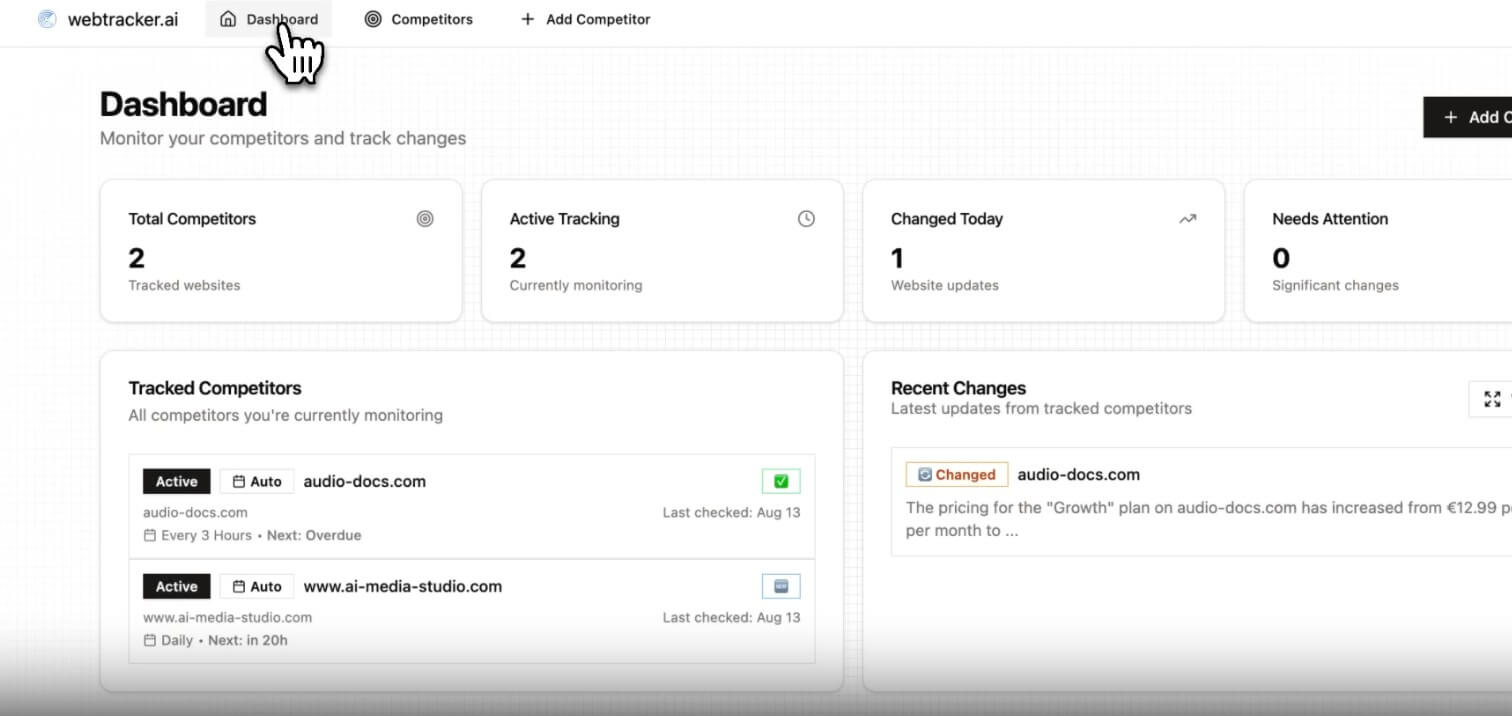
The strongest part of Webtracker.ai is its focus. It is not trying to be a broad analytics suite, CRM, or marketing automation platform. Its main job is to answer one practical question: what changed in the market that your team should care about?
That makes it useful for lean marketing, sales, product, and founder-led teams. Instead of assigning someone to check competitor websites every week, Webtracker.ai can track website copy, pricing pages, UX changes, release notes, keyword activity, brand mentions, and competitor mentions. Its site describes coverage across websites, pricing pages, release notes, and social media in one workflow.
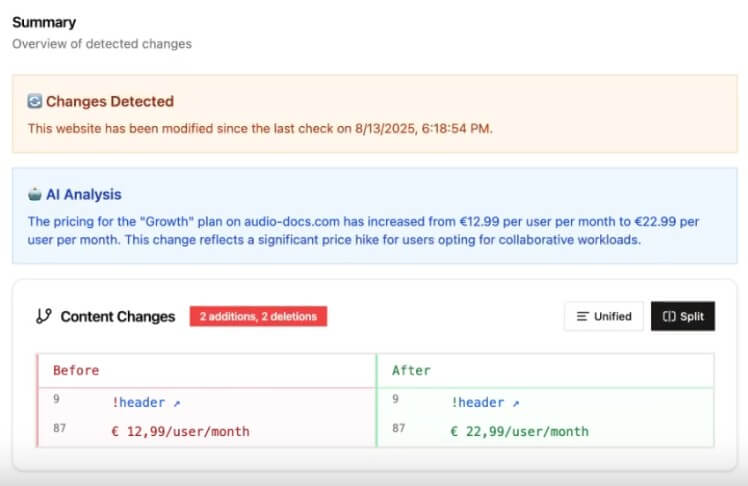
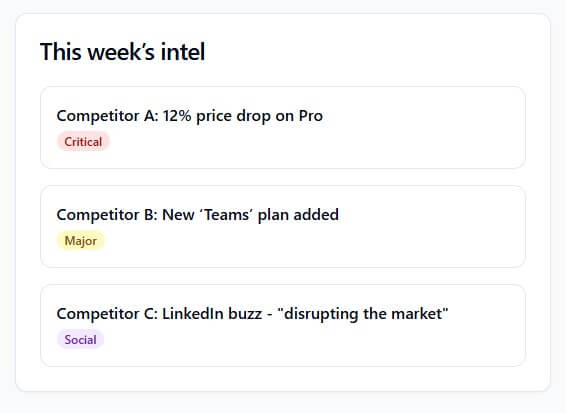
The AI layer matters because raw alerts can become noise. A basic website change detector can tell you that a page changed. Webtracker.ai aims to go further by ranking alerts by business impact and summarizing what changed, why it matters, and what action to consider.
| Area | What It Means in Practice |
|---|---|
| Website change detection | Tracks competitor copy, UX, pricing, positioning, and visible page changes. |
| Social media intelligence | Monitors keywords, hashtags, and competitor mentions across platforms listed by Webtracker.ai, including Twitter/X, LinkedIn, and Facebook. |
| AI impact scoring | Helps sort important changes from low-value updates. |
| Actionable summaries | Turns changes into plain-English notes instead of raw diffs. |
| Slack and email alerts | Sends updates to the places teams already check. |
| Historical tracking | Gives teams a record of past competitor moves. The terms also describe access to historical tracking data and multiple competitor profiles. |
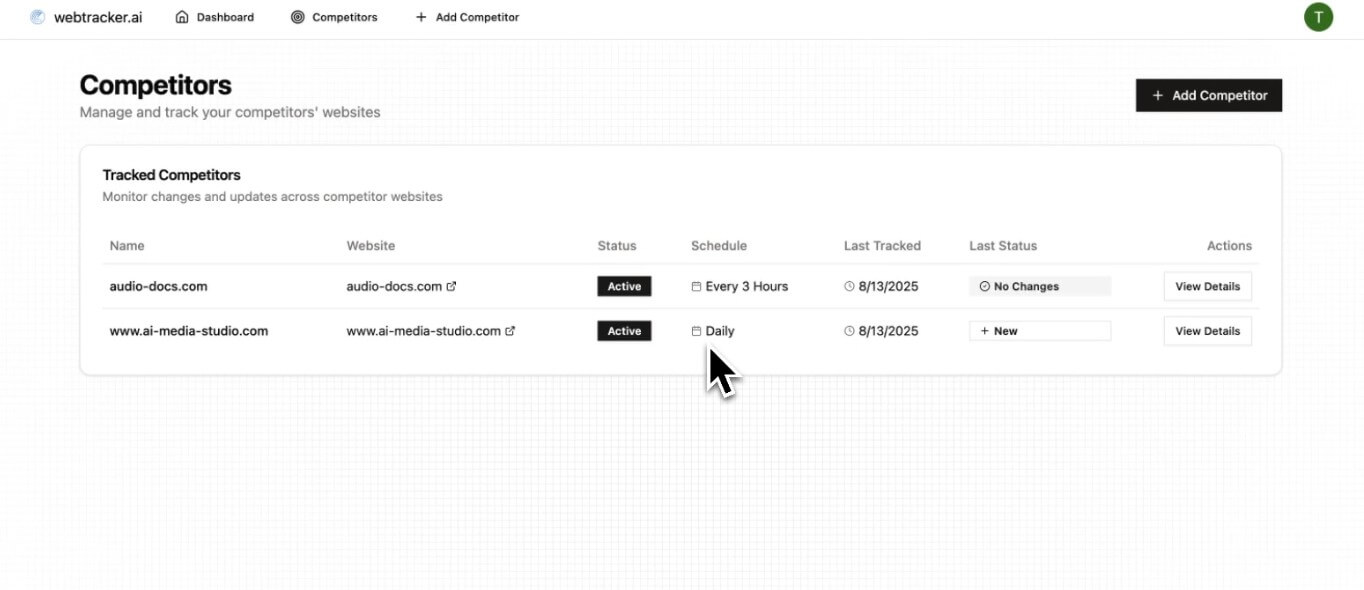
The workflow is straightforward: choose the competitors or market sources you want to monitor, select pages or channels, then let the system watch for changes. Webtracker.ai positions setup as quick and non-technical, with the website emphasizing setup in minutes and first insights within the first week.
That simplicity is a strength. Competitive intelligence tools can become too heavy for small teams. If a platform requires a dedicated analyst to configure dashboards, it loses appeal for startups and SMBs. Webtracker.ai’s value is that it packages monitoring, filtering, and summaries into a lean workflow.
The trade-off is that users should not expect magic. The best results will come from picking the right competitors, tracking the pages that signal real strategy changes, and tuning alerts over time. A pricing page, homepage, product changelog, comparison page, job listing page, and major social keywords will usually be more useful than trying to monitor everything.
Webtracker.ai’s AI is most useful in three places.
First, it helps reduce alert fatigue. A changed button label and a new enterprise pricing package should not receive the same attention. Impact-ranked alerts help teams focus on what may affect pipeline, positioning, or messaging.
Second, the summaries make changes easier to share. A sales lead does not need a screenshot diff; they need to know that a competitor changed its offer, launched a plan, shifted its positioning, or gained social traction around a new message.
Third, the AI can help turn competitive intelligence into action. Webtracker.ai describes summaries around “what changed,” “why it matters,” and “what to do next.” That framing is practical because it pushes teams beyond passive monitoring.
- Marketing teams can use Webtracker.ai to watch competitor campaigns, landing pages, positioning changes, social buzz, and messaging shifts.
- Sales teams can track competitor pricing, plan changes, new feature claims, and comparison-page updates before major deals.
- Product teams can monitor release notes, product launches, feature pages, and roadmap signals.
- Agencies can follow multiple client markets and spot competitor moves without manually checking dozens of pages.
- Founders and lean operators can use it as a lightweight intelligence system when there is no dedicated analyst on the team.
- Start with a small, high-signal tracking list. Add competitor homepages, pricing pages, product pages, release notes, comparison pages, and social keywords tied to buying intent.
- Do not track every page just because you can. Too much monitoring creates noise, even with AI filtering.
- Use Slack alerts for high-impact updates only. Send lower-priority changes to email or a weekly review process.
- Review historical changes monthly. Patterns matter more than single updates. A competitor making repeated copy changes around one feature may be testing a new market angle.
Webtracker.ai depends on the quality of the sources you track. If you monitor low-value pages, you’ll get low-value intelligence.
Website tracking can also be affected by third-party site changes. Webtracker.ai’s terms note that changes in third-party website structure may affect tracking accuracy, which is an important caveat for any monitoring tool.
The platform is also not a replacement for strategic analysis. It can surface changes and suggest why they matter, but teams still need judgment. A competitor’s price change, social spike, or landing page rewrite may be meaningful, or it may be a short test.
Data and privacy deserve a quick review before rollout. Webtracker.ai’s privacy policy says it collects account information, usage data, device information, competitor URLs and content users choose to track, change history, and custom tracking rules. It also states that it does not sell personal information.
Webtracker.ai is best for teams that need practical competitive intelligence without building a manual research process.
Its strongest value is combining website monitoring, social signals, AI-ranked alerts, and plain-English summaries into a workflow that sales, marketing, product, and founders can use.
The main caveat is that it still needs smart setup. Track the right pages and keywords, or the tool will only make low-value monitoring faster.
TAGS: Marketing
Related Tools:

Comprehensive 3D modeling and animation software

Create website tools like forms and chat widgets

Allows users to create precise models

Streamlines the creation of educational content

Generates personalized sales copy

AI-driven mapping for business networking