

Share this tool:
 |
Description:
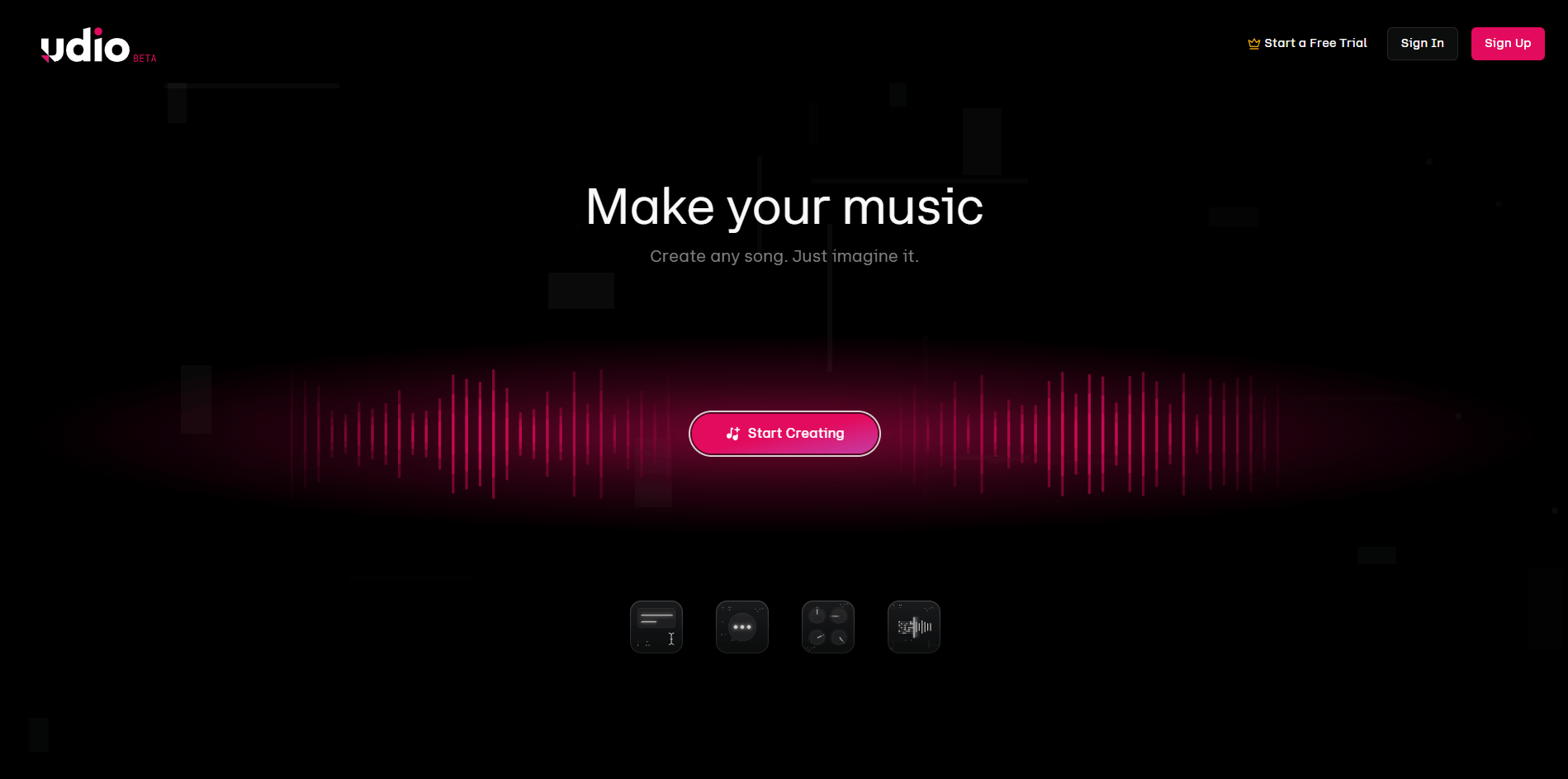
Udio is one of the strongest AI music tools when you care about the song itself, not just the novelty of typing a prompt and getting a track back. Its best work is not “instant hit song” magic. Its best work is iterative music creation: generating a promising draft, extending it, replacing weak sections, editing lyrics, reworking style, and using source audio or reference styles to steer the result more precisely. That makes it more interesting than a one-click music toy, but also more dependent on workflow discipline than people expect.
Fast first test
Prompt:
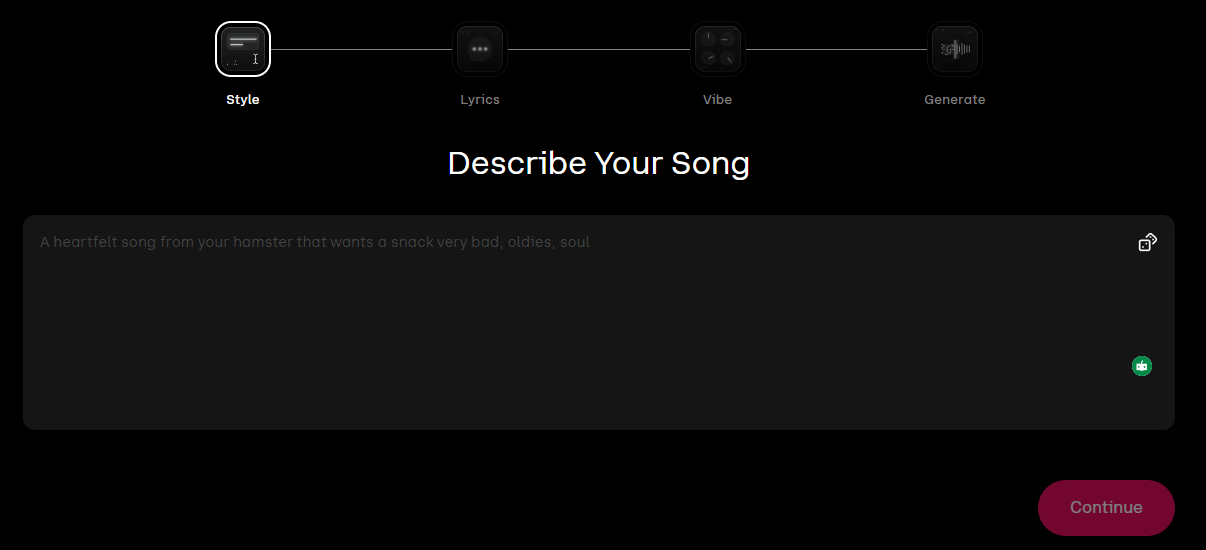
“Upbeat indie pop song about leaving a small town at midnight, female lead vocal, bright guitars, tight drums, memorable chorus, emotional but not sad, radio-friendly, 2010s festival-pop energy.”
Why this is a good first test: This checks Udio’s core strength: prompt-to-finished-song generation with convincing vocals and arrangement. Allegro is the better choice when speed matters; standard v1.5 is the safer choice when you want to judge overall polish. Udio’s current transition-era model list still includes v1, v1.5, and v1.5 Allegro.
Turn your own words into an actual song
Prompt:
“Use these exact lyrics. Build them as a slow-burning alternative R&B track with intimate verses, airy harmonies, restrained percussion, and a bigger emotional chorus.”
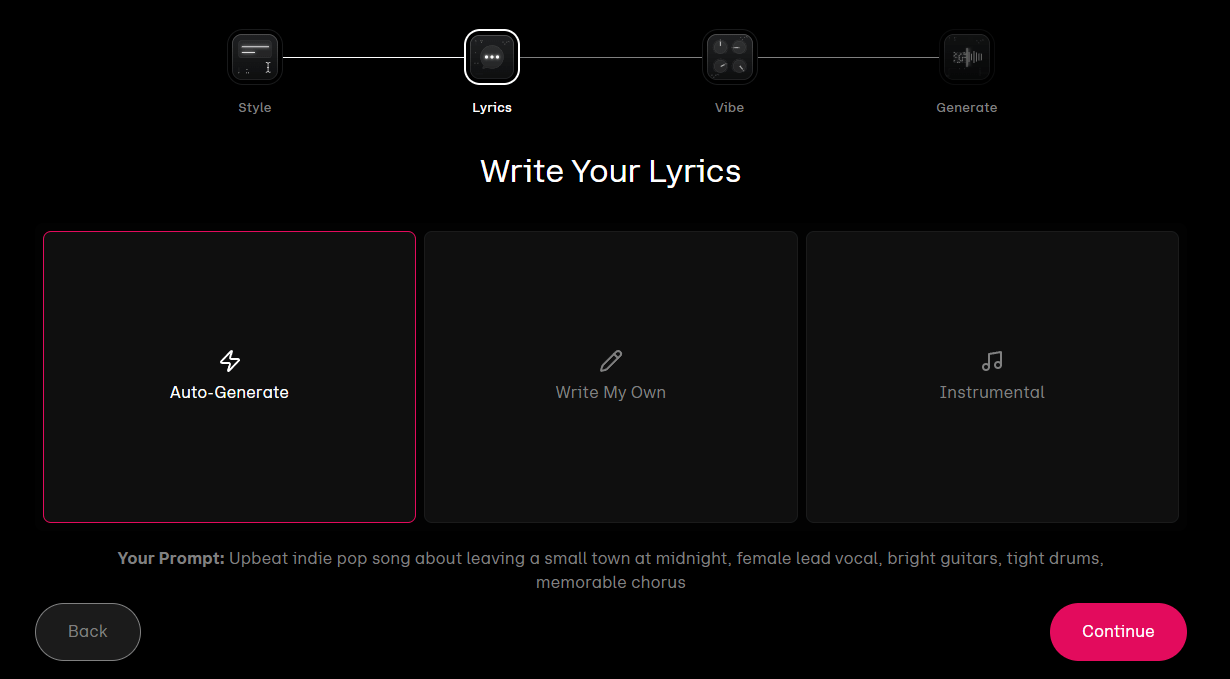
Why this matters: Udio is much more useful once you stop relying only on AI-written lyrics. The platform explicitly supports generating from your own lyrics as well as generating lyrics from a description.
Fix a near-miss instead of starting over
Prompt:
“Extend this with a cleaner pre-chorus and a final chorus that hits harder. Keep the same vocal identity, tempo feel, and melodic mood.”
Why this matters: Extend is one of Udio’s most practical features. It is built for adding intros, sections, and outros while keeping continuity with the original song.
Repair one weak section
Prompt:
“Replace this section with a darker arrangement, less busy drums, warmer synth textures, and a more dramatic vocal delivery.”
Why this works: This is closer to real music-making than endless rerolls. Udio’s editor lets you highlight a section and replace it by refining the prompt around that selected area.
Improve weak lines without rebuilding the track
Prompt:
“Keep the same rhyme pattern and syllable count, but make these lines less generic and more conversational.”
Why this matters: This is one of the clearest reasons to use Udio seriously. Editing lyrics inside a generated track is far more practical than regenerating the entire song because one verse sounds flat.
Rework your own musical idea
Before using this prompt: upload audio you own the rights to.
Prompt:
“Remix this into a more cinematic synthwave track with stronger low end, cleaner drums, and a bigger chorus lift.”
Why this is important: Audio upload is where Udio starts feeling like a real production tool. Paid users can upload their own audio to remix, extend, inpaint, stylize, or open in Sessions.
Capture a vibe faster than describing it
Prompt:
“Create a new song from this style reference with the same dreamy, nostalgic mood, but make it slower, more spacious, and more emotionally direct.”
Why this is strong: Styles solves a common problem in AI music: sometimes you can hear the vibe you want more easily than you can describe it. Udio’s Styles system supports references from existing Udio songs, audio uploads, and the Style Library.
Hybrid genre creation
Prompt:
“Blend gospel choir warmth with modern afro-house groove. Keep it uplifting, club-friendly, and spiritually charged without becoming theatrical.”
Why this matters: Style Blending is one of Udio’s more interesting control layers because it lets you fuse influences instead of forcing you into one genre lane. It is subscriber-only.
Change the vocal identity
Prompt:
“Use a smoother, breathier lead vocal with less grit and a more intimate delivery, especially in the verse.”
Why this belongs here: Voices gives Udio a more repeatable vocal-control layer, but it is still constrained. It works with the Voices library and native Udio songs, not your own uploaded voice, and it is currently web-only rather than available in the iOS app.
Tighter musical steering
Prompt:
“Melancholic piano-led pop ballad in C minor, slow build, sparse verse, swelling strings in the chorus, vulnerable female vocal, modern cinematic mix.”
Why this is useful: Udio supports guidance tags and key control, which helps when you want more structure than broad mood prompting alone can provide. The company notes key control is helpful but not perfect.
Udio can generate 32-second or roughly 2-minute-10-second song outputs, which makes it usable for both fast ideation and more complete drafts.
Paid users and trial users can replace selected sections or rewrite specific lyrics without remaking the whole track.
Extend mode keeps the original prompt prefilled and is designed to continue a song naturally.
Udio’s reference-driven creation is one of its clearest differentiators, especially when pure prompting feels too vague.
Paid users can upload owned audio for extend, inpaint, remix, session, and style-based creation.
These newer layers push Udio beyond one-pass generation and toward more repeatable editing and vocal control workflows.
Udio is strongest when the target is a song-shaped result rather than generic background music. Its standout trait is vocal realism combined with iterative editing. A lot of AI music tools can give you a passable first draft. Fewer give you a usable path to fix the bridge, rewrite two weak lines, extend the ending, swap the mood of one section, and stylize the next version from a reference instead of guessing from scratch. Udio has built that path through Extend, Edit, Styles, audio upload, Sessions, and Voices.
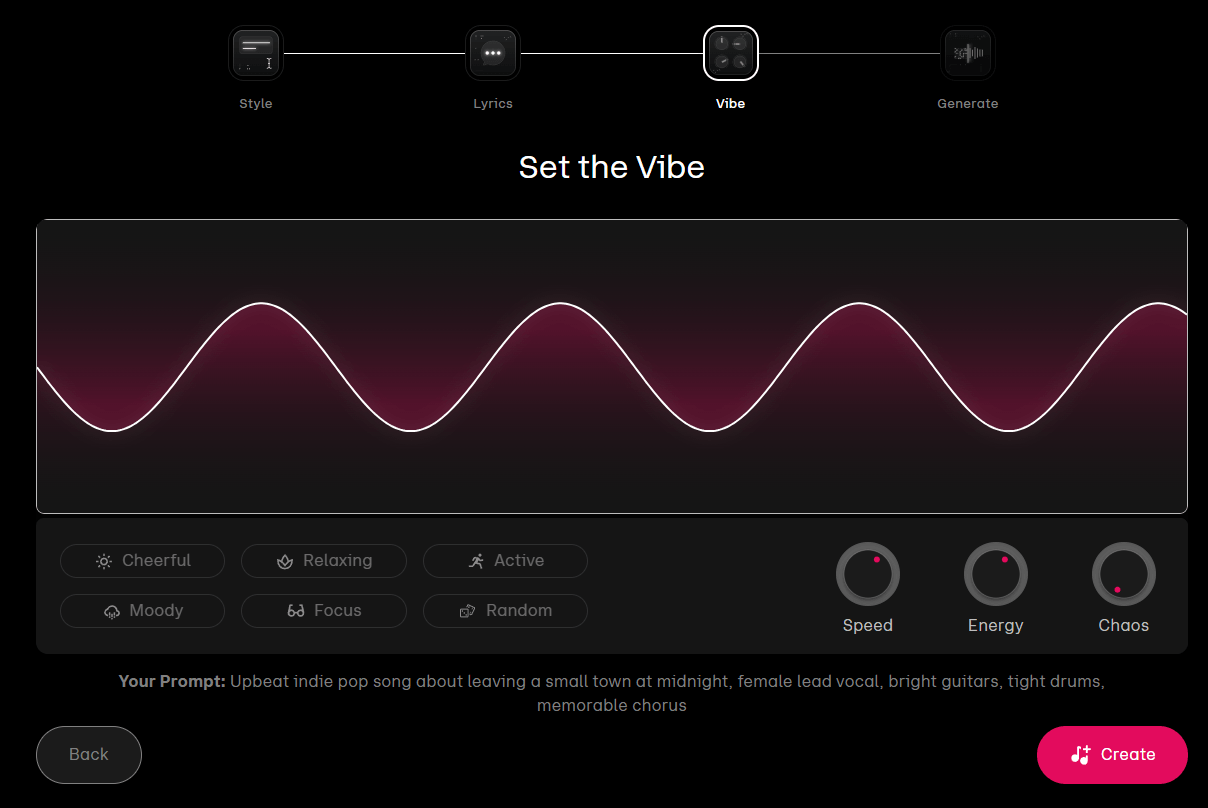
The second thing Udio does well is letting you move between abstraction levels. You can stay high-level with a plain-language prompt, get more specific with lyrics and tags, get more targeted with section edits, and get more production-like with timeline-based Sessions. That progression is why Udio feels better suited to repeat creators than to people who only want one novelty song.
| Workflow | Best for | Why it matters |
|---|---|---|
| Simple prompt creation | Fast concept testing | Best way to judge genre feel, vocal quality, and chorus instinct quickly. |
| Custom lyrics | Songwriters, branded music, gift songs | Better when wording matters more than surprise. |
| Extend | Incomplete drafts | Lets you build intros, sections, and outros without discarding a good core idea. |
| Edit | Repair and refine | Useful for replacing sections or fixing lyrics inside an existing track. |
| Styles | Faster vibe capture | Lets you steer from references instead of only words. |
| Audio upload | Remixing your own material | Turns Udio from prompt box into a more production-aware tool. |
| Sessions | Deeper iterative work | Timeline-style editing view for people who want more precise control. |
| Voices | Vocal direction | Better for vocal identity control, but still limited in source options. |
Udio’s current public transition-era model stack still includes v1, v1.5, and v1.5 Allegro. v1.5 brought improved audio quality, key control, better global language performance, and 48kHz stereo generation. Allegro was later introduced as a much faster version aimed at quicker generation.
In practical use, the model choice is simpler than it sounds:
| Model | Best for | Trade-off |
|---|---|---|
| v1 | Older baseline | Mostly useful for legacy comparison. |
| v1.5 | Better quality, more mature results | Slower than Allegro. |
| v1.5 Allegro | Faster iteration | Better for volume and experimentation than for obsessing over every render. |
Pricing is still centered on Free, Standard, and Pro. Official help examples still reference Standard at $10/month and Pro at $30/month, with annual billing available and a one-time 7-day Standard trial. The trial enables editing, voice control, audio-guided generations, style references, and up to six simultaneous songs, but does not raise your credit limit and still caps full-length song creation at three roughly 2-minute songs per day unless you convert to a paid subscription.
One honest caveat: Udio’s official help docs are not perfectly synchronized on credits. One current page says Standard and Pro are now 2400 and 6000 credits per month after the Universal partnership changes, while another still says 1200 and 4800. Udio’s own partnership note explicitly says the limits were increased on October 29, 2025, so that is the more credible current reading, but the mismatch is real and worth checking on the live pricing page before buying.
Udio is especially good for solo creators who want convincing AI vocals, songwriters who have lyrics but need arrangement and performance, producers who want fast concepting before manual refinement, and marketers or indie teams making original music beds, jingles, or social-native songs. It is also a strong fit for people who already have fragments of music and want to remix or stylize owned audio rather than begin from zero.
It is less compelling for people who mainly want stock background music with exact cue control, or for users expecting DAW-level production freedom inside the first generation step. Udio gives you more control than basic prompt-only tools, but it is still not a full replacement for traditional music software. That is why Sessions matters: it narrows the gap, but does not erase it.
- Write lyrics yourself when the words matter. Udio can generate lyrics, but custom lyrics usually produce more usable songs.
- Use Styles when your target is aesthetic consistency rather than surprise. Reference-led creation is one of the fastest ways to stop wasting generations on vague prompting.
- Use Edit and Extend before giving up on a draft. Udio becomes more valuable when you treat first outputs as raw material, not final songs.
- Use Allegro for exploration and v1.5 when quality matters more than speed.
- If you upload audio, make sure you own the rights. Udio explicitly limits uploads to audio you have the rights to use.
- Udio is still prompt-sensitive. A vague prompt can produce a decent song, but consistent good results come from better prompting, stronger lyrics, and more iteration.
- Voices is not the same as open voice cloning. You cannot upload your own voice as a source there, and it is not available in the iOS app right now.
- Some of the platform’s stronger tools are subscriber-gated. Editing, audio upload, Sessions, Style Blending, artist styles, and some newer control layers are not part of the basic free experience.
- Downloads are currently affected by Udio’s label-transition arrangements. Udio’s Universal partnership change note says downloading of audio, video, and stems has been disabled, which is a major practical caveat for users expecting the older export flow.
- The platform is also in a transitional licensing era. Udio says it has licensing agreements with Universal and Warner and plans future artist-participation workflows around remixes, covers, and artist-linked experiences, but that future-facing direction is still broader than what everyday users can fully do today.
Udio is one of the most interesting AI music tools because it is not just good at making songs quickly. It is good at working on songs. The strongest reason to use it is the combination of vocal realism, section editing, extensions, style references, and owned-audio workflows. That makes it a better fit for repeat creators than for casual novelty use.
The main caveat is that the platform is still evolving through licensing and product-transition changes, so features like downloads, credit limits, and some buying details need extra attention before you commit.
TAGS: Music Creation
Related Tools:

Generate royalty-free music from text or images

Music streaming service that enhances focus

Easily produce animated and live-action videos

Generates unique music

Enables users to create engaging animated videos

Generates music in various styles
Related Videos:
UDIO's Audio Upload Lets You Make Music With ANYTHING
UDIO has a superpower, and I'm going to show you how to use ANY sound to create some incredibly unique content using Udio's audio upload feature, plus some tips & tricks.
Cutting-Edge New Udio Tool! Pro Tips on How to Use it
I'm going to show you step-by-step how to use Udio, plus some tips & tricks to create full-length professional sounding songs.