

Share this tool:
 |
Description:
TextCortex has clearly grown beyond the old “AI writing assistant” category. The current official product is positioned around company knowledge search, workflow automation, and deployable AI agents, with writing, rewriting, translation, and browser-level assistance still present but no longer the main story. That shift matters, because the product makes much more sense today as a centralized AI work layer for teams than as a standalone prompt box for individual content generation.

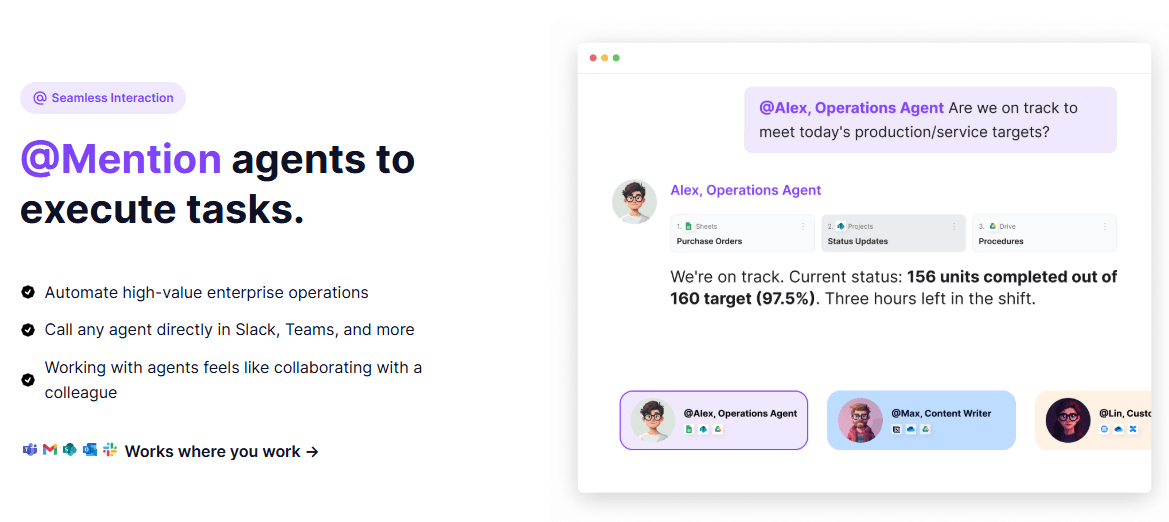
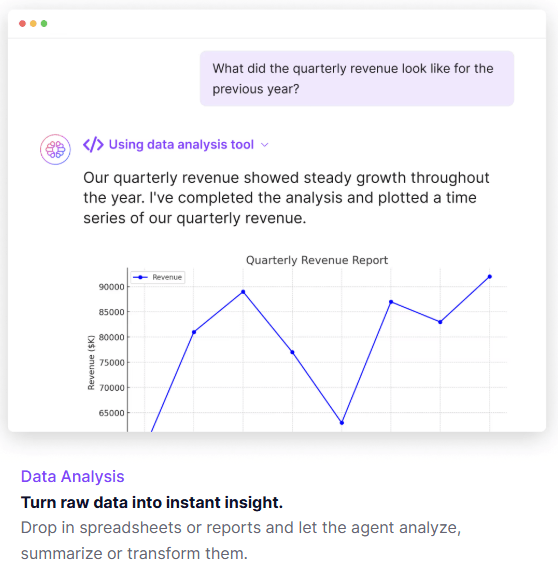
The easiest way to understand TextCortex is as four layers in one system. First, it is a knowledge platform: you can create knowledge bases, upload files, connect sources like Google Drive or OneDrive, and query them through AI-assisted retrieval. Second, it is an agent platform: teams can build and deploy no-code AI agents, assign default knowledge, choose models, define tone and rules, and control who can access each agent. Third, it is an execution layer: Auto mode can analyze spreadsheets with Python-powered computations, generate charts, and break down multi-step tasks. Fourth, it is a distribution layer: TextCortex runs through a browser extension, a desktop app, and workplace integrations like Slack and Teams.
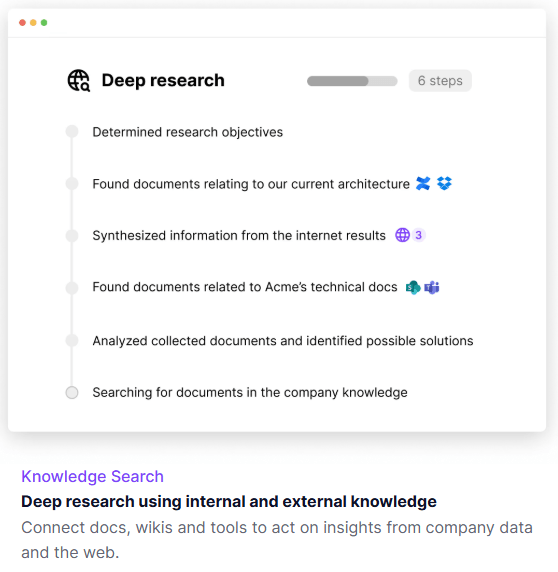
That layered structure is why TextCortex feels broader than a generic chatbot. Its own pages repeatedly frame the platform around secure models, connected knowledge, integrations, data analysis, and enterprise deployment rather than around “ask anything” chat alone. In practice, that makes it more interesting for internal knowledge work, support, operations, consulting, and team productivity than for people who simply want the strongest raw model in a browser tab.
Query multiple files and connected sources at once, with sourced answers from centralized company data.
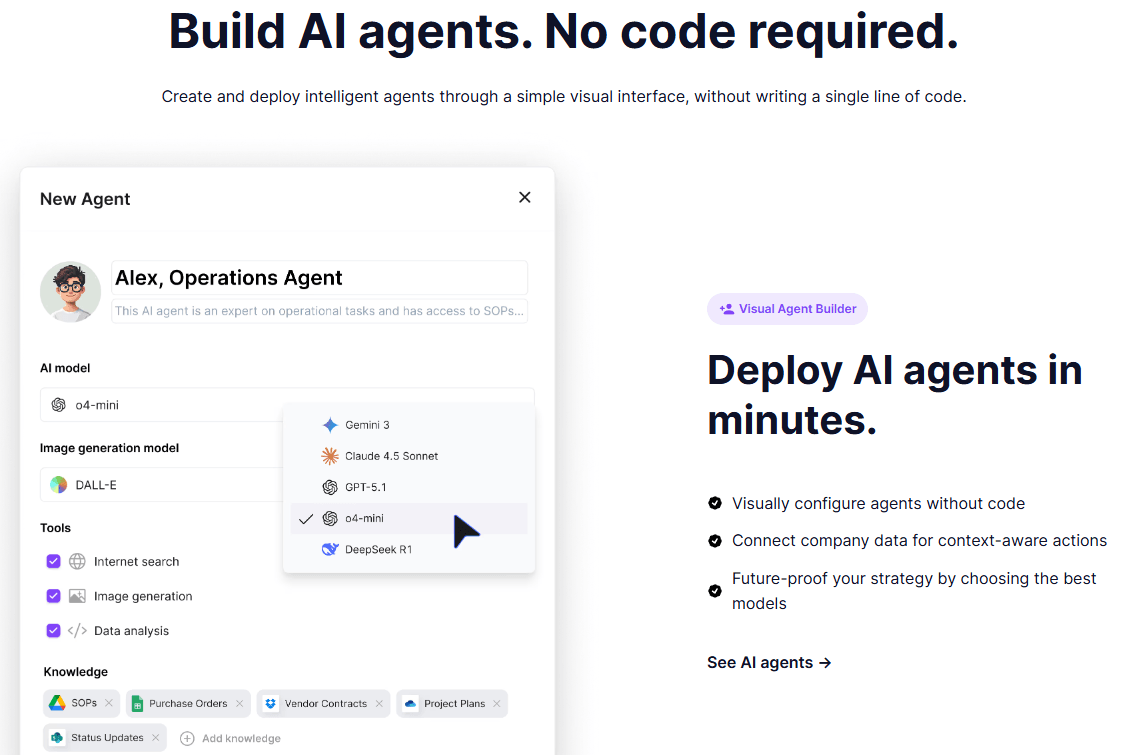
Create agents visually, attach knowledge, choose models, and set tools and behavioral rules.
Handles multi-step reasoning, spreadsheet analysis, and automatic chart generation with Python-powered tooling.
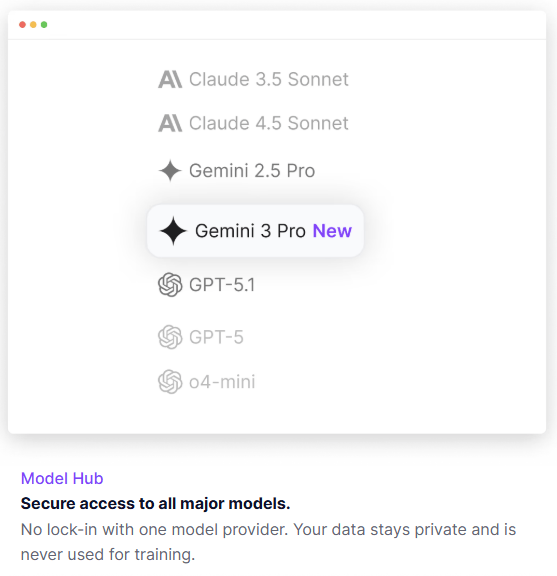
TextCortex is model-agnostic and supports major model families including Claude, GPT, Gemini, and others.
Supports SSO, MFA, approval workflows, feature restrictions, and agent analytics.
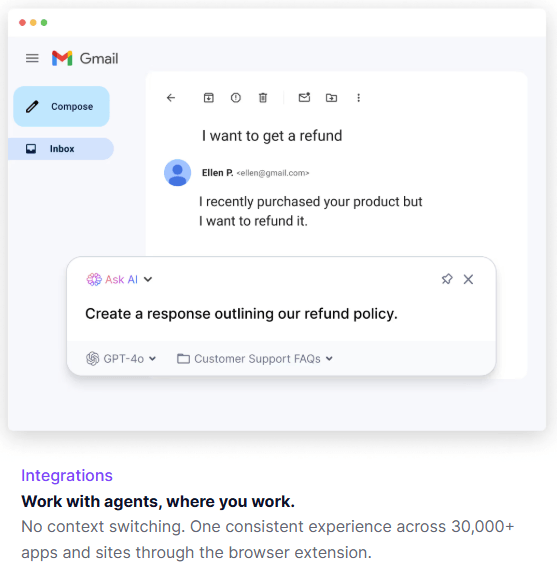
Browser extension and desktop app extend TextCortex across large numbers of apps and sites.
TextCortex is strongest when a team wants AI grounded in company material instead of pure public-model reasoning. Its knowledge bases are built to search relevant sections instead of processing everything at once, and the platform recommends organizing them by purpose or department rather than dumping everything into one giant repository. That is a good sign: the product is designed around operational knowledge hygiene, not just flashy demos.
Its second major strength is agent customization without heavy engineering. You can create agents visually, pick a default model, assign a knowledge base, enable tools like web search and data analysis, define behavioral rules, and then deploy those agents where people already work. That is a more practical enterprise pitch than “everyone gets the same AI assistant.”
The third strength is governance. Tenant admins can control model availability, approval workflows, uploads, downloads, sharing, external network access, MFA, SSO, branding, feature permissions, and even system-wide instructions that are automatically prefixed to agent behavior. For companies that care about standardization and compliance, that matters more than having one extra prompt feature.
The basic workflow is straightforward. You create a knowledge base, upload files or connect sources, then ask questions or attach that knowledge to an agent. If you want more than file chat, you build an agent, decide what it should know, choose its tools, define access, and start using it inside the main app or through extension-based surfaces. The docs make this process fairly legible, which is important because TextCortex is broad enough that it could easily have become messy.
The more advanced workflow is where the value rises, but also where the learning curve starts. Organizations can share knowledge bases and agents centrally, enforce approval requests, choose which models are even visible to users, and restrict features like uploads or external access. That means TextCortex is not just a personal productivity tool with a team plan attached. It is increasingly a governed AI environment.
That said, the product is easier to start than to fully operationalize. A solo user can install the extension and use rewriting, translation, chat, and web search quickly. A serious team, though, will need to think about model policy, source structure, agent ownership, authentication, and rollout. The platform can handle that complexity, but it does not remove it. That is a meaningful difference from lighter AI assistants.
TextCortex’s model story is stronger than many single-provider assistants because it is explicitly model-agnostic. Official pages say it offers access to major model families, and tenant admins can decide which models are available, with U.S.-hosted models disabled by default for compliance and data-residency reasons. That is the kind of control enterprises usually care about more than “which model is best this week.”
Data handling is another important part of the pitch. TextCortex says knowledge-base files are processed by TextCortex without third parties, current product pages say customer data is never used for model training or fine-tuning, and the company says it hosts services in the EU on GDPR-compliant servers while advertising SOC 2 and ISO 27001 certification. For privacy-sensitive teams, that combination is one of the clearest reasons to take the product seriously.
There is also more control here than the older writing-assistant branding would suggest. Admins can disable uploads, downloads, external web access, and even resource creation, while system prompts can be enforced across every agent in the tenant. That pushes TextCortex closer to enterprise AI governance software than to a normal consumer copilot.
TextCortex has not abandoned its writing roots. The pricing page still lists rewriting, summarization, translation, grammar and spelling checks, tone changers, sentence expansion, text simplification, creative writing, speech-to-text, text-to-speech, and multilingual creation in 25+ languages. The browser extension and desktop app are also clearly meant to make those functions available across day-to-day tools.
But this is where the product has become slightly tricky to position. For individual users who mainly want a cross-site writing copilot, TextCortex still offers a lot. For teams, though, the real differentiation now comes from knowledge grounding, agent deployment, governance, and integrations. That means the writing features are valuable, but they feel more like part of the package than the core thesis of the product.
TextCortex is a strong fit for teams that need searchable company knowledge, reusable AI agents, and policy-controlled deployment across departments. The official positioning around consulting, marketing, sales, customer support, legal, company knowledge, and workflow automation lines up with that. It is especially relevant where people need answers and actions grounded in internal docs, spreadsheets, wikis, and connected work tools.
It is also a good fit for organizations that care about European hosting, governance, and rollout control. The admin controls, model toggles, SSO/MFA, external-access restrictions, approval workflows, and system-wide instruction controls make it more suitable for structured enterprise adoption than many lighter AI apps.
It is less compelling for users who just want frontier-model chat, deep code-first automation, or the absolute cleanest writing-only experience. That is not because TextCortex is weak. It is because the platform has expanded into something broader and more operational. Users who only need one narrow slice may be paying for a lot of architecture they will never use.
- Use smaller, purpose-built knowledge bases instead of one giant repository. TextCortex’s own guidance recommends grouping by function or department, and that usually leads to cleaner retrieval.
- Set model and feature policy early if you are deploying to a team. The tenant controls are one of the platform’s biggest strengths, but only if you actually configure them.
- Treat agents as scoped coworkers, not magical generalists. The product works best when an agent has clear rules, a relevant knowledge base, and the right tools enabled.
- Use the extension for reach, but do serious governance in the web app. The extension is great for access across many apps, while the actual control model lives in organizations, tenant settings, and agent configuration.
- The biggest trade-off is product sprawl. TextCortex now spans chat, knowledge bases, agents, Auto mode, browser assistance, desktop access, API access, templates, personas, integrations, and enterprise admin. That breadth is useful, but it also makes the product harder to explain and potentially harder to roll out cleanly than a narrower assistant.
- The second limitation is positioning ambiguity. Some official surfaces still emphasize the personal AI companion angle and browser-based writing help, while the main site now leads with enterprise agent infrastructure and company knowledge. Both are true, but the result is a product that can feel like two categories stitched together.
- The third limitation is pricing clarity. The official pricing page and help-center pricing article do not present the same structure, which makes it harder than it should be to understand what an individual or team will actually pay.
- And finally, TextCortex’s strongest features only matter if your team is willing to do setup. Knowledge organization, agent scoping, model governance, integrations, and authentication policy all require deliberate implementation. This is not a “sign up and instantly transform the company” tool. It is a platform that rewards structure.
TextCortex AI is best understood today as a governed enterprise AI platform with three real strengths: company-knowledge search, no-code customizable agents, and broad deployment across the places people already work. It is most valuable for teams that want AI grounded in internal data, controlled by admins, and flexible across models and workflows.
The main caveat is that the product has become broad enough that clarity now matters: it is more powerful than a simple writing assistant, but also more complex, more operational, and currently a bit muddier on pricing than it should be.
TAGS: Copywriting
Related Tools:

Streamlines content creation
Enhances content quality through real-time feedback

Quickly generate high-quality, customizable written content

Writing tool that generates, customizes, and refines content

Generates SEO-friendly articles for niche websites

Simplifies copywriting on webpages