

Share this tool:
 |
Description:
- Introduction
- What Stunning.so Actually Is
- What Stunning.so Does Best
- Core Features and Capabilities
- Sample Prompts You Can Try With Stunning
- Workflow and Ease of Use
- Backend, Database, and Full-Stack Control
- AI Models and Build Strategy
- Publishing, Domains, and Delivery
- Browser and Device Requirements
- Where Stunning Is Strongest
- Where It Is Weaker
- Best Use Cases
- Practical Tips
- Final Takeaway
Stunning.so is an AI website and full-stack app builder designed to help users turn ideas into working sites or systems without traditional coding. Its current positioning is broader than a simple landing-page generator: the homepage says it helps users “turn ideas into systems in minutes,” and the FAQ explains that apps can include backend and database functionality, with generated projects publishable to a Stunning subdomain.
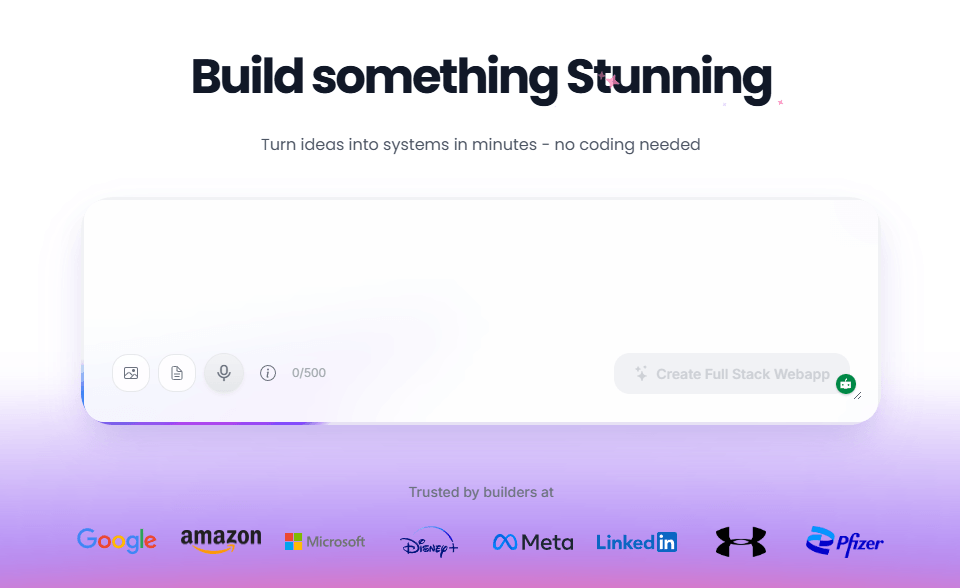
Stunning.so is best understood as a hybrid between an AI website builder and a vibe-coding platform. Earlier AI website builders mostly generated marketing pages: homepage, service sections, testimonials, and contact forms. Stunning is now aiming at something more operational. Its homepage headline says “Build something Stunning” and “Turn ideas into systems in minutes,” while its template marketplace describes “production-ready apps with backend & database.”
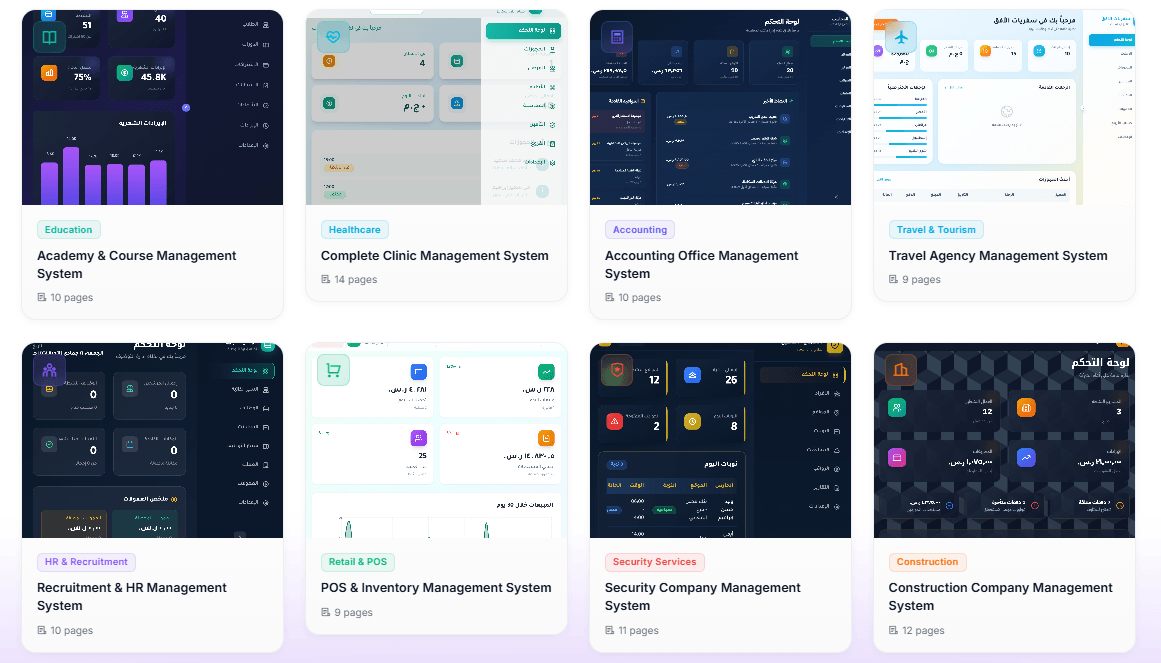
That matters because the best use case is not only “make me a pretty website.” It is closer to “build me a small business system,” “generate a SaaS-style dashboard,” “create a clinic management app,” or “make an internal tool with a database.” The homepage also shows templates for categories like education, healthcare, accounting, travel, HR, retail/POS, security services, and construction, which reinforces the idea that Stunning is moving beyond brochure sites into generated business applications.
| Layer | What it does | Why it matters |
|---|---|---|
| AI app builder | Generates websites or apps from natural-language instructions. | Helps non-technical users start from an idea instead of a blank editor. |
| Full-stack generation | Builds frontend plus backend/database-style functionality. | More useful than a static page builder for business systems. |
| Template marketplace | Provides production-ready starting points by industry. | Helps users avoid prompting every project from scratch. |
| AI editing chat | Lets users request changes through natural language. | Useful for iterating without manually editing code. |
| Live preview | Shows the generated app visually inside the workspace. | Makes it easier to test and inspect what the AI built. |
| Publishing | Publishes projects to a Stunning subdomain, with custom-domain support available in certain account contexts. | Gives users a deployment path without setting up hosting manually. |
Stunning is strongest when the user wants to move quickly from idea to working prototype. A business owner, freelancer, agency, or startup founder can describe a system and get a first version that already has structure, UI, pages, and in some cases backend logic.
Its biggest practical strength is speed. Stunning’s homepage says users can build full-stack web applications 10x faster with AI, and its FAQ explains that the AI performs tool operations such as reading files and editing files in real time while the user watches the process.
The second strength is that Stunning does not limit itself to static visual output. Its FAQ says every app already has a database through Convex, and users can ask the AI to add a database table for their data, after which the AI creates the schema and functions. That makes it more useful for dashboards, management tools, booking systems, inventory workflows, and internal apps than a conventional one-page website generator.
The third strength is templates. Stunning’s marketplace is organized around categories like tools, ecommerce, ERP, enterprise, SaaS, restaurant/food, agency/portfolio, real estate, healthcare, and education. That is important because AI app generation works best when the user starts with a clear pattern. A template gives the AI a stronger base than a completely open-ended request.
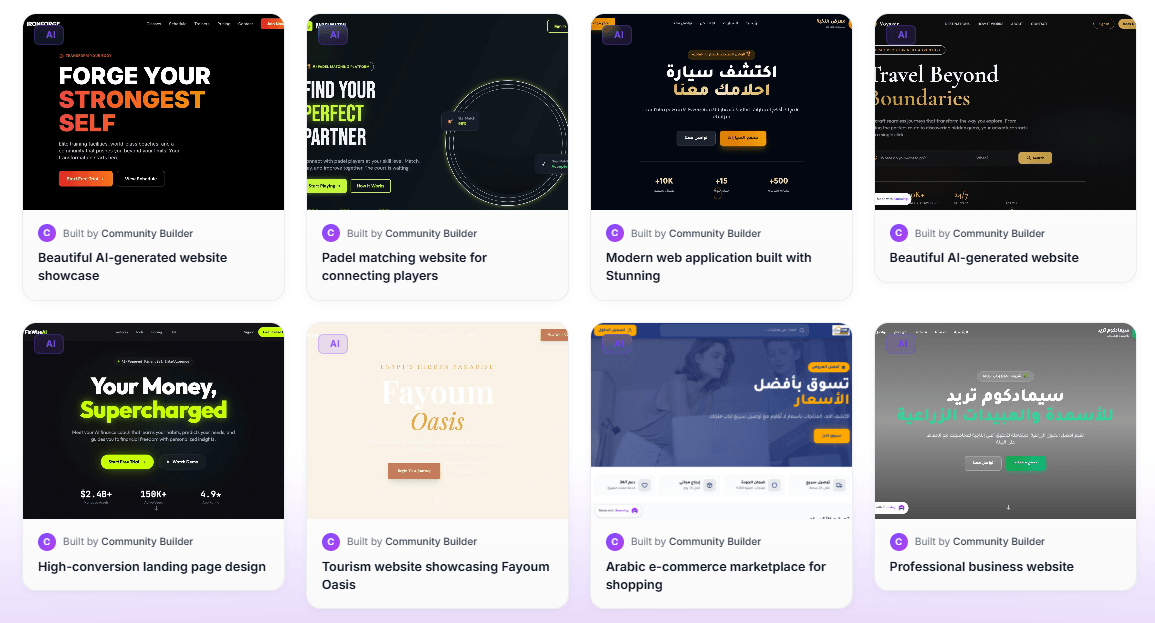
Turns user ideas into generated websites or full-stack web applications through natural-language instructions.
Uses Convex as the automatically provisioned backend, with data stored, backed up, and synced in real time.
Provides industry and workflow templates for faster starts, including education, healthcare, accounting, retail/POS, recruitment, construction, and more.
Offers Auto Mode for most tasks and Opus 4.6 for more complex or creative work, according to the official FAQ.
Shows a preview panel and lets users click files such as App.tsx or index.html to inspect the generated app or source.
Lets users publish projects to a yourproject.stunning-app.com URL, with custom-domain workflows available in supported account contexts.
Use case: Service-business website with lead capture
Why this is useful: This checks Stunning’s basic website-building strength: structure, copy, layout, pages, branding direction, and lead capture in one request.
Use case: Clinic management system
Why this is useful: This tests the part of Stunning that matters most beyond normal websites: full-stack app generation with backend/database logic. It is also close to the type of system templates Stunning already surfaces on its homepage.
Use case: Better iteration after the first draft
Why this is useful: This tests whether Stunning can revise an existing app without breaking what already works. The instruction is specific, protects existing functionality, and focuses on one improvement area.
The core workflow is simple: describe what you want, let Stunning generate the project, inspect the preview, then use the AI chat to revise the app. The platform’s FAQ says the preview panel opens automatically when a project loads, and users can reopen it by clicking generated files in the chat.
This is a good workflow for people who understand what they want but do not want to build it manually. You can ask for a landing page, dashboard, booking app, directory, internal CRM, course platform, or client portal, then keep refining through smaller instructions.
The important part is how you prompt. Stunning’s FAQ is unusually direct about this: it recommends being specific, breaking complex tasks into smaller steps, referencing files when needed, and describing the current state when asking for fixes. It gives examples like “Add a red button labeled ‘Submit’ below the form” instead of “add a button.”
That tells you how the product should actually be used. Stunning is not best treated as a one-shot magic generator. It is better as an AI development workspace where you ask for a first version, test it, then make focused changes.
The backend layer is one of Stunning’s most important differentiators. The FAQ says generated apps already have a database, using Convex as the automatically provisioned backend. It also says users can ask the AI to add a database table, and the AI will create the schema and functions.
That makes Stunning more useful than a design-only AI builder. A static website can look good but cannot manage records, user flows, dashboards, or operational data. Stunning’s backend approach makes it more relevant for apps that need stored information.
Good fits include:
| App Type | Why Stunning Can Fit |
|---|---|
| Clinic or appointment systems | Needs users, appointments, records, and dashboard views. |
| Course platforms | Needs lessons, students, instructors, and progress-style pages. |
| Inventory or POS systems | Needs products, orders, stock data, and reports. |
| CRM-style tools | Needs contacts, pipelines, notes, and tasks. |
| Internal admin dashboards | Needs tables, forms, filters, and saved data. |
The trade-off is that full-stack generation still needs review. Database schemas, permissions, edge cases, and business logic can be wrong or incomplete. Stunning can create a strong first version, but serious apps should still be tested carefully before being used with real customers or sensitive data.
Stunning’s FAQ currently names two model paths that matter for users: Auto Mode and Opus 4.6. Auto Mode automatically selects the best model for the task and is described as good for most use cases, while Opus 4.6 is described as the most powerful model for complex, creative tasks. Stunning recommends starting with Auto and switching to Opus only for complex features that require advanced reasoning.
| Mode | Best For | Practical Use |
|---|---|---|
| Auto Mode | Normal pages, focused edits, common app features. | Use this for most routine generation and iteration. |
| Opus 4.6 | Complex logic, creative builds, harder feature requests. | Use this when the app needs more reasoning or a more polished result. |
This model split is useful, but it also means users should think in tasks. A homepage rewrite, simple form, or color change does not need the same AI strength as a multi-role admin dashboard with database relationships and conditional logic.
Stunning includes a built-in publishing path. The FAQ says users can publish by clicking the rocket icon, after which the app is published to a yourproject.stunning-app.com URL. That is useful because it removes the usual hosting setup barrier.
For custom domains, the FAQ describes adding a domain, configuring DNS records, and waiting for propagation. It also notes DNS changes can take up to 48 hours.
This makes Stunning practical for prototypes, client previews, and simple production launches. A freelancer or agency can generate a project, publish it to a test link, share it with a client, then iterate. The delivery workflow is much faster than building locally, deploying manually, configuring hosting, and managing backend setup from scratch.
The limitation is that publishing is not the same as production readiness. A published app can be live, but it still needs testing, responsive checks, copy review, security review, form testing, database testing, and domain setup before it should be treated as a serious business system.
Stunning has a stricter browser/device requirement than many basic website builders. The FAQ says Stunning works best with Google Chrome, other Chromium browsers may work with limited compatibility, and Microsoft Edge, Firefox, Safari, and non-Chromium browsers are not supported. It also says the editor and builder require a desktop or laptop, though generated apps and websites can be accessed on mobile devices.
That matters for real-world use. Stunning may not be the best fit if you expect to edit heavily from an iPad, phone, Safari, or Firefox. The generated site can be viewed on mobile, but the creation environment is clearly designed for desktop Chrome.
The FAQ also warns that complex projects require more memory and recommends having at least 8GB RAM, closing other tabs, clearing cache, and breaking large builds into smaller parts if the browser crashes. This is a practical reminder that AI app builders can still be demanding when projects become large.
Stunning is strongest for fast business-app prototyping. A founder can build a SaaS dashboard. An agency can mock up client apps. A local business can create a functional website. A consultant can build an internal portal. A team can generate a first version of an operations tool before deciding whether to invest in custom development.
It is also strong for users who know the workflow they want but do not know how to code it. The AI can translate a business description into pages, components, forms, and backend structures. That is especially useful for service providers, agencies, small businesses, and solo builders.
The template marketplace is another strength because it gives users a practical starting point. Instead of describing every piece from scratch, users can begin from a category that already resembles the desired system.
The final strength is iteration. Stunning’s FAQ shows that the AI operates on files, edits code, and can respond to specific change requests. Users who learn to give focused instructions will get more value than users who rely on vague prompts.
Stunning is weaker when users expect perfect production code with no review. AI-generated apps can look convincing while still having missing validation, weak edge-case handling, broken flows, incomplete permissions, or database assumptions that need correction.
It is also weaker for users who want mobile or tablet editing. The official FAQ says the editor and builder require a desktop or laptop and that mobile editing is not available.
The browser limitation is another trade-off. Chrome is the safest path, while Firefox, Safari, Edge, and non-Chromium browsers are not supported according to the FAQ.
The credit/tool-call model also requires discipline, even without discussing pricing. Stunning says credits are consumed based on tool calls, and more complex projects require more operations. It also says smaller, focused requests typically use fewer credits, and credits lost due to errors or crashes cannot be recovered. That makes careful prompting important.
Finally, privacy and data handling should be reviewed for sensitive projects. Stunning’s privacy policy says service data is processed for AI-powered website development services, users own their service data, and the company processes it according to user instructions. It also says access by employees is need-to-know and logged/audited. That is useful, but teams building apps with customer, health, legal, financial, or internal company data should still review the full policy and test carefully.
- Startup founders: Stunning is useful for turning SaaS, marketplace, dashboard, or internal-tool ideas into testable prototypes quickly.
- Agencies and freelancers: The platform is a strong fit for fast client mockups, landing pages, service websites, and small business systems.
- Small businesses: Restaurants, clinics, travel agencies, construction firms, accountants, and local service providers can use templates and AI generation to get a working web presence faster.
- Internal tool builders: Teams can sketch admin panels, CRM-style tools, inventory systems, simple portals, and workflow dashboards without starting from a blank codebase.
- Education and course creators: The template list includes education and course-management style systems, making it suitable for learning platforms and training portals.
- Non-technical operators: Stunning is most useful for people who can describe business processes clearly but do not want to hand-code every page, table, and workflow.
- Start with the workflow, not the design. Describe what the app needs to do before asking for colors, fonts, or animations.
- Break big ideas into smaller builds. Stunning’s own FAQ recommends smaller, focused requests because complex projects require more operations and can be more demanding.
- Use Auto Mode first. Stunning recommends Auto for most use cases and Opus 4.6 only for complex features that need advanced reasoning.
- Be specific when editing. Ask for “add a red Submit button below the form” rather than “improve the page,” because the FAQ explicitly says specific requests produce better results.
- Test the database early. If the app stores real information, create sample records, test forms, check table behavior, and make sure data appears where expected.
- Use Chrome on desktop. The builder has clear browser and device limits, so avoid judging the product from Safari, Firefox, mobile, or tablet editing.
- Publish only after review. A generated app may look ready, but forms, routes, database behavior, responsiveness, copy, and permissions should still be checked before real use.
Stunning.so is best understood as an AI full-stack website and app builder, not just a quick landing-page generator. Its strongest value comes from turning natural-language ideas into working web systems with pages, components, backend/database functionality, templates, preview, and publishing built into the workflow.
It is best for founders, agencies, freelancers, small businesses, and non-technical operators who want fast prototypes or practical business apps without starting from code.
The main caveat is that Stunning still needs careful prompting and human review. It can create a strong first version quickly, but serious apps should be tested, refined, and checked before they are trusted with real users or sensitive data.
TAGS: Website/App Builders
Related Tools:

Enables users to quickly create professional websites

Creates fully functional apps, websites, and bots

Automates WordPress code generation

Quickly build, customize, and deploy AI-powered apps

Converts Figma designs into Elementor templates

Simplifies creation of high-converting landing pages