

Share this tool:
 |
Description:
- Introduction
- Strong Features and Capabilities
- What Shuffll Actually Is
- The Core Workflow: Data In, Video Out
- API and Automation
- Templates, Brand Rules, and Control
- Media Generation and Asset Handling
- What Shuffll Does Best
- Practical Tips for Better Results
- Limitations and Trade-Offs
- Quick Comparison With Other AI Video Tools
- Who Should Use Shuffll
- Final Takeaway
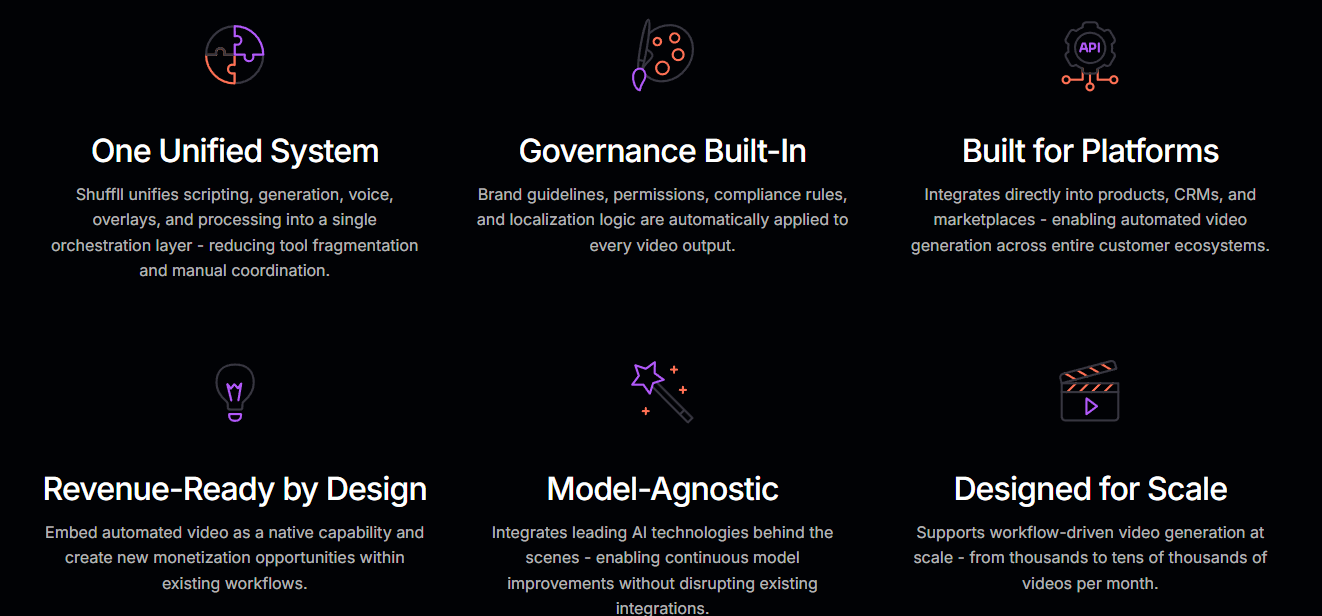
Shuffll is an AI video platform for organizations that want video generation built into their systems, not just a tool for creating one-off clips. Its current positioning is very clear: Shuffll turns existing business data into governed, automated video embedded directly inside products, platforms, CRMs, marketplaces, and enterprise workflows.
Shuffll is designed to integrate directly into products, CRMs, marketplaces, internal tools, learning systems, customer platforms, and enterprise applications.
Videos can be created automatically when a system event happens, such as a new listing, CRM update, onboarding step, product update, or internal workflow event.
Shuffll can use variables, user attributes, platform logic, CRM records, product data, or customer history to generate personalized video outputs.
Templates, visual rules, permissions, compliance requirements, localization logic, fonts, subtitles, and brand rules can be applied across outputs.
Shuffll says it coordinates more than 35 AI models and routes tasks such as scripting, voice, visuals, overlays, and post-production through a unified system.
The API workflow supports automatic enhancement, subtitles, audio cleanup, branding, export, and webhook notification when the final video is ready.
The easiest way to understand Shuffll is this: it is not trying to be a standard AI video editor.
A typical AI video tool helps one user create one video. Shuffll is positioned as an orchestration layer that connects data, business rules, templates, AI models, brand logic, approvals, permissions, localization, and delivery into a repeatable video system. Shuffll’s own FAQ makes that distinction directly: AI video tools create individual videos, while Shuffll embeds automated video generation into platforms and enterprise workflows.
That makes it a different category from tools like Pictory, Kapwing, Synthesia, or Runway. Those tools are useful when a creator, marketer, editor, or team member wants to manually create or edit content. Shuffll is more relevant when a business wants video to be triggered by data events.
- A new property listing goes live.
- A customer completes onboarding.
- A policy changes.
- A product update happens.
- An employee reaches a training milestone.
- A marketplace item needs richer presentation.
In that kind of workflow, the video should not depend on someone opening an editor, writing a script, picking visuals, adding captions, and exporting manually. Shuffll’s value is that it can make video part of the system itself.
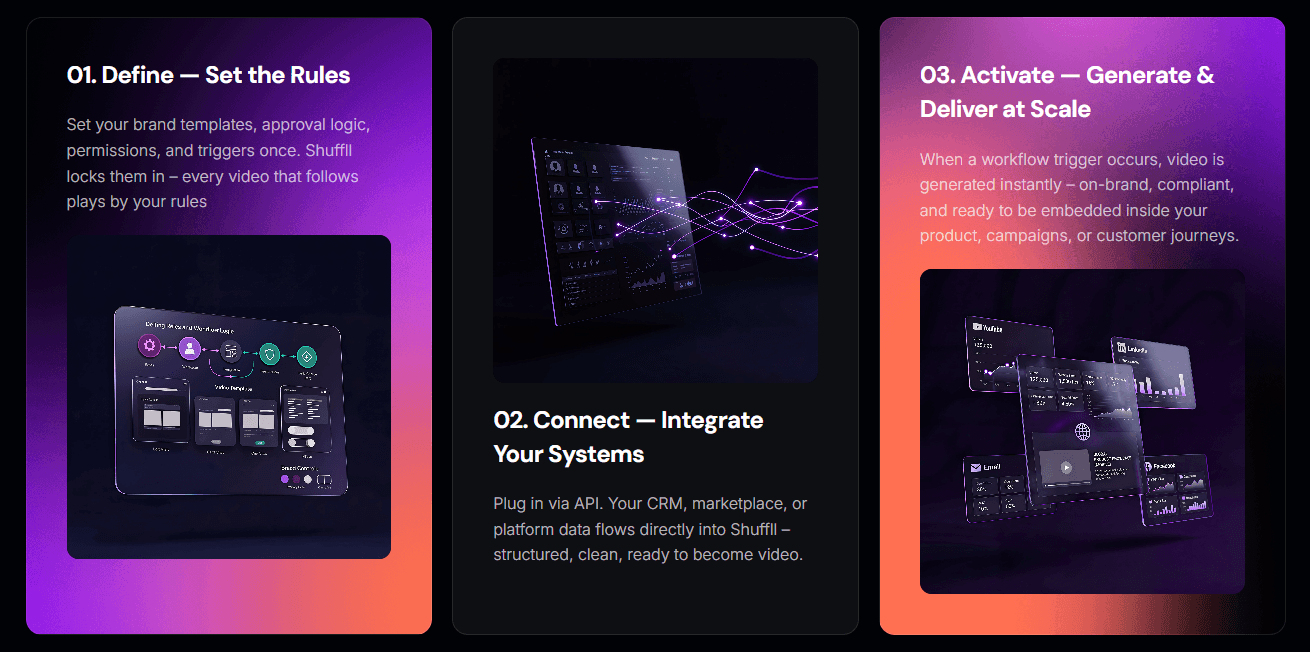
Shuffll’s current product story is built around a simple three-step idea: define the rules, connect the systems, and activate video generation at scale.
The first step is governance. Teams define brand templates, approval logic, permissions, triggers, and other rules once. Shuffll then applies those rules to future video generation so outputs remain controlled rather than improvised. The second step is integration. Business data flows from CRMs, marketplaces, platforms, customer databases, HR systems, learning systems, or other enterprise tools into Shuffll. The third step is activation. When a defined trigger occurs, Shuffll generates an on-brand video that can be embedded, published, shared, or distributed through the connected workflow.
That is the main advantage. Shuffll is not only helping you make a video faster. It is helping you make video repeatable.
| Workflow Stage | What Shuffll Handles | Why It Matters |
|---|---|---|
| Define | Templates, rules, permissions, localization, compliance logic | Keeps automated videos consistent |
| Connect | API integration with platforms, CRMs, marketplaces, data feeds, HR or customer systems | Makes video part of existing workflows |
| Generate | Script, visuals, voice, overlays, subtitles, post-production | Reduces manual production work |
| Enhance | Branding, captions, audio cleanup, timing, pacing | Makes output more publishable |
| Deliver | MP4, streaming manifest, webhook, embed, publish, distribute | Lets teams use video inside products or communication flows |
This is especially important for companies that need thousands of similar-but-personalized videos. A normal editor is fine when one marketer needs one explainer. It breaks down when a marketplace needs product videos for an entire catalog, or a healthcare platform needs patient communication videos based on workflow events.
The API layer is one of the most important parts of Shuffll.
The documentation explains two integration options: the Shuffll API for full programmatic control and Shuffll iFrame for embedding the project creation wizard directly into an application. For API users, Shuffll supports both a full step-by-step sequence and an automated AutoEnhance + AutoExport workflow using webhooks.
That gives teams two different ways to work.
If the organization needs detailed control, it can use separate calls for project creation, status polling, enhancement, export, and retrieval. That is better when a workflow needs review gates, custom processing, or deeper tracking.
If the organization wants hands-off automation, it can create a project with AutoEnhance, AutoExport, and a webhook. Shuffll then handles the process and notifies the system when the final video is ready.
The project creation workflow also supports multiple input types. A project can be created from a free-text prompt, a public link, a Google Doc, Google Slides, or a final script. Shuffll then generates a structured script divided into scenes, assembles visuals, and moves into enhancement.
That flexibility matters because different enterprise workflows start from different inputs. A marketing automation flow may start from product data. A training flow may start from slides. A customer success workflow may start from a script. A marketplace workflow may start from listing metadata.
Templates are central to Shuffll because automated video only works if the output stays predictable.
The API docs define templates as the visual and structural blueprint for a video, including scene count, scene types, transitions, and styling. When creating a project, users can control how strictly the AI follows the template through rigid, minor, or flexible behavior.
That is a smart control system.
Rigid templates are useful for compliance videos, product demos, regulated communications, or any workflow where the structure must stay consistent. Minor flexibility is better for most business content because it keeps the brand system intact while allowing the narrative to adjust. Flexible mode makes more sense when story quality matters more than strict formatting.
Shuffll also supports custom AI instructions inside templates, external media assets, media source ordering, font overrides, static text, subtitle styling, background music, audio cleanup, and per-scene overrides. That gives teams a way to combine automation with brand control instead of letting AI improvise every decision.
This is where Shuffll separates itself from simpler generators. The question is not just “Can it make a video?” The better question is: “Can it make the right kind of video every time, under business rules?”
That is the more valuable enterprise problem.
Shuffll uses a fallback system to assemble visuals for each scene. According to the API documentation, it can work through provided scene videos, stock footage, workspace assets, image-to-video generation, and AI video generation from scene descriptions. If explicit media is attached to a scene, that media is used first; otherwise, Shuffll searches or generates based on the configured fallback order.
This is practical because enterprise video workflows rarely have perfect media for every scene.
- Sometimes the company has product footage.
- Sometimes it has screenshots.
- Sometimes it only has data.
- Sometimes stock footage is enough.
- Sometimes the system needs generated visuals.
The fallback pipeline helps avoid all-or-nothing production. Teams can prioritize their own assets when available, fall back to stock, and generate when necessary. Shuffll also lets users override the source order, which is useful when brand accuracy matters more than novelty.
For example, a SaaS company might prefer workspace assets first, then stock footage, then generated visuals. A marketplace might use listing photos first. A generic explainer workflow might allow more generated media.
That control matters more than it sounds. In automated video, bad media selection can make the whole system feel generic. The best Shuffll deployments will likely be the ones where teams carefully define media sources, template logic, scene rules, and brand assets before scaling output.
Shuffll’s best use is operational video.
That phrase matters.
A normal marketing video is a project.
An operational video is a system output.
If a business has to make the same kind of video many times with different inputs, Shuffll becomes much more interesting. A property marketplace may need one video per listing. A benefits platform may need employee-specific onboarding clips. An insurance company may need personalized explanations when a claim status changes. A healthcare platform may need standardized but personalized patient guidance.
These are not creative one-offs. They are communication workflows.
Shuffll is strongest when the business can clearly define:
- the data source
- the trigger
- the template
- the required fields
- the brand rules
- the approval logic
- the destination
- the success metric
When those pieces are clear, video can become part of the infrastructure instead of an occasional production task.
- Start with the workflow, not the video. Define the trigger first: new listing, claim update, onboarding event, customer milestone, product update, or employee lifecycle moment. Shuffll is most valuable when the video is tied to a real business event.
- Use rigid templates for regulated or repetitive communication. If legal disclaimers, compliance language, brand layout, or scene order must remain fixed, use stricter template behavior and static text where needed.
- Prioritize owned media when accuracy matters. Use workspace assets, product footage, screenshots, listing photos, or approved brand media before generated visuals if the output needs to represent a real product, property, customer journey, or medical/insurance workflow.
- Set up subtitle controls carefully. Shuffll supports subtitle styling, word boosts, and custom spelling. Use those for brand names, product names, technical vocabulary, medical terms, insurance terms, or anything the speech system may mistranscribe.
- Use webhooks for high-volume workflows. Polling works when you need granular control, but the documentation explicitly frames webhooks as better for hands-free, high-volume automation.
- Review early outputs before scaling. The first few generated videos should be treated as system tests. Check whether the script logic, media source order, captions, brand rules, and delivery format are right before connecting the workflow to thousands of records.
- The biggest limitation is that Shuffll is not the best fit for casual, one-off video creation. A solo creator who wants to make a YouTube short, a marketer who wants to edit one campaign video, or a team that needs manual creative control may be better served by a standard editor or AI video creator. Shuffll becomes valuable when video production is repetitive, data-driven, embedded, and governed.
- The second trade-off is integration complexity. Because Shuffll is API-first and built for enterprise workflows, setup is more involved than opening a browser editor. Teams need to map data sources, choose triggers, define templates, configure brand logic, test outputs, and manage delivery.
- The third limitation is that automation does not remove the need for editorial judgment. Templates and rules help, but bad data, vague source fields, weak template design, or poor media source ordering can still produce weak videos. Shuffll can automate the pipeline, but the business still needs to design the system properly.
- The fourth limitation is creative flexibility. Shuffll is built around controlled outputs. That is a strength for enterprises, but it can feel restrictive if the goal is highly cinematic experimentation, detailed manual editing, or artistic video generation.
- The fifth limitation is governance responsibility. Shuffll provides controls for brand rules, permissions, localization, templates, and compliance logic, but regulated industries still need internal review. Healthcare, insurance, finance, HR, and customer communication workflows should be tested carefully before deployment.
| Tool Type | Shuffll Is Stronger When… | Another Tool May Be Better When… |
|---|---|---|
| AI video editors | Video must be generated automatically from data and triggers | A human wants to manually edit one video |
| Text-to-video tools | The output must follow brand, template, and workflow rules | The goal is creative visual experimentation |
| Avatar video platforms | Avatars are part of a larger automated workflow | You only need presenter videos from scripts |
| Repurposing tools | Videos are created from structured business data | You need to cut clips from long recordings |
| Enterprise automation tools | Video is the output of a business process | The workflow does not need video generation |
The clearest comparison is this: Shuffll is less like “Canva for video” and more like “video generation infrastructure for platforms.” That makes it narrower for casual users but more relevant for enterprises that need video as a repeatable capability.
Shuffll is a strong fit for:
- marketplaces with large catalogs or listings
- real estate and travel platforms
- insurance companies explaining policies, claims, and coverage
- healthcare platforms improving patient communication
- HR teams personalizing internal communication at scale
- SaaS platforms embedding video generation into customer workflows
- enterprise teams that need governed, repeatable, brand-controlled video
- developers building video automation into products
It is not the best fit for:
- solo creators making occasional videos
- teams that want a lightweight manual editor
- cinematic AI video experimentation
- social clipping from podcasts or webinars
- users who need full frame-level editing control
- small businesses that do not have repeatable video workflows yet
Shuffll is best understood as enterprise video infrastructure, not a simple AI video generator.
Its strongest value is turning structured data, workflow triggers, templates, brand rules, AI models, subtitles, voice, visuals, enhancement, and export into one automated video pipeline. It is especially useful for platforms, marketplaces, healthcare, insurance, HR, real estate, travel, and customer communication teams that need personalized or standardized videos at scale.
The main caveat is setup. Shuffll only makes full sense when video is part of a repeatable business process. For one-off creative editing, use a simpler AI video tool. For governed, data-driven video automation inside enterprise systems, Shuffll is much more interesting.
TAGS: Video Editing
Related Tools:
Simplifies personalized video creation

Creates customizable face swap videos

Creates cinematic AI videos and polished images

SEO and content marketing tool

Comprehensive plugin for WordPress

Embeds invisible watermarks into videos for authenticity