

Share this tool:
 |
Description:
Scribewave is an AI transcription platform built for people who work with interviews, meetings, lectures, podcasts, video footage, and multilingual recordings. Its main value is not just “speech to text.” It combines upload-based transcription, speaker detection, transcript editing, subtitles, translation, AI analysis, export formatting, privacy controls, and flexible pay-as-you-go usage in one relatively focused workflow.
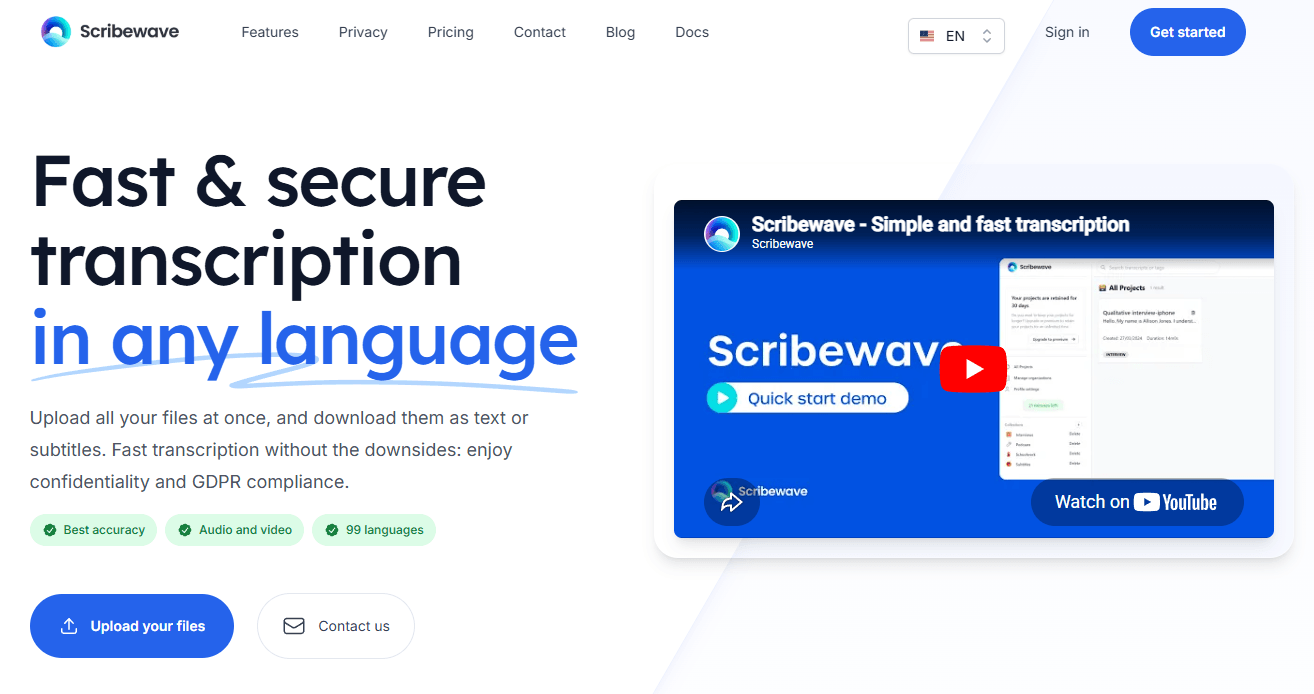
Scribewave highlights broad multilingual transcription support, with its current homepage emphasizing 99 languages while some product sections still refer to 90 languages and dialects.
The tool automatically separates speakers and gives users merge and split controls when real conversations get messy.
Users can define names, acronyms, product terms, medical terms, legal references, or project-specific language to reduce repeated transcript corrections.
Selecting transcript text can jump playback to the matching timing, which makes quote-checking and review much faster on long recordings.
Scribewave can summarize, clean up, rewrite, label, categorize, extract insights, and help with research-style transcript analysis.
The platform supports document, subtitle, and post-production handoff formats, including Word-style documents, PDF-style documents, SRT, VTT, Premiere Pro XML, and Avid AAF.
Scribewave is a web-based transcription and subtitle workspace. You upload audio or video, choose the spoken language or auto-detect it, add custom vocabulary if needed, and Scribewave generates a transcript that you can edit in a synced document and timeline environment. The platform supports common audio and video formats, and its homepage says it can handle large files up to 5GB and long files up to 5 hours, although published plan cards may list smaller upload limits for some tiers.
The workflow is especially useful because it does not stop at the first transcript. You can edit text while listening, jump from words or transcript sections back to the audio, translate the transcript, generate subtitles, export in multiple formats, and use AI to summarize or analyze the content. Scribewave’s documentation and product surfaces also point to project libraries, collections, bulk actions, meeting capture, WhatsApp uploads, and cross-project research for some organizations.
The basic workflow is simple: upload a file, select or auto-detect the language, choose transcription settings, and wait for the transcript to process. Scribewave also supports multiple file uploads, WhatsApp voice-message forwarding, and meeting capture through a bot that can join meetings by link or calendar invite.
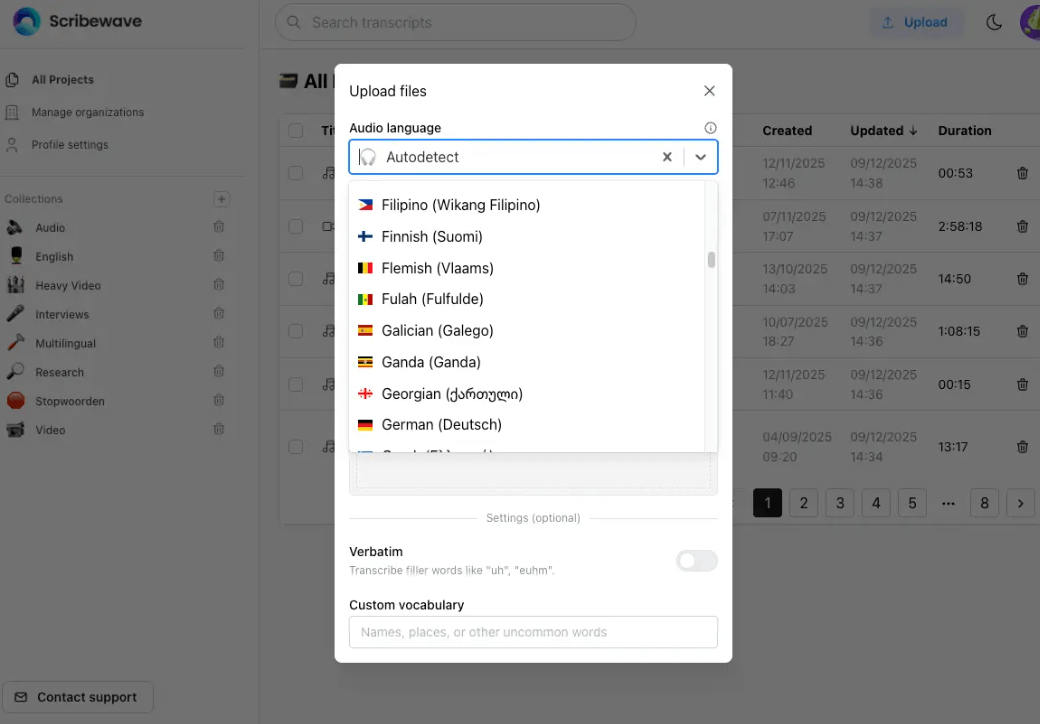
After upload, Scribewave turns the source media into a working transcript that can be reviewed, corrected, and exported. This makes the platform useful for people who need more than a raw transcript file and want a full review workspace.
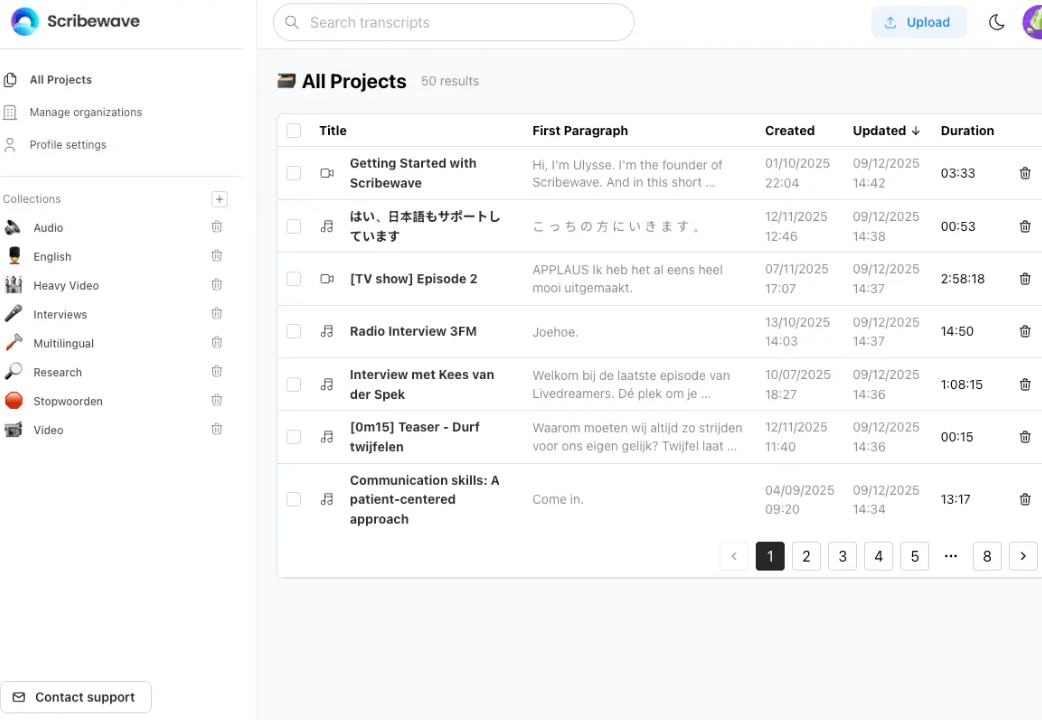
The dashboard supports search across project titles and transcript text, plus bulk actions for downloading, removing, or moving transcripts. That makes Scribewave feel built for repeat work rather than one-off conversions.
Scribewave’s strongest quality controls are custom vocabulary, diarization correction, confidence highlights, noise cancellation, and synced editing. Custom vocabulary is useful for names, acronyms, company terms, medical phrases, legal terminology, research jargon, and recurring proper nouns that speech-to-text tools often mishear.
Speaker diarization is also important because many real recordings are not clean monologues. Interviews, panels, meetings, focus groups, and calls often include interruptions, overlapping speech, and unclear speaker changes. Scribewave’s speaker separation and manual correction controls make the transcript easier to clean up after the first AI pass.
The best way to treat Scribewave is as a strong first-pass transcription and review system. It can save a lot of manual time, but important quotes, sensitive claims, technical terms, and speaker labels should still be reviewed before publication or research use.
The editor is where Scribewave becomes more useful than a basic transcription generator. The workspace combines playback controls, transcript text, timecodes, speaker-separated paragraphs, and a right sidebar for AI edits, translation, search and replace, and sharing settings. You can click a transcript section to jump to that timecode or double-click a word to jump more precisely.
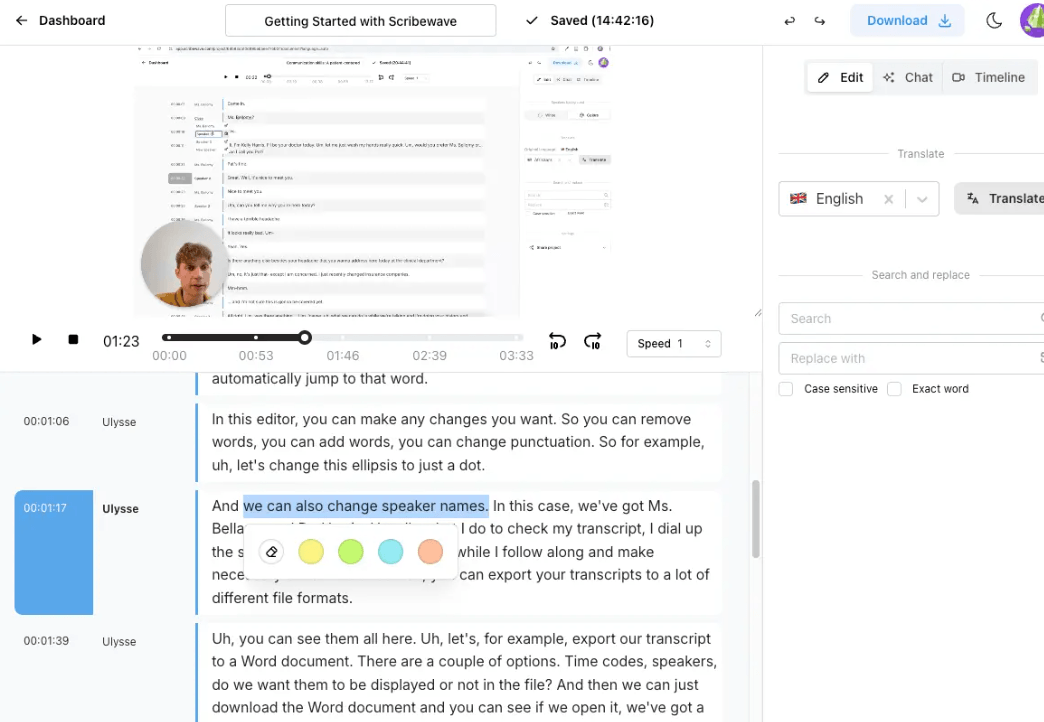
This makes Scribewave feel built for review work. Journalists can verify quotes. Researchers can clean up interviews. Editors can prepare captions. Teams can search across transcripts and organize projects into collections.
Scribewave’s export layer is one of its more practical advantages. Users can turn transcripts into documents, subtitle files, and post-production handoff files rather than being locked into one plain-text download. This matters for researchers, editors, content teams, podcasters, and video producers who need different outputs from the same source material.
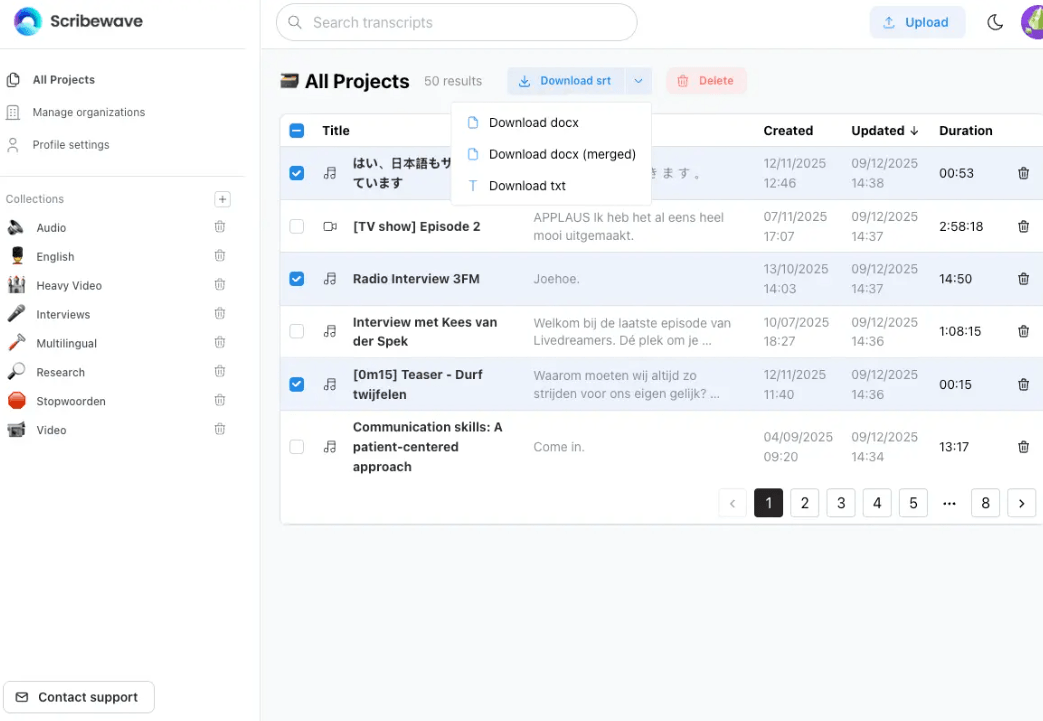
For video teams, SRT and VTT exports help with captions and accessibility. For editors, Premiere Pro XML and Avid AAF handoff formats can reduce friction. For researchers, searchable transcripts, AI summaries, and analysis tools can help move from raw interviews to usable themes and findings faster.
- Journalists: Scribewave is useful for transcribing interviews, verifying quotes, searching long recordings, and exporting clean notes.
- Researchers: The platform fits qualitative interviews, focus groups, lectures, and transcript analysis workflows.
- Video editors: Subtitle exports, synced playback, and post-production formats make it practical for captioning and editing handoff.
- Podcasters: Podcast teams can use Scribewave for transcripts, summaries, captions, show notes, and searchable archives.
- Educators and students: Lectures, seminars, and study recordings can become searchable notes and subtitle files.
- Teams and organizations: Meeting capture, project libraries, shared transcripts, and AI summaries make it useful for knowledge management.
- Use custom vocabulary before processing important files, especially when names, acronyms, product terms, legal terms, or medical language appear repeatedly.
- Review speaker labels early because speaker errors can make summaries, quotes, and research coding harder to trust later.
- Use click-to-audio sync when verifying quotes instead of searching through the full recording manually.
- Export subtitles separately when working with video so you can correct timing and text before publishing.
- Use AI summaries as a starting point, not as a final research conclusion.
- Keep sensitive recordings organized carefully and check privacy settings before sharing transcripts with collaborators.
- The first limitation is that transcription quality still depends on source quality. Background noise, overlapping speakers, quiet recordings, heavy accents, poor microphones, or music under speech can weaken the transcript.
- The second limitation is that published limits can vary by page or plan. Scribewave’s homepage highlights large-file and long-file support, while specific plan cards may list smaller upload limits, so users should check the exact plan before relying on a specific file size or duration.
- The third limitation is that AI summaries and analysis still need human review. Scribewave can accelerate insight extraction, but it should not replace careful review for legal, medical, academic, or sensitive material.
- The fourth limitation is that Scribewave is focused on transcription and subtitle workflows. Users who need full meeting automation, CRM updates, coaching, or live call intelligence may need a more specialized meeting assistant or sales-call platform.
Scribewave is a practical AI transcription and subtitle workspace for people who need more than a raw speech-to-text file.
Its strongest qualities are multilingual transcription, synced editing, speaker diarization, custom vocabulary, subtitle generation, AI analysis, privacy-focused positioning, and flexible export formats for documents, captions, and production workflows.
It is best for journalists, researchers, educators, podcasters, video editors, and teams that work with long recordings and need transcripts they can review, search, translate, analyze, and export. The main caveat is that important transcripts still need human verification, especially when the recording is messy or the content is sensitive.
TAGS: Speech to Text
Related Tools:

Transcribes and summarizes voice notes
Converts speech into text and organizes ideas
Offers speech-to-text and text-to-speech
Convert audio and video into accurate and editable text

Cconverts audio and video into precise transcriptions

Generates and translates accurate subtitles