
Share this tool:
 |
Description:
Replit is an AI-native app-building platform where Agent handles planning and execution, Workspace gives you a browser IDE, Design Canvas lets you edit visually, and Publishing turns the result into a live app without leaving the platform. That combination is what makes Replit more compelling than a plain code assistant and more flexible than a narrow no-code builder.
The cleanest way to understand Replit is as four connected layers rather than one single AI feature. Agent is the build engine that turns plain-language requests into working software. Workspace is the cloud IDE where you inspect, edit, run, and debug the project. Design Canvas is the visual layer for layout and style work. Publishing is the deployment layer that snapshots the app to Replit’s cloud so other people can use it on the web.
That matters because Replit’s real value is not “it writes code from prompts.” A lot of tools do that now. Replit is stronger when the job includes multiple steps: planning the build, setting up storage, wiring auth, iterating on design, previewing the app, then publishing it without moving across five separate tools. Replit’s own docs position Agent as the piece that orchestrates code generation, database setup, and deployment, which is a stronger promise than simple autocomplete.
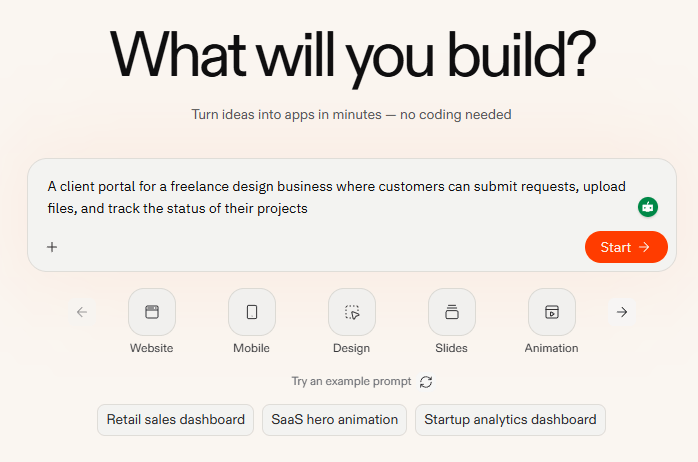
Replit benefits from good prompts because Agent is the entry point for most builds. These are better treated as practical starting assignments than “magic prompts.”
“Build an internal operations dashboard for a small ecommerce business. Include login, order overview cards, a searchable orders table, a customer detail view, and an admin page for updating order status. Use a clean modern UI and set up a database schema for orders, customers, and staff roles.”
Why this works: it plays directly into Replit’s strength as a full-stack builder with database, auth, and deployable app structure in one environment.
“Create a polished landing page for an AI meeting assistant, then add a signed-in product shell with sidebar navigation, a dashboard home screen, and a settings page. Make the design responsive and generate a few visual variants for the hero section.”
Why this works: it uses both Agent and Design Canvas well, which is closer to how Replit is meant to be used than a single front-end-only request.
“Build a habit-tracking mobile app for iOS and Android with streak tracking, reminders, a weekly summary screen, and local onboarding. Make it previewable on my phone and keep the UI simple and fast.”
Why this works: Replit now officially supports native mobile app workflows, phone preview, and guided publishing, so this is a real product path, not just an aspirational prompt.
“Build a meeting prep tool that pulls notes from Google Docs, tracks deadlines in Google Calendar, and stores project status in a database. Include a dashboard, project pages, and a weekly summary view.”
Why this works: it targets Replit’s connectors and managed integrations rather than treating the product like a standalone code generator.
Replit is best when you want to go from idea to usable product fast, especially for web apps, internal tools, prototypes, MVPs, dashboards, simple SaaS products, and increasingly mobile apps. The official docs and product pages now lean heavily into “build anything” language: web apps, mobile apps, dashboards, slides, and more, with Plan mode, Design Canvas, and background task execution all feeding into the same project.
It is also one of the more practical AI builders for people who are not fully no-code and not fully traditional developers. Beginners can start from a prompt. More technical users can inspect the generated code, steer architecture, connect services, and keep building inside the IDE. That middle ground is a big part of Replit’s appeal. This is partly an inference from the product design, but it is directly supported by Replit’s browser-based IDE, built-in integrations, database tooling, and editable task workflow.
Replit Agent turns plain-language requests into apps, sites, slides, and other project artifacts, then keeps iterating through follow-up instructions.
Agent can split work into draft, active, ready, and done tasks, run them in isolated copies, and let you apply finished changes back to the main version.
Design Canvas gives Replit a real UI editing surface, including responsive overrides, state editing, and design variants rather than text-only prompting.
Replit exposes managed database, storage, auth, and domain tools so Agent can wire up common app foundations without much setup.
Publishing creates a cloud-hosted snapshot of the app, separating the live version from the workspace version.
Replit now supports native mobile app workflows, mobile previews, and collaborative parallel building with shared task boards.
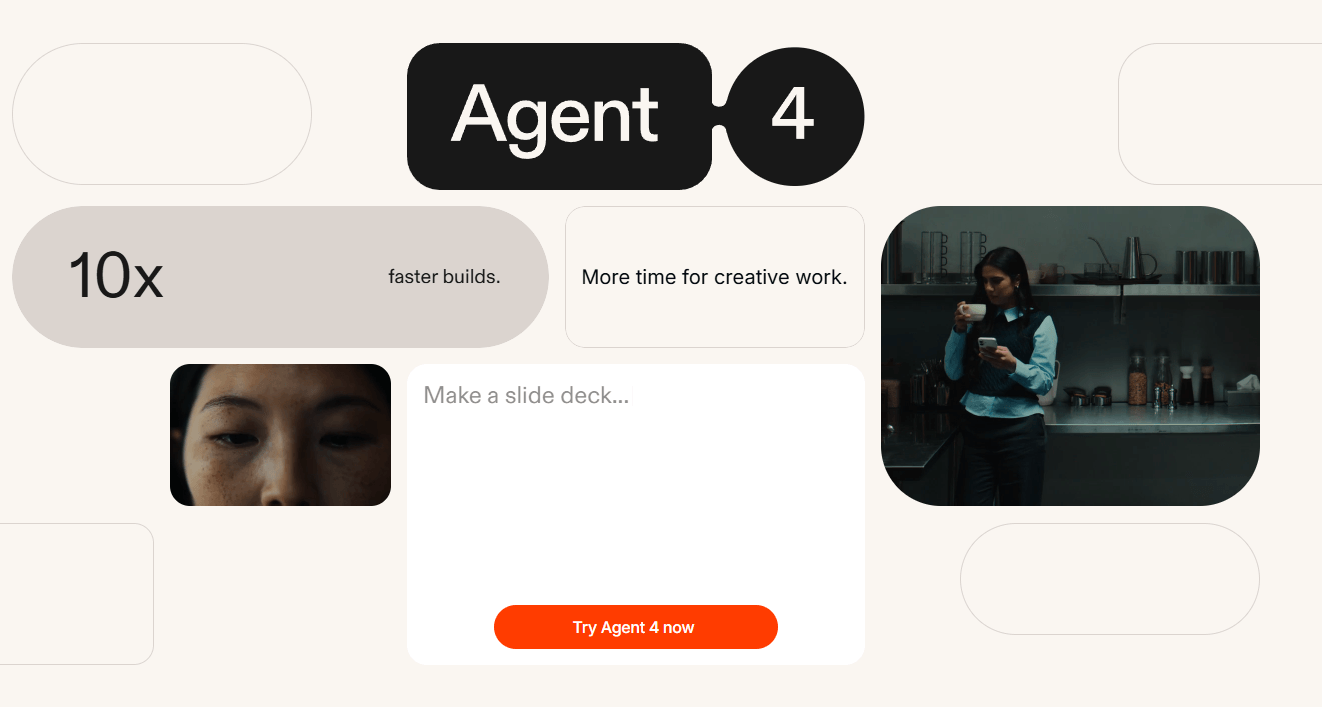
Replit is not most interesting at the moment you type the first prompt. It becomes interesting after that, when the work stops being one-shot and turns into a sequence of decisions.
The current task system is one of the clearest examples. Agent breaks work into tasks, proposes plans, runs accepted tasks in isolated copies of the project, and then lets you review logs, tests, previews, and changes before applying them. That is a more controlled workflow than the common “AI edited 40 files, hope for the best” experience.
Design Canvas is the other big workflow upgrade. Replit now treats visual editing as a first-class part of the build process, not an afterthought. You can tweak layouts and states visually, generate variants, and apply changes directly to the app while Agent continues building other parts. That makes Replit noticeably more usable for founders, product people, and designers who care about interface quality but do not want to hand-author every front-end detail.
The built-in service layer also matters more than it sounds. Replit managed integrations include a built-in PostgreSQL database, storage, auth, and domain handling, while connectors can read and write to outside tools like Google Drive, Docs, Sheets, and Calendar. That makes Replit more operational than a pure coding chatbot because it can assemble a workable product stack, not just generate source files.
Two buying decisions matter most in Replit today: Agent mode and account plan.
| Agent mode | What it’s for |
|---|---|
| Lite | Faster, cheaper, lighter-weight requests. |
| Economy | Balance of cost and capability. |
| Power | Heavier tasks where quality and depth matter more. |
| Advanced settings / Turbo | More control over testing, code review, and speed. |
That is useful in practice because Replit is not a flat “one AI mode fits everything” product. The platform explicitly lets you trade speed, cost, and capability, which matters when you are doing anything from quick UI edits to heavier architectural changes.
| Plan | Best fit | Notable points |
|---|---|---|
| Starter | Trying the product | Free daily Agent credits, limited Agent intelligence, publish 1 app. |
| Core | Personal projects and simple apps | $25 monthly credits, up to 5 collaborators, autonomous long builds. |
| Pro | Commercial work | $100 monthly credits, up to 15 collaborators, most powerful models, private deployments. |
| Enterprise | Larger organizations | SSO/SAML, advanced privacy controls, design system support, data warehouse connections, dedicated support. |
Replit is a strong fit for founders and solo builders who want to turn a product idea into a live MVP quickly. The combination of prompt-based generation, editable code, built-in database options, and one-click-style publishing is exactly what that audience usually needs.
It is also a good fit for product managers and designers who want working software instead of static mockups. Replit’s current direction around Design Canvas, plan-first building, and iterative app refinement makes it more useful for “show, not tell” product work than a traditional IDE alone.
Teams are another meaningful use case, especially on Pro. Shared boards, multiple threads, and parallel task execution make Replit more collaborative than tools that assume one person chatting with one agent in one thread.
Where it is less ideal is very controlled enterprise software engineering with strict internal tooling, unusual infrastructure requirements, or workflows that must stay fully outside a hosted AI build environment. Replit does offer an Enterprise tier with SSO, privacy controls, single-tenant environments, region selection, VPC peering, and static outbound IPs, but the platform is still most naturally aligned with fast app creation and iteration rather than highly bespoke internal platform engineering.
- Start with a real product brief, not a vague idea. Replit’s own prompting guidance emphasizes clear instructions, and the task system works best when Agent has enough context to split the build into sensible pieces.
- Use Plan mode and task review before letting Agent loose on a bigger app. That is one of the best ways to keep the build coherent and catch wrong assumptions early. Replit explicitly highlights planning before code and reviewing task plans before execution.
- Use Design Canvas for interface direction instead of trying to over-describe every pixel in chat. Replit now has a visual surface for that, and it is usually a better control layer for styling and layout than repeated prompt nudges.
- Use built-ins before custom plumbing when possible. If your app needs relational data, file storage, sign-in, or a domain, Replit already exposes native options that Agent understands. That reduces setup friction and usually makes the first version more stable.
- For mobile, expect a real workflow rather than a magical shortcut. Replit supports native mobile app creation and phone preview, but the docs still involve previewing through Expo Go and working through mobile-specific troubleshooting when needed.
- The first trade-off is cost predictability. Replit Agent uses effort-based pricing, and all Agent interactions are billable, including conversations that only return guidance rather than direct code edits. That is more flexible than flat per-task pricing, but it also means costs can feel less obvious if you use Agent heavily and casually.
- The second trade-off is that Replit’s strongest workflow is also a heavier workflow. You are not just chatting with an assistant. You are managing plans, tasks, reviews, previews, and deployable project state. That is powerful, but it can feel like more product than someone needs if all they want is quick coding help. This is an inference, but it follows directly from Replit’s task board, parallel execution model, and multi-layer workspace.
- There is also still some platform complexity around databases and infrastructure. Replit currently uses different database arrangements across development and production contexts: development databases are being upgraded from Neon to Replit’s own Helium infrastructure, while production databases use PostgreSQL 16 hosted on Neon. That is not necessarily bad, but it is more platform detail than beginners may expect.
- Finally, mobile app building is real but not entirely frictionless. Replit supports native mobile workflows and guided publishing, but the docs also include dedicated troubleshooting for previews, bundling, and dependencies. That is a reminder that AI app building still reduces work more than it eliminates it.
Replit is one of the stronger AI app-building platforms right now because it does not stop at code generation.
Its best version is a full workflow: prompt the app into existence, break work into tasks, refine the UI visually, connect services, then publish the result from the same environment.
It is best for founders, PMs, designers, solo builders, and fast-moving teams that want to get from concept to usable software quickly. The main caveat is that it is not a cheap toy or a pure chat assistant: the workflow is deeper, the pricing is usage-shaped, and you get the most value only when you use the whole platform the way it was designed.
TAGS: Programming
Related Tools:

Transforms plain-text app ideas into visual backends

Integrate and analyze data across various channels
Automatically find, fix, and improve code

Transforms product ideas into manufacturable designs

Helps developers write, edit, and understand code faster
Write code, understand codebases, and automate development tasks