

Share this tool:
 |
Description:
Magic Eraser by Magic Studio is a browser-based AI photo cleanup tool built around one simple job: upload an image, brush over the part you want removed, erase it, and download the edited result. It is not a full design suite or a prompt-heavy image generator. Its value is practical cleanup, especially when a good photo is being held back by a photobomber, object, text, watermark-like mark, blemish, clutter, or background distraction.
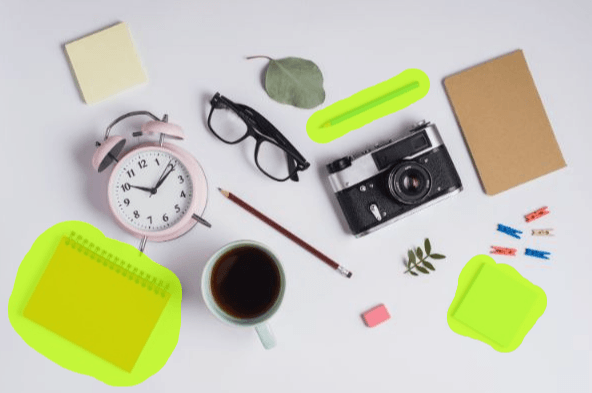
Magic Eraser is strongest when the unwanted element sits on a background the AI can understand.
That includes a person walking through a travel photo, a small object on a table, text on a plain shirt, a logo-like mark on a simple surface, a blemish on a portrait, a cable on a floor, or clutter around a product. These are the jobs where AI inpainting can infer the surrounding pattern and fill the selected area in a believable way.
It is especially useful for:
- ecommerce images with tags, labels, or background clutter
- travel photos with strangers in the frame
- social media photos with distractions near the subject
- real estate or interior photos with small unwanted objects
- portraits with blemishes or background marks
- marketplace listings that need cleaner product presentation
- blog, thumbnail, and marketing images that need fast cleanup
The best reason to use Magic Eraser is speed. Many photo issues do not need a full editor. If the fix is “remove this person,” “erase this sign text,” or “clean up this distracting object,” Magic Eraser is built for that exact kind of task.








Users mark the unwanted part of an image, then Magic Eraser fills the area with AI-generated background detail.
The official page focuses on removing unwanted objects, people, and text from photos.
The Magic Eraser page lists support for JPG, PNG, AVIF, and WEBP uploads.
Magic Eraser includes a bulk edit path for removing unwanted items from multiple pictures.
Magic Studio also includes Background Remover, AI Image Generator, Image Upscaler, Background Blur, AI Art Generator, HEIC to JPG, and WEBP to PNG tools.
Magic Studio offers a Magic Eraser API for erasing selected parts of an image with AI inpainting.
Magic Eraser’s best feature is how little it asks from the user.
The basic workflow is:
| Step | What You Do | Why It Matters |
|---|---|---|
| Upload | Add the image you want to edit | The tool starts from your existing photo |
| Select | Brush over the unwanted part | The brush tells the AI what to remove |
| Erase | Run the cleanup | The AI fills the selected area |
| Review | Check the repaired area closely | Small artifacts can appear |
| Download | Save the edited image | The result is ready for use or further editing |
That is the whole appeal. You do not need layers, clone stamps, masking tools, or selection workflows. For casual users, that makes Magic Eraser much easier than a traditional editor. For professionals, it can still be useful as a fast first pass.
The brush step matters more than most users think. Magic Studio’s own guide for removing people recommends including the person and their shadow in the brushstroke, rerunning the erase if the filled area is wrong, and handling long thin objects in smaller phases rather than trying to remove everything at once.
That advice is worth following. AI object removal often fails because the selection is too sloppy or too broad. If you select half the image, the model has to invent too much. If you select too little, parts of the removed object may remain.
Magic Eraser by Magic Studio is best for fast photo cleanup when an otherwise useful image has a distracting person, object, text mark, blemish, or visual clutter.
Its strongest value is the simple brush-based workflow: upload the image, mark what should disappear, erase it, review the result, and download.
The main caveat is that AI inpainting works best when the background is predictable. Simple walls, floors, skies, product backdrops, roads, and soft outdoor scenes are easier to repair than faces, hands, detailed logos, complex patterns, crowds, or important product details.
TAGS: Photo Editing
Related Tools:

Enhances and upscales image quality

Swaps faces in photos, videos, and GIFs

Transforms selfies to professional headshots

Enhances resolution and quality of images

Removes unwanted objects from images
Offers advanced tools for photo and video editing