
Share this tool:
 |
Description:
LinkBoss is an AI-powered internal linking tool for SEOs, agencies, publishers, affiliate site owners, and content teams that need to build better links between pages without doing every placement by hand. Its main job is to find relevant internal link opportunities, suggest natural anchor text, build content silos, fix orphan pages, and help users manage link health from one dashboard.
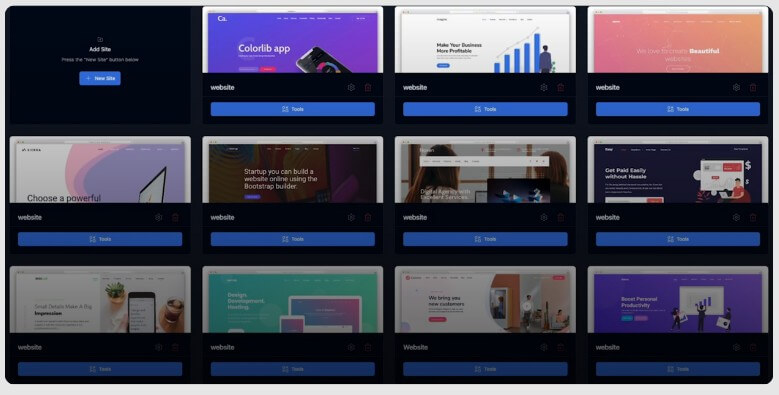
The strongest reason to look at LinkBoss is scale. Internal linking is easy when a site has 20 posts. It gets messy when a site has 300, 1,000, or 10,000 URLs. At that point, the issue is not just adding links. It is knowing which pages should support which pages, which anchors are becoming repetitive, which URLs are isolated, and which links may be diluting authority.
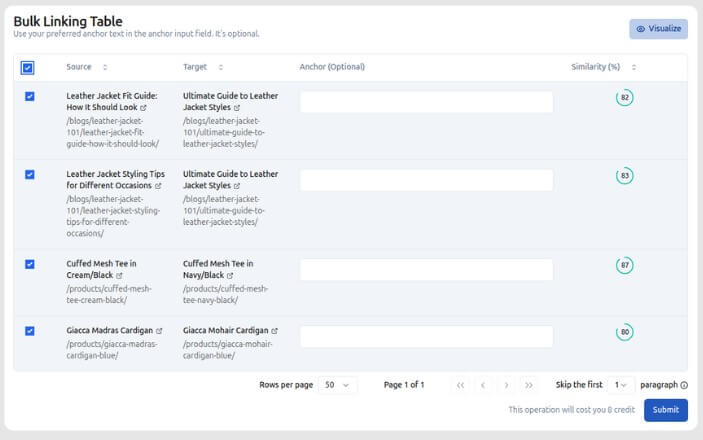
LinkBoss is built for that harder version of internal linking. It uses NLP and semantic analysis to understand page relationships instead of relying only on keyword matching. That matters because a page can be topically relevant even when it does not use the exact same phrase. LinkBoss also shows semantic similarity scores, so users can judge link opportunities by contextual fit instead of guesswork.
This makes the tool more useful for content-heavy SEO work than a basic auto-linker. A basic auto-linker can match words. LinkBoss tries to match meaning, preview placement, and give the user control before links go live. That is the difference between speed and risky automation.
| Feature | Why It Matters |
|---|---|
| Semantic Internal Linking | Suggests links based on content meaning, not only keyword overlap. |
| Bulk Interlinking | Built for adding large batches of internal links with preview and rollback controls. |
| Silo Builder | Helps users create structured topic clusters using preset link patterns. |
| Anchor Manager | Finds anchor text overlap, over-optimization, and cannibalization risks. |
| Link Health Monitoring | Tracks orphan pages, dead ends, duplicate links, link health score, and related issues. |
| GSC Integration | The WordPress listing says LinkBoss includes Google Search Console features for rank tracking and data-driven link suggestions. |
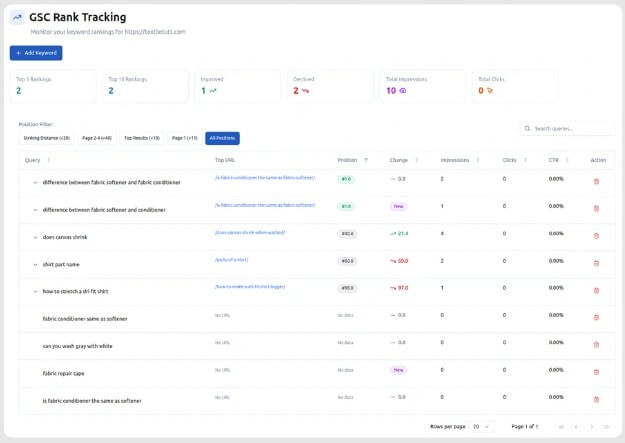
The LinkBoss workflow is closer to an SEO command center than a normal plugin settings page. You start by connecting the site, letting LinkBoss analyze the content, then choosing the task: inbound links, outbound links, bulk linking, silo building, anchor management, or link health review.
For single-page work, the inbound interlinking tool lets users submit a target URL, then LinkBoss finds relevant source pages, anchor opportunities, and can publish the selected interlinks from the dashboard. That is useful when you publish a new money page, review page, product page, or pillar article and want older content to support it.
For bigger work, Bulk 2.0 is the more important workflow. LinkBoss describes it as a cloud-based bulk linking system that can build large numbers of semantic connections while showing paragraph-level previews before deployment. It also includes rollback, which matters because bulk SEO edits should never feel irreversible.
The most practical part is the insertion logic. LinkBoss can use existing sentences, minimally rephrase content, or add new contextual sentences when needed. Its Pipeline Mode tries these methods in sequence and chooses the first suitable placement based on thresholds. That gives users a middle ground between manual editing and blind automation.
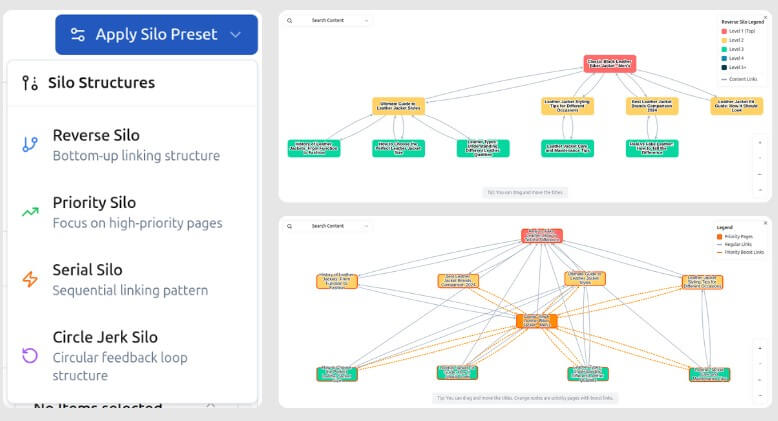
The silo builder is one of LinkBoss’s more distinctive parts. Instead of asking users to manually map every pillar, support article, and cross-link, LinkBoss offers preset structures such as Reverse Silo, Priority Silo, Serial Silo, and Hybrid Circle Silo. These are designed for different content architecture goals, such as pushing authority up to a main page, prioritizing high-value URLs, or linking content in a sequence.
This is where LinkBoss fits best for serious SEO teams. A content cluster is not just a folder of related articles. It needs a clear linking pattern. LinkBoss helps turn that abstract strategy into a live structure, then lets users inspect anchors, preview links, and adjust the setup before publishing.
The caveat is that users still need SEO judgment. A silo preset can organize links, but it cannot decide your business priorities, search intent map, or which URLs deserve the most authority. LinkBoss can speed up execution. It should not replace strategy.
LinkBoss also works as a cleanup tool. The Link Health Monitor tracks issues like orphan pages, dead-end pages, duplicate links, keyword cannibalization, anchor cannibalization, HTTP links, and overall link health scoring. This is useful because many sites do not have an internal linking problem in one place. They have dozens of small structural problems spread across years of content.
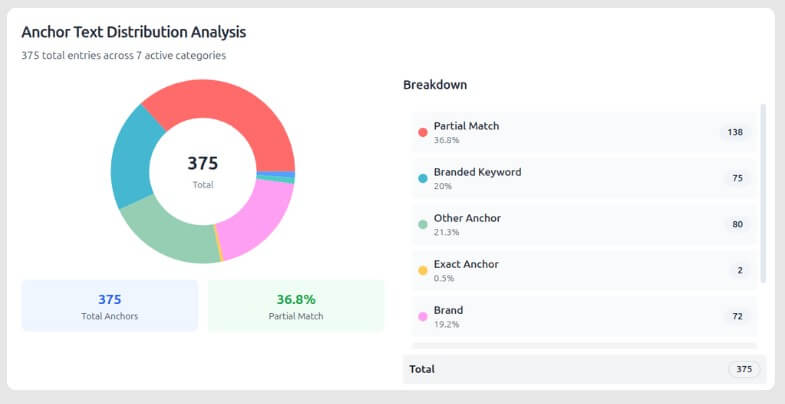
The Anchor Manager is especially important for affiliate sites, local SEO sites, and programmatic content sites. These sites can end up with repeated exact-match anchors pointing to different pages, or different anchors sending mixed signals to search engines. LinkBoss provides anchor categorization, distribution views, cannibalization detection, and context-aware editing.
That makes the tool more than a link inserter. It also helps users avoid internal linking habits that look efficient at first but create confusion over time.
- Large blog cleanup: LinkBoss is a strong fit for sites with hundreds of old posts, especially when orphan pages, dead ends, and duplicate links have built up over time.
- New pillar page promotion: When a new commercial or informational pillar goes live, LinkBoss can find older articles that should link to it.
- Affiliate and review sites: These sites often need tight control over money-page links, anchor variation, and support content.
- Agency client audits: The visual link health and reporting style can help agencies show clients where internal structure is weak.
- Publisher workflows: High-volume publishers can use semantic suggestions to reduce the chance that new articles sit disconnected from older related coverage.
- Topic cluster building: The silo presets are useful for teams that already know their content strategy but want faster execution.
LinkBoss is not a magic SEO button. Internal links can help search engines and users understand a site, but they do not fix weak content, poor search intent targeting, thin pages, bad technical SEO, or weak external authority.
It may also feel like too much tool for small websites. If you only have 30 pages, the dashboard, bulk tools, anchor analysis, and silo systems may be more than you need. Manual linking could be enough.
The other trade-off is review time. LinkBoss includes previews and controls, but users should still inspect link suggestions before publishing. This is especially true for commercial pages, medical or legal content, multilingual sites, and articles where a small context mismatch could make the link feel awkward.
Finally, automation can encourage over-linking. Just because a tool can create many links does not mean every page needs more links. The best use of LinkBoss is selective and strategic, not maximum-volume linking for its own sake.
- Start with a link health audit before building new links. Fix orphan pages, dead ends, and duplicate links first.
- Use semantic similarity scores as a filter, not as the only decision rule. A high score is useful, but the link should still make sense to a reader.
- Build silos around real search intent, not only topical similarity. Pages can be related but serve different user needs.
- Review anchor distribution before bulk publishing. Internal linking works better when anchors feel natural and varied.
- Use rollback and previews whenever you are making large changes. Bulk updates should be treated like site migrations: controlled, reviewed, and reversible.
LinkBoss is best for SEOs and content teams that manage enough pages for internal linking to become a real operational problem.
Its strongest value is the mix of semantic link suggestions, bulk workflows, silo building, anchor management, and link health monitoring.
The main caveat is that it still needs human SEO judgment. Used carefully, it can save a lot of manual work. Used carelessly, it can help you make the wrong links faster.
TAGS: Marketing
Related Tools:

Enhances customer discovery and market research

Automates phone calls for businesses using voice agents

Email marketing automation tool

Comprehensive 3D modeling and animation software

Enhances product photography

Integrates design, engineering, and manufacturing tools