

Share this tool:
 |
Description:
Heatbot is a data-driven generative UI tool that uses website screenshots and heatmap images to suggest improved page designs. Instead of asking users to stare at heatmap patterns and manually decide what to change, it analyzes interaction data, follows user-selected improvement goals, and generates updated HTML, CSS, and JavaScript.

Heatbot is built for one practical problem: teams collect heatmap data, but turning that data into design changes is slow.
Heatmaps can show where users click, scroll, ignore content, or get stuck. That part is useful, but it still leaves a hard question: what should change on the page? Heatbot tries to close that gap by pairing a website screenshot with a matching heatmap image, then using AI to produce an improved version of the interface.
That makes it more specific than a general AI website builder. A normal AI builder can create a landing page from a prompt. Heatbot starts from a real page and real user-behavior evidence. Its strongest use case is not “make me a website.” It is closer to: “Here is the page people are using, here is where they click and scroll, now suggest a better version.”
This is especially useful for landing pages, SaaS homepages, product pages, signup flows, lead generation pages, and campaign pages where layout choices affect conversion.
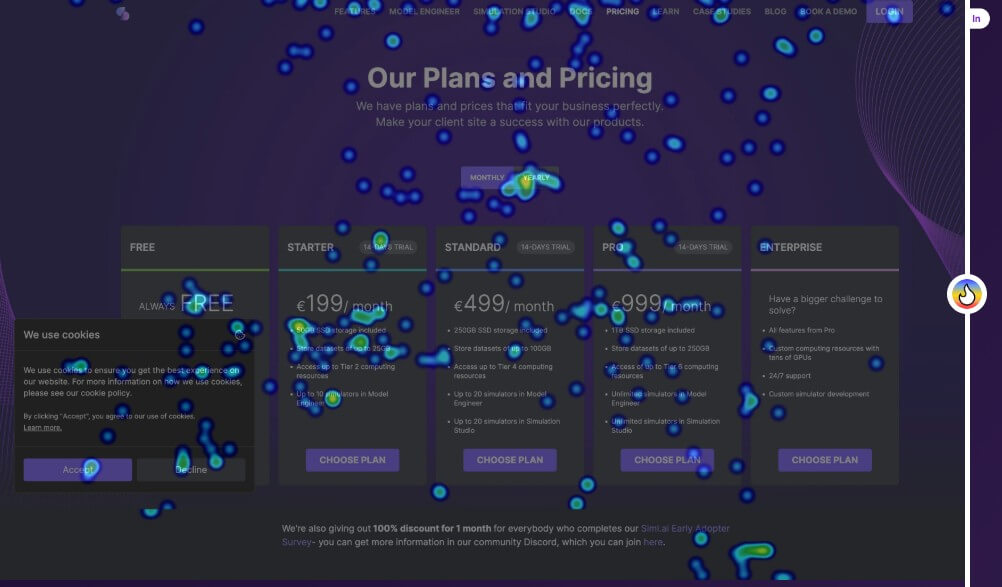
Heatbot’s process is straightforward:
| Step | What You Do | Why It Matters |
|---|---|---|
| Upload website screenshot | Add a screenshot of the UI or full page you want to improve. | Gives the AI the current layout, hierarchy, and visual structure. |
| Upload heatmap image | Add a heatmap from your tracking tool for the same area of the page. | Shows where users interact, hesitate, or miss key content. |
| Set improvement goals | Choose goals from a prompt library or write your own. | Tells the AI whether to focus on conversion, accessibility, clutter, or another goal. |
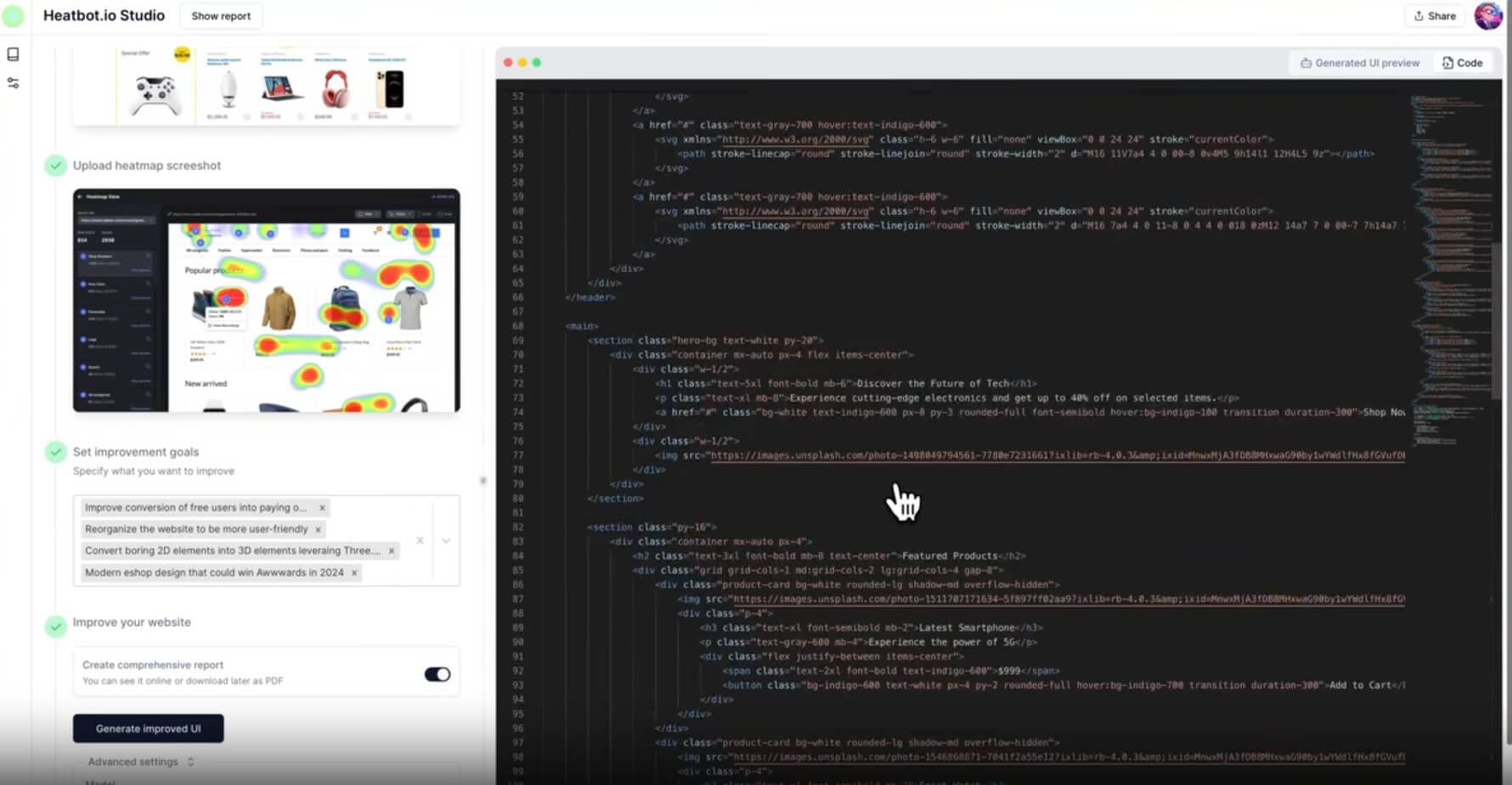
| Generate improved UI | Heatbot analyzes the page and heatmap, then generates improved front-end code and an improvement report. | Turns behavioral evidence into a concrete redesign direction. |
The matching requirement matters. Heatbot says the heatmap image should cover the same part of the page as the screenshot. That is important because mismatched inputs would make the analysis less useful. A heatmap from one page section cannot reliably guide changes to another.
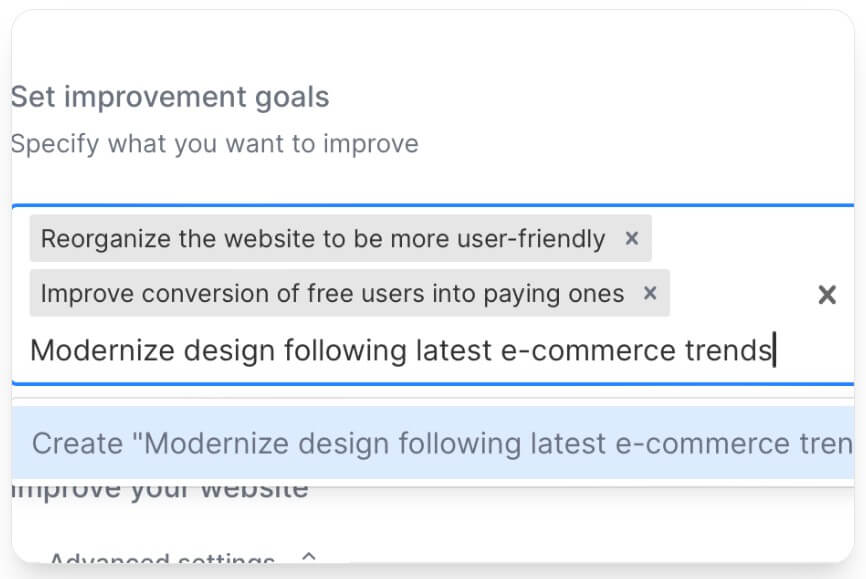

Heatbot’s output should be judged on three things: whether the redesign reflects the heatmap, whether the proposed layout supports the selected goal, and whether the generated code is practical enough to hand off or edit.
The main advantage is that Heatbot can turn vague heatmap interpretation into a concrete first draft. If users are not clicking the primary call-to-action, Heatbot may help rethink button placement, hierarchy, spacing, or visual emphasis. If users are distracted by secondary elements, it can help reduce clutter. If users do not scroll far enough, it can help bring important content higher on the page.
The stronger versions of this workflow are not just prettier pages. They are pages that respond to user behavior. That distinction matters. A redesign can look better and still perform worse. Heatbot is most useful when it keeps the heatmap evidence central.
The generated code is also important. Heatbot is not only describing what to change; it aims to produce implementation-ready HTML, CSS, and JavaScript. The official site also says some versions can generate component outputs for React, Vue, or Svelte.
Still, users should expect review and cleanup. AI-generated front-end code can be a strong starting point, but production teams will still need to check responsiveness, accessibility, brand rules, analytics events, CMS compatibility, and performance.
- Landing page optimization: Heatbot is a good fit when a marketing team has heatmap data but no clear next design step.
- SaaS homepage revisions: Product teams can use it to rethink hero sections, feature blocks, CTAs, and signup paths based on user attention patterns.
- E-commerce product pages: Heatmaps can show if users ignore size guides, reviews, shipping details, or add-to-cart buttons. Heatbot can help test new layouts around those findings.
- Agency design audits: Agencies can use Heatbot as a faster way to turn heatmap findings into redesign mockups and technical starting points.
- Accessibility and clutter reduction: The goal system is useful when the redesign is not only about conversion, but also about reducing confusion or making the page easier to use.
- A/B testing preparation: Heatbot can help create redesign candidates before a formal A/B test. It should not replace testing, but it can shorten the path from insight to testable variation.
Heatbot sits between heatmap analytics, AI website generation, and UX consulting.
Hotjar, Microsoft Clarity, Mouseflow, and similar tools help users see behavior. Heatbot tries to act on that behavior. General AI site builders can create pages quickly, but they usually do not start from real heatmap evidence. UX agencies can interpret the data and redesign the page, but that process takes more time and human coordination.
Heatbot’s appeal is speed. It gives teams a way to move from “users are missing this section” to “here is a redesigned version we can review.” That is useful for small teams, founders, marketers, and designers who need a practical first pass before deeper design work begins.
- Use a clean screenshot of the exact page section you want to improve. The heatmap and screenshot should match closely.
- Choose a specific goal. “Improve this page” is weaker than “increase demo requests,” “make the CTA more visible,” or “reduce visual clutter around the pricing table.”
- Do not rely on one heatmap alone. Click maps, scroll maps, and attention patterns can tell different stories.
- Use Heatbot’s output as a redesign draft, not as final production code. Review the HTML, CSS, JavaScript, and responsive behavior before publishing.
- Pair the redesign with A/B testing. Heatbot can generate a strong hypothesis, but real users still need to prove whether the change works.
- Heatbot depends heavily on input quality. If the heatmap is outdated, based on too little traffic, or taken from the wrong page section, the redesign may solve the wrong problem.
- It also cannot understand every business context. A low-click element may be unimportant, or it may be essential but poorly placed. Heatbot can suggest changes, but the team still needs to judge them.
- Generated code should be checked before use. Design systems, accessibility standards, analytics tracking, CMS constraints, and mobile behavior all need human review.
- There is also a risk of over-optimizing for visible heatmap behavior. Heatmaps show what users did, but not always why they did it. The best results will come when teams combine Heatbot with analytics, session recordings, surveys, and testing.
Heatbot is best for teams that already collect heatmap data but struggle to turn it into clear design action.
Its strongest value is the bridge between behavior analysis and generated UI: upload a screenshot, add the matching heatmap, set a goal, and get a redesign direction with front-end code.
The main caveat is that Heatbot should not replace UX judgment or testing. It is best used as a fast, data-informed redesign assistant, not as a final authority on what will convert.
TAGS: Marketing Website/App Builders
Related Tools:
Enhances website design and user experience

Streamlines the creation of websites and logos

Helps SaaS teams create and send email sequences

Marketing automation tool that enhances customer engagement

Generates posts for social media campaigns

Automates digital marketing campaigns